
Introdución
This manual provides essential instructions for the Apple iPhone 16e Silicone Case. Designed by Apple, this case offers protection for your iPhone 16e while maintaining a sleek profile. It features a silky, soft-touch finish on the exterior and a soft microfiber lining on the inside for enhanced protection against scratches and drops. The case is made with 55 percent recycled silicone material.
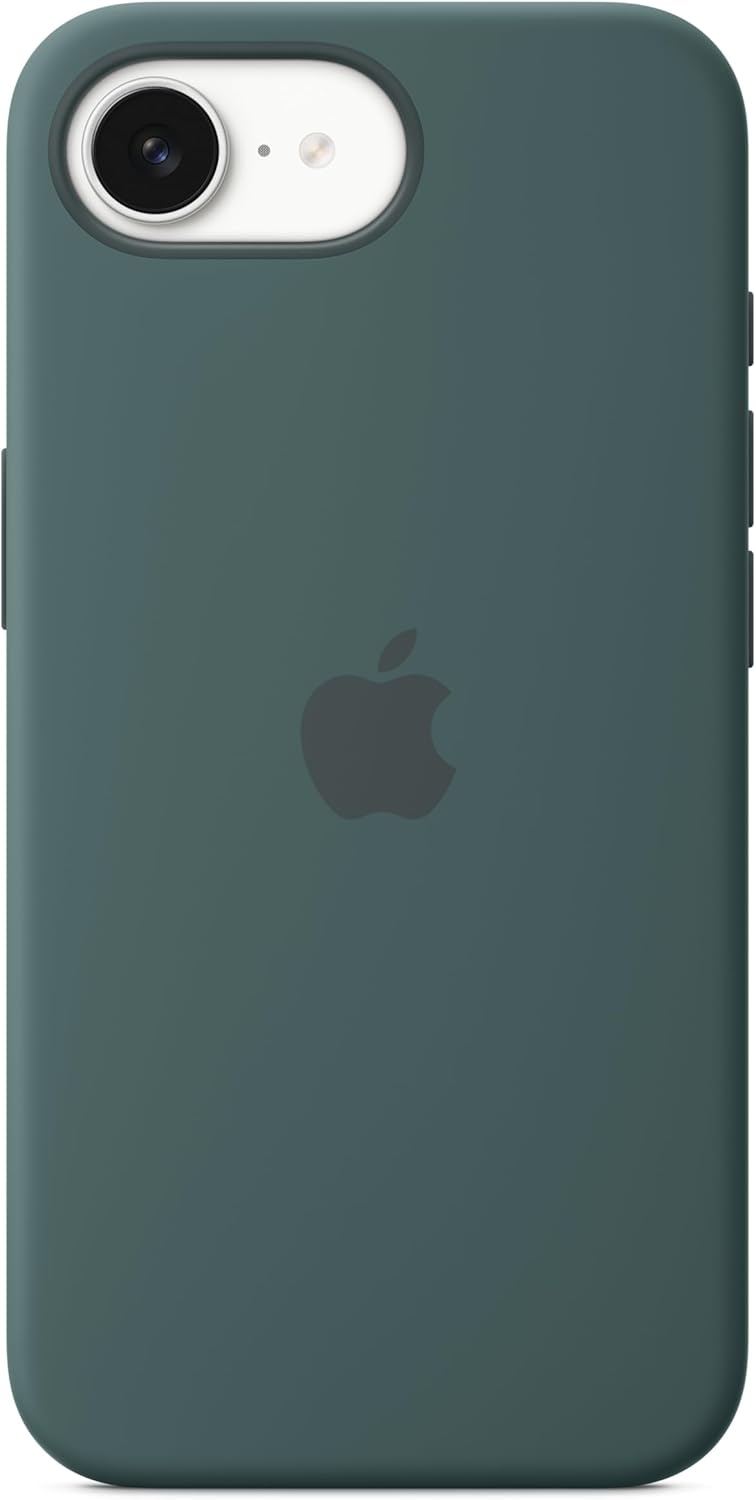
Image: The Apple iPhone 16e Silicone Case in Lake Green, showcasing its smooth texture and precise cutouts.
Configuración e instalación
To install the silicone case on your iPhone 16e, follow these steps:
- Ensure your iPhone 16e is clean and free of dust or debris.
- Align the top edge of your iPhone with the top edge of the case, ensuring the camera cutout matches.
- Gently push your iPhone into the case, starting from the top.
- Press firmly around all edges of the phone until it is fully seated and secured within the case.
- Verify that all buttons (volume, side button) and ports (charging, speakers) are correctly aligned and accessible.

Image: An iPhone 16e with the silicone case fully installed, demonstrating the precise fit and button coverage.
Funcionamento e uso
Once installed, the Apple iPhone 16e Silicone Case provides continuous protection for your device. The case is designed to allow full functionality of your iPhone:
- Acceso por botón: The case features integrated button covers that maintain the tactile feel and responsiveness of your iPhone's volume and side buttons.
- Acceso ao porto: Precision cutouts ensure unobstructed access to the charging port, speakers, and microphone.
- Compatibilidade con MagSafe: The case is designed to be compatible with MagSafe accessories, allowing for easy attachment of MagSafe chargers and other accessories without removing the case.
- Screen and Camera Protection: The case features slightly raised edges around the screen and camera module to help protect them from direct contact with surfaces when laid flat.
Mantemento
To ensure the longevity and appearance of your Apple iPhone 16e Silicone Case, follow these maintenance guidelines:
- Limpeza: Remove the case from your iPhone. Wipe the case with a soft, damp, lint-free cloth. A small amount of mild soap can be used if necessary, but ensure it is thoroughly rinsed off.
- Evite produtos químicos agresivos: Do not use abrasive cleaners, solvents, or strong detergents, as these can damage the silicone material and its finish.
- Secado: Allow the case to air dry completely before reattaching it to your iPhone.
- Almacenamento: Cando non estea en uso, garde a caixa nun lugar fresco e seco, lonxe da luz solar directa.
Resolución de problemas
If you encounter any issues with your Apple iPhone 16e Silicone Case, consider the following:
- Case Does Not Fit Correctly:
Ensure you have the correct case model for your iPhone 16e. Remove the case and re-install it, making sure the phone is properly aligned and seated firmly within all edges of the case. - Buttons Are Unresponsive or Difficult to Press:
This often indicates improper installation. Remove the case and check for any debris or obstructions between the phone and the case. Re-install the case carefully, ensuring all buttons align with the case's button covers. - Silicone Material Shows Wear or Peeling:
Silicone materials can show signs of wear over time with regular use. If you suspect a manufacturing defect, refer to the warranty information provided by Apple. - Case Feels Slippery:
The soft-touch finish is designed for grip, but new silicone cases can sometimes feel slightly slick. This typically improves with use. Ensure your hands and the case are clean and dry.
Especificacións
| Dimensións do produto | 6.42 x 3.35 x 0.67 polgadas |
| Peso do elemento | 2.39 onzas |
| Fabricante | Apple |
| ASIN | B0DXQJ5BPV |
| Número de modelo do artigo | MD3X4ZM/A |
| Modelos de teléfonos compatibles | iPhone 16e |
| Cor | Lago Verde |
| Material | Silicona |
| Data de primeira dispoñibilidade | 19 de febreiro de 2025 |
Garantía e Soporte
Apple products, including this silicone case, typically come with a limited warranty against defects in materials and workmanship. The specific terms and duration of the warranty may vary by region and product.
For detailed warranty information, to check your warranty status, or to obtain service and support, please visit the official Apple Support website or contact Apple customer service directly. It is recommended to retain your proof of purchase for any warranty claims.
Soporte de Apple Websitio: support.apple.com