
1. Introdución
This manual provides comprehensive instructions for the SEUNKWANG EWEADN F98 Wired Backlit Keyboard. Please read this guide thoroughly to ensure proper setup, operation, and maintenance of your new keyboard. This keyboard is designed for enhanced typing and gaming experiences across various operating systems.

Image 1: The SEUNKWANG EWEADN F98 Wired Backlit Keyboard, showcasing o seu deseño completo e a súa vibrante retroiluminación RGB.
2. Produto rematadoview
The EWEADN F98 keyboard is a wired, backlit keyboard featuring a 96% layout. It includes a smart display and a multimedia knob for convenient control. Key features include:
- Conexión por cable: Ensures ultra-fast response times without delay.
- Panel metálico: Constructed with an aluminum alloy panel for enhanced durability and a premium feel.
- Deseño ergonómico: Features suspended water-drop pudding keycaps with a concave and convex design for maximum hand comfort and reduced typing noise.
- Rainbow Backlit Keyboard: Offers 14 RGB lighting effects with adjustable brightness and breathing speed.
- Deseño delgado e portátil: A lightweight membrane keyboard with a 98-key standard US layout (QWERTY) and 26-key rollover.

Imaxe 2: Detallada view highlighting the excellent texture of the keyboard's metal panel, contributing to its durability.
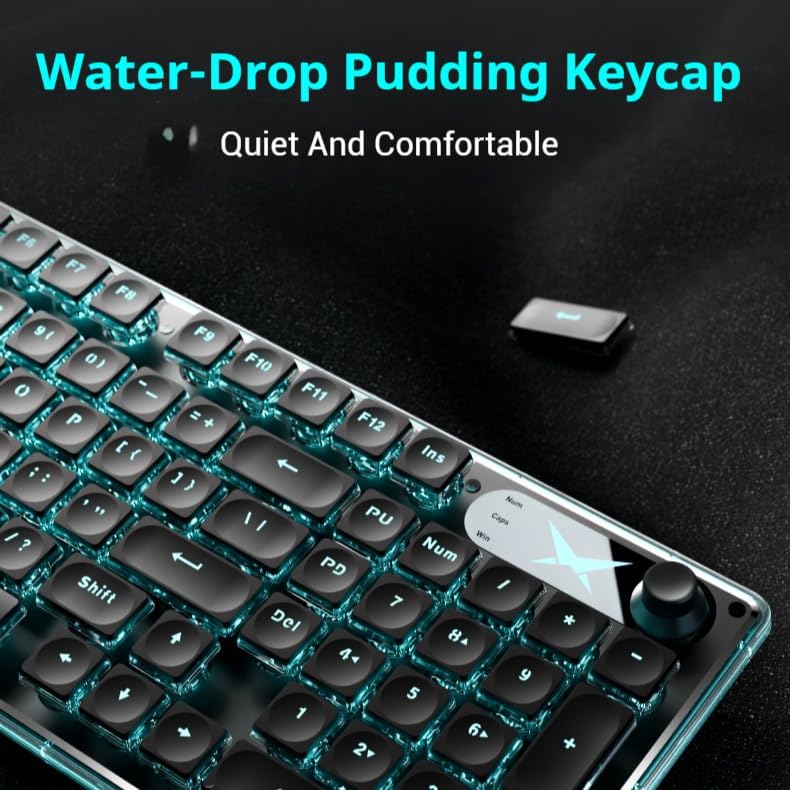
Image 3: A close-up of the water-drop pudding keycaps, designed for quiet and comfortable typing.
3. Configuración
The EWEADN F98 keyboard offers a straightforward setup process:
- Conecte o cable USB: Plug the keyboard's USB cable directly into an available USB port on your computer or laptop.
- Plug and Play: No additional driver installation is required. The keyboard is designed for immediate use upon connection.
- Compatibilidade: The keyboard is compatible with Windows, Linux, and Chrome operating systems.

Image 4: The keyboard connected to a device via its wired USB connection, supporting multiple devices.
4. Instrucións de funcionamento
4.1 Funcións do teclado
The F98 keyboard features quiet keys and an ergonomic design for comfortable and efficient use. The 26-key rollover ensures that multiple key presses are registered accurately, which is beneficial for fast typing and gaming.
Control de retroiluminación 4.2
The keyboard offers 14 RGB lighting effects. You can customize the backlighting to suit your preferences:
- Axustar o brillo: Use the dedicated function keys (e.g., Fn + PageUp/PageDown) to cycle through 5 levels of brightness.
- Cambiar os efectos de iluminación: Press specific key combinations (e.g., Fn + Insert) to switch between the 14 available RGB lighting effects.
- Axustar a velocidade respiratoria: Control the speed of dynamic lighting effects using designated function keys (e.g., Fn + +/-).
- Activar/desactivar a retroiluminación: Use the appropriate function key combination (e.g., Fn + Backspace) to toggle the backlight.
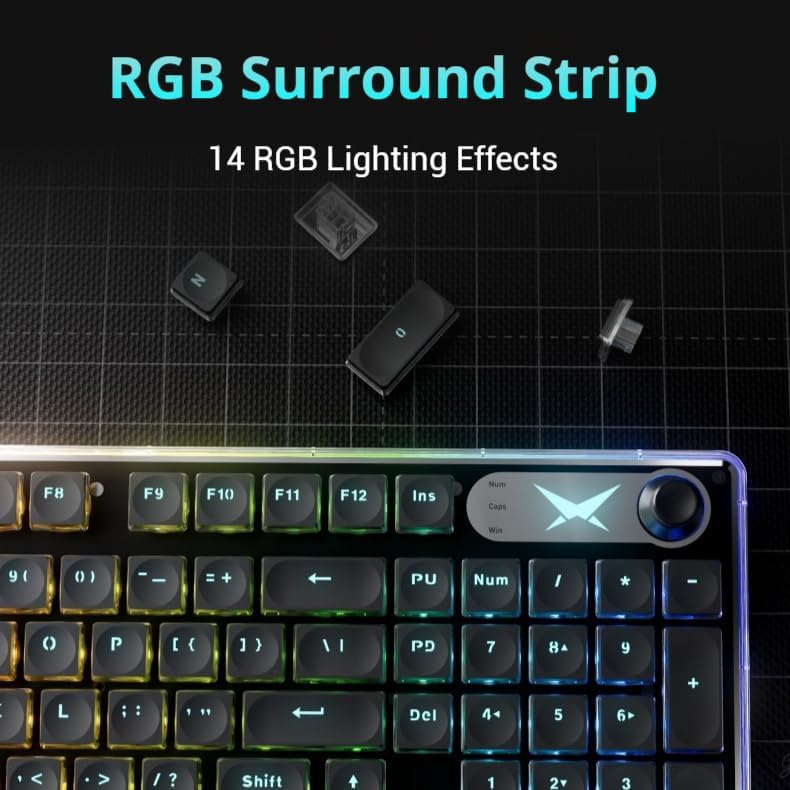
Image 5: The keyboard showcasing its RGB surround strip with various lighting effects.
4.3 Multimedia Knob and Smart Display
The integrated multimedia knob provides quick access to volume and lighting controls. The smart digital screen display offers useful information such as RGB light mode, capitalization tips, and Windows system changes.
- Control de volume: Rotate the knob clockwise to increase volume, counter-clockwise to reduce volume. Short press to mute.
- Axuste de luz: The knob can also be used for light adjustment and switching between lighting modes.
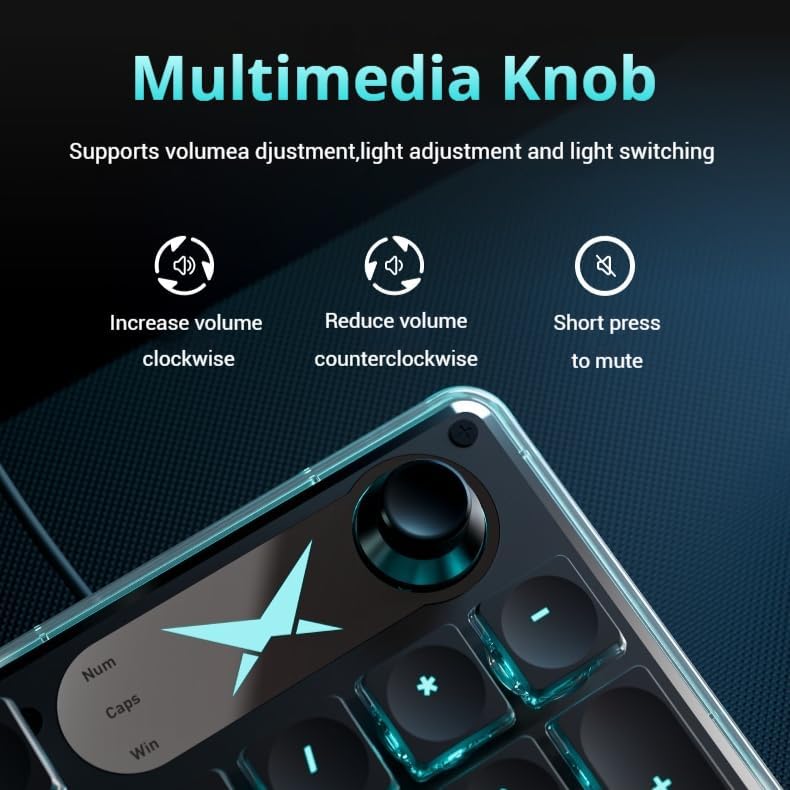
Image 6: A close-up of the multimedia knob, illustrating its functions for volume adjustment and light control.

Image 7: The smart digital screen display, providing information on RGB light mode, capitalization, and Windows system settings.
4.4 Funcionamento silencioso
The keyboard is designed for silent operation, reducing typing noise by 95%. This makes it suitable for environments where quietness is preferred, such as offices or shared living spaces.
Video 1: A demonstration of the keyboard's silent operation, highlighting its quiet key presses.
5. Mantemento
To ensure the longevity and optimal performance of your EWEADN F98 keyboard, follow these maintenance guidelines:
- Limpeza: Use a soft, dry cloth to wipe down the keyboard surface. For deeper cleaning, use a can of compressed air to remove debris from between the keys. Avoid using harsh chemicals or abrasive materials.
- Durabilidade: The aluminum alloy panel and double-shot injection keycaps are designed for durability. Avoid dropping the keyboard or exposing it to excessive force.
- Exposición ao líquido: Protect the keyboard from liquid spills. In case of a spill, immediately disconnect the keyboard and allow it to dry completely before reconnecting.
6 Solución de problemas
If you encounter any issues with your EWEADN F98 keyboard, please refer to the following common solutions:
- O teclado non responde: Ensure the USB cable is securely plugged into both the keyboard and the computer. Try plugging it into a different USB port.
- A luz de fondo non funciona: Check if the backlight is turned off using the Fn + Backspace combination. Adjust brightness using Fn + PageUp.
- Chaves sen rexistro: Ensure the keyboard is clean and free of debris. If specific keys are not working, contact customer support.
- Conexión intermitente: Verify the USB cable is not damaged. Try connecting to another device to rule out a computer-specific issue.
Se o problema persiste, póñase en contacto co servizo de atención ao cliente para obter máis axuda.
7. Especificacións
| Característica | Detalle |
|---|---|
| Dimensións do produto | 17 cm de longo x 1.2 cm de ancho x 17.5 cm de alto |
| Peso do elemento | 1.59 libras |
| Fabricante | EWEADN |
| Número de modelo | EWEADN-F98-3 |
| Tecnoloxía de conectividade | Con cable |
| Dispositivos compatibles | Portátil, PC, Tablet |
| Características especiais | Backlit, Ergonomic, Lightweight, Volume Roller, Quiet |
| Soporte de cores de retroiluminación do teclado | RGB |
| Linguaxe | inglés |
8. Garantía e soporte
The SEUNKWANG EWEADN F98 Wired Backlit Keyboard comes with 48-month brand support, ensuring assistance for any product-related inquiries or issues.
For customer support, please contact us via email:
Soporte por correo electrónico: eweardnkeyboard@outlook.com