
1. Introdución
The Memoking Mini Printer T02 is a portable, inkless thermal printer designed for various printing needs, including study notes, labels, photos, and creative projects. Its compact size and Bluetooth connectivity make it suitable for on-the-go use with smartphones and tablets. This manual provides essential information for setting up, operating, and maintaining your device.

Image 1.1: Memoking Mini Printer T02 and example prints.
2. Contido do paquete
Verifique que todos os elementos que se indican a continuación estean incluídos no seu paquete:
- Memoking Mini Printer T02 x 1
- White Sticky Paper Roll x 1
- Purple Sticky Paper Roll x 1
- Green Sticky Paper Roll x 1
- Cable USB-C x 1
- Manual do usuario x 1

Image 2.1: Contents of the Memoking Mini Printer T02 package.
3. Produto rematadoview
Familiarize yourself with the components of your Memoking Mini Printer T02:
Image 3.1: Memoking Mini Printer T02 component diagram.
- Rubber Roller: Feeds the thermal paper.
- Printer Lid: Opens to load paper.
- Botón ON/OFF: Acende ou apaga o dispositivo.
- Luz indicadora: Shows device status (e.g., power, charging, error).
- Botón de reinicio: Used for factory reset or troubleshooting.
- Porto de carga: USB-C port for charging the printer.
- Portapapeles: Secures the paper roll inside the printer.
4. Configuración
4.1. Cargando papel
- Open the printer lid by sliding the release button or gently lifting it.
- Insert the paper roll into the paper holder, ensuring the printing side faces outwards.
- Tire dun pequeno anaco de papel para sacalo do cabezal de impresión.
- Peche a tapa da impresora firmemente ata que encaixe no seu lugar.
4.2. Conectando á aplicación
- Download the "Phomemo" app from your device's app store (compatible with iOS and Android).
- Asegúrate de que a impresora estea acendida e de que o Bluetooth estea activado no teu teléfono intelixente ou tableta.
- Open the "Phomemo" app and follow the on-screen instructions to pair your device via Bluetooth. The connection typically takes a few seconds.

Image 4.1: Step-by-step guide for paper loading and printing.
5. Instrucións de funcionamento
5.1. Impresión
- Once connected to the "Phomemo" app, select the content you wish to print (e.g., text, image, template).
- Adjust settings such as size, density, or filters within the app as needed.
- Tap the print button in the app to send the data to your Memoking Mini Printer T02.
- The printer will automatically feed and print the content. Tear off the printed paper along the serrated edge.
5.2. Aplicacións
The Memoking Mini Printer T02 supports a wide range of applications:
- Study Aids: Print notes, flashcards, anatomical diagrams, and graphics for various subjects.
- Organización: Create labels for storage, to-do lists, shopping lists, and memos.
- Proxectos creativos: Design custom stickers, journal entries, bookmarks, and greeting cards.
- Fotos: Print monochrome photos for scrapbooking or personal use.
- Children's Activities: Print coloring pages, games, and learning materials.
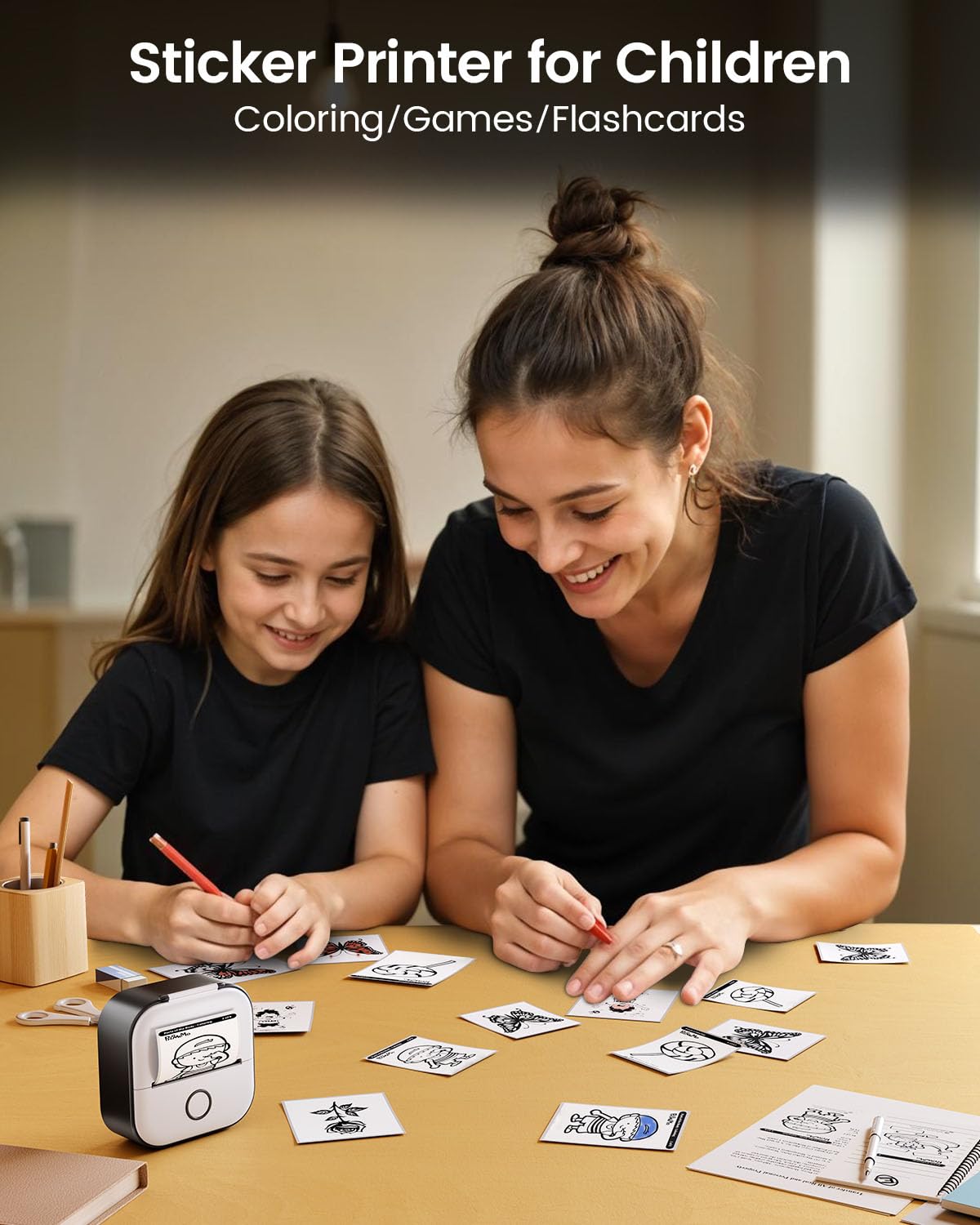
Imaxe 5.1: Ex.amples of study graphics printed with the T02 printer.
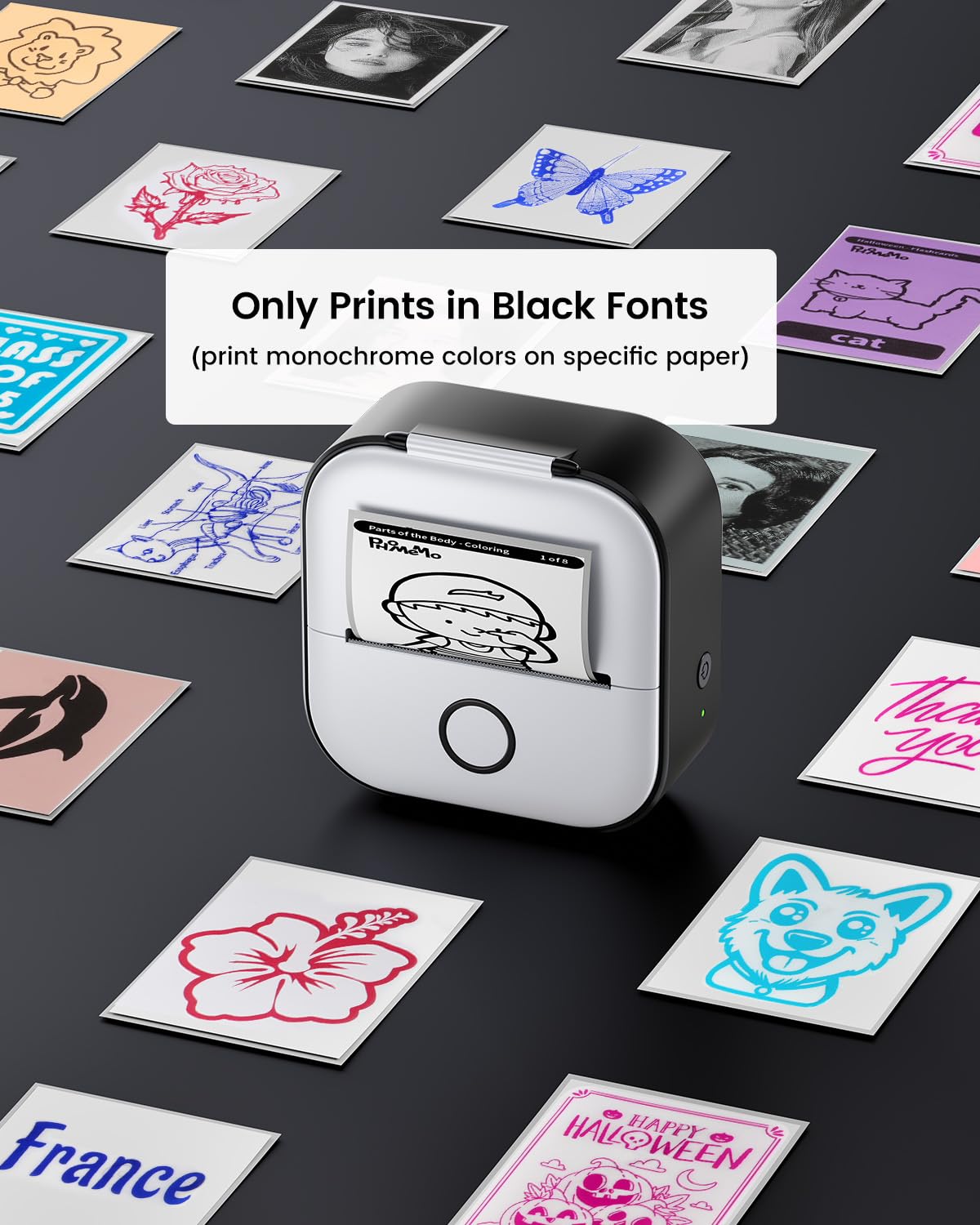
Image 5.2: The T02 printer used for children's coloring and games.
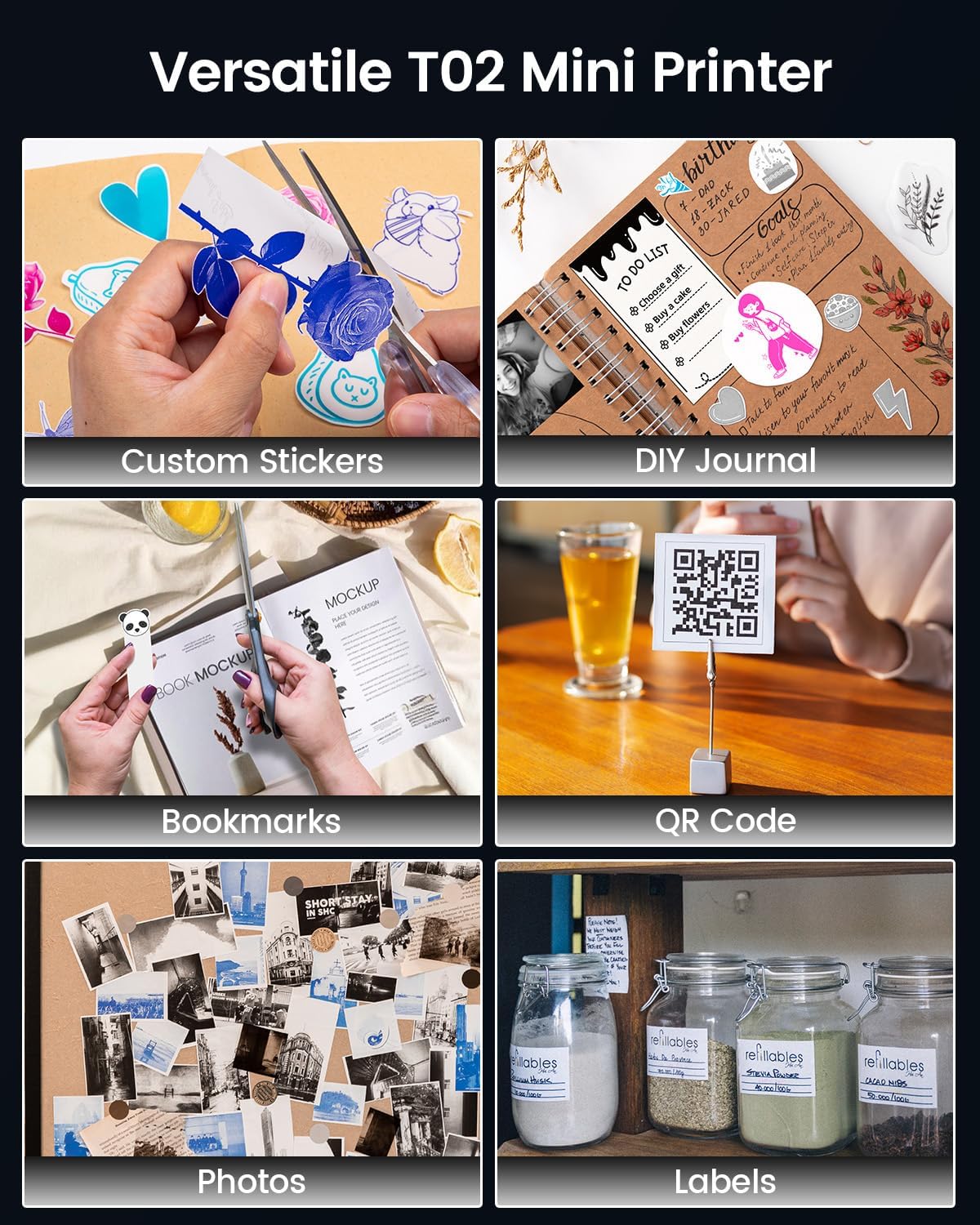
Image 5.3: Versatile applications of the Memoking T02 Mini Printer.
6. Mantemento
6.1. Limpeza do cabezal de impresión
To ensure optimal print quality, periodically clean the print head:
- Apague a impresora e desconecte o cable de alimentación.
- Abra a tapa da impresora.
- Limpe suavemente o cabezal de impresión cun hisopo de algodónampcon alcohol isopropílico.
- Allow the print head to dry completely before closing the lid and turning on the printer.
6.2. Manipulación e almacenamento de papel
- Use only Memoking-approved thermal paper for best results and to prevent damage to the printer.
- Store thermal paper in a cool, dry place away from direct sunlight and heat to preserve its quality and image duration.
- Avoid touching the printing surface of the thermal paper excessively, as oils from skin can affect print quality.

Image 6.1: Specifications and features of Memoking thermal paper.
7 Solución de problemas
- A impresora non se acende: Ensure the printer is charged. Connect it to a power source using the provided USB-C cable.
- Non se pode conectar por Bluetooth: Make sure Bluetooth is enabled on your device and the printer is within range. Restart both the printer and your mobile device. Ensure no other devices are currently paired with the printer.
- Mala calidade de impresión: Check if the paper roll is inserted correctly with the printing side facing out. Clean the print head as described in Section 6.1. Ensure the paper is not old or damaged.
- No Paper Feed: Verify that the paper roll is properly seated and not jammed. Ensure the printer lid is fully closed.
- Printer Only Prints Black Fonts: The Memoking T02 is a monochrome thermal printer and prints only in black. While specific paper types may show different background colors, the printed text/images will always be black.
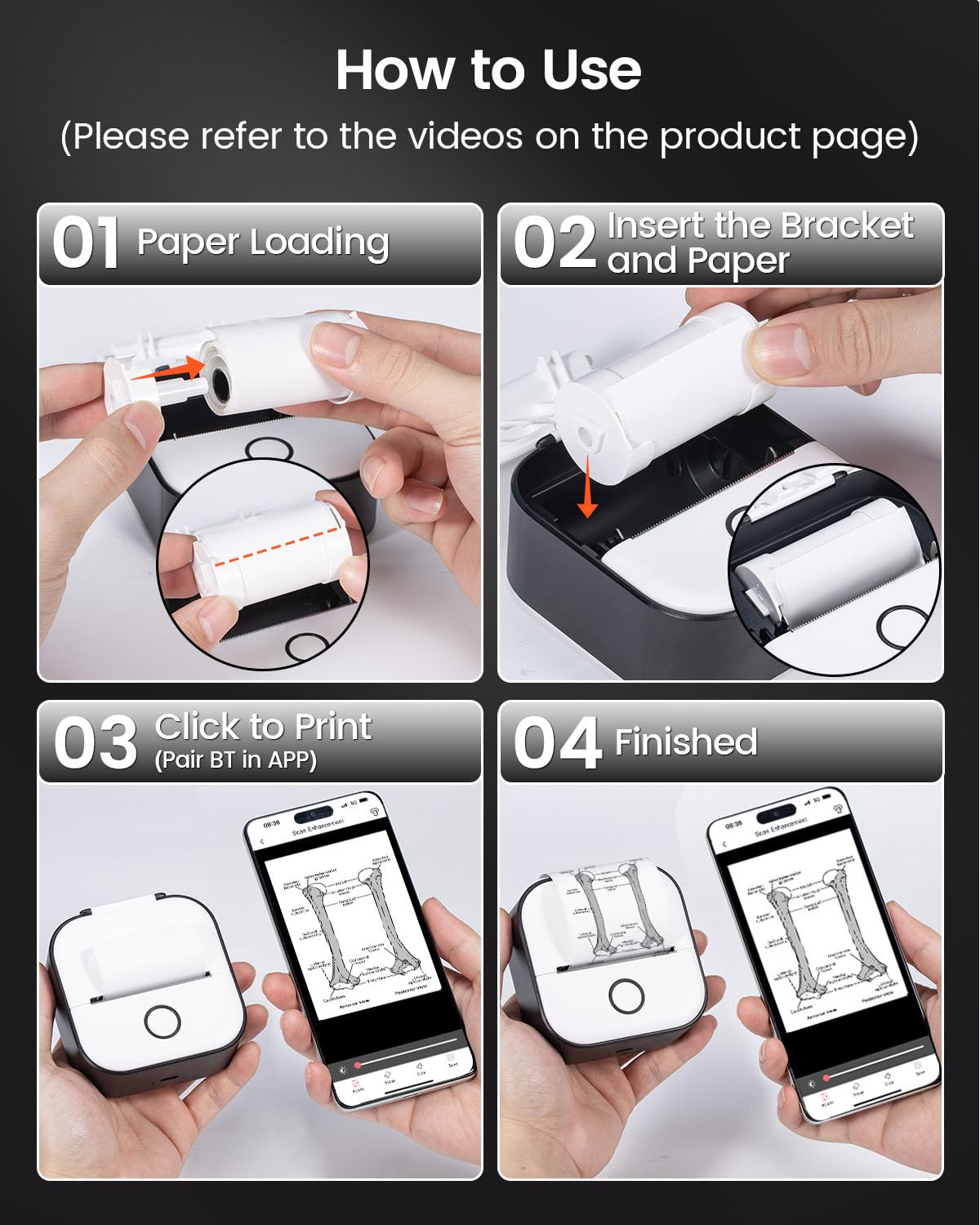
Image 7.1: The T02 printer produces monochrome (black) prints.
8. Especificacións
| Nome do modelo | T02 |
| Marca | Memoking |
| Tecnoloxía de impresión | Térmica |
| Tecnoloxía de conectividade | Bluetooth |
| Resolución máxima de impresión en branco e negro | 203 puntos por polgada (DPI) |
| Tamaño máximo do soporte | 53 mm |
| Dimensións do produto (L x W x H) | 1.4 x 3.4 x 3.4 polgadas (3.6 x 8.6 x 8.6 cm) |
| Peso do elemento | 10.2 onzas (290 gramos) |
| Dispositivos compatibles | Teléfonos intelixentes (iOS, Android) |
| Saída da impresora | Monocromo |
9. Garantía e soporte
For warranty information or technical support, please refer to the documentation included with your product or visit the official Memoking website. You may also contact Memoking customer service directly for assistance with product inquiries, troubleshooting, or replacement parts.