
1. Introdución
Thank you for choosing the BMAX I8 Plus Android 16 Tablet. This manual provides essential information for the safe and efficient use of your device. Please read it carefully before use and keep it for future reference.
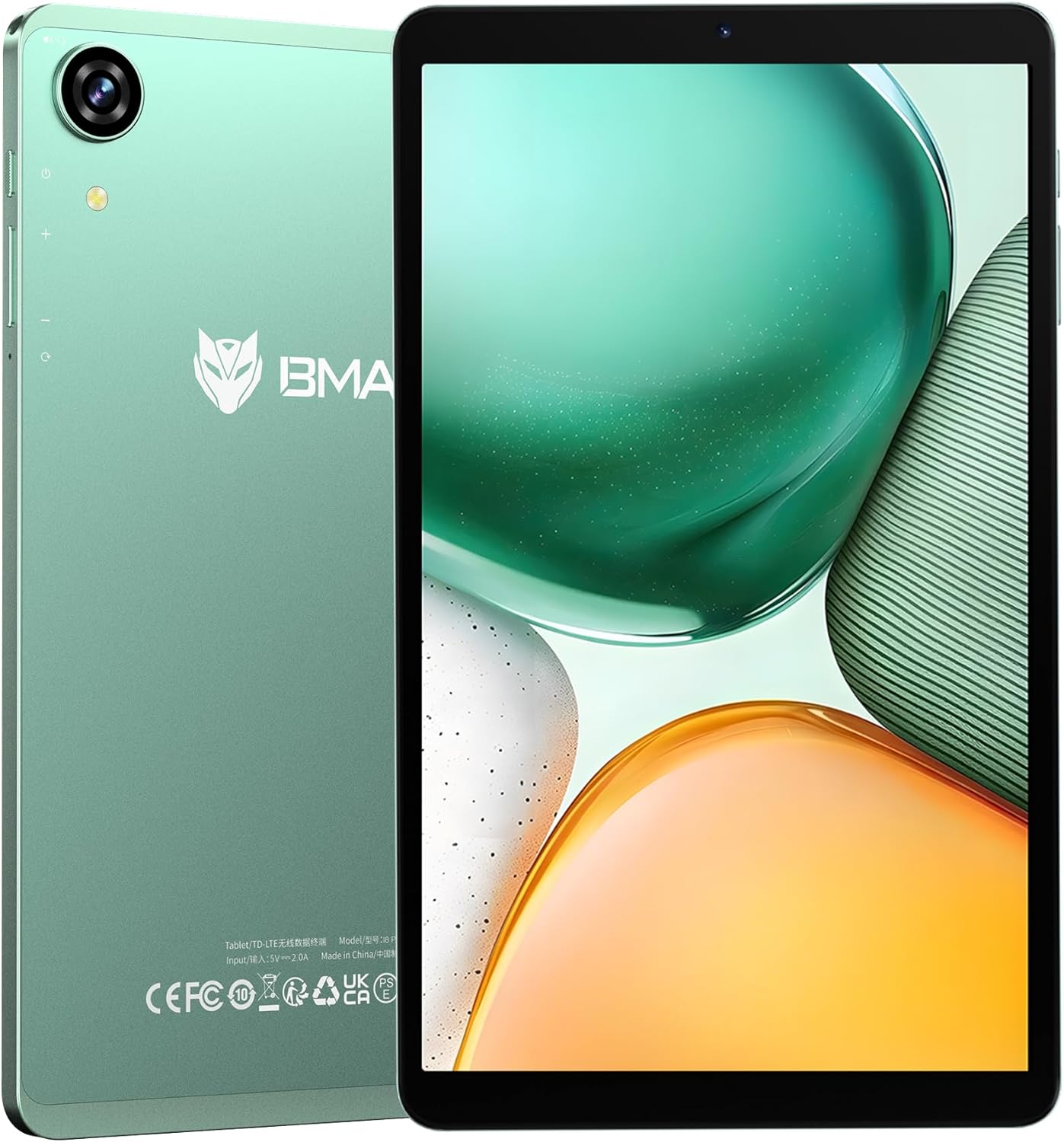
Figure 1: BMAX I8 Plus Tablet Overview
The BMAX I8 Plus is an 8.7-inch tablet featuring the latest Android 16 OS, optimized for performance and user experience. It offers 20GB (4GB physical + 16GB virtual) RAM, 128GB internal storage expandable up to 1TB, and is powered by a Unisoc T7250 octa-core CPU with Mali G57 GPU. Key features include 4G LTE connectivity, dual-band Wi-Fi, Bluetooth 5.2, a 90Hz high refresh rate display, Widevine L1 certification for high-quality streaming, face recognition, split-screen multitasking, and parental control options.
2. Contido do paquete
Ao desembalar, asegúrate de que estean presentes todos os elementos que se indican a continuación:
- BMAX I8 Plus Tablet
- Cable USB Tipo-C
- Adaptador de alimentación
- Ferramenta de expulsión de SIM
- Manual de usuario (este documento)
Video 1: Unboxing the BMAX I8 Plus Tablet. This video demonstrates the unboxing process and shows all included accessories, such as the tablet, charging cable, power adapter, and SIM ejector tool.
3. Disposición do dispositivo
Familiarize yourself with the physical components of your BMAX I8 Plus tablet:

Figure 2: BMAX I8 Plus Tablet Component Diagram
- Cámara frontal: For video calls and face recognition.
- Cámara traseira: Para facer fotos e vídeos.
- Micrófono: Para entrada de audio.
- Conector para auriculares de 3.5 mm: Para conectar auriculares con cable.
- Botón de encendido: To turn the device on/off or put it to sleep/wake it up.
- Botóns de volume: To adjust the device's volume.
- Restablecer burato: For force restarting the device if unresponsive.
- SIM & SD Card Slot: For inserting SIM cards and microSD cards.
- Porto de carga tipo C: For charging the device and data transfer.
- Relatores: Para saída de audio.
4. Configuración
4.1 Carga inicial
Before first use, fully charge your tablet. Connect the USB Type-C cable to the tablet's charging port and the power adapter to a wall outlet. The battery indicator will show charging status.

Figure 3: Charging the BMAX I8 Plus Tablet
4.2 Encendido/apagado
- Para acender: Press and hold the Power button until the BMAX logo appears.
- Para apagar: Mantén premido o botón de acendido e, a seguir, selecciona "Apagar" entre as opcións.
- Para reiniciar: Mantén premido o botón de acendido e, a seguir, selecciona "Reiniciar" entre as opcións.
4.3 Instalación da tarxeta SIM e da tarxeta MicroSD
The tablet supports dual SIM cards and a microSD card for expanded storage up to 1TB.
- Locate the SIM & SD card slot on the side of the tablet.
- Insira a ferramenta de expulsión da tarxeta SIM no pequeno orificio que hai xunto á bandexa e prema suavemente ata que esta saia.
- Place your SIM card(s) and/or microSD card into the designated slots on the tray, ensuring correct orientation.
- Empurre con coidado a bandexa cara atrás na tableta ata que encaixe no seu lugar.
Video 2: SIM and SD Card Installation. This video demonstrates how to correctly insert SIM cards and a microSD card into the tablet's tray.
5. Uso da tableta
5.1 Sistema operativo Android 16
Your BMAX I8 Plus tablet runs on the latest Android 16 OS, offering enhanced stability, improved operational comfort, and support for new features. The system UI has been optimized for a more user-friendly experience.

Figure 4: Android 16 OS Interface
5.2 Características de visualización
- Alta taxa de actualización de 90 Hz: Enjoy a smooth visual experience with seamless animations.
- IPS In-cell TDDI Display: Proporciona cómodo viewing with 1340x800 resolution and a 16:10 aspect ratio.
- Certificación Widevine L1: Stream high-quality content from platforms like Netflix, YouTube, Amazon Prime Video, and Disney+.
- Proxección sen fíos: Easily connect your tablet to a larger TV for an expanded viewexperiencia ing.

Figure 5: Widevine L1 Support for High-Quality Streaming

Figure 6: Wireless Screen Casting Functionality
5.3 Conectividade
- 4G LTE: Dual SIM support for flexible mobile communication.
- Dual-band Wi-Fi (2.4G/5G): Fast and stable wireless connections.
- Bluetooth 5.2: Reduced latency for wireless accessories, improving audio synchronization.
- GPS: Supports GPS, Beidou, Galileo, and Glonass for accurate navigation and location services.

Figure 7: 4G LTE and VoLTE Communication

Figure 8: GPS Navigation Support
5.4 Cameras and Audio
- Cámara traseira: 13MP with autofocus and LED flash for clear photos in various conditions.
- Cámara frontal: 5MP for smooth video calls and selfies.
- Altofalantes dobres: Two sound cavity speakers provide a pure and immersive audio experience.
- Radio FM: Enjoy your favorite FM radio stations.

Figure 9: High-Quality Cameras for Photos and Video Calls

Figura 10: Experiencia de audio inmersiva
5.5 Security and Productivity
- Recoñecemento facial: Unlock your tablet quickly and securely in 0.3 seconds by simply facing the camera.
- Pantalla dividida: Display two applications simultaneously, enhancing multitasking efficiency.
- Soporte OTG: Transfer photos, videos, and files with external devices.
- Private Space: Keep sensitive apps and data invisible for enhanced privacy.
- App Pair: Pair frequently used apps for quick multitasking.

Figure 11: Fast and Secure Face Recognition Unlock

Figure 12: Split Screen Multitasking
5.6 Kids Protection (Parental Controls)
The tablet offers parental control features to manage children's usage. Utilize Google's built-in 'FamilyLink' to set screen time limits, monitor app usage, remotely lock the device, and check your child's tablet location information. This helps parents provide a balanced learning and entertainment environment.

Figure 13: Parental Controls for Kids Protection
6. Mantemento
6.1 Coidado coa batería
The tablet is equipped with a 6000mAh cobalt lithium battery. To prolong battery life:
- Evita temperaturas extremas.
- Usa o cargador e o cable fornecidos.
- Non deixes que a batería se descargue completamente con frecuencia.
- Para o almacenamento a longo prazo, carga a batería aproximadamente ao 50 %.
6.2 Limpeza
Usa un pano suave e sen pelusa para limpar a pantalla e o corpo da tableta. Evita o uso de produtos químicos agresivos ou materiais abrasivos.
7 Solución de problemas
If you encounter issues with your tablet, try the following basic troubleshooting steps:
- O dispositivo non responde: Mantén premido o botón de acendido/apagado durante 10-15 segundos para forzar un reinicio.
- Aplicacións que fallan: Clear the cache of the problematic app or reinstall it.
- Conexión wifi deficiente: Restart your router and the tablet. Ensure you are within range of the Wi-Fi signal.
- A batería esgotando rapidamente: Check background app usage, reduce screen brightness, or disable unnecessary features like GPS or Bluetooth when not in use.
For more complex issues, please refer to the support information in Section 9.
8. Especificacións
| Característica | Especificación |
|---|---|
| Marca | BMAX |
| Nome do modelo | I8 Plus |
| OS | Android 16 |
| Tamaño da pantalla | 8.68 polgadas |
| Resolución de visualización | 1340 x 800 píxeles |
| Taxa de actualización | 90 Hz |
| CPU | Unisoc T7250 Octa-Core (2x A75@1.8GHz + 6x A55) |
| GPU | Mali-G57 |
| RAM | 20 GB (4 GB físico + 16 GB virtual) |
| Almacenamento interno | 128 GB |
| Almacenamento ampliable | Ata 1 TB mediante tarxeta microSD |
| Cámara traseira | 13MP with Autofocus and LED Flash |
| Cámara frontal | 5 MP |
| Batería | 6000 mAh |
| Porto de carga | USB tipo C |
| Wi-Fi | 802.11a/b/g/n/ac (2.4G/5G Dual-band) |
| Bluetooth | 5.2 |
| Rede móbil | 4G LTE (Dual SIM support) |
| Navegación | GPS, Beidou, Galileo, Glonass |
| Dimensións | 8.4mm thin, approx. 355g weight |
| Cor | Verde |
| Certificacións | PSE, CE, FCC, TELEC, GMS, Widevine L1 |
9. Garantía e soporte
Your BMAX I8 Plus tablet comes with a one-year quality warranty. We are committed to providing satisfactory support to our customers.
9.1 Contactar con Soporte
If you have any questions or require assistance, please contact us via email. Support is available in both English and Japanese.
Para contactar connosco:
- Go to your Amazon account > Order History > Select your order > Contact Seller.
- Alternatively, on the product page, click on the store name below the "Add to Cart" button, then click "Ask a question" in the upper right corner to send us an email.

Figura 14: Información de atención ao cliente