
GONEO GN-L10U15A
GONEO Universal Travel Adapter GN-L10U15A Instruction Manual
Model: GN-L10U15A
1. Introdución
The GONEO Universal Travel Adapter GN-L10U15A is designed to provide power connectivity for your electronic devices in various countries worldwide. This compact adapter features multiple plug types, AC outlets, and USB charging ports, making it a versatile solution for international travel.
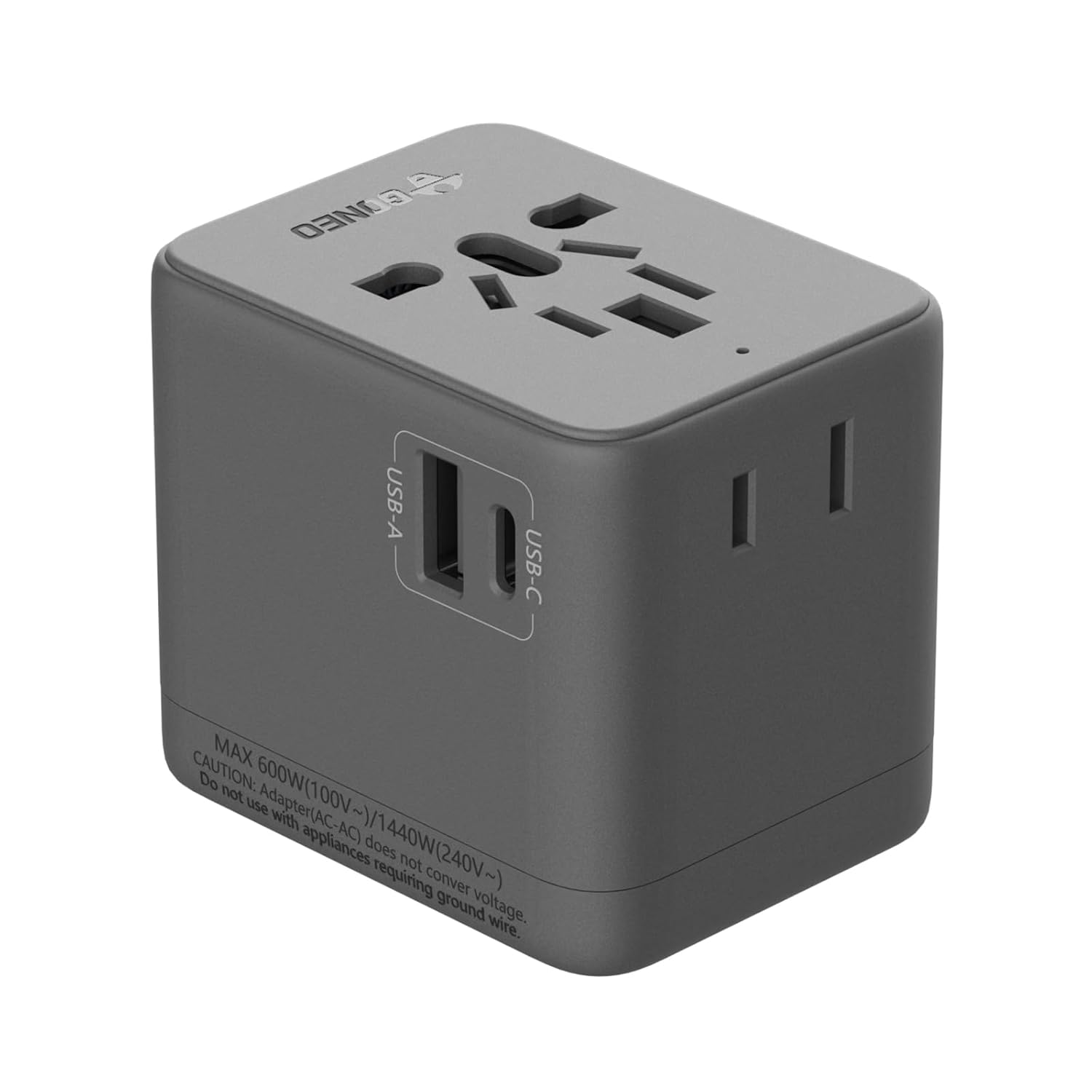
Imaxe 1.1: Fronte view of the GONEO Universal Travel Adapter, showcasing its compact design and integrated USB ports.
2. Información importante de seguridade
WARNING: This product only converts the socket shape; it does not convert voltage. Ensure your devices are dual-voltage (100V-240V) or compatible with the local voltage. Using devices that require voltage conversion may cause damage to the device or the adapter.
The GONEO Universal Travel Adapter incorporates multiple safety features to protect your devices:
- Protección contra a temperatura excesiva
- Sobrevoltage Protección
- Protección contra sobrecorriente
- Protección de sobrecarga
- Protección contra curtocircuítos
- Undervoltage Protección
- Protección contra sobrecarga
- Chip Protection

Image 2.1: Visual representation of the eight circuit protection mechanisms integrated into the adapter for enhanced safety.
3. Produto rematadoview
3.1 Compoñentes
The adapter features:
- 1 Universal AC Socket
- 1 USB-A Port (5V 2.4A)
- 1 USB-C Port (5V 3A)
- 1 Type-A Socket (for specific regions)

Imaxe 3.1: Primeiro plano view of the adapter, highlighting the USB-A and USB-C charging ports.
3.2 Tipos de enchufes
The adapter integrates retractable plugs for compatibility with major international standards:
- European (EU)
- Reino Unido (Reino Unido)
- Estados Unidos (EUA)
- Australia (AU)
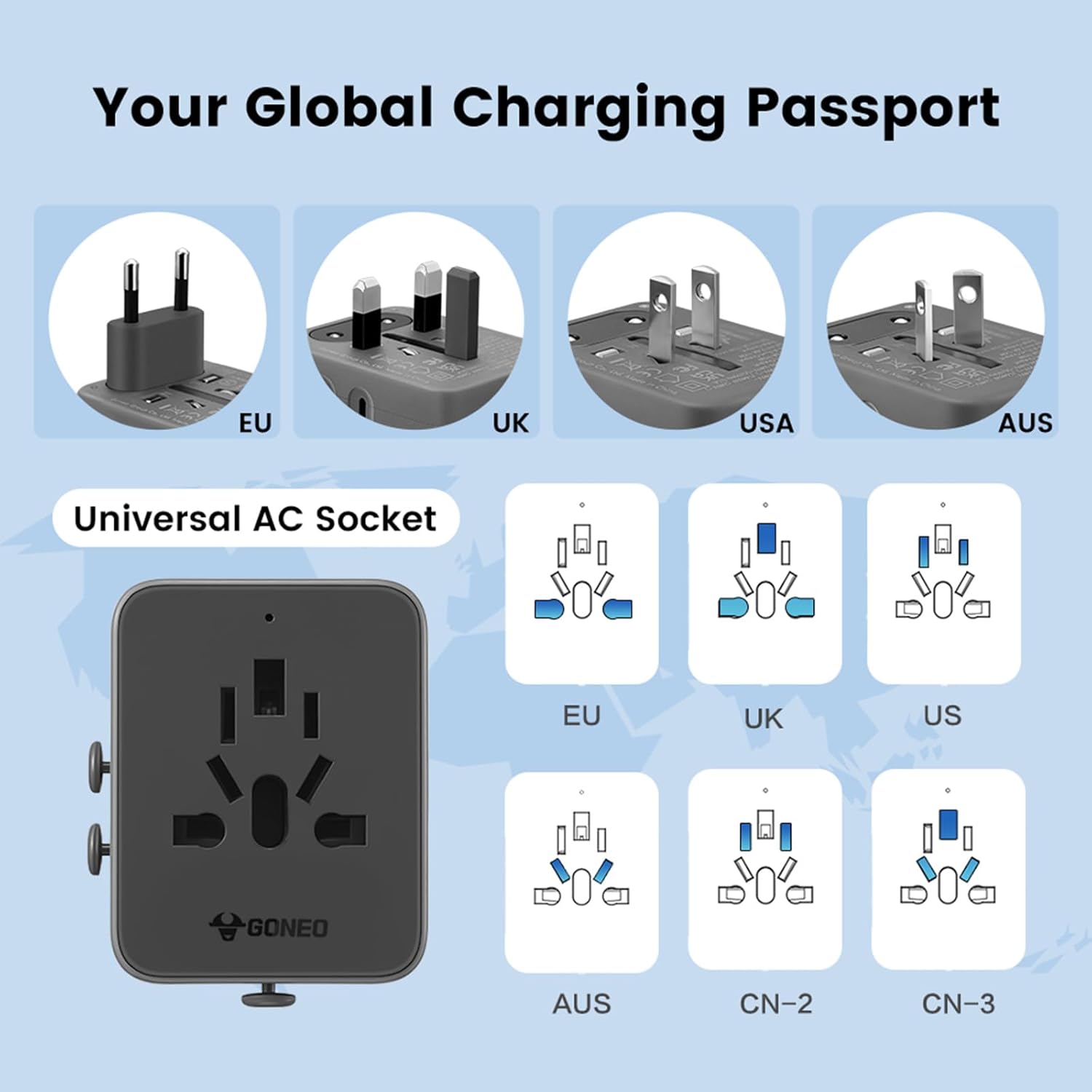
Image 3.2: Illustration of the various integrated plug types (EU, UK, US, AU) and the universal AC socket design.
4. Configuración e funcionamento
4.1 Selecting the Correct Plug
- Identify the required plug type for your destination country.
- Slide the corresponding plug selector on the side of the adapter to extend the correct pins.
- Ensure the other plug types are fully retracted before inserting the adapter into a wall socket.
4.2 Conexión de dispositivos
- Once the adapter is securely plugged into a wall outlet, connect your device's power cord to the universal AC socket.
- For USB-powered devices, connect your USB cable to either the USB-A or USB-C port.
- The adapter supports charging up to 4 devices simultaneously (1 AC, 1 USB-A, 1 USB-C, 1 Type-A).
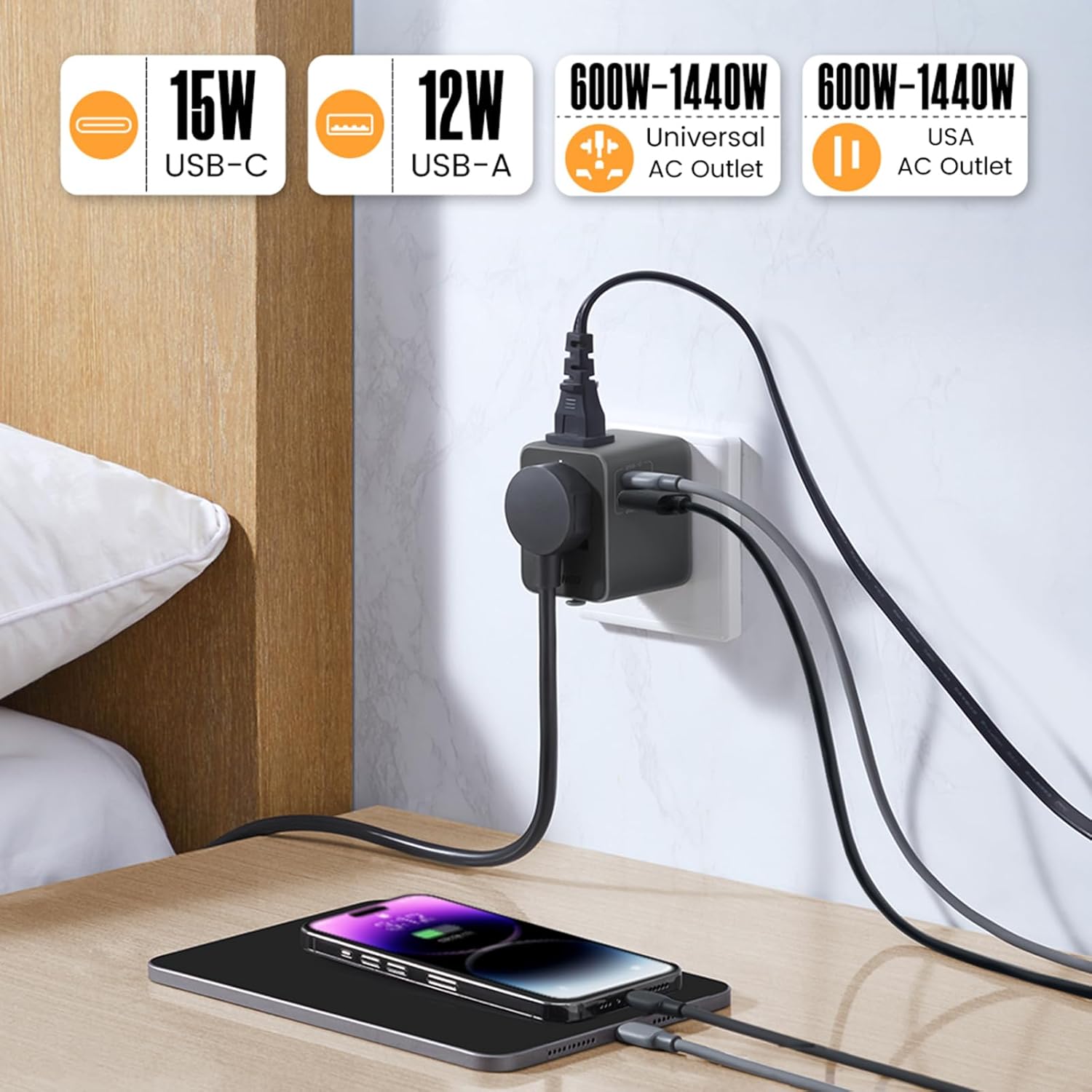
Image 4.1: The adapter in use, demonstrating simultaneous charging of a phone and tablet via USB ports while an AC device is also connected.
5. Automatic Reset Feature
The GONEO Universal Travel Adapter features an automatic reset mechanism. In the event of an overload, the adapter will temporarily cease operation to protect connected devices and itself. Unlike traditional fuses that require manual replacement, this adapter will automatically reset after approximately 10 seconds once the overloaded device is removed or replaced with one within the rated power range.

Image 5.1: Comparison highlighting the convenience and safety of the automatic reset feature over traditional, replaceable fuses.
6. Compatibilidade
This adapter is compatible with devices operating within a voltage range of 100V to 240V. It is suitable for charging various electronic devices such as smartphones, tablets, laptops, cameras, and other USB-powered gadgets.

Imaxe 6.1: Ex.amples of devices compatible with the adapter, including laptops, smartphones, cameras, and electric toothbrushes.
7. Coidados e mantemento
- Keep the adapter dry and clean. Avoid exposure to moisture or extreme temperatures.
- Limpa o adaptador cun pano suave e seco. Non empregues produtos de limpeza líquidos nin materiais abrasivos.
- Garde o adaptador nun lugar fresco e seco cando non o use.
- Non intente desmontar nin modificar o adaptador.
8 Solución de problemas
8.1 Adapter Not Providing Power
- Comprobar a toma de corrente: Ensure the wall socket is active and providing power.
- Conexión de enchufe: Verify that the correct plug type is fully extended and securely inserted into the wall socket.
- Conexión do dispositivo: Confirm that your device's cable is properly connected to the adapter.
- Restablecemento de sobrecarga: If the adapter stopped working, it might have triggered the automatic reset due to an overload. Remove the connected device, wait 10 seconds, and then reconnect a device within the rated power.
8.2 O dispositivo non se carga
- Compatibilidade do dispositivo: Asegúrate de que o teu dispositivo sexa compatible co volume localtage and the adapter's output specifications.
- Integridade do cable: Proba cun cable de carga diferente para descartar un cable defectuoso.
- Adapter Ports: Test different USB ports or the AC socket to identify if a specific port is affected.
9. Especificacións
| Característica | Especificación |
|---|---|
| Modelo | GN-L10U15A |
| Entrada | 6A MAX, 100V-240V~ |
| Saída (AC) | 600W (100V~) / 1440W (240V~) |
| Entrada USB | 100V-240V~ 50/60Hz 0.5A |
| Saída USB-C | 5V 3A |
| Saída USB-A | 5V 2.4A |
| Saída USB total | 5 V 3 A MÁX |
| Tipos de enchufes | EU, UK, US, AU |
| Dimensións (L x W x H) | 6.35 x 5.08 x 5.08 cm (2.5 x 2.0 x 2.0 polgadas) |
| Peso | 168 g |
| Material | Material de PC a proba de lume |
| Certificados | UKCA, RoHS, CE, FCC |

Image 9.1: The adapter shown in hand, illustrating its compact and portable dimensions for travel.
10. Garantía e soporte
For warranty information or technical support, please refer to the product packaging or contact GONEO customer service through the retailer where the product was purchased. Keep your purchase receipt for warranty claims.
Ask a question about this manual
Ask about setup, troubleshooting, compatibility, parts, safety, or missing instructions. Manuals+ will review the question and use this page’s manual context to help answer it.