
1. Produto rematadoview
The Xiaomi Poco F7 Ultra 5G is a high-performance smartphone designed for advanced mobile computing and communication. It features a flagship Snapdragon® 8 Elite chipset, a vibrant 2K 120Hz Flow AMOLED display, and a versatile 50MP triple camera system. The device is built with IP68 dust and water resistance and supports both 120W wired and 50W wireless HyperCharge for rapid power replenishment.

Figura 1.1: Parte dianteira e traseira view of the Xiaomi Poco F7 Ultra 5G in yellow.
2. Que hai na caixa
Upon unboxing your Xiaomi Poco F7 Ultra 5G, verify that all components are present:
- Xiaomi Poco F7 Ultra 5G Smartphone
- Cable USB Tipo-C
- Funda do teléfono
- Manuais (incluído este manual de usuario)

Figure 2.1: Packaging contents of the Poco F7 Ultra 5G.
3. Configuración
3.1. Inserir a tarxeta SIM
The Poco F7 Ultra 5G supports dual SIM cards. Locate the SIM card tray on the side of the device. Use the provided SIM ejector tool to open the tray. Insert your Nano-SIM cards into the designated slots, ensuring the gold contacts face downwards. Gently push the tray back into the device until it clicks into place.
Nota: This device does not support Micro SD cards.
3.2. Asistente de acendido inicial e configuración
Press and hold the Power button (located on the right side of the device) until the Xiaomi logo appears. Follow the on-screen instructions to complete the initial setup, which includes selecting your language, connecting to a Wi-Fi network, signing in to your Google account, and setting up security features like fingerprint or face unlock.
3.3. Cargando o dispositivo
Before first use, it is recommended to fully charge the device. Connect the USB Type-C cable to the phone's charging port and the other end to the 120W HyperCharge adapter. Plug the adapter into a power outlet. The device also supports 50W wireless HyperCharge using a compatible wireless charger (sold separately).
4. Instrucións de funcionamento
4.1. Características da pantalla
The Poco F7 Ultra 5G features a 6.67-inch WQHD+ Flow AMOLED DotDisplay with a resolution of 3200x1440 pixels and a pixel density of 526 ppi. It offers a refresh rate of up to 120Hz for smooth visuals and a peak brightness of 3200 nits for excellent visibility even in bright conditions. The display supports 12-bit color depth, DCI-P3 wide color gamut, HDR10+, and Dolby Vision for a rich visual experience. Advanced dimming technology (up to 3840Hz PWM dimming) and certifications like TÜV Low Blue Light ensure eye comfort.

Figure 4.1: Key display and camera features.
4.2. Sistema de cámaras
The device is equipped with a versatile triple camera setup:
- Cámara principal de 50 MP: Features Light Fusion 800 image sensor, 2.0µm 4-in-1 Super Pixel, f/1.6 aperture, 1/1.55" sensor size, 6P lens, and Optical Image Stabilization (OIS).
- 50MP Floating Telephoto Camera: With f/2.0 aperture, 60mm equivalent focal length, and OIS for clear zoomed shots.
- Cámara ultra gran angular de 32 MP: Offers a 120° Field of View (FOV) with f/2.2 aperture.
The 32MP front camera supports various photography features including Night mode, Portrait mode, Film Camera, HDR, Palm Shutter, Voice Shutter, and Timed burst. Video recording capabilities include 1080p at 30/60 fps and 720p at 30 fps, with slow motion video at 720p 120fps.
4.3. Rendemento e conectividade
Powered by the Snapdragon® 8 Elite Mobile Platform (3nm process) with an Octa-core CPU and Adreno GPU, the Poco F7 Ultra 5G delivers exceptional performance. It supports comprehensive network connectivity including 5G (Sub6G), 4G LTE FDD/TDD, 3G WCDMA, and 2G GSM. Wireless connectivity includes Bluetooth 5.4 and Wi-Fi Protocol 802.11a/b/g/n/ac/ax. For navigation, it utilizes Beidou, GPS, Galileo, GLONASS, QZSS, and NavIC.
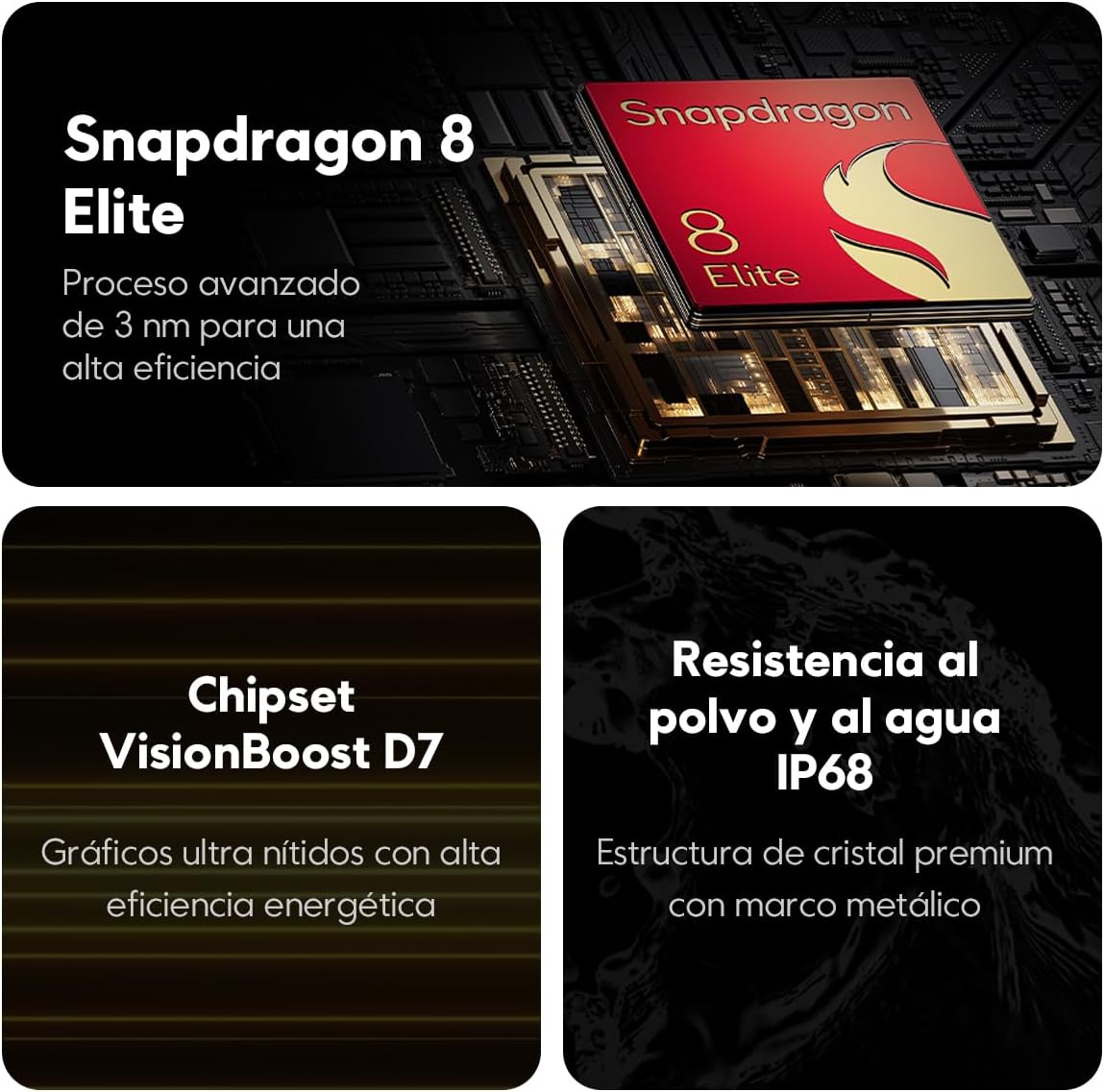
Figure 4.2: Core performance and durability features.
4.4. Security and Sensors
The device incorporates an in-screen fingerprint sensor and AI Face Unlock for secure and convenient access. A range of sensors enhance functionality, including proximity sensor, ambient light sensor (360°), accelerometer, electronic compass, gyroscope, IR blaster, and flicker sensor.
5. Mantemento
5.1. Limpeza do dispositivo
To clean the screen, use a soft, lint-free cloth. For stubborn smudges, slightly dampen the cloth with water or a screen cleaner specifically designed for electronics. Avoid using harsh chemicals, abrasive materials, or aerosol sprays directly on the device. For the body, a soft, dry cloth is usually sufficient. The device has an IP68 rating for dust and water resistance, but it is not waterproof. Avoid intentional submersion.
5.2. Actualizacións de software
Comprobe e instale regularmente actualizacións de software para garantir un rendemento, unha seguridade e un acceso óptimos a novas funcións. Vaia a Configuración > Acerca do teléfono > Actualización do sistema to check for available updates. Ensure your device is connected to Wi-Fi and has sufficient battery life before initiating an update.
5.3. Coidado da batería
To prolong battery life, avoid exposing the device to extreme temperatures. While the device supports fast charging, occasional slower charging (e.g., via a standard USB port) can be beneficial. Avoid completely draining the battery frequently. If the device will not be used for an extended period, charge it to about 50% before storing.
6 Solución de problemas
6.1. O dispositivo non se acende
Ensure the battery is charged. Connect the device to its charger and allow it to charge for at least 15 minutes before attempting to power it on again. If the issue persists, try performing a forced restart by holding the Power button for approximately 10-15 seconds.
6.2. Conectividade de rede deficiente
Check if your SIM card is properly inserted. Verify that mobile data is enabled in your settings. Try toggling Airplane Mode on and off. If the problem persists, restart your device or contact your network provider to confirm service availability in your area.
6.3. As aplicacións fallan ou conxélanse
Close and reopen the problematic application. Clear the app's cache and data via Configuración > Aplicacións > [Nome da aplicación] > Almacenamento > Borrar caché/Borrar datos. Ensure the app is updated to its latest version. If issues continue, consider uninstalling and reinstalling the app.
6.4. Sobrequecemento
It is normal for the device to warm up during intensive use (e.g., gaming, video streaming, or fast charging). If the device becomes excessively hot, close background applications, reduce screen brightness, and avoid direct sunlight. If overheating persists, power off the device and allow it to cool down.
7. Especificacións
| Característica | Especificación |
|---|---|
| Nome do modelo | Poco F7 Ultra |
| Dimensións | 6.3 x 3.15 x 2.76 polgadas |
| Peso do elemento | 1.52 libras |
| Tamaño de visualización | 6.67 polgadas |
| Resolución de visualización | 3200x1440 (WQHD+) |
| Procesador | Plataforma móbil Snapdragon® 8 Elite |
| RAM | 12 GB |
| Almacenamento | 256 GB |
| Cámara principal | 50MP con OIS |
| Cámara telefoto | 50MP con OIS |
| Cámara ultra gran angular | 32 MP |
| Cámara frontal | 32 MP |
| Capacidade da batería | 5300 mAh (típico) |
| Carga por cable | Hipercarga de 120 W |
| Carga sen fíos | Hipercarga de 50 W |
| Sistema Operativo | Xiaomi HyperOS |
| Conectividade | 5G, Wi-Fi 802.11ax, Bluetooth 5.4 |
| Resistencia á auga e ao po | IP68 |
8. Garantía e soporte
For warranty information, please refer to the warranty card included in your product packaging or visit the official Xiaomi website. For technical support, troubleshooting assistance beyond this manual, or service inquiries, please contact Xiaomi customer service through their official channels. Keep your purchase receipt and product serial number handy for faster service.
Podes atopar máis información e recursos de apoio en Tenda oficial de Xiaomi en Amazon.