
1. Produto rematadoview
The ShanWan Q38 is a versatile wireless Bluetooth controller designed for a wide range of gaming platforms. It features advanced controls such as Hall Effect joysticks and micro-switch buttons for enhanced precision and responsiveness.

Imaxe 1.1: De arriba abaixo view of the ShanWan Q38 Wireless Bluetooth Controller, showcasinpolo seu deseño compacto e a disposición dos botóns.
2. Contido do paquete
Asegúrate de que todos os elementos estean presentes no paquete:
- ShanWan Q38 Wireless Bluetooth Controller
- Cable de carga USB
- Manual de usuario (este documento)
- 1 AAA Battery (pre-installed or included separately)
3. Configuración e conectividade
3.1 Carga do controlador
Before initial use, ensure the controller is sufficiently charged. Connect the provided USB charging cable to the controller's charging port and to a USB power source (e.g., computer, USB wall adapter). The LED indicator will show charging status.
3.2 Compatibilidade
The ShanWan Q38 controller is compatible with the following platforms:
- Nintendo Switch / Switch 2 (firmware upgrade may be required for Switch 2)
- Cuberta de vapor
- PC (Windows)
- Android devices (phones, tablets)
- iPhone
- iPad
- dispositivos macOS
- PS4 (as indicated by mode switch, specific compatibility may vary)

Image 3.1: The ShanWan Q38 controller demonstrating compatibility with multiple gaming platforms.
3.3 Conexión mediante Bluetooth
Para conectar o controlador ao teu dispositivo:
- Encendido: Press and hold the Home button on the controller until the indicator lights begin to flash.
- Seleccionar modo: Use the mode switch located on the top edge of the controller to select the appropriate mode for your device:
- X Mode: For Mobile & Computer (Android, PC, macOS, iOS).
- Modo S: Para Nintendo Switch.
- Modo P: For PS4 (if compatible).
- Emparejamento: On your device, navigate to the Bluetooth settings and search for available devices. Select "ShanWan Q38" (or similar) from the list to pair.
- Confirmación: Once successfully paired, the indicator light on the controller will become solid.
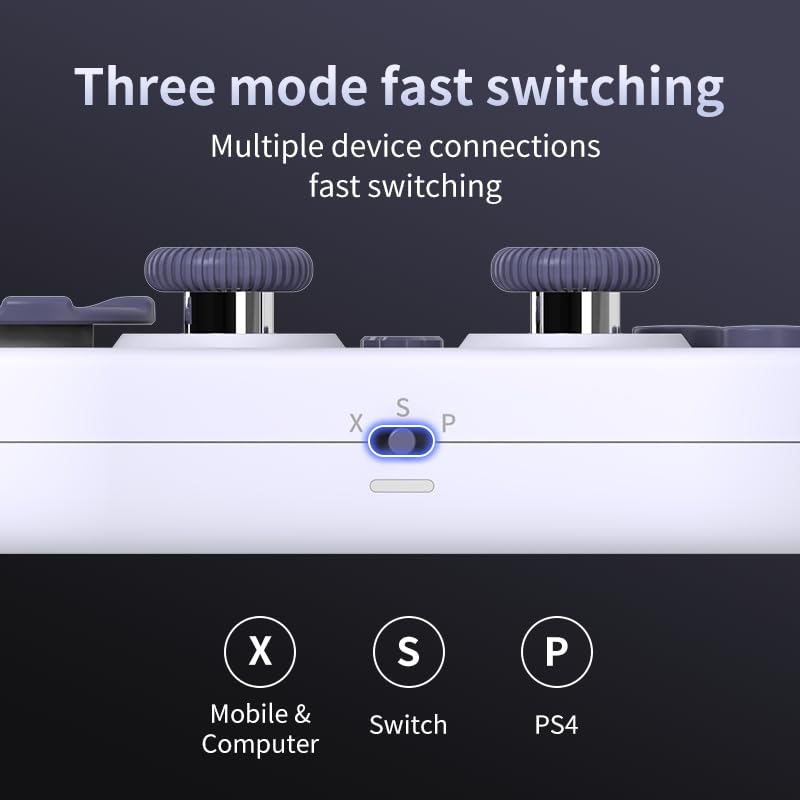
Image 3.2: Detail of the three-mode fast switching selector on the controller.
3.4 Customization and Calibration
For advanced customization, including button remapping and macro functions, download the official "gamepad space" application. This application also allows for controller calibration to ensure optimal performance.
4. Funcionamento do controlador
4.1 Características principais
- Joysticks de efecto Hall: Provides high precision and sensitivity. The joystick height is adjustable between 5mm and 8mm for personalized comfort.
- Composite Micro-Switch Buttons: These buttons offer a tactile response similar to mechanical keyboards, providing quick and precise input.
- Mechanical Triggers: Designed for fast response times.
- Dual Micro Motors: Provides dual vibration feedback for an immersive gaming experience.
- Somatosensory Gyroscope: Equipped with a 6-axis gyroscope for motion control in supported games.

Image 4.1: Detail of the adjustable Hall Effect joysticks.

Image 4.2: Close-up of the composite micro-switch action buttons.

Image 4.3: Diagram illustrating the internal components of the composite micro-keypad.
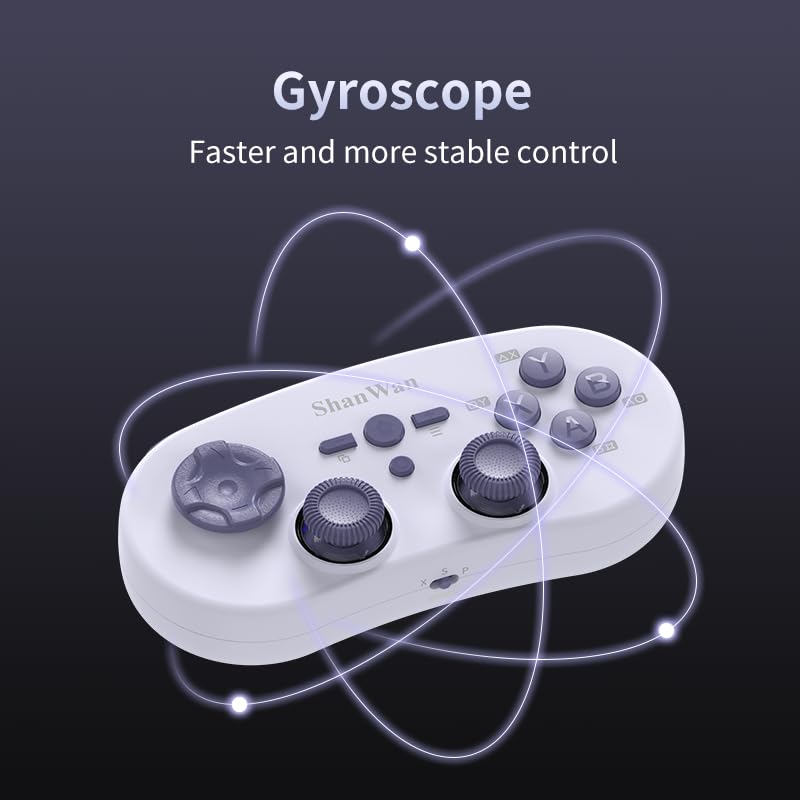
Image 4.4: Visual representation of the controller's gyroscope functionality.
4.2 Experiencia de xogo
The compact design allows for portability, making it suitable for gaming on the go with devices like the Nintendo Switch or smartphones.

Image 4.5: Controller in use with a Nintendo Switch.

Image 4.6: Controller paired with a smartphone for mobile gaming.
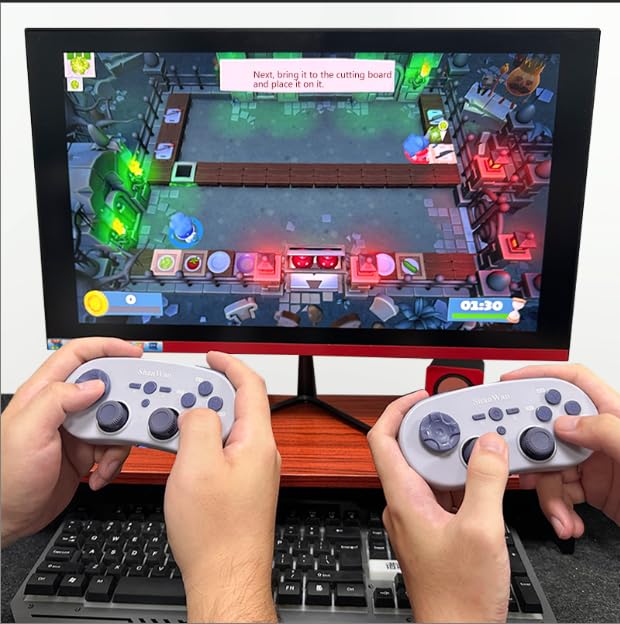
Image 4.7: Two controllers in use for multiplayer gaming on a PC.
5. Mantemento
To ensure the longevity and optimal performance of your ShanWan Q38 controller, follow these maintenance guidelines:
- Limpeza: Use a soft, dry cloth to wipe the controller. For stubborn dirt, a slightly damp Pódese usar un pano, pero asegúrese de que non entre humidade no dispositivo. Evite produtos químicos agresivos ou produtos de limpeza abrasivos.
- Almacenamento: Garde o controlador nun lugar fresco e seco, lonxe da luz solar directa e de temperaturas extremas.
- Coidado da batería: If using replaceable AAA batteries, remove them if the controller will not be used for an extended period to prevent leakage.
- Evita gotas: Protexa o controlador de impactos físicos e caídas, que poden danar os compoñentes internos.
6 Solución de problemas
If you encounter issues with your ShanWan Q38 controller, refer to the following common problems and solutions:
- Controller Does Not Power On:
- Ensure the battery is correctly inserted and has sufficient charge. Replace AAA batteries if necessary.
- Connect the controller to a power source using the USB cable to confirm if it charges.
- Difficulty Connecting via Bluetooth:
- Ensure the controller is in the correct mode (X, S, or P) for your device.
- Desactiva e activa o Bluetooth do teu dispositivo.
- Esquece o dispositivo na configuración de Bluetooth e tenta emparellalo de novo.
- Ensure the controller is within the effective range of your device.
- Buttons or Joysticks Not Responding Correctly:
- Calibrate the controller using the "gamepad space" application.
- Comprobe se hai obstrucións físicas ou residuos arredor dos botóns ou joysticks.
- Ensure the controller's firmware is up to date, especially for Switch 2 compatibility.
- Desconexións aleatorias:
- Asegúrate de que non haxa interferencias sen fíos fortes nas proximidades.
- Keep the controller close to the connected device.
- Re-pair the controller if disconnections are frequent.
7. Especificacións
| Característica | Detalle |
|---|---|
| Número de modelo | Q38 |
| Fabricante | ShanWan |
| Conectividade | Bluetooth sen fíos |
| Compatibilidade | Switch/Switch 2, Steam Deck, PC, Android, iPhone, iPad, macOS, PS4 |
| Tipo de joystick | Hall Effect, Adjustable Height (5mm-8mm) |
| Tipo de botón | Composite Micro-Switch |
| Vibración | Dual Micro Motors |
| Control de movemento | Xiroscopio de 6 eixes |
| Dimensións do paquete | 5.63 x 4.53 x 1.54 polgadas |
| Peso do elemento | 4.6 onzas |
| Baterías | Requírese 1 pila AAA (incluída) |

Image 7.1: Physical dimensions of the ShanWan Q38 controller.
8. Garantía e soporte
For warranty information and customer support, please refer to the official ShanWan websitio web ou póñase en contacto co vendedor ao que lle comprou o produto. Garde o comprobante de compra para reclamacións de garantía.