
ClokoWe T800
CLOKOWE Mini Projector User Manual
Modelo: T800
Brand: ClokoWe
1. Introdución
This manual provides detailed instructions for the setup, operation, maintenance, and troubleshooting of your CLOKOWE Mini Projector, Model T800. Please read this manual thoroughly before using the projector to ensure proper function and to maximize your viewexperiencia ing.
2. Que hai na caixa
Ao abrir o paquete, comproba que inclúa todos os seguintes elementos:
- CLOKOWE Mini Projector
- Cable HDMI
- Control remoto
- Cable de alimentación
- Manual de usuario (este documento)
3. Información de seguridade
To ensure safe operation and prolong the lifespan of your projector, please observe the following safety precautions:
- Non bloquee as aberturas de ventilación. Asegúrese de que haxa un fluxo de aire axeitado arredor do proxector.
- Non mire directamente á lente do proxector cando estea aceso.amp está acendido. A luz brillante pode causar danos nos ollos.
- Keep the projector away from water or any liquids. Do not operate in damp ambientes.
- Use só o cable de alimentación e o adaptador fornecidos.
- Evite colocar o proxector en superficies inestables.
- Desconecte o proxector durante tormentas eléctricas ou cando non o use durante períodos prolongados.
4. Características do produto
The CLOKOWE Mini Projector offers a range of advanced features for a versatile entertainment experience:
- Tecnoloxía de visualización avanzada: Equipped with LCD screen technology, supporting Full HD 1080P and 4K resolution for vivid details and colors. Features 10000 lumens brightness and a 10000:1 contrast ratio.
- Smart Android TV 11 OS: Built-in Android TV 11 operating system provides access to over 8000 applications, including popular streaming platforms like Netflix, Prime Video, and YouTube.
- Integrated Galaxy & Night Light Modes: Features 6 distinct galaxy projection modes and 7 ambient night light colors (with lens cover) to create various atmospheric effects.
- Soporte xiratorio de 270°: The flexible stand allows for projection onto various surfaces, including walls and ceilings, offering greater positioning versatility.
- Conectividade de alta velocidade: Supports the latest WiFi 6 (5G and 2.4G dual-band) for fast and stable content transmission, and Bluetooth 5.2 for effortless pairing with external audio devices.
- Corrección automática da imaxe: Features automatic keystone correction for quick adjustment of tilted images, ensuring a perfectly aligned picture.
- Ampla compatibilidade: Equipped with HDMI, USB, and audio ports for seamless connection to laptops, TV sticks, game consoles, smartphones, tablets, and USB drives.

Image: The CLOKOWE Mini Projector, highlighting its key features such as 4K support, galaxy projection, 270-degree adjustability, WiFi 6, Bluetooth 5.2, and integrated streaming apps.

Image: Visual representation of the projector's Full HD 1080P capability, emphasizing sharper images and brighter colors compared to standard projectors.
5. Configuración
5.1 Configuración física
Follow these steps to set up your projector for the first time:
- Colocación: Position the projector on a stable, flat surface. Utilize the 270° rotatable stand to adjust the projection angle as needed. The projector can project onto walls, screens, or ceilings.
- Conexión de alimentación: Conecte o cable de alimentación á entrada de alimentación do proxector e logo conécteo a unha toma de corrente.
- Control remoto: Insira dúas pilas AAA (non incluídas) no mando a distancia.
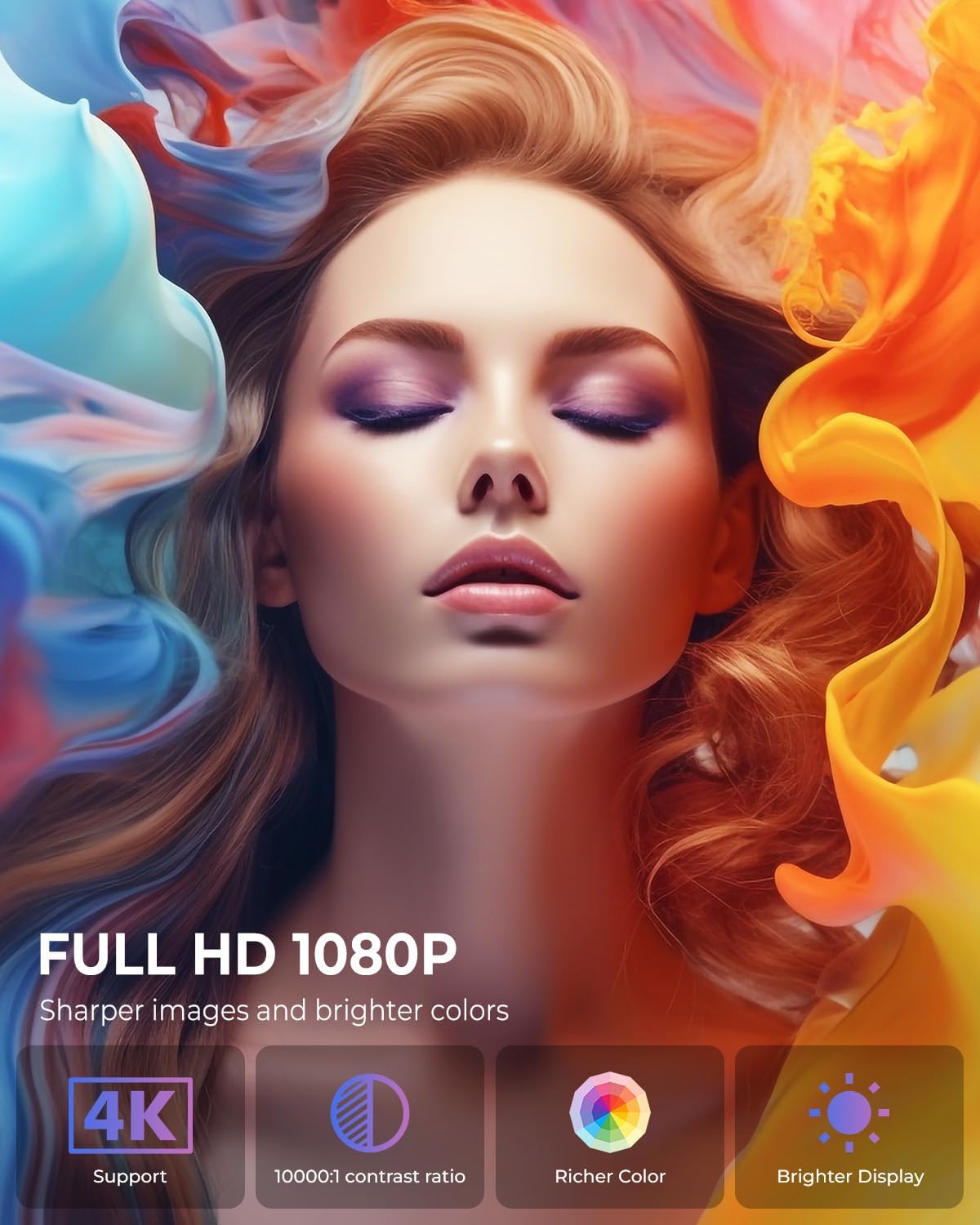
Image: The projector positioned to project galaxy patterns onto a ceiling, illustrating the flexibility of its 270-degree rotatable stand and its galaxy projection feature.

Imaxe: Un example of the projector creating a large 200-inch screen, with a note on recommended projection distances for optimal viewing.
5.2 Configuración inicial
After connecting power, press the power button on the projector or remote control to turn it on. Follow the on-screen prompts for initial setup:
- Selección do idioma: Escolle o teu idioma preferido.
- Conexión de rede: Select your Wi-Fi network and enter the password. The projector supports both 2.4G and 5G networks.
- Inicio de sesión da conta: Log in with your Google account to access the Android TV OS features and app store.
6. Instrucións de funcionamento
6.1 Funcionamento básico
- Encendido/apagado: Press the power button on the remote or projector.
- Navegación: Use the arrow keys on the remote to navigate menus and select options. The 'OK' button confirms selections, and the 'Back' button returns to the previous screen.
6.2 Conectividade
O proxector ofrece varias opcións de conectividade:
- Conexión Wi-Fi: Access network settings to connect to a Wi-Fi network. The projector supports Wi-Fi 6 for faster and more stable streaming.
- Conexión Bluetooth: Go to Bluetooth settings to pair with external Bluetooth speakers, headphones, or other compatible devices for enhanced audio.
- Entrada HDMI: Connect devices like laptops, gaming consoles, or TV sticks using an HDMI cable. Select the HDMI input source from the projector's menu.
- Entrada USB: Insira unha unidade USB para reproducir contido multimedia files directamente desde a unidade.
- Saída de audio: Use the 3.5mm audio jack to connect wired headphones or external speakers.
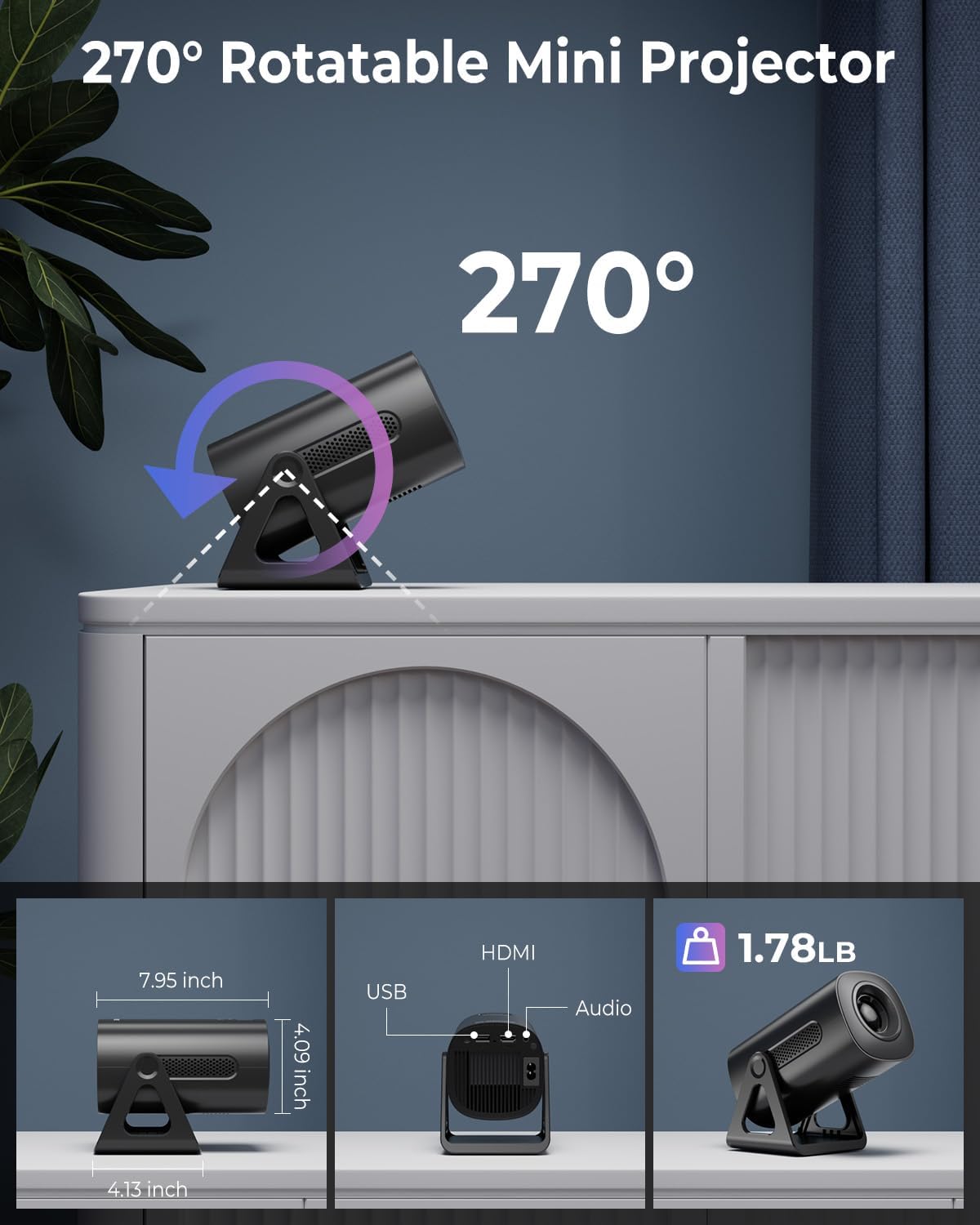
Image: Illustration of the projector's dual-band Wi-Fi 6 and Bluetooth 5.2 capabilities, demonstrating seamless wireless connectivity for streaming and audio.

Image: A visual guide to the projector's various input/output ports, including HDMI, USB, and audio, along with exampleis de dispositivos compatibles.
6.3 App Usage (Android TV OS)
With Android TV 11, you can access a wide range of applications:
- Acceso ás aplicacións: From the home screen, navigate to the 'Apps' section to view pre-installed applications or download new ones from the Google Play Store.
- Servizos de streaming: Enjoy content from pre-installed apps like Netflix, Prime Video, and YouTube. Ensure you are logged into your respective accounts.

Image: The projector's interface showcasing its built-in smart apps, providing direct access to popular streaming services without external devices.
6.4 Modos de proxección
- Modos de proxección Galaxy: Activate the galaxy projection feature to display various cosmic patterns. There are 6 distinct modes to choose from.
- Night Light Modes: When the lens cover is applied, the projector can function as an ambient night light with 7 different color options.
6.5 Axuste da imaxe
- Corrección trapezoidal automática: The projector automatically corrects vertical image distortion. If manual adjustment is needed, navigate to the image settings.
- Función de zoom: Adjust the projection size from 60% to 100% via the settings menu to fit your screen or wall perfectly.

Image: A demonstration of the projector's automatic vertical keystone correction, which ensures a rectangular image even when the projector is placed at an angle.
7. Mantemento
Regular maintenance helps ensure optimal performance and longevity of your projector:
- Limpeza de lentes: Usa un pano suave e sen fiapos deseñado especificamente para lentes ópticas para limpar con coidado a lente do proxector. Non empregues produtos de limpeza abrasivos nin forzas excesivas.
- Ventilación: Periodically check that the ventilation openings are clear of dust and debris. Use a soft brush or compressed air to clean them.
- Almacenamento: Cando non o use, garde o proxector nun lugar fresco e seco, lonxe da luz solar directa e de temperaturas extremas.
8 Solución de problemas
Se tes problemas co teu proxector, consulta os seguintes problemas e solucións comúns:
| Problema | Causa posible | Solución |
|---|---|---|
| Sen Poder | Power cord not connected; Power outlet faulty; Projector off. | Ensure power cord is securely connected. Test outlet with another device. Press power button. |
| Sen Imaxe | Input source incorrect; Cable loose; Lens cap on. | Select correct input source (HDMI, USB). Check cable connections. Remove lens cap. |
| Imaxe borrosa | Focus not adjusted; Keystone incorrect; Projector too close/far. | Adjust focus ring. Check auto keystone correction or manually adjust. Adjust projection distance. |
| Sen son | Volume too low; Muted; External audio device not connected/paired. | Increase volume. Unmute. Ensure Bluetooth device is paired or wired device is connected. |
| Problemas de conexión Wi-Fi | Contrasinal incorrecto; Enrutador demasiado lonxe; Interferencia de rede. | Verifica o contrasinal da wifi. Achega o proxector ao enrutador. Reinicia o enrutador e o proxector. |
9. Especificacións
Detailed technical specifications for the CLOKOWE Mini Projector (Model T800):
- Número de modelo: T800
- Marca: ClokoWe
- Resolución de visualización: 1280 x 720 (Supports 1080P and 4K input)
- Tecnoloxía de conectividade: Bluetooth 5.2, Wi-Fi 6 (2.4G/5G Dual-Band), USB, HDMI, 3.5mm Audio Jack
- Característica especial: Portable, 270° Rotatable Stand, Android TV 11 OS, Galaxy Projector
- Usos recomendados: Educación, cine en casa, xogos, negocios
- Peso do artigo: 2.38 libras
- Dimensións do paquete: 9.29 x 6.61 x 5.24 polgadas
- Fabricante: ClokoWe
10. Garantía e soporte
For warranty information and technical support, please refer to the contact details provided on the product packaging or the official ClokoWe websitio. Conserve o recibo de compra para reclamacións de garantía.
Para obter máis axuda, tamén podes visitar o ClokoWe Store on Amazon.
Ask a question about this manual
Ask about setup, troubleshooting, compatibility, parts, safety, or missing instructions. Manuals+ will review the question and use this page’s manual context to help answer it.