
1. Introdución
This manual provides instructions for the setup, operation, and maintenance of your NEXTIME Twitter Cuckoo Wall Clock with Pendulum. This clock combines a classic cuckoo clock design with modern features, offering a unique timekeeping experience.
Key features include an hourly chirping bird, a gently swinging pendulum, and silent clock movement (no ticking sound). The clock also offers options to disable the chirping sound during nighttime hours or permanently.

Imaxe 1: Fronte view of the NEXTIME Twitter Cuckoo Wall Clock in White, showing the clock face, birdhouse, and pendulum.
2. Que hai na caixa
- NEXTIME Twitter Cuckoo Wall Clock unit
- Péndulo
- Manual de instrucións (este documento)
Nota: 3 AA batteries are required for operation and are not included.
3. Instrucións de configuración
- Instalar baterías:
Locate the battery compartment on the back of the clock. Insert 3 AA batteries, ensuring correct polarity (+/-). Close the battery compartment cover securely.

Imaxe 2: Traseira view of the clock, highlighting the battery compartment and control switches.
- Fixar o péndulo:
Carefully attach the pendulum to the hook located at the bottom of the clock unit. Ensure it swings freely.
- Establecer hora:
Use the time-setting knob or wheel (usually located on the back or side of the clock mechanism) to set the correct time. Rotate the hands clockwise until the desired time is displayed. The cuckoo mechanism will synchronize automatically after the first full hour cycle.
- Montaxe do reloxo:
The clock is designed for wall mounting. Use a suitable wall anchor and screw (not included) to securely hang the clock from the keyhole slot on its back. Ensure the clock is level for optimal pendulum operation.
4. Instrucións de funcionamento
4.1 Hourly Chime (Cuckoo Sound)
The NEXTIME Twitter Cuckoo Wall Clock features an hourly chirping sound, where a bird emerges from its house to announce the hour. This mechanism is designed to operate silently between 10:00 PM and 7:00 AM to prevent disturbance during sleep.
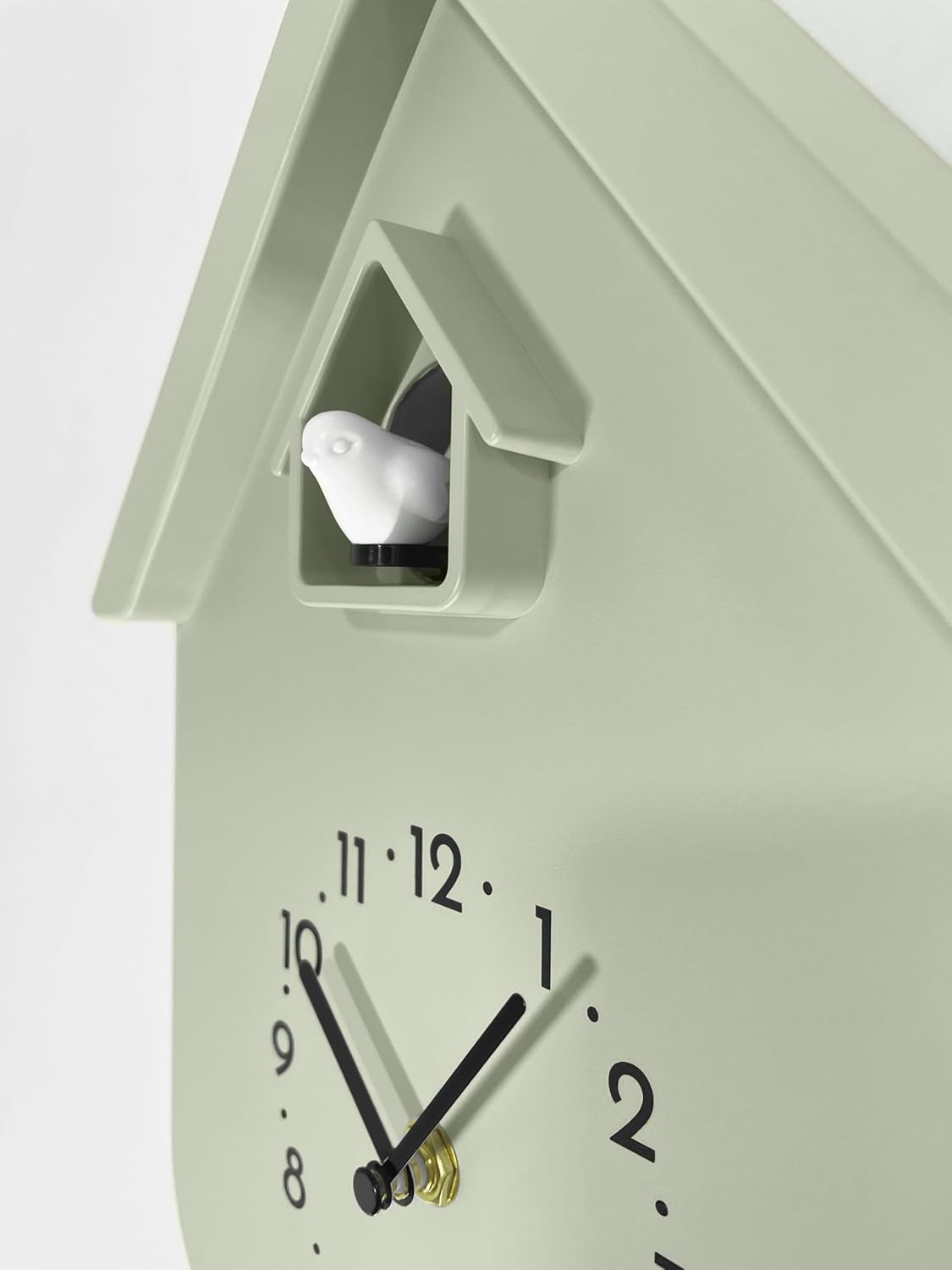
Imaxe 3: Primeiro plano view of the cuckoo bird in its birdhouse, ready to chime.
4.2 Disabling the Chime
The clock offers options to manage the hourle timbre:
- Nighttime Silence: The chime is automatically disabled between 10:00 PM and 7:00 AM. No manual adjustment is needed for this feature.
- Permanent Silence: To permanently disable the chirping sound, locate the ON/OFF switch on the back of the clock (refer to Image 2). Slide the switch to the "OFF" position.
4.3 Silent Motion
The clock features a silent movement mechanism, meaning there is no audible ticking sound during its operation, only the hourly chime (if enabled).
5. Mantemento
- Limpeza: Wipe the clock surface with a soft, dry cloth. Avoid using abrasive cleaners or solvents, as these may damage the finish.
- Substitución da batería: Replace all 3 AA batteries when the clock hands slow down or the cuckoo mechanism stops functioning correctly. Always replace all batteries at the same time with new ones.
- Colocación: Evite colocar o reloxo baixo a luz solar directa ou preto de cambios extremos de temperatura, xa que poden afectar á súa precisión e integridade do material.
6 Solución de problemas
| Problema | Causa posible | Solución |
|---|---|---|
| Clock not running or hands stopped. | Baterías gastadas ou instaladas incorrectamente. | Replace all 3 AA batteries with new ones, ensuring correct polarity. |
| Cuckoo chime not working. |
|
|
| Pendulum not swinging. | Pendulum not properly attached or obstructed. | Ensure the pendulum is securely attached and has clearance to swing freely. Check if the clock is level. |
| Visualización incorrecta da hora. | Time not set correctly or batteries low. | Reset the time using the setting knob. Replace batteries if necessary. |
7. Especificacións
- Marca: PRÓXIMA VEZ
- Número de modelo: 3328WI
- Tipo de visualización: Analóxico
- Estilo: Cuco Moderno
- Característica especial: Hourly Chime (with nighttime silence), Silent Motion
- Dimensións do produto: 8.46"W x 11.6"H (Clock body, excluding pendulum)
- Fonte de enerxía: Alimentado por pilas (requírense 3 pilas AA, non incluídas)
- Material: Plástico
- Tipo de montaxe: Soporte de parede
- Peso do artigo: Approximately 0.705 ounces (excluding batteries)

Image 4: Diagram showing the dimensions of the NEXTIME Twitter Cuckoo Wall Clock.
8. Garantía e soporte
This NEXTIME product comes with a limited warranty. For specific warranty details, claims, or technical support, please refer to the manufacturer's official websitio ou póñase en contacto co seu comerciante.
You can find more information about NEXTIME products by visiting the NEXTIME Store on Amazon.