wh22x37220
Washer Electronic Control Board
Manual de instrucións
Produto rematadoview
This manual provides detailed instructions for the installation and maintenance of the replacement electronic control board for Hotpoint washers. This component is crucial for the proper functioning of your washing machine, managing various cycles and operations. It is designed as a direct replacement for specific Hotpoint models to restore full functionality.
Compatibilidade
This electronic control board is compatible with the following Hotpoint washer models:
Please verify your washer's model number to ensure compatibility before proceeding with installation. If you are unsure, contact a qualified technician or the seller for assistance.
Precaucións de seguridade
WARNING: Always disconnect power to the appliance before attempting any repairs or installations to prevent electric shock or injury.
- Ensure the washer is unplugged from the electrical outlet.
- Peche o abastecemento de auga á lavadora.
- Use equipos de protección persoal axeitados, como luvas e lentes de seguridade.
- Manexa os compoñentes electrónicos con coidado para evitar danos causados pola electricidade estática.
- If you are not comfortable performing this repair, it is highly recommended to seek assistance from a certified appliance technician.
Instrucións de instalación
Follow these steps carefully to replace the electronic control board in your Hotpoint washer. Refer to your specific washer's service manual for detailed disassembly instructions if needed.
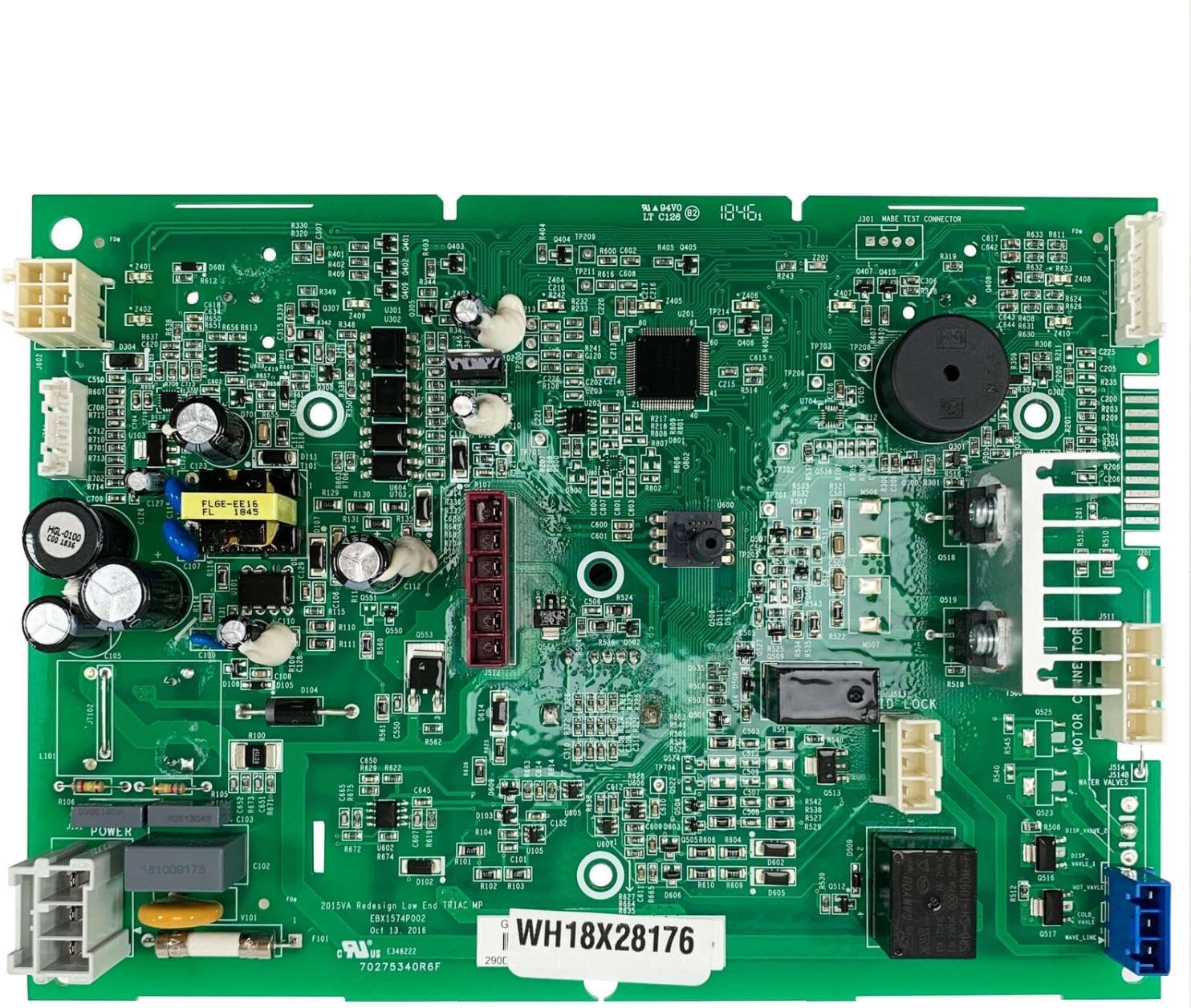
Image: The replacement electronic control board for Hotpoint washers. This board manages the washer's cycles and functions.
- Preparar a lavadora: Disconnect the washer from the power supply by unplugging it. Turn off the water supply valves to the washer.
- Acceder ao panel de control: Depending on your model, you may need to remove screws from the rear of the top panel or lift the console to access the control board. Carefully follow your washer's specific disassembly procedure.
- Locate the Old Control Board: Identify the existing electronic control board. It will have multiple wire harnesses connected to it.
- Conexións de documentos: Before disconnecting anything, take clear photos of all wire connections to the old board. This will serve as a reference for reconnecting the new board. Label wires if necessary.
- Desconectar o cableado: Carefully disconnect all wire harnesses and connectors from the old control board. Be gentle to avoid damaging the connectors or wires.
- Retirar a placa antiga: Unscrew or unclip the old control board from its mounting brackets. Set it aside.
- Instalar a nova placa: Position the new electronic control board in the same location as the old one. Secure it with the screws or clips previously removed.
- Volver conectar o cableado: Using your photos and labels as a guide, carefully reconnect all wire harnesses and connectors to the new control board. Ensure each connection is secure and correctly seated.
- Reassemble the Washer: Reattach the control panel and any other components that were removed during disassembly. Secure all screws.
- Test the Washer: Reconnect the washer to the power supply and turn on the water supply. Run a short test cycle to ensure the new control board is functioning correctly and all washer operations are normal.
Resolución de problemas
If you encounter issues after installing the new control board, refer to the table below for common problems and potential solutions.
| Síntoma | Causa posible | Solución |
|---|
| A lavadora non se acende. | Loose power connection, faulty outlet, or incorrect board installation. | Check power cord, test outlet, re-verify all board connections. |
| A lavadora arranca pero para inesperadamente. | Incorrect wiring, sensor issue, or board malfunction. | Review wiring diagram, check for error codes, or consult a technician. |
| Specific cycles or functions do not work. | Incorrect wiring to specific components, or a faulty new board. | Double-check connections for the affected functions. |
| Os códigos de erro mostrados. | Indicates a specific problem detected by the control board. | Consult your washer's user manual for error code definitions and troubleshooting steps. |
If troubleshooting steps do not resolve the issue, it is advisable to contact a qualified appliance repair technician.
Especificacións do produto
| Atributo | Detalle |
|---|
| Número de peza | wh22x37220 |
| Fabricante | Xenérico |
| País de Orixe | EUA |
| Compatibilidade | Hotpoint Washers HTW240ASK5WS, HTW240ASK6WS |
| Cor | As pictured (Green circuit board) |
Garantía e Soporte
For any questions regarding the compatibility, installation, or performance of this electronic control board, please contact the seller or manufacturer directly. Refer to your purchase documentation for specific warranty information.
The seller typically aims to resolve any issues within 24 hours. Always provide your product model number and purchase details when seeking support.
Documents - wh22x37220 – wh22x37220
sen documentos relevantes