
Introdución
The Cygnett HighPWR 27,000mAh Laptop Power Bank is a robust portable charging solution designed to power laptops, tablets, smartphones, and other USB-powered devices. With an impressive 148W power output and a substantial 27,000mAh capacity, it ensures your essential devices remain charged on the go. This power bank features a digital display for battery status and multiple charging ports for versatility. It is approved for carry-on on most airlines, making it an ideal travel companion.
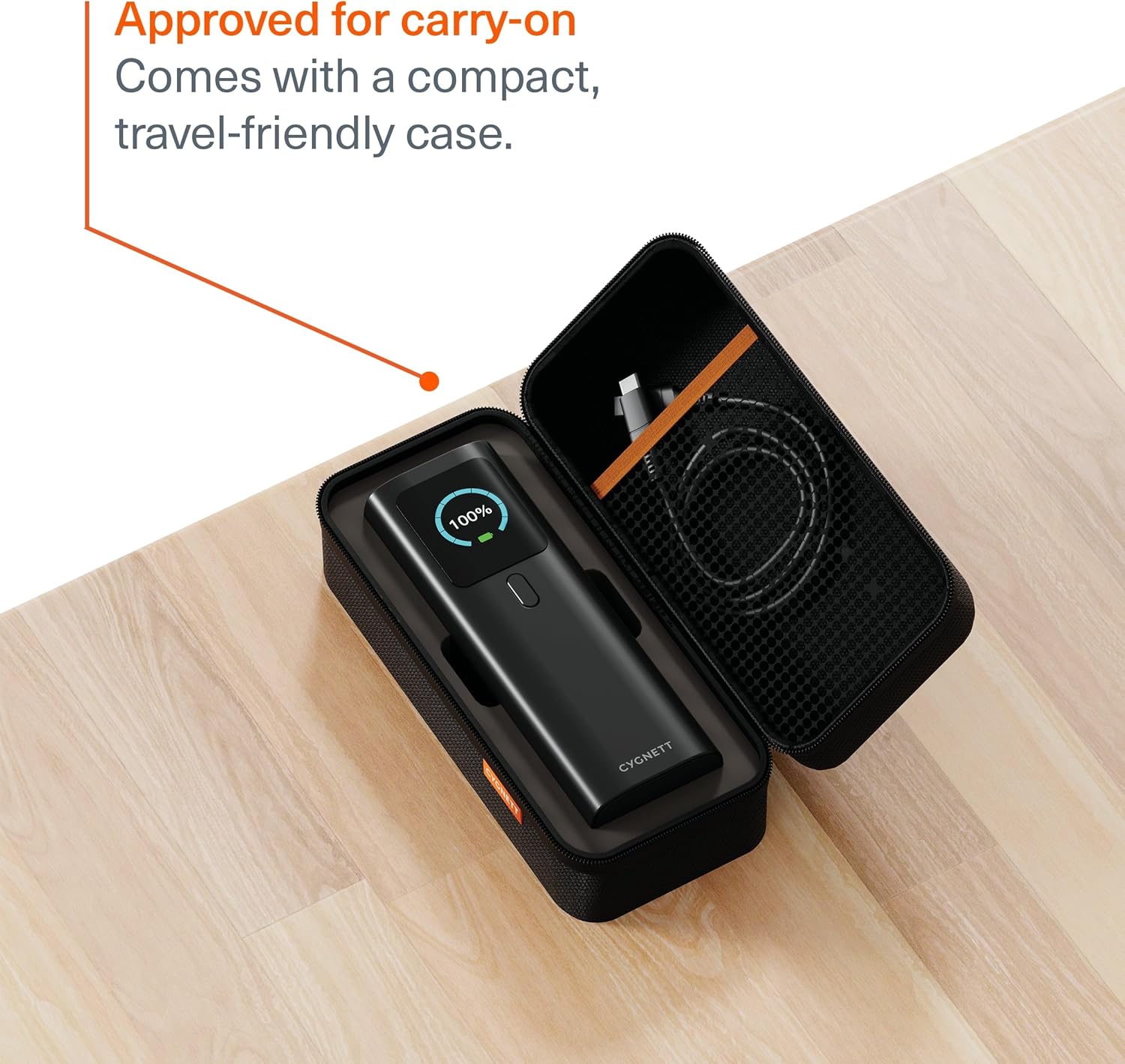
Image: The Cygnett HighPWR Power Bank neatly stored within its compact, travel-friendly case, ready for transport.
Contido do paquete
- Cygnett HighPWR 27,000mAh Laptop Power Bank
- Maletín de viaxe
- Cable de carga USB-C a USB-C
- Manual de usuario
Produto rematadoview
The Cygnett HighPWR features a sleek design with a clear digital display and multiple ports for versatile charging. Familiarize yourself with the components:
- Pantalla dixital: Mostra a porcentaxe de batería restantetage and real-time input/output wattage para cada porto.
- Portos USB-C (x2): For high-speed charging of laptops, tablets, and smartphones. Supports Power Delivery 3.1.
- USB-A Port (x1): For charging a wide range of USB-compatible devices.
- Botón de encendido: Activa a pantalla e inicia a carga.
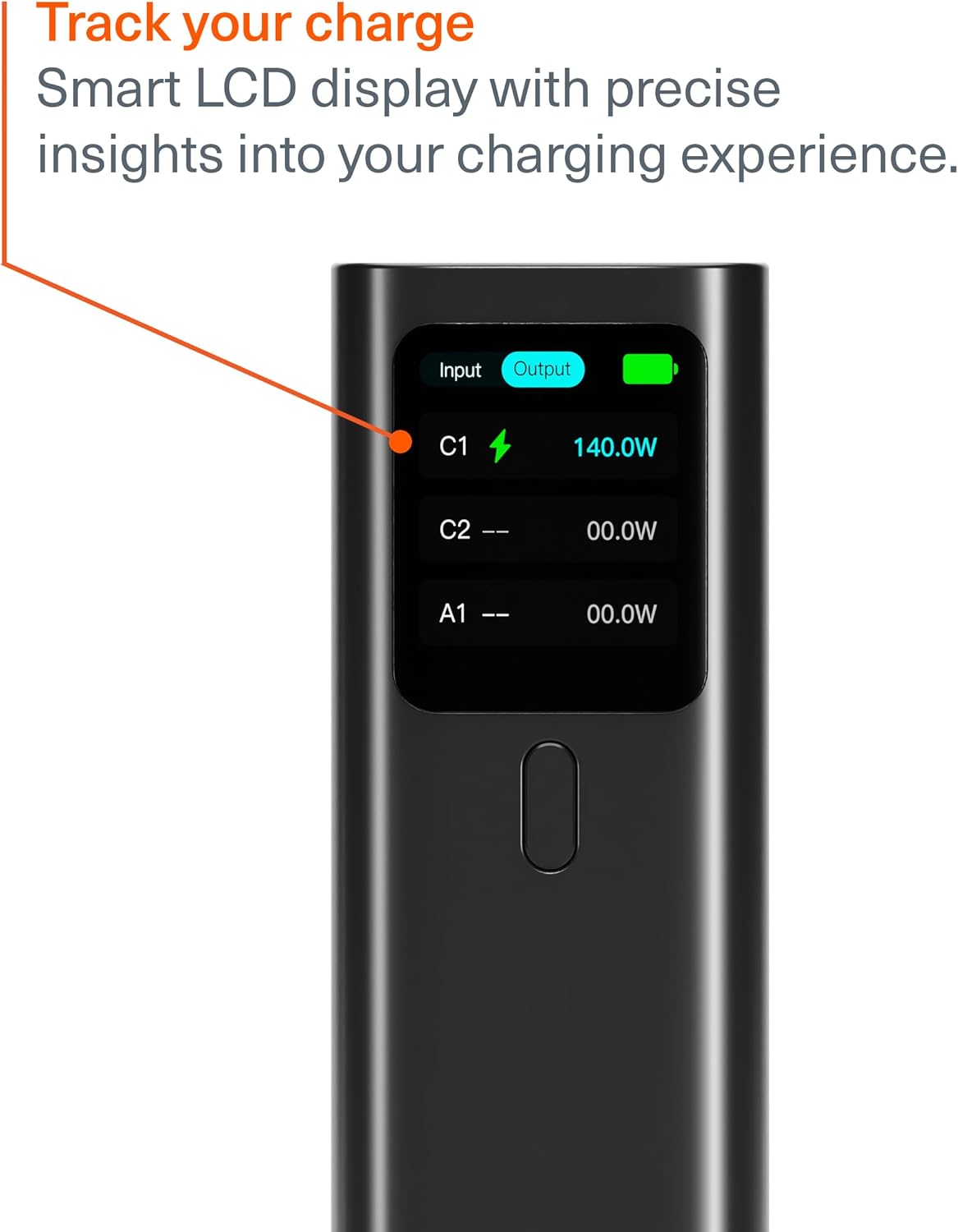
Image: A close-up of the power bank's digital display, indicating an output of 140W from one of the USB-C ports, along with battery status.

Image: The Cygnett HighPWR Power Bank with various charging cables connected to its USB-C and USB-A ports, demonstrating its multi-device charging capability.
Configuración
Cargando o Power Bank
- Connect one end of the provided USB-C to USB-C cable to a USB-C port on the power bank.
- Connect the other end of the cable to a compatible USB-C wall charger (not included) with a minimum output of 60W for optimal charging speed.
- The digital display will show the input wattage e batería porcenttage incrementoasing.
- The power bank can be fully recharged from 0-100% in approximately 1.5 hours with a suitable charger.

Image: The Cygnett HighPWR Power Bank connected to a wall adapter via a USB-C cable, illustrating the recharging process.
En funcionamento
Cargando os teus dispositivos
- Press the power button once to activate the digital display and check the power bank's battery level.
- Connect your device's charging cable to the appropriate port (USB-C or USB-A) on the power bank.
- Conecte o outro extremo do cable ao dispositivo.
- The power bank will automatically begin charging your device. The digital display will show the output wattage for the active ports.
- You can charge up to three devices simultaneously. The power output will be distributed among the connected devices.

Image: The Cygnett HighPWR Power Bank connected to and charging a laptop and two smartphones at the same time, showcasing its ability to power multiple devices.
Mantemento
- Limpeza: Limpa a batería externa cun pano suave e seco. Evita o uso de produtos químicos agresivos ou materiais abrasivos.
- Almacenamento: Store the power bank in a cool, dry place away from direct sunlight and extreme temperatures. If storing for extended periods, ensure it is charged to at least 50% capacity.
- Evita gotas: Protexa o dispositivo de caídas e impactos, que poden danar os compoñentes internos.
Resolución de problemas
- O banco de enerxía non carga:
- Asegúrate de que o cable de carga estea conectado correctamente tanto ao banco de enerxía como ao cargador de parede.
- Verify that the wall charger is functioning correctly and provides sufficient power (e.g., 60W or higher for fast charging).
- Proba cun cable USB-C ou cargador de parede diferente.
- O dispositivo non se carga desde o banco de enerxía:
- Press the power button on the power bank to ensure it is active.
- Check if the power bank has sufficient charge remaining (indicated on the digital display).
- Ensure the charging cable connecting your device to the power bank is functional and properly connected.
- Confirma que o teu dispositivo é compatible coas especificacións de saída do banco de enerxía.
- Carga lenta:
- Asegúrate de usar un cable de alta calidade que admita carga rápida.
- If charging multiple devices, the output power is shared, which may result in slower charging for individual devices.
- Check your device's charging input requirements.
Especificacións

Imaxe: Fronte e lateral views of the Cygnett HighPWR Power Bank, detailing its dimensions: 154mm height, 52mm width, and 50mm depth.
| Característica | Detalle |
|---|---|
| Nome do modelo | HighPWR |
| Número de modelo | CY5381PBCHE |
| Capacidade da batería | 27,000 mAh |
| Potencia total | 148 W |
| Saída USB-C (porto único) | Up to 140W Power Delivery 3.1 |
| Portos | 2x USB-C, 1x USB-A |
| Tempo de recarga | 1.5 hours (with compatible 60W+ charger) |
| Características especiais | Digital Display, Fast Charging, Travel-friendly Case |
| Dimensións (L x W x H) | 15.4 x 5.2 x 5.0 cm (approx. 154mm H x 52mm W x 50mm D) |
| Peso | 600 gramos |
| Cor | Negro |
| GTIN / UPC | 848116048185 |
Garantía
The Cygnett HighPWR 27,000mAh Laptop Power Bank comes with a 2 ano de garantía limitada do fabricante. This warranty covers defects in materials and workmanship under normal use. Please retain your proof of purchase for warranty claims. For full terms and conditions, please refer to the official Cygnett websitio ou póñase en contacto co servizo de atención ao cliente.
Apoio
For further assistance, technical support, or warranty inquiries, please visit the official Cygnett website or contact their customer service department. You can find contact information and FAQs on their support pages.
Websitio: www.cygnett.com