
1. Instrucións de seguridade importantes
Please read all safety instructions carefully before operating the HTVRONT Heat Press Machine. Failure to follow these instructions may result in injury or damage to the product.
- Superficies quentes: The heating plate reaches high temperatures. Avoid direct contact with the heating plate during operation and cool-down. Use the handle for opening and closing.
- Prevención de queimaduras: The 180° swing-away design helps reduce the risk of burns by moving the hot plate away from your workspace. Always utilize this feature when placing or removing materials.
- Seguridade eléctrica: Asegúrese de que a máquina estea conectada a unha toma de corrente con conexión a terra co voltaxe correctotage (110 Volts). Do not operate with damaged cords or plugs. Unplug the machine when not in use or before cleaning.
- Protección contra sobrecalentamento: The machine features a special plastic casing designed to prevent the surface from overheating. However, exercise caution.
- Panel de control independente: The control panel is connected via a 1-meter cable, allowing you to operate settings at a safe distance from the hot plate.
- Apagado automático: For enhanced safety, the heat press will automatically shut off after 15 minutes of inactivity.
- Nenos e animais: Keep the heat press machine out of reach of children and pets.
- Ventilación: Opere a máquina nunha zona ben ventilada.
2. Produto rematadoview
2.1 Compoñentes e características
The HTVRONT Heat Press Machine is designed for efficient and precise heat transfer projects. Familiarize yourself with its main components:

Image: The HTVRONT 15x15 Swing-Away Heat Press Machine, showcasing its main unit and detached control pad.

Image: A detailed diagram illustrating the various parts of the heat press machine, including the comfortable handle, pressure regulator, wire protective tube, swivel heat plate, ironing board, metal base, and control pad.
- Mango cómodo: Ergonomically designed for easy operation.
- Regulador de presión: Knob for adjusting the pressing pressure.
- Wire Protective Tube: Houses and protects internal wiring.
- Swivel Heat Plate: The upper heating element that rotates 180 degrees for safe material placement.
- Ironing Board (Lower Platen): The base where materials are placed for pressing.
- Base metálica: Provides stability for the machine.
- Panel de control: Detached unit for setting temperature and time.
2.2 What's Included in the Box
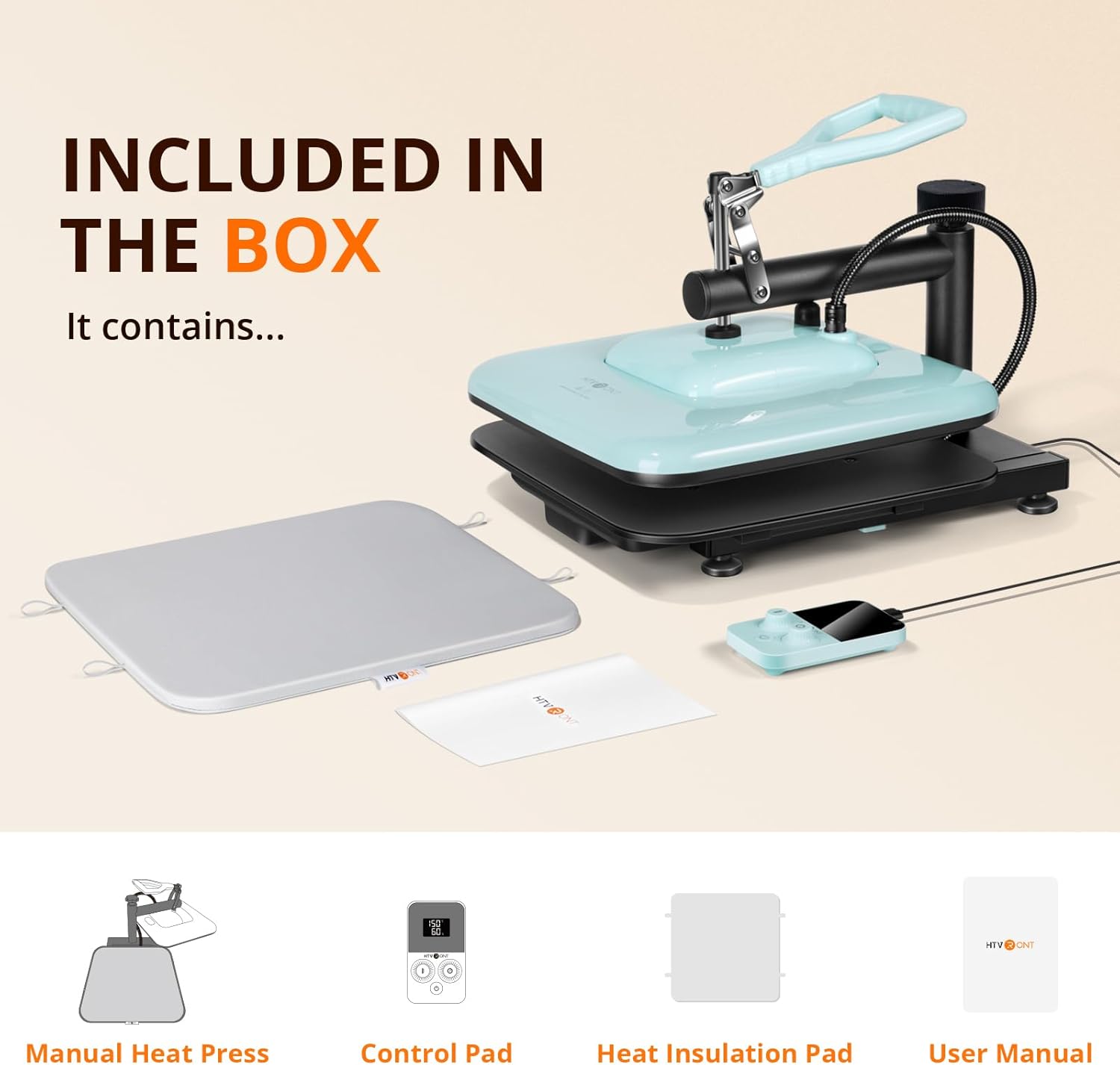
Image: An illustration showing the items included in the product packaging: the manual heat press unit, control pad, heat insulation pad, and user manual.
- HTVRONT Manual Heat Press x 1
- Panel de control x 1
- Heat Insulation Pad x 1
- Manual de usuario x 1
3. Configuración inicial
- Desempaquetar: Retire coidadosamente todos os compoñentes da embalaxe.
- Colocación: Place the heat press machine on a stable, heat-resistant surface in a well-ventilated area. Ensure there is enough space around the machine for the swing-away function.
- Connect Control Pad: Plug the control pad cable into the designated port on the heat press machine.
- Conexión de alimentación: Conecte o cable de alimentación a unha toma de corrente de 110 V con conexión a terra.
- Comprobación previa ao uso: Before first use, ensure all parts are securely assembled and there are no visible damages.
4. Funcionamento
4.1 Axustes de temperatura e tempo
The detached control pad allows for precise adjustment of temperature and time.

Image: The control pad displaying temperature and time settings, with indicators for bell reminder and temperature range.
- Encendido: Press the power button on the control pad to turn on the machine.
- Temperatura establecida: Use the temperature adjustment knob/buttons on the control pad to set the desired temperature. The machine supports a range of 104-410°F (40-210°C).
- Establecer hora: Use the time adjustment knob/buttons to set the desired pressing duration (0-999 seconds).
- Prequecemento: The machine will begin to heat up once settings are applied. The 1500W dual-zone heating engine ensures rapid and even heat distribution. A bell reminder will sound when the set temperature is reached.
4.2 Axuste da presión
The pressure adjustment knob located on top of the heat press allows you to customize the pressure based on the thickness of your material.
- Increase Pressure: Xire a perilla no sentido das agullas do reloxo.
- Decrease Pressure: Xire o botón en sentido antihorario.
- Adjust until the heat plate makes firm, even contact with your material.
4.3 The Pressing Process
Follow these steps for a successful heat transfer:

Image: A visual guide showing the four main steps of operation: 1. Prepare materials, 2. Set time and temperature on the control pad, 3. Adjust pressure, 4. Press the handle down to start the transfer.
- Prepara: Place your material (e.g., T-shirt) and the transfer design onto the ironing board. Ensure the material is flat and free of wrinkles. You may use the included heat insulation pad.
- Conxunto: Use the control pad to set the appropriate temperature and time for your specific transfer material (HTV, sublimation, etc.). Allow the machine to preheat until the set temperature is reached.
- Axustar: Rotate the swivel heat plate 180 degrees to move it away from the ironing board. Adjust the pressure regulator knob to achieve the desired pressure for your material.
- Prensa: Once the machine is preheated and the pressure is set, swing the heat plate back over your material. Firmly press the handle down to engage the heat plate. The handle will self-lock during heating, allowing you to release it and perform other tasks.
- Conta atrás: The timer on the control pad will begin counting down. A bell reminder will sound when the pressing cycle is complete.
- Remate: Lift the handle to release the pressure, then swing the heat plate away. Carefully remove your pressed item.
4.4 Automatic Shut-off Feature
The HTVRONT Heat Press Machine is equipped with an automatic shut-off feature. If the machine remains inactive for 15 minutes, it will automatically power down to conserve energy and enhance safety.
5. Mantemento
Un mantemento axeitado garante a lonxevidade e o rendemento óptimo da súa máquina de prensado en caliente.
- Cleaning the Heat Plate: Allow the machine to cool completely. Use a soft, damp cloth to wipe down the heat plate. For stubborn residue, use a non-abrasive cleaner specifically designed for heat press platens. Do not use harsh chemicals or abrasive materials.
- Limpeza do corpo: Limpe o exterior da máquina cun pano suave e seco.
- Almacenamento: Store the heat press in a dry, dust-free environment when not in use.
- Comprobacións periódicas: Inspeccione periodicamente o cable de alimentación e a ficha para detectar calquera sinal de danos.
6 Solución de problemas
If you encounter issues with your HTVRONT Heat Press Machine, refer to the following common problems and solutions:
- A máquina non se acende:
- Asegúrate de que o cable de alimentación estea conectado correctamente tanto á máquina como a unha toma de corrente que funcione.
- Comproba se a toma de corrente ten corrente conectando outro dispositivo.
- Calefacción irregular:
- While the machine is designed for even heat distribution, ensure the heat plate is clean and free of debris.
- Verify that the pressure is evenly applied across the entire platen. Adjust the pressure knob as needed.
- Timer Issues (e.g., not resetting or starting):
- Ensure the control pad cable is firmly connected.
- Try powering off the machine and restarting it.
- Refer to the specific instructions in the included user manual for detailed control pad operation.
- Transfer Not Adhering Properly:
- Check that the temperature and time settings are correct for your specific transfer material.
- Ensure sufficient and even pressure is applied.
- Verify that the material and transfer are properly prepared (e.g., pre-pressed fabric, correct peeling method).
For further assistance, please contact HTVRONT customer support.
7. Especificacións técnicas
| Característica | Especificación |
|---|---|
| Número de modelo | SG-RYJ-0329-US-A |
| Voltage | 110 voltios |
| Poder | 1500 W |
| Dimensións da placa de calor | 15 x 15 polgadas |
| Rango de temperatura | 104 - 410 °F (40 - 210 °C) |
| Intervalo de tempo | 0 - 999 segundos |
| Dimensións do produto | 14 cm de longo x 18 cm de ancho x 8 cm de alto |
| Peso do elemento | 20 libras |
| Apagado automático | Despois de 15 minutos de inactividade |
8. Atención ao cliente e garantía
For any questions, technical support, or warranty inquiries regarding your HTVRONT Heat Press Machine, please contact HTVRONT customer service through the official websitio web ou a túa plataforma de compra.
Conserve o comprobante de compra para reclamacións de garantía.