
DOQAUS Life 4
DOQAUS Life 4 Bluetooth Headphones User Manual
Modelo: Vida 4
1. Introdución
Thank you for choosing DOQAUS Life 4 Bluetooth Headphones. This manual provides instructions for the proper setup, operation, and maintenance of your headphones. Please read this manual thoroughly before use to ensure optimal performance and longevity of your device.
Contido do paquete
- DOQAUS Life 4 Bluetooth Headphones
- Cable de carga USB-C
- Cable de audio de 3.5 mm
- Manual de usuario
2. Información de seguridade
To prevent damage to your headphones or injury to yourself, please observe the following safety precautions:
- Non expoñas os auriculares a temperaturas extremas, humidade nin ambientes corrosivos.
- Evite deixar caer os auriculares nin someterlos a impactos fortes.
- Non desmontes nin intentes reparar os auriculares ti mesmo. Isto anulará a garantía.
- Clean the headphones with a soft, dry cloth only. Do not use liquid cleaners.
- Escoitar música durante un tempo prolongado a niveis de volume elevados pode causar danos auditivos. Axuste o volume a un nivel seguro.
- Manter fóra do alcance dos nenos.
3. Produto rematadoview
The DOQAUS Life 4 headphones are designed for comfort and high-quality audio. They feature 40mm drivers for clear sound and Bluetooth 5.4 technology for stable wireless connectivity.
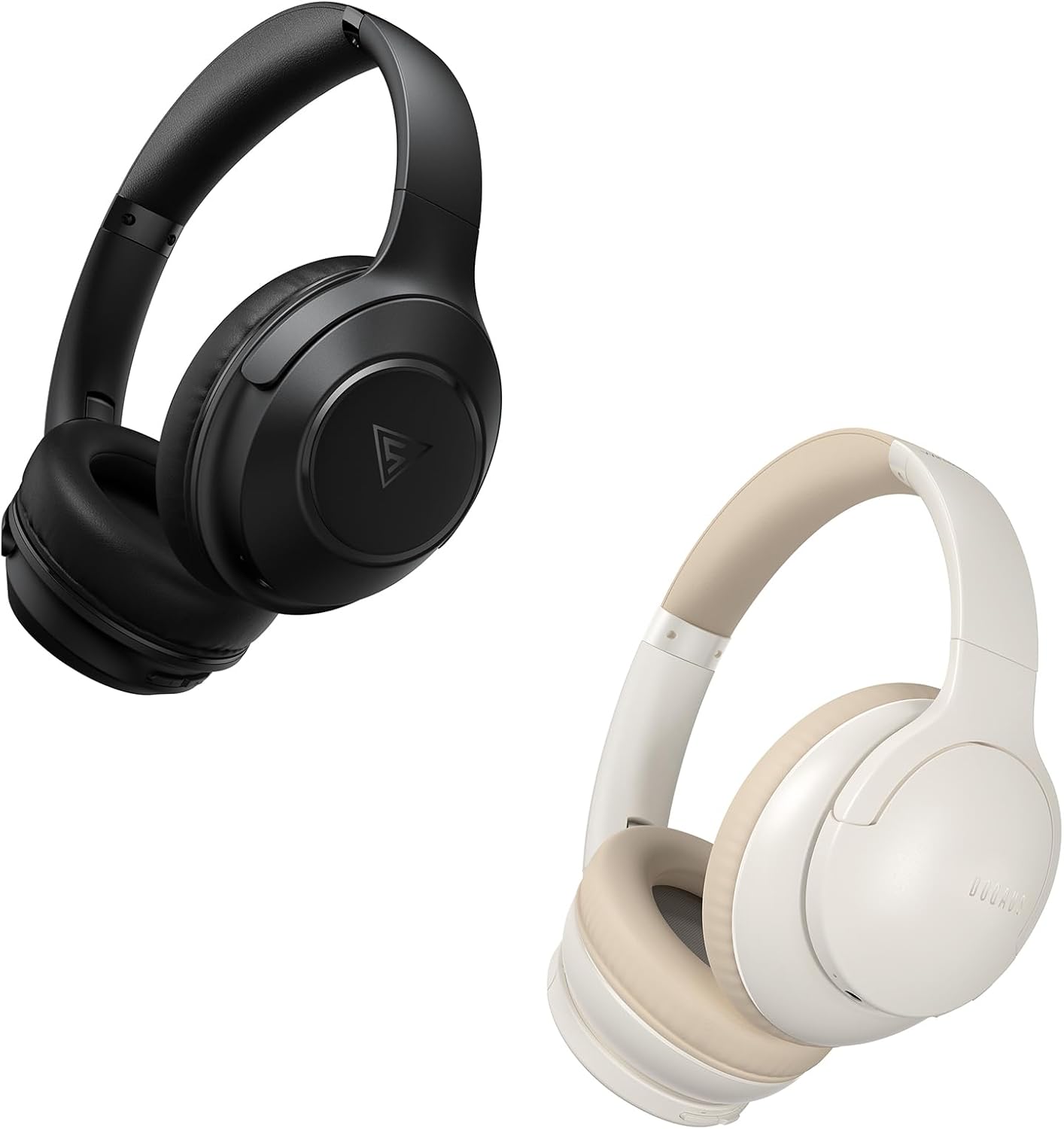
Image: DOQAUS Life 4 Bluetooth Headphones, showing both black and white color variants. These over-ear headphones feature soft earcups and an adjustable headband for comfortable wear.

Imaxe: Unha interna view of the DOQAUS Life 4 headphone, highlighting the advanced Bluetooth 5.4 wireless technology chip for stable and fast connections.

Image: A close-up of the DOQAUS Life 4 headphone earcup, illustrating the 40mm large-aperture driver responsible for powerful HD sound quality.

Image: A person wearing the DOQAUS Life 4 headphones, illustrating their comfortable design suitable for all-day wear.
4. Configuración
4.1 Carga inicial
Before first use, fully charge your headphones. Connect the USB-C charging cable to the charging port on the headphones and the other end to a USB power source (e.g., computer, wall adapter). The LED indicator will show charging status.
- A full charge provides up to 90 hours of playtime in Bluetooth mode.
- A quick 10-minute charge can provide approximately 5 hours of listening time.

Image: The DOQAUS Life 4 headphones displayed with text indicating "90-HOURS PLAYTIME" and "10 minutes of charging for 5 hours of listening," highlighting the extended battery life.
4.2 Emparejamento Bluetooth
- Asegúrese de que os auriculares estean apagados.
- Manteña premido o botón de acendido/apagado ata que o indicador LED parpadee en azul e vermello alternativamente, o que indica o modo de emparellamento.
- No teu dispositivo (teléfono intelixente, tableta, ordenador), activa o Bluetooth e busca os dispositivos dispoñibles.
- Select "DOQAUS Life 4" from the list of found devices.
- Unha vez conectado, o indicador LED parpadeará lentamente en azul.
Conectividade multipunto: The DOQAUS Life 4 headphones support connecting to two Bluetooth devices simultaneously. After connecting to the first device, disable Bluetooth on that device, then pair with the second device. Re-enable Bluetooth on the first device, and the headphones should connect to both.
4.3 Conexión por cable (modo AUX)
To use the headphones in wired mode, connect one end of the 3.5mm audio cable to the AUX port on the headphones and the other end to your audio source. The headphones will automatically switch to wired mode, and Bluetooth functionality will be disabled.

Image: The DOQAUS Life 4 headphones demonstrating both wireless Bluetooth connectivity with a smartphone and a wired connection using a 3.5mm audio cable, illustrating versatile connection options.
5. Instrucións de funcionamento
5.1 Controis básicos
- Encendido/apagado: Manteña premido o botón de acendido durante 3 segundos.
- Reproducir/Pausa: Prema o botón multifunción unha vez.
- Subir volume: Prema o botón "+".
- Baixar volume: Prema o botón "-".
- Próxima pista: Prema e manteña premido o botón "+" durante 2 segundos.
- Pista anterior: Press and hold the "-" button for 2 seconds.
- Responder/Finalizar chamada: Prema o botón multifunción unha vez.
- Rexeitar a chamada: Manteña premido o botón multifunción durante 2 segundos.
- Activar o asistente de voz: Prema dúas veces o botón multifunción.
5.2 modos de ecualización
The DOQAUS Life 4 headphones feature three equalizer (EQ) modes to optimize your listening experience for different music styles. Press the EQ button to cycle through the modes:
- Heavy Bass Mode: Enhances low-frequency sounds for a deeper bass experience.
- Modo Vocal: Optimiza as frecuencias de gama media para unhas voces máis nítidas.
- Modo equilibrado: Ofrece un son neutro profesionalfile suitable for various genres.

Image: A collage demonstrating the three EQ music modes of the DOQAUS Life 4 headphones: Heavy Bass, Vocal, and Balanced. The image shows the headphones and individuals enjoying music, indicating the versatility of sound profiles.
6. Mantemento
6.1 Limpeza
- Limpe os auriculares cun pano suave, seco e sen fiapos.
- Non empregue produtos de limpeza abrasivos, alcol nin disolventes químicos.
- Ensure charging ports and audio jacks are free of dust and debris.
6.2 Almacenamento
- Garde os auriculares nun lugar fresco e seco, lonxe da luz solar directa e de temperaturas extremas.
- If storing for an extended period, charge the headphones periodically to maintain battery health.
7 Solución de problemas
| Problema | Causa posible | Solución |
|---|---|---|
| Os auriculares non se acenden. | Batería baixa. | Cargue os auriculares completamente. |
| Non se pode emparellar co dispositivo. | Os auriculares non están en modo de emparellamento; Bluetooth desactivado no dispositivo; dispositivo demasiado lonxe. | Ensure headphones are in pairing mode (flashing blue/red). Enable Bluetooth on your device. Move device closer to headphones. |
| Sen son. | Volume demasiado baixo; auriculares non conectados; fonte de son incorrecta. | Increase volume. Verify Bluetooth connection or 3.5mm cable connection. Check audio output settings on your device. |
| A calidade do son é baixa. | Weak Bluetooth signal; incorrect EQ mode. | Move closer to your device. Try switching EQ modes. |
8. Especificacións
- Modelo: Vida 4
- Versión Bluetooth: 5.4
- Tamaño do controlador: 40 mm
- Tempo de xogo: Up to 90 hours (Bluetooth mode)
- Carga rápida: 10 minutos de carga para 5 horas de reprodución
- Formatos de audio admitidos: A2DP, AVRCP, HSP, HFP, SBC, AAC
- Conectividade: Bluetooth, 3.5 mm AUX
9. Garantía e soporte
DOQAUS Life 4 headphones come with a 30-day return policy and an 18-month replacement warranty. For any inquiries or support needs, please contact our customer service team. All inquiries are typically processed within 24 hours.
For further assistance, please refer to the contact information provided with your purchase or visit the official DOQAUS websitio.
Documentos relacionadosVida 4


Ask a question about this manual
Ask about setup, troubleshooting, compatibility, parts, safety, or missing instructions. Manuals+ will review the question and use this page’s manual context to help answer it.