
Wokyo LH-100
Wokyo LH-100 Electric Scooter LCD Display Throttle User Manual
Modelo: LH-100
Introdución
This manual provides comprehensive instructions for the installation, operation, maintenance, and troubleshooting of your Wokyo LH-100 Electric Scooter LCD Display Throttle. Please read this manual carefully before use to ensure proper function, safety, and to maximize the lifespan of your device.
Produto rematadoview
The Wokyo LH-100 Electric Scooter LCD Display Throttle is a versatile 2-in-1 unit that seamlessly integrates throttle control with an intuitive LCD display. It is specifically designed for electric scooters utilizing the LH-100 system, providing users with clear operational data and convenient speed management.

Figure 1: The Wokyo LH-100 Electric Scooter LCD Display Throttle, showcasing its compact design and integrated thumb control.
Características principais:
- Funcionalidade 2 en 1: Combines throttle control and LCD display into a single unit, simplifying scooter operation and monitoring.
- Interface impermeable: Equipped with a robust waterproof plug, ensuring reliable performance even in rainy conditions.
- Construción duradeira: Manufactured from high-quality ABS material, providing excellent wear resistance and a long service life.
- Pantalla LCD clara: Features a bright and clear LCD screen with easy-to-read numbers and vibrant colors for quick data interpretation.
- Fácil instalación: Designed for straightforward setup, allowing for quick and hassle-free mounting and connection.
Especificacións
| Atributo | Valor |
|---|---|
| Material | Plástico ABS |
| Sistema aplicable | LH-100 |
| Interface de conexión | 6 pinos |
| Peso | Aprox. 150 g (5.29 oz) |
| Cor | Negro |
| Diámetro de montaxe | Aprox. 22.2 mm (0.87 polgadas) |
| Voltage Compatibilidade | Default 36V, Universal for 24V, 36V, 48V, 60V |
Configuración e instalación
Before beginning the installation process, it is crucial to confirm that your electric scooter operates on the LH-100 system and possesses a compatible 6-pin connection interface. Incompatibility may lead to improper function or damage to the device.
Pasos de instalación:
- Preparar o manillar: Select an appropriate mounting position on your scooter's handlebar. This location should allow for comfortable thumb operation and sufficient space for the unit.
- Mount the Display Throttle:

Imaxe 2: Primeiro plano view of the fixing screws used to secure the display throttle to the handlebar.
Position the Wokyo LH-100 unit on the handlebar. Utilize the provided fixing screws to firmly secure the meter. Ensure the unit is tight enough to prevent any rotation during use, but avoid overtightening to prevent damage.
- Conecte o cableado:
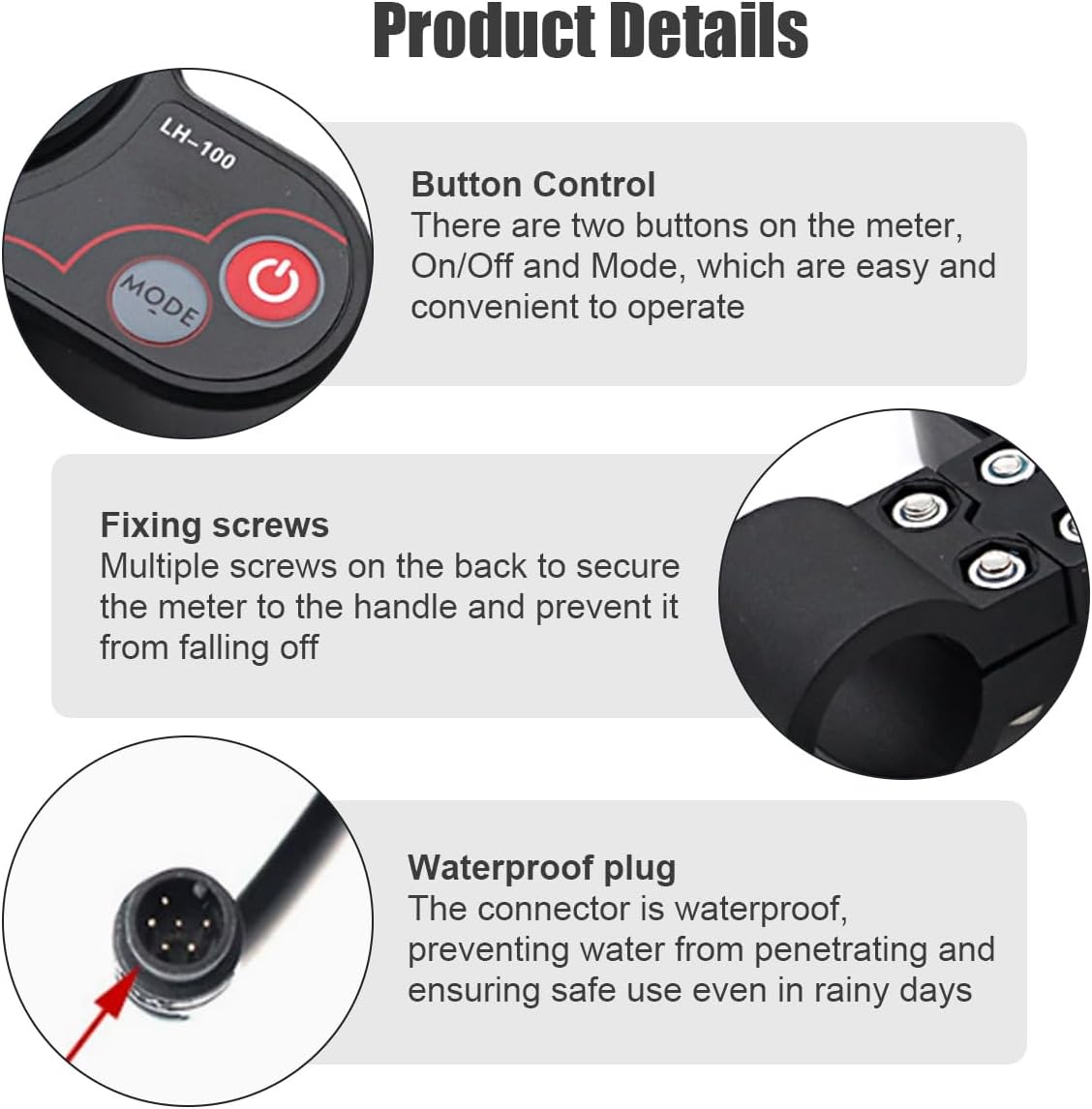
Figure 3: The waterproof 6-pin connector, designed for a secure and moisture-resistant connection.
Locate the 6-pin communication interface cable from your scooter. Carefully align the pins and securely connect it to the waterproof plug of the Wokyo LH-100 display throttle. A tight connection is essential to prevent water ingress and ensure proper communication.
- Verificar a compatibilidade:
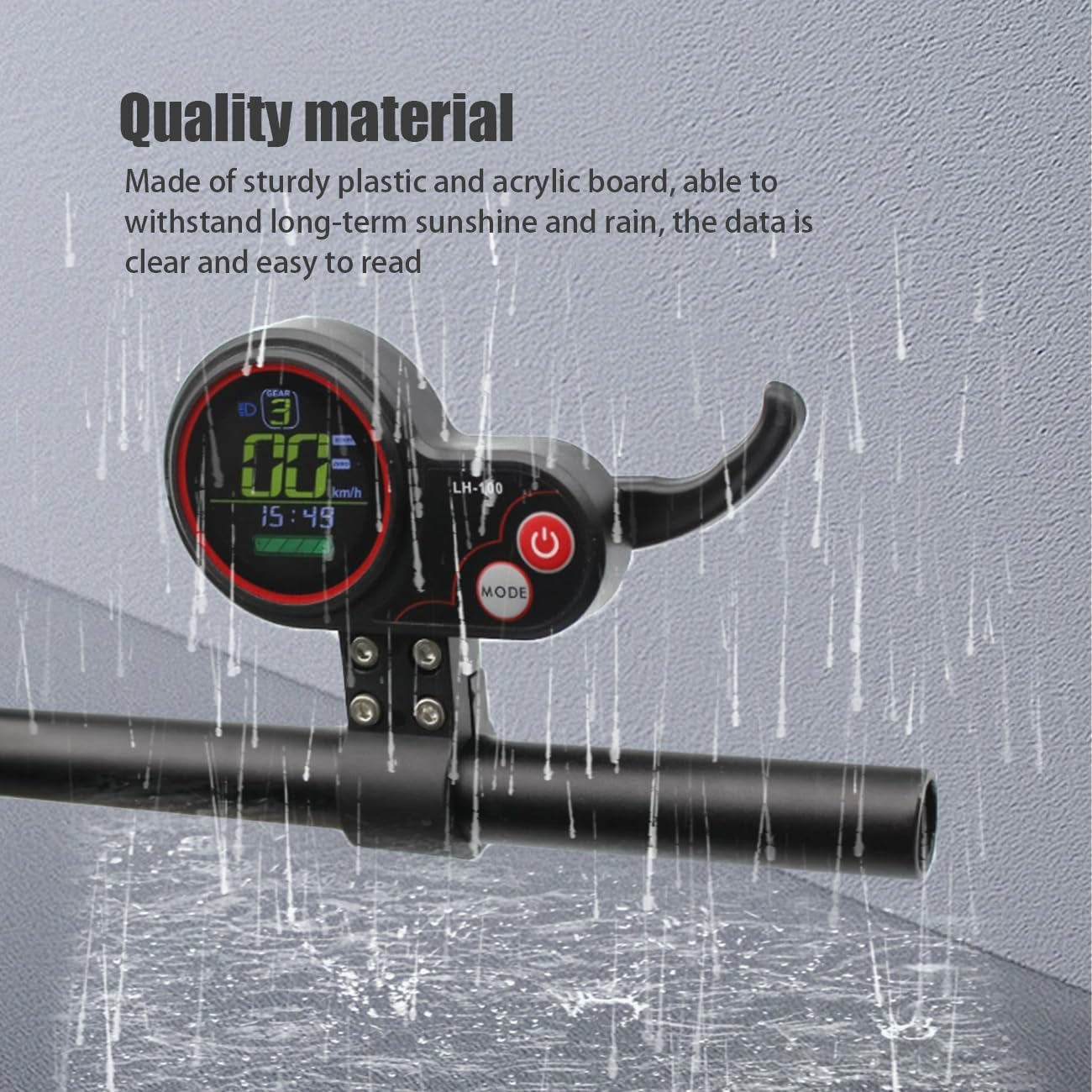
Figure 4: Important warning label emphasizing the exclusive compatibility with the LH-100 system.
Reconfirm that your scooter's system is indeed LH-100. This product is designed to function exclusively with the LH-100 system. Use with an incompatible system may result in damage to the unit or the scooter, and will void any warranty.
- Proba de encendido: After all connections are made, power on your electric scooter. The LCD display should illuminate and begin showing operational information, indicating a successful installation.
Instrucións de funcionamento
The Wokyo LH-100 display throttle is designed with user-friendly controls for intuitive and efficient operation of your electric scooter.

Figure 5: The Wokyo LH-100 display throttle shown in its operational context on an electric scooter.
Funcións do botón:
- Botón de encendido (⏻): Press and hold this button to power the display on or off. A brief press may allow you to cycle through various display modes or settings, depending on the specific firmware of your scooter.
- Botón MODE: Press this button to navigate through different display parameters, such as current speed, battery level, total odometer, and trip distance. A long press may activate the settings menu; refer to your scooter's main user manual for detailed menu navigation instructions.
Control do acelerador:
The thumb lever, located on the right side of the unit, is used to control the scooter's acceleration. Apply gentle pressure downwards with your thumb to increase speed. Releasing the lever will cause the scooter to decelerate.
Mantemento
Consistent and proper maintenance is essential to ensure the longevity, optimal performance, and reliability of your Wokyo LH-100 display throttle.
- Limpeza: To clean the display screen and the unit's housing, use a soft, slightly damp cloth. Avoid using abrasive cleaners, solvents, or harsh chemicals, as these can damage the surface. Always ensure the unit is powered off before cleaning.
- Comprobación de conexión: Periodically inspect the 6-pin connector for any signs of wear, such as fraying or corrosion, and ensure it remains securely plugged into the scooter's wiring harness. A loose connection can lead to intermittent functionality.
- Resistencia á auga: While the unit is designed to be waterproof, it is not intended for submersion. After riding in wet conditions or rain, it is advisable to wipe the unit dry to prevent water spots or mineral buildup, which could affect visibility or material integrity over time.
- Apertura do parafuso: From time to time, check the tightness of the mounting screws that secure the unit to the handlebar. This ensures the display throttle remains firmly in place during operation and prevents accidental movement.

Figure 6: The display throttle is engineered to withstand exposure to rain, highlighting its robust design.
Back Charging Port (if applicable):

Figura 7: Traseira view of the display throttle, illustrating the covered port designed to protect against moisture.
Certain models of the display throttle may include a covered port on the back. This port is primarily designed to prevent rainwater from entering the unit. Depending on your scooter's specific configuration, this port might also be used for connecting external cables, potentially for charging mobile devices or other accessories. Always ensure the cover is securely closed when the port is not in active use to maintain its waterproof integrity.
Resolución de problemas
If you encounter any issues with your Wokyo LH-100 display throttle, please refer to the following table for common problems and their potential solutions:
| Problema | Causa posible | Solución |
|---|---|---|
| A pantalla non se acende. | No power from scooter; Loose connection; Unit damage. | Ensure the scooter's battery is charged and the scooter is powered on. Check the 6-pin connection for tightness. If the issue persists, contact customer support. |
| Throttle not responding. | Loose connection; Scooter system error; Damaged throttle sensor. | Verify the 6-pin connection is secure. Try restarting the scooter. If the problem continues, consult your scooter's main manual or contact support. |
| Incorrect speed/data displayed. | Incorrect settings; Sensor malfunction. | Refer to your scooter's user manual for instructions on adjusting display settings. Confirm that parameters like wheel size are correctly configured. |
| Water ingress after rain. | Connector not fully sealed; Damaged housing. | Ensure the 6-pin connector is fully and tightly engaged. Inspect the unit's housing for any visible cracks or damage. If water has entered, immediately power off the scooter and allow the unit to dry completely before attempting to use it again. |
Se o problema persiste despois de intentar estas solucións, póñase en contacto co servizo de atención ao cliente para obter máis axuda.
Garantía e Soporte
Información da garantía:
The Wokyo LH-100 Electric Scooter LCD Display Throttle is covered by a manufacturer's warranty. For precise details regarding the warranty terms and duration, please refer to the product packaging or your original purchase receipt. Typically, the warranty covers defects in materials and workmanship under normal use conditions.
Nota importante: The warranty may be rendered void by improper installation, unauthorized modifications, or any damage resulting from misuse, neglect, or accidental impact.
Atención ao cliente:
For technical assistance, to initiate a warranty claim, or for any other product-related inquiries, please contact Wokyo customer support. You can typically reach support through the retailer from whom you purchased the product, or by visiting the official Wokyo store on Amazon:
Visit the Wokyo Store on Amazon
When contacting support, please be prepared to provide your product model number (LH-100) and details of your purchase to facilitate a quicker resolution.
Ask a question about this manual
Ask about setup, troubleshooting, compatibility, parts, safety, or missing instructions. Manuals+ will review the question and use this page’s manual context to help answer it.