
1. Introdución
This manual provides comprehensive instructions for the installation, operation, and maintenance of your Techage CG6E Solar Security Camera. Designed for outdoor use, this wireless camera system offers 2K high-definition video, AI motion detection, color night vision, two-way audio communication, and is built with an IP66 waterproof rating for reliable performance in various weather conditions. The integrated solar panel ensures continuous power, reducing the need for frequent battery recharges.
2. Contido do paquete
Verifica que todos os elementos estean presentes no teu paquete:
- Techage Solar Security Camera (2 units)
- Panel solar (2 unidades)
- Soportes e parafusos de montaxe
- Cable de carga USB
- Manual de usuario (este documento)

Image: Two Techage CG6E solar security cameras and two solar panels, illustrating the complete product package.
3. Produto rematadoview
The Techage CG6E camera system is engineered for robust outdoor surveillance. Key features include:
- Resolución 2K Ultra HD: Captura vídeo nítidotage with 1.5 times the clarity of standard 1080P cameras.
- Eficiencia de enerxía solar: Equipped with an external solar panel for continuous battery charging, ensuring uninterrupted operation.
- Detección de movemento por IA: Advanced algorithms identify human movement, reducing false alerts and sending instant notifications.
- Visión nocturna en cor: Dual LED spotlights enable full-color video recording even in low-light conditions.
- Audio bidireccional: Built-in microphone and speaker allow for real-time communication through the camera.
- Resistente ás inclemencias do tempo IP66: Designed to withstand rain, snow, and extreme temperatures for year-round outdoor use.
- Almacenamento flexible: Supports local storage via a Micro SD card (up to 128GB, not included) and cloud storage options.

Imaxe: Unha vez máisview of the Techage CG6E camera highlighting its main features: long-lasting battery, free 3-day cloud storage, AI motion detection, and full-color night vision.
4. Configuración
4.1 Instalación da aplicación
The Techage CG6E camera operates with the Vicohome app. Download the app from your device's app store:
- For iOS devices, search for "Vicohome" in the Apple App Store.
- For Android devices, search for "Vicohome" in the Google Play Store.
Follow the on-screen instructions to create an account and log in.

Image: A smartphone displaying the Vicohome app interface, indicating where to download the application.
4.2 Emparellamento da cámara
- Asegúrate de que o teu teléfono intelixente estea conectado a unha rede wifi de 2.4 GHz. A cámara non é compatible con wifi de 5 GHz.
- Open the Vicohome app and tap the "Add Device" or "+" icon.
- Power on the camera. The camera will enter pairing mode, indicated by a specific LED light pattern or voice prompt.
- Follow the app's instructions to scan the QR code on the camera or manually select the device.
- Enter your Wi-Fi network password when prompted.
- Once connected, the camera will confirm successful pairing, and you can name your device within the app.
4.3 Instalación física
The camera and solar panel are designed for wall mounting.
- Escolle unha localización: Escolle unha localización ao aire libre que ofreza o desexado viewángulo de inflexión e recibe ample direct sunlight for the solar panel. Ensure the camera is within range of your 2.4GHz Wi-Fi network.
- Montar a cámara: Use the provided mounting bracket and screws to securely attach the camera to a wall or other stable surface. Adjust the camera angle for optimal coverage.
- Montar o panel solar: Position the solar panel in a location that maximizes sun exposure throughout the day. Connect the solar panel cable to the camera's charging port.
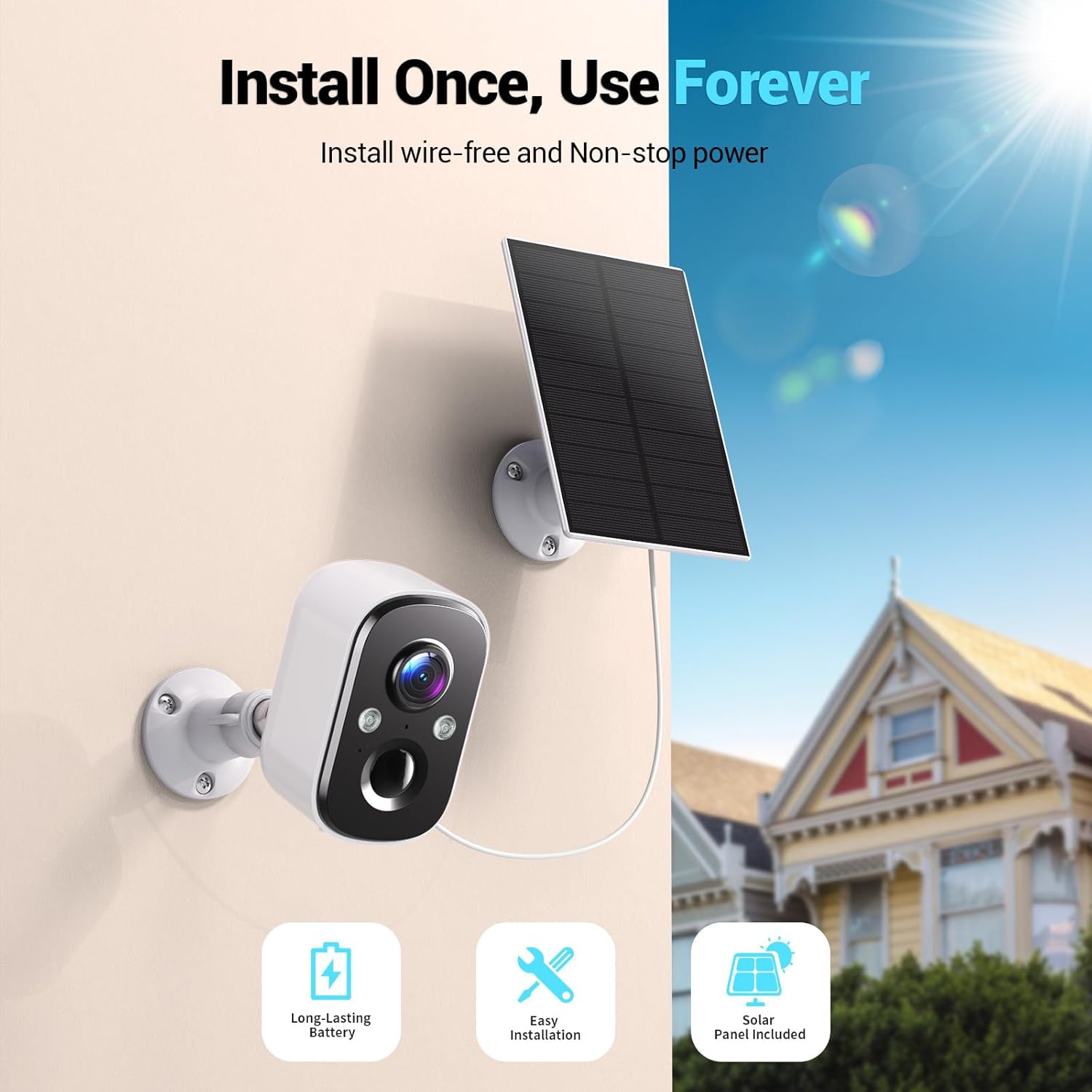
Image: A Techage CG6E camera and its solar panel are shown mounted on an outdoor wall, illustrating a typical installation scenario.
5. Instrucións de funcionamento
5.1 En directo View
Access real-time video feed from your camera through the Vicohome app. Simply select the desired camera from your device list to view its live stream.
5.2 Configuración de detección de movemento
The camera features advanced AI motion detection. You can customize settings within the Vicohome app:
- Sensibilidade: Adjust the detection sensitivity to minimize false alerts.
- Zonas de actividade: Define áreas específicas dentro da cámara view where motion detection should be active, ignoring other areas.
- Recoñecemento de IA: The camera can differentiate between people, vehicles, packages, and pets, providing more relevant alerts.
- Alertas: Configure push notifications to your smartphone when motion is detected.

Image: A visual representation of the camera detecting motion near a doorway, triggering a spotlight, siren, and sending a notification to the Vicohome app.
5.3 Audio bidireccional
Usa a función de audio bidireccional para comunicarte coas persoas que estean preto da cámara. Toca a icona do micrófono na pantalla en directo view interface of the Vicohome app to speak, and the camera's speaker will broadcast your voice. You can also hear audio from the camera's location.

Image: A person inside a house communicating via the camera with another person outside, demonstrating the two-way audio function.
5.4 Modos de visión nocturna
A cámara ofrece dous modos de visión nocturna:
- Visión nocturna en cor: When the built-in spotlights are activated (either manually or by motion detection), the camera captures full-color video in dark environments.
- Visión nocturna por infravermellos: With spotlights off, the camera uses infrared LEDs to provide clear black-and-white video in darkness.

Image: A comparison showing the difference between color night vision (spotlight on) and infrared night vision (spotlight off) in a dark setting.
5.5 Opcións de almacenamento
Your camera supports two storage methods:
- Tarxeta Micro SD: Insert a Micro SD card (up to 128GB, not included) into the designated slot on the camera for local recording.
- Almacenamento na nube: The Vicohome app offers a free 3-day rolling event recording cloud storage. Optional premium cloud plans are available for extended storage and advanced features.
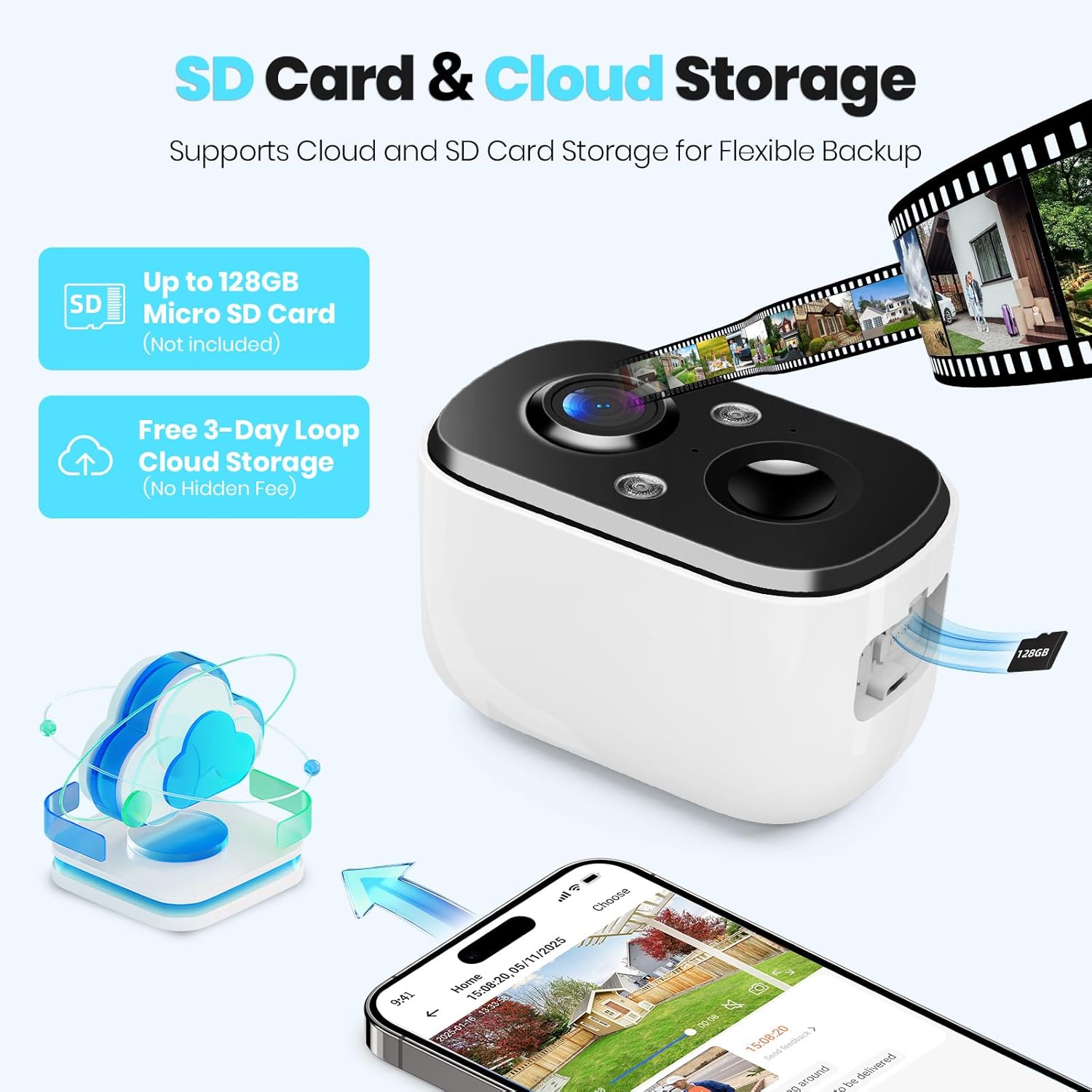
Image: A close-up of the camera highlighting the Micro SD card slot and illustrating cloud storage functionality.
5.6 Compartir o acceso
You can share camera access with family members or trusted individuals through the Vicohome app. This allows multiple users to view feeds en directo e recibir alertas.
6. Mantemento
6.1 Battery Charging and Solar Panel Placement
The solar panel is designed to keep the camera battery charged. Ensure the solar panel is positioned to receive maximum direct sunlight daily. If the camera's battery level drops significantly due to prolonged cloudy weather or insufficient sunlight, you may need to temporarily charge the camera using the provided USB cable.
6.2 Limpeza
Periodically clean the camera lens and the surface of the solar panel with a soft, damp cloth to ensure optimal performance. Avoid using harsh chemicals or abrasive materials.
6.3 Actualizacións de firmware
The Vicohome app will notify you of available firmware updates. It is recommended to keep your camera's firmware updated to ensure the latest features, security enhancements, and bug fixes.
7 Solución de problemas
- A cámara non se conecta á wifi: Asegúrate de que a túa rede wifi sexa de 2.4 GHz. Comproba a intensidade do sinal wifi na localización da cámara. Reinicia o enrutador e a cámara.
- Frequent false alerts: Adjust motion detection sensitivity and configure activity zones within the Vicohome app to focus on relevant areas.
- Mala visión nocturna: Ensure the camera lens is clean. Check if the spotlights are enabled for color night vision.
- A batería non se carga: Verify the solar panel is connected correctly and receives sufficient direct sunlight. Clean the solar panel surface.
- No cloud recording: Confirm your cloud storage subscription status. The free plan offers 3-day rolling event recording.
For further assistance, refer to the in-app help section or contact customer support.
8. Especificacións
| Característica | Especificación |
|---|---|
| Nome do modelo | CG6E |
| Uso interior/exterior | Ao aire libre |
| Fonte de enerxía | Energía solar |
| Tecnoloxía de conectividade | Wireless (Wi-Fi 2.4GHz only) |
| Resolución de captura de vídeo | 2K (1440p) |
| Range de visión nocturna | 33 pés |
| Nivel de resistencia á auga | Impermeable IP66 |
| Audio bidireccional | Si |
| Opcións de almacenamento | Tarxeta Micro SD (ata 128 GB), almacenamento na nube |
| Dispositivos compatibles | Smartphone (via Vicohome app) |
| Dimensións do produto | 6 x 3.49 x 7.5 polgadas |
| Peso do elemento | 2.09 libras |
9. Garantía e soporte
Techage provides free technical support for its products. For warranty information or to contact support, please refer to the contact details provided within the Vicohome app or visit the official Techage websitio.

Image: A customer support representative, symbolizing the availability of technical assistance.