
1. Produto rematadoview
The Philips Baristina Espresso Machine is designed for simple, fresh espresso preparation. It integrates grinding, tamping, and brewing into a single, streamlined process, utilizing a 16-bar pressure pump for optimal flavor extraction. Its compact design makes it suitable for various kitchen spaces.
Características principais:
- Moedor integrado: Freshly grinds whole coffee beans for each brew.
- Presión da bomba de 16 bar: Ensures robust flavor extraction for authentic espresso.
- One-Swipe Operation: Simplifies the brewing process from bean to cup in under 60 seconds.
- Deseño compacto: Space-efficient for any kitchen counter.
- Adjustable Brews: Offers Espresso, Lungo, and Extra Intense options.
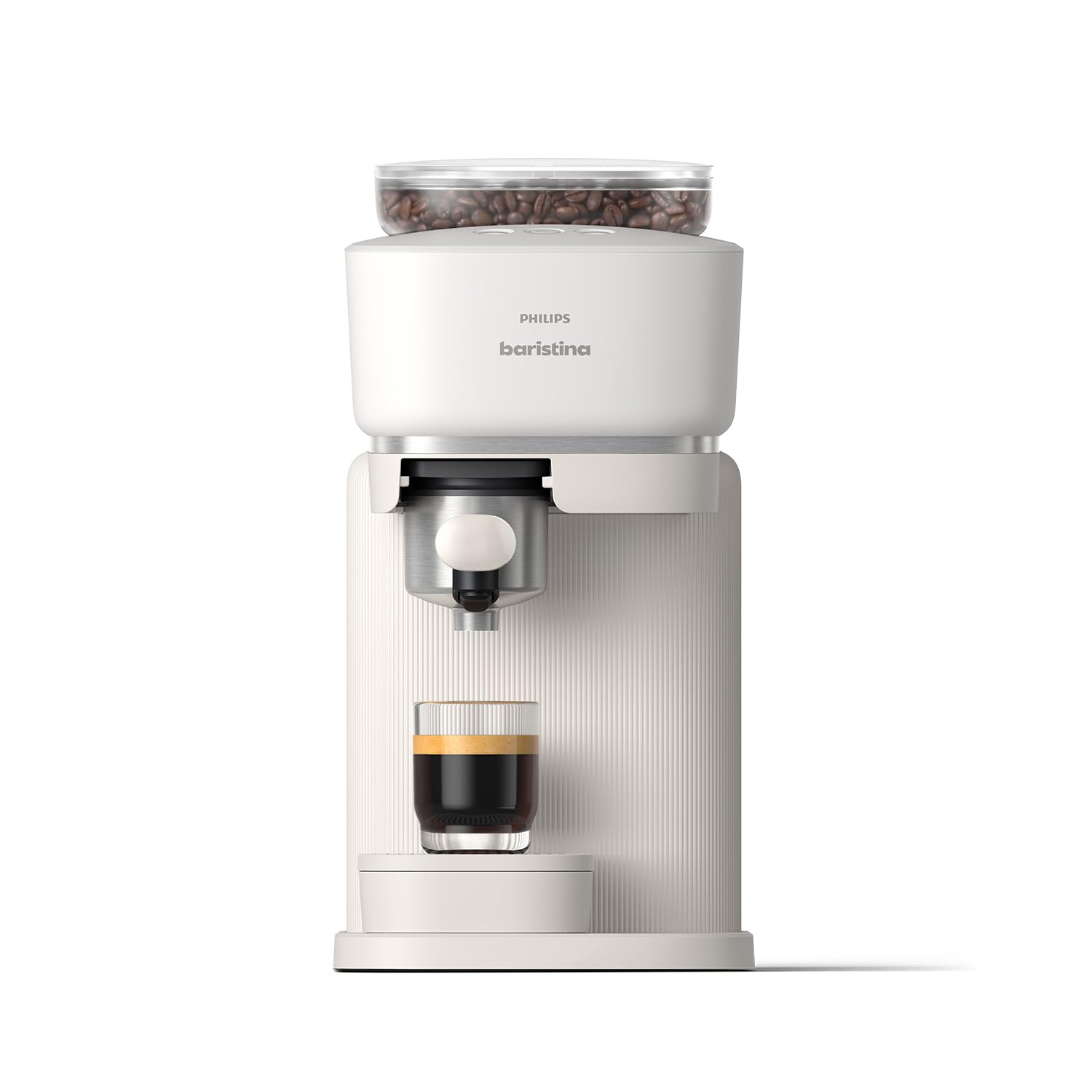
Figure 1: Philips Baristina Espresso Machine (BAR300/00)
2. Configuración
2.1 Desembalaxe e colocación
Carefully remove all packaging materials. Place the machine on a stable, level surface away from heat sources and direct sunlight. Ensure adequate ventilation around the appliance.

Figura 2: Dimensións do produto (14.96" de profundidade x 7.09" de ancho x 13.58" de alto)
2.2 Ciclo de enxague inicial
Before first use, perform an initial rinse cycle to clean the internal components. This ensures optimal taste and hygiene.
- Insira o portafiltro na máquina.
- Retire o depósito de auga do lateral da máquina.
- Fill the water tank with fresh, cold water up to the MAX level. Reinsert the water tank securely.
- Place a large cup or coffee mug under the water spout.
- Press and hold the Boost button (middle button with coffee beans and a plus sign) for 5 seconds to initiate the rinse cycle.
- Wait until the boost light stops blinking and the water has dispensed.
- Rinse the portafilter under running water while pressing the puck removal button several times to clear any residue.
Video 1: How to Set Up the Baristina Espresso Machine. This video demonstrates the initial setup and rinsing process for the Philips Baristina Espresso Machine, including inserting the portafilter, filling the water tank, and performing the first rinse cycle.
3. Instrucións de funcionamento
3.1 Encher o recipiente de grans
Open the lid of the bean container located on top of the machine. Pour fresh, whole coffee beans into the container. Ensure the lid is securely closed after filling.
3.2 Preparación de café expreso ou lungo
The Baristina machine simplifies brewing with its integrated grind, tamp, and brew function.
- Asegúrate de que o depósito de auga estea cheo e que o recipiente de grans teña suficientes grans.
- Insert the clean portafilter into the machine.
- Coloca a cunca debaixo da boquilla do café.
- Select your desired brew:
- Press the left button for Espresso (standard shot).
- Press the right button for Lungo (longer Italian-style mini-Americano).
- Para un Extra Intense brew, press the middle button (coffee beans with a plus sign).
- The machine will automatically grind, tamp, and brew your coffee. The handle will move to the right and then return to its start position once brewing is complete.
- Goza do teu café recén feito.

Figure 3: Grind, Tamp & Brew in One Swipe

Figure 4: The Baristina's integrated system ensures ideal grind size, precise pressure, and accurate dosing.
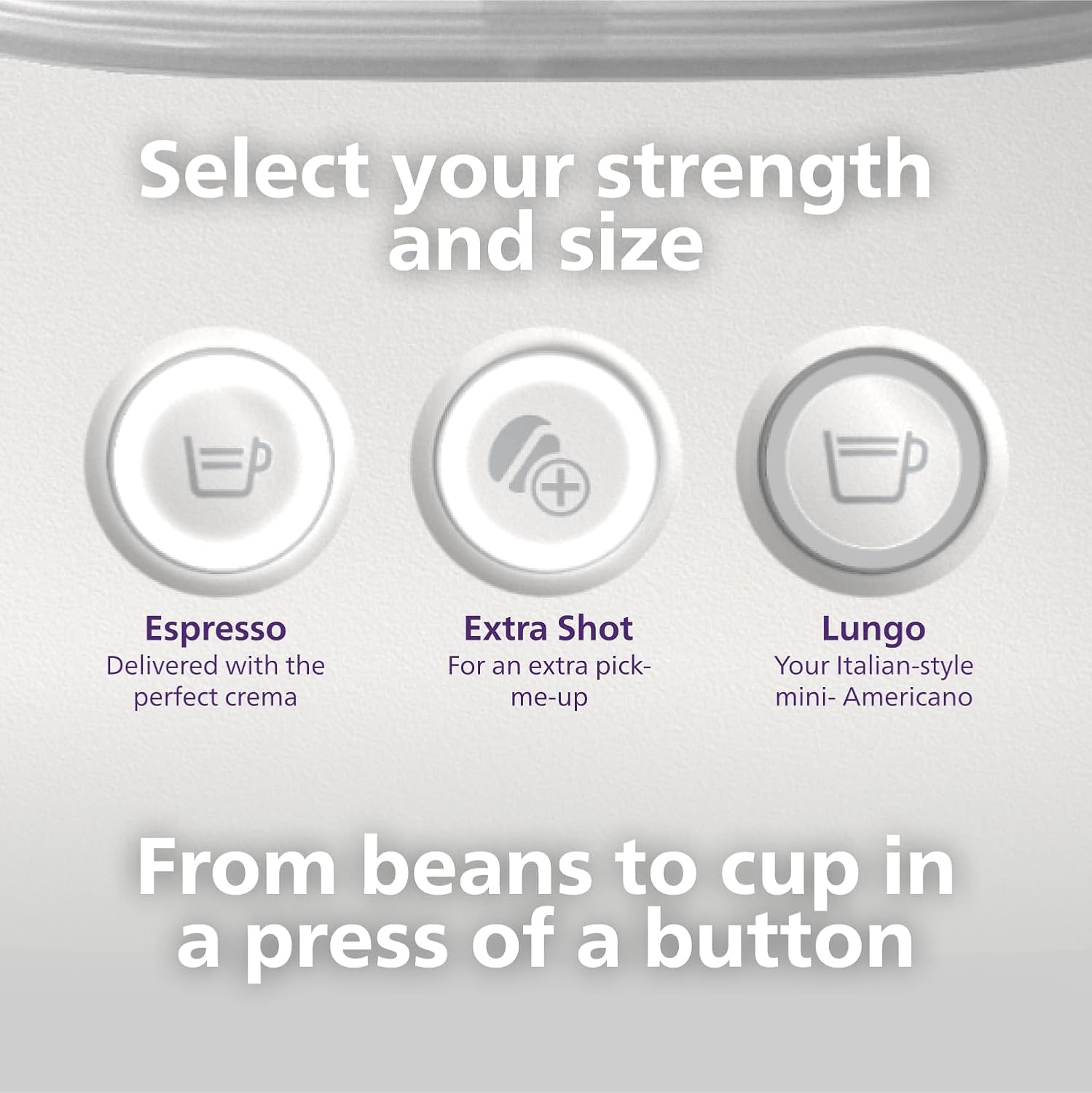
Figure 5: Select your desired strength and size from the control panel.

Figure 6: Swipe the handle to brew and enjoy.
Video 2: How to Brew Espresso & Lungo with Baristina Machine. This video tutorial demonstrates how to brew espresso and lungo using the Philips Baristina Espresso Machine, covering filling the bean container, selecting brew strength, and initiating the brewing process.
4. Mantemento
4.1 Emptying and Cleaning the Portafilter
For best results and to prevent clogging, empty and rinse the portafilter after every brew.
- After brewing, remove the portafilter from the machine.
- Press the puck removal button to release the used coffee grounds (puck).
- Rinse the portafilter under running water. You can also wipe it with a cloth.
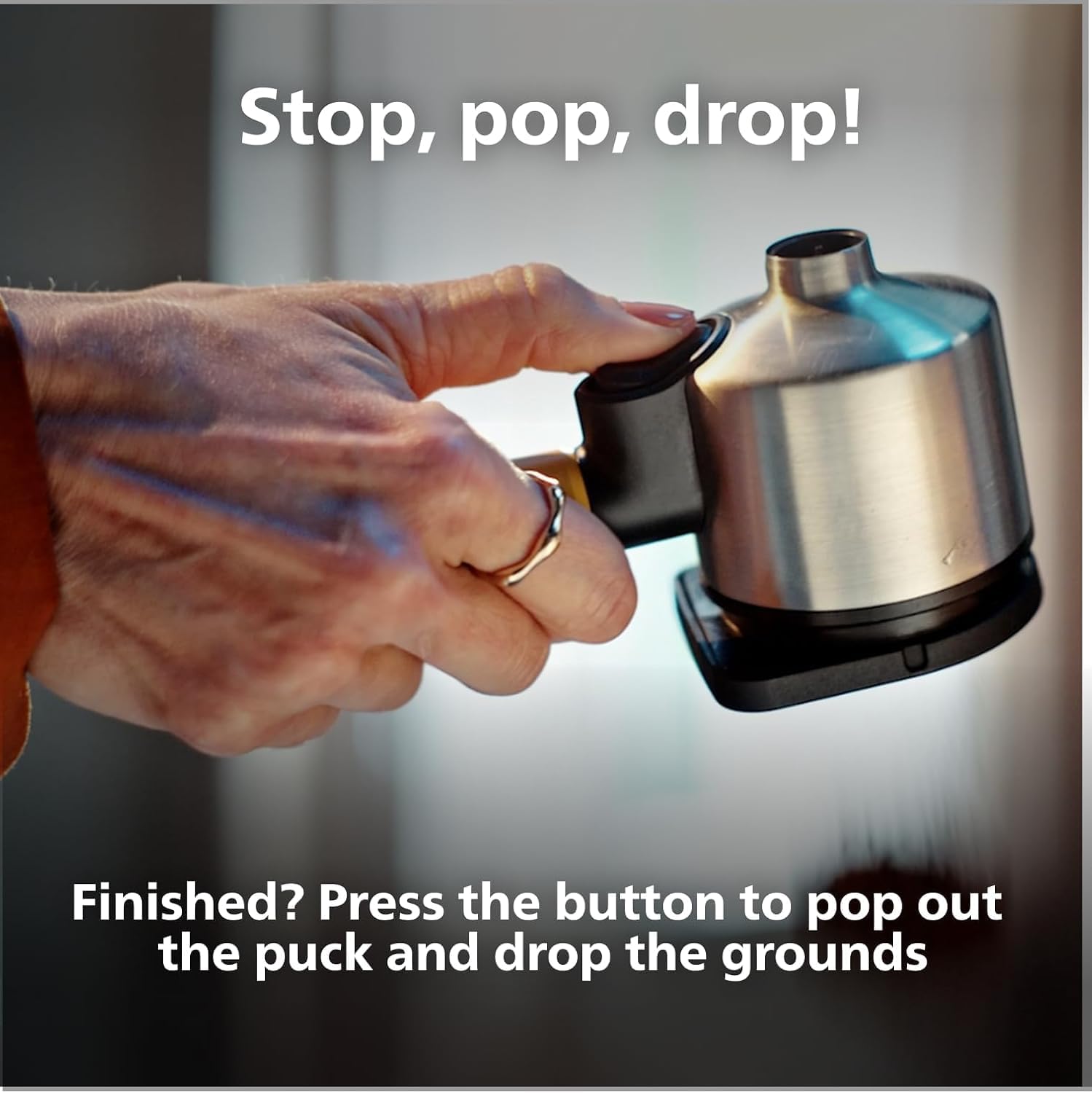
Figure 7: Stop, Pop, Drop! Press the button to release the coffee puck.

Figure 8: Used coffee grounds can be composted, reducing waste.
4.2 Limpeza xeral
Limpe o exterior da máquina cun anuncioamp cloth. The drip tray should be emptied and cleaned regularly. Do not immerse the machine in water.
5 Solución de problemas
If you encounter issues with your Philips Baristina Espresso Machine, please refer to the following common solutions:
- Non se dispensa café: Check if the water tank is filled and correctly inserted. Ensure the portafilter is properly seated.
- Café débil: Verify that the bean container has enough fresh coffee beans. Ensure the machine has completed its grinding and tampciclo de ing.
- A máquina non se acende: Comprobe se o cable de alimentación está conectado correctamente a unha toma de corrente que funcione.
- Filtración: Ensure all removable parts, especially the water tank and portafilter, are correctly positioned and sealed.
- Ruído inusual: This may indicate a need for descaling or a blockage in the grinder. Refer to the full manual for descaling instructions.
For more detailed troubleshooting or persistent issues, please contact Philips customer support.
6. Especificacións
| Característica | Detalle |
|---|---|
| Marca | Philips |
| Nome do modelo | Baristina |
| Número de modelo | BAR300 |
| Capacidade | 1.2 litros |
| Cor | Branco |
| Dimensións do produto (P x A x A) | 14.96" x 7.09" x 13.58" |
| Característica especial | Moedor de café integrado |
| Tipo de cafetera | Máquina espresso |
| Modo de operación | Totalmente automático |
| Wattage | 1550 vatios |
| Voltage | 120.0 |
| Presión de saída | 16 Barras |
| Tipo de entrada de café | Fabas enteiras |
| Tipo de filtro | Portafiltro |
| Peso do elemento | 4.84 quilogramos |
| Compoñentes incluídos | Baristina Espresso Machine, Portafilter, Drip tray |
| Material | Plástico |
| Apto para lavalouza | Non |
7. Garantía e soporte
This Philips Baristina Espresso Machine comes with a standard manufacturer's warranty. For specific warranty details, registration, or to access customer support, please refer to the documentation included with your product or visit the official Philips website. For any technical assistance or service inquiries, please contact Philips customer service directly.
Optional protection plans are available for purchase separately, offering extended coverage beyond the manufacturer's warranty. These plans typically cover mechanical and electrical failures.