
Micool DY20PLUS
Micool DY20PLUS Bluetooth Headset V5.4 User Manual
Model: DY20PLUS | Brand: Micool
Introdución
Thank you for choosing the Micool DY20PLUS Bluetooth Headset V5.4. This manual provides comprehensive instructions to help you set up, operate, and maintain your new headset. Please read this manual carefully before use to ensure optimal performance and longevity of your device.
Contido do paquete
- Micool DY20PLUS Bluetooth Headset
- Cable de carga USB-C
- Manual de usuario
- Multiple Sized Ear Tips (L, M, S)
Produto rematadoview
Familiarize yourself with the components of your Micool DY20PLUS Bluetooth Headset.
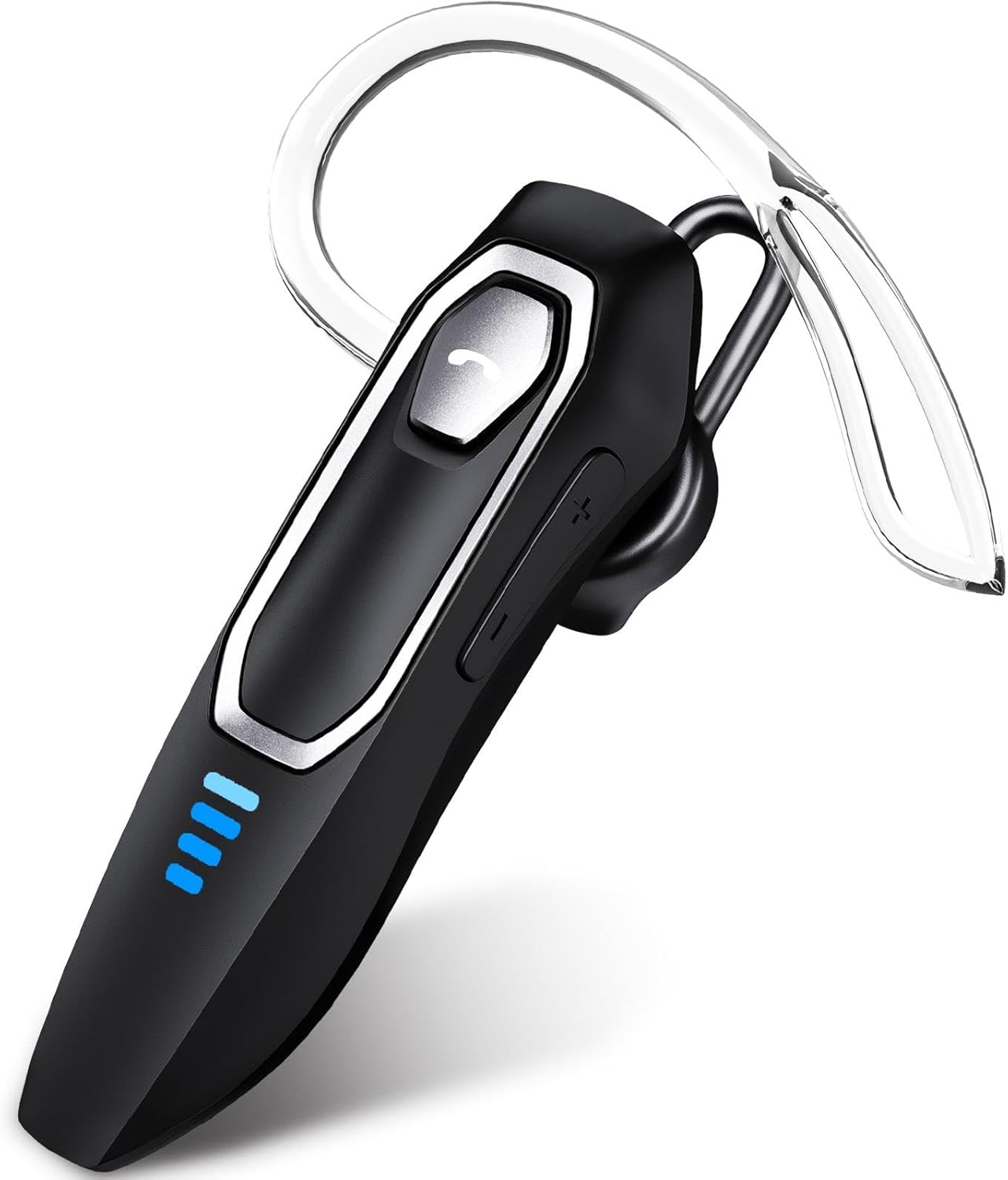
Image 1: Micool DY20PLUS Bluetooth Headset. This image displays the main headset unit, highlighting the call button, volume controls, and LED power indicators.

Image 2: Headset Controls Diagram. This diagram illustrates the Multi-Function Button (MFB) for power, play/pause, and Bluetooth pairing, along with volume controls and mute function.
Cargando os auriculares
Before first use, fully charge the headset.
- Connect the provided USB-C charging cable to the charging port on the headset.
- Conecte o outro extremo do cable a unha fonte de alimentación USB (por exemplo, un ordenador, un adaptador de parede).
- The LED indicators will show charging status. A full charge typically takes 1.5-2 hours.
- Once fully charged, the LED indicators will change or turn off (refer to LED Power Display section for details).
The headset offers up to 36 hours of talk time and 45 hours of music playback on a single charge.
Configuración
Encendido/apagado
- Encendido: Press and hold the Multi-Function Button (MFB) for approximately 3 seconds until the LED indicator flashes.
- Apagado: Prema e manteña premido o botón multifunción durante aproximadamente 3 segundos ata que o indicador LED se apague.
Emparejamento Bluetooth
- Asegúrese de que os auriculares están apagados.
- Press and hold the MFB for approximately 3 seconds until the LED indicator flashes red and blue alternately, indicating pairing mode.
- No teu dispositivo (teléfono intelixente, tableta, ordenador), activa o Bluetooth e busca os dispositivos dispoñibles.
- Select "DY20PLUS" from the list of found devices.
- Unha vez conectado, o indicador LED dos auriculares parpadeará lentamente en azul.
Conexión multipunto: The DY20PLUS headset can connect to two devices simultaneously. After pairing with the first device, disable Bluetooth on that device. Then, put the headset back into pairing mode and connect to the second device. Re-enable Bluetooth on the first device, and the headset should automatically connect to both.
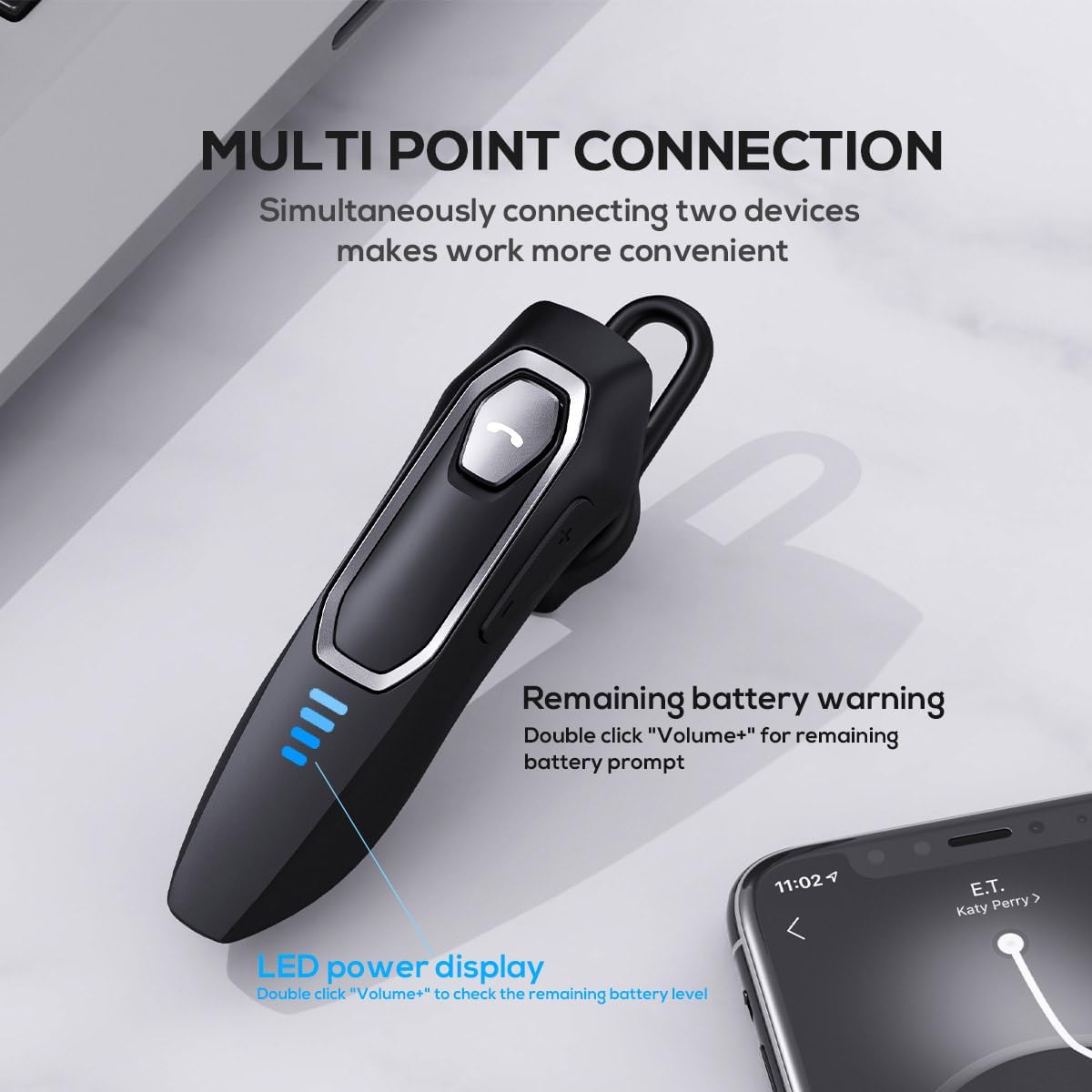
Image 3: Multi-Point Connection and LED Display. This image illustrates the headset's ability to connect to two devices simultaneously and the LED power display.
Instrucións de funcionamento
Xestión de chamadas
- Responder/Finalizar chamada: Preme o MFB unha vez.
- Rexeitar a chamada: Prema e manteña premido o botón multifunción durante aproximadamente 2 segundos.
- Silenciar/Activar o micrófono: During a call, press and hold the volume down button (marked with a microphone icon) for approximately 2 seconds.
- Remarcar a última chamada saínte: Triple-tap the MFB.
Reprodución de música
- Reproducir/Pausa: Preme o MFB unha vez.
- Próxima pista: Press and hold the Volume + button for approximately 2 seconds.
- Pista anterior: Press and hold the Volume - button for approximately 2 seconds.
- Subir/Baixar o volume: Press the Volume + or Volume - button briefly.
Asistente de voz
- Activar o Asistente de voz (Siri, Asistente de Google, etc.): Toca dúas veces o MFB.
Pantalla LED de enerxía
The headset features an LED power display with four levels, each representing 25% of the battery charge.
- To check the remaining power, double-click the Volume + button.
Comodidade e Fit
The Micool DY20PLUS is designed for comfortable, all-day wear.
- The ergonomic design ensures a secure fit without causing ear fatigue.
- Interchangeable ear tips (L, M, S) are included to help you find the best fit for your ear canal, optimizing bass and overall sound quality.
- The headset can be worn on either the left or right ear.

Image 4: Ear Tips and Durability. This image shows the included ear tips in different sizes (L, M, S) and highlights the enhanced durability features of the headset.
Mantemento
- Limpeza: Usa un pano suave e seco para limpar os auriculares. Non empregues produtos químicos agresivos nin materiais abrasivos.
- Almacenamento: When not in use, store the headset in a cool, dry place, away from direct sunlight and extreme temperatures.
- Coidado da batería: Para prolongar a duración da batería, evite descargar completamente os auriculares con frecuencia. Cárgueos regularmente, mesmo se non os usa de forma constante.
- Resistencia á auga: The headset is water-resistant, but not waterproof. Avoid submerging it in water or exposing it to heavy rain.
Resolución de problemas
| Problema | Posible Solución |
|---|---|
| Os auriculares non se acende. | Ensure the headset is charged. Connect it to a power source using the USB-C cable. |
| Non se pode emparellar co dispositivo. |
|
| Sen son ou mala calidade de son. |
|
| O micrófono non funciona durante as chamadas. |
|
| Voice assistant not activating. | Ensure the headset is connected and double-tap the MFB firmly. Check your device settings for voice assistant activation. |
Especificacións
| Característica | Detalle |
|---|---|
| Nome do modelo | DY20PLUS |
| Tecnoloxía de conectividade | Sen fíos (Bluetooth) |
| Versión Bluetooth | 5.4 |
| Alcance Bluetooth | Ata 50 metros (164 pés) |
| Duración da batería (tempo de conversa) | Ata 36 horas |
| Duración da batería (reprodución de música) | Ata 45 horas |
| Tempo de carga | 1.5 - 2 horas |
| Porto de carga | USB-C |
| Cancelación de ruído | Dual Microphones with Noise Reduction Algorithm |
| Características especiais | Voice Assistant, Multipoint Pairing, LED Power Display, Mute Function, Fast Charging |
| Peso | Approximately 12g (0.42 oz) |
| Nivel de resistencia á auga | Resistente á auga |
| Dispositivos compatibles | Smartphones, Tablets, Smart Speakers |
Garantía e Soporte
For warranty information or technical support, please refer to the documentation included with your purchase or contact Micool customer service through their official channels.
Ask a question about this manual
Ask about setup, troubleshooting, compatibility, parts, safety, or missing instructions. Manuals+ will review the question and use this page’s manual context to help answer it.