
Introdución
The 1MORE P20 USB-C Wired Earphones are designed to provide a high-quality audio experience with powerful sound, clear call quality, and ergonomic comfort. This manual provides essential information for setting up, operating, maintaining, and troubleshooting your earphones.

Image: The 1MORE P20 USB-C Wired Earphones, showcasing their sleek black design and the Hi-Res Audio certification.
Configuración
1. Ear Tip Selection and Fit
For optimal sound quality and comfort, select the ear tips that best fit your ears. The earphones come with various sizes of silicone ear tips. Gently insert the earphones into your ear canals at a 45° angle until they feel secure and comfortable. A proper seal is crucial for effective acoustic isolation and bass response.
2. Conectando ao teu dispositivo
The 1MORE P20 earphones feature a USB-C connector for direct plug-and-play compatibility. Simply plug the USB-C connector into the USB-C port of your smartphone, tablet, iPad, or other compatible digital device. No additional drivers or software are typically required.
Instrucións de funcionamento
1. Reprodución de audio
Once connected, your device should automatically recognize the earphones. Begin playing audio from your preferred application. The earphones support Hi-Res Stereo Audio for a detailed and immersive listening experience.
2. Control de volume
The in-line remote control allows you to adjust the volume. Use the '+' button to increase volume and the '-' button to decrease volume. Short press the center button to play/pause music or answer/end calls.
3. Xestión de chamadas
The earphones are equipped with an advanced MEMS microphone and AI ENC noise suppression technology for clear voice capture during calls. To answer an incoming call, short press the center button. To end a call, short press the center button again. To reject a call, long press the center button.
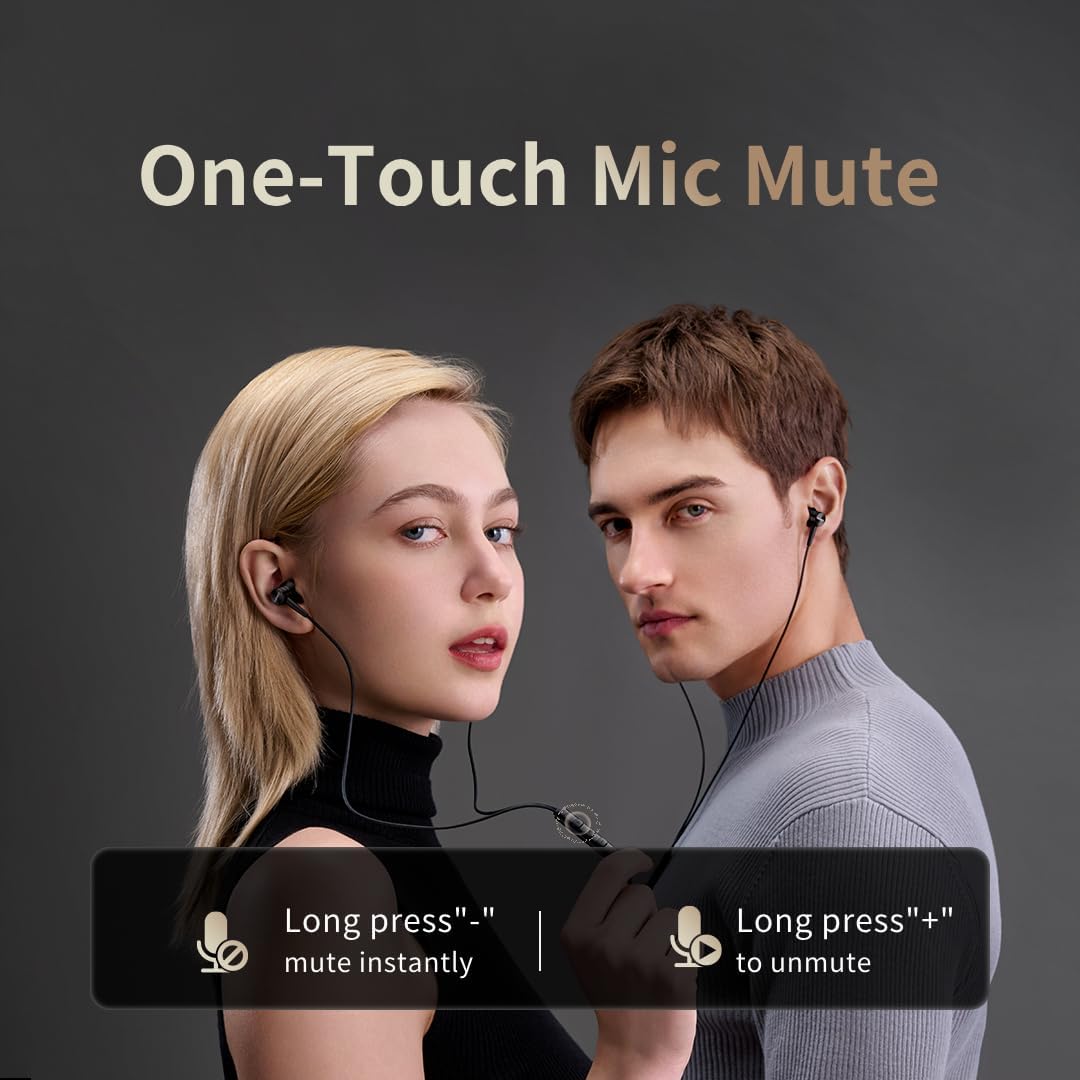
Image: Illustration of the one-touch microphone mute function. Long press '-' to mute instantly, long press '+' to unmute.
4. Función de silenciamento do micrófono
To instantly mute the microphone during a call, long press the '-' button on the in-line remote. To unmute, long press the '+' button.
Mantemento
1. Limpeza
- Regularly clean the ear tips with a soft, dry cloth to remove earwax and debris.
- Wipe the earphone bodies and cable with a slightly damp pano e despois secar ben.
- Non use produtos químicos agresivos ou materiais abrasivos para a limpeza.
2. Almacenamento
When not in use, store the earphones in a clean, dry place, preferably in a protective pouch, to prevent tangling and damage to the cable or drivers.
Resolución de problemas
- Sen son:
- Asegúrate de que o conector USB-C estea completamente inserido no dispositivo.
- Check the volume level on both your device and the earphone remote.
- Test the earphones with another device to rule out device-specific issues.
- Mala calidade de son:
- Ensure ear tips provide a proper seal in your ear canal. Try different sized ear tips.
- Clean any debris from the earphone nozzles.
- Comprobe se a calidade da fonte de son é alta.
- O micrófono non funciona:
- Ensure the microphone is not muted (check the mute function using the in-line remote).
- Verifica a configuración do micrófono no dispositivo conectado.
- Ensure the USB-C connection is secure.
Especificacións

Imaxe: Unha explosión view illustrating the 10mm Diamond-Like Carbon (DLC) dynamic driver, responsible for the powerful and compact sound.
| Característica | Especificación |
|---|---|
| Nome do modelo | P20 Black EU |
| Tecnoloxía de conectividade | Con cable |
| Conector para auriculares | USB-C |
| Colocación do oído | In-Ear |
| Factor de forma | In-Ear |
| Impedancia | 32 ohmios |
| Rango de frecuencias | 20 Hz - 40,000 Hz |
| Tipo de controlador de audio | Dynamic (10mm DLC Diaphragm) |
| Control de ruído | Active Noise Suppression (AI ENC for microphone) |
| Método de control | Pulsador |
| Dispositivos compatibles | Phone, Tablet, iPad |
| Nivel de resistencia á auga | Non resistente á auga |
| Material interno | Aluminio |

Image: A woman enjoying music with the 1MORE P20 earphones, highlighting the Hi-Res Audio capability and immersive sound.
Garantía e Soporte
For warranty information or technical support, please refer to the official 1MORE websitio web ou póñase en contacto directamente co servizo de atención ao cliente. Garde o recibo de compra para reclamacións de garantía.
