
1. Introdución
Welcome to the OUKITEL C59 Pro user manual. This guide provides detailed instructions on how to set up, operate, maintain, and troubleshoot your new Android 15 smartphone. Please read this manual thoroughly to ensure optimal performance and longevity of your device.
2. Información de seguridade
To prevent injury to yourself or others, or damage to your device, read all safety information before using the device. Keep this manual for future reference.
- Non expoñas o dispositivo a temperaturas extremas, luz solar directa nin humidade elevada.
- Use only OUKITEL-approved chargers, batteries, and accessories.
- Evite deixar caer o dispositivo nin someterlo a impactos fortes.
- Non desmontes, modifiques nin repares o dispositivo ti mesmo.
- Manter unha distancia de seguridade dos dispositivos médicos para evitar interferencias.
- Desfágase do dispositivo e dos seus compoñentes de forma responsable segundo a normativa local.
3. Contido do paquete
Verifica que todos os elementos estean presentes na caixa do produto:
- Smartphone OUKITEL C59 Pro
- Funda do teléfono
- Cable USB (Tipo-C)
- Ferramenta de expulsión de SIM
- Adaptador de alimentación
4. Dispositivo rematadoview
Familiarize yourself with the physical features and components of your OUKITEL C59 Pro smartphone.

Image: General view of the OUKITEL C59 Pro smartphone, showcasing o seu deseño elegante e o módulo da cámara traseira.
4.1 Botóns e portos físicos
- Botón de encendido: Located on the side, used to power on/off the device or wake/sleep the screen. Integrates fingerprint recognition.
- Botóns de volume: Located on the side, used to adjust media volume and ringtone volume.
- Porto USB tipo C: Situado na parte inferior, úsase para cargar e transferir datos.
- Ranura para tarxetas SIM/MicroSD: Located on the side, for inserting Nano SIM cards and a MicroSD card.
- 110lm LED Flashlight: An exclusive physical flashlight located at the top of the device, activated by a dedicated button.
4.2 Visualización
The OUKITEL C59 Pro features a large 6.88-inch HD+ display with a 90Hz refresh rate and 450 nits brightness, providing a clear and smooth visual experience.

Image: The OUKITEL C59 Pro's 6.88-inch HD+ display, highlighting its size and visual clarity.
4.3 Cámaras
The device is equipped with a dual rear camera system, featuring a 13MP main camera, and a 5MP front camera for selfies and video calls.

Image: Close-up of the OUKITEL C59 Pro's rear camera module and examples of photos taken with the 13MP main camera and 5MP front camera.
4.4 Lanterna
The OUKITEL C59 Pro features a powerful 110 lumen LED flashlight at the top. This flashlight can be activated instantly by pressing a dedicated physical button on the side of the phone, even when the screen is locked.

Image: The OUKITEL C59 Pro's 110lm LED flashlight illuminating dark environments, demonstrating its brightness and utility in various scenarios.
5. Configuración
5.1 Inserción de tarxetas SIM e MicroSD
Your OUKITEL C59 Pro supports Dual Nano SIM cards and a MicroSD card for expandable storage up to 1TB.
- Localiza a bandexa da tarxeta SIM no lateral do dispositivo.
- Insira a ferramenta de expulsión da tarxeta SIM no pequeno orificio que hai xunto á bandexa para abrila.
- Place your Nano SIM cards and/or MicroSD card into the designated slots on the tray, ensuring correct orientation.
- Empuxa suavemente a bandexa de novo no dispositivo ata que faga clic.

Image: The SIM card tray of the OUKITEL C59 Pro, showing slots for two Nano SIM cards and one MicroSD card.
5.2 Carga do dispositivo
Before first use, fully charge your OUKITEL C59 Pro. The device supports 18W fast charging.
- Conecta o cable USB tipo C ao porto de carga situado na parte inferior do teléfono.
- Conecte o outro extremo do cable USB ao adaptador de alimentación.
- Enchufe o adaptador de alimentación a unha toma de corrente.
- A full charge typically takes approximately four hours.
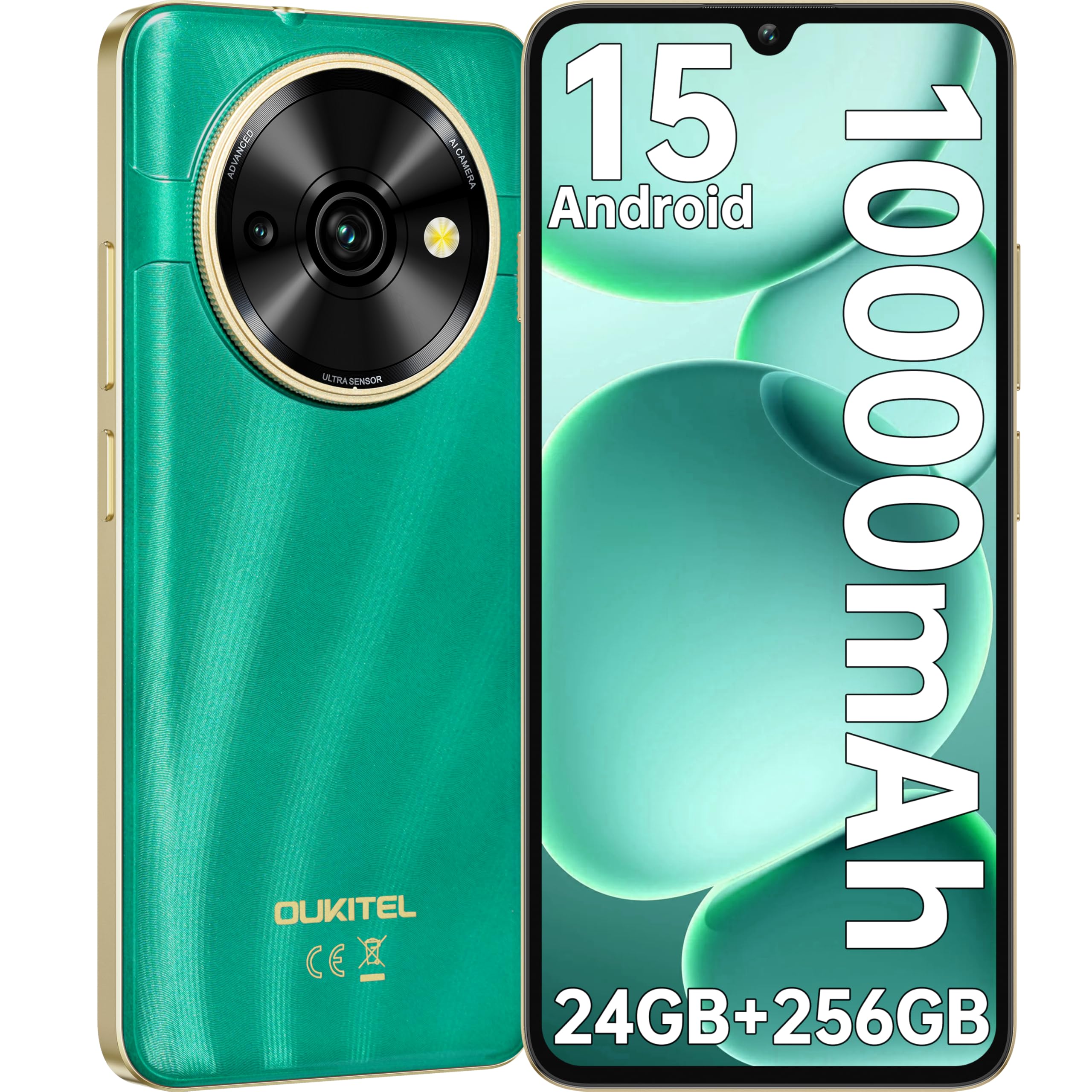
Image: Visual representation of the OUKITEL C59 Pro's 10000mAh battery capacity, indicating extended standby, talk, flashlight, and video playback times.
5.3 Acendido/Apagado
- Para acender: Manteña premido o botón de acendido/apagado ata que apareza o logotipo de OUKITEL.
- Para apagar: Mantén premido o botón de acendido e, a seguir, selecciona "Apagar" entre as opcións que aparecen na pantalla.
- Para reiniciar: Mantén premido o botón de acendido e, a seguir, selecciona "Reiniciar" entre as opcións.
6. Uso do teléfono intelixente
6.1 Sistema operativo Android 15
Your OUKITEL C59 Pro runs on the latest Android 15 operating system, offering enhanced energy efficiency, privacy protection, and multi-device integration capabilities optimized with artificial intelligence.

Image: A visual representation of the Android 15 operating system interface, showcasing its modern design and various application icons.
6.2 Biometric Security (Fingerprint & Face ID)
Unlock your device securely using the side-mounted fingerprint sensor or Face ID recognition.
- Recoñecemento de pegadas dixitais: Register your fingerprints in the Security settings. To unlock, simply place your registered finger on the side power button.
- Face ID: Set up Face ID in the Security settings. To unlock, hold the phone in front of your face.
6.3 Connectivity Features (NFC, GPS)
The OUKITEL C59 Pro supports NFC for contactless payments and data transfer, and GPS for navigation and location services.
- NFC: Enable NFC in Settings > Connected devices > Connection preferences > NFC. Tap your phone to compatible devices for quick pairing or payments.
- GPS: Location services are enabled by default. You can manage them in Settings > Location.
6.4 Memoria e almacenamento
The device comes with 24GB RAM (8GB physical + 16GB virtual) and 256GB internal storage, expandable up to 1TB via MicroSD card.

Image: A graphical representation of the OUKITEL C59 Pro's memory configuration, showing 24GB RAM (8GB + 16GB expansion) and 256GB ROM (expandable to 1TB).
6.5 Funcionalidade OTG
The OUKITEL C59 Pro supports OTG (On-The-Go) reverse charging, allowing you to transfer data to other devices or use your phone as an emergency power bank.
7. Mantemento
Proper maintenance ensures the longevity and optimal performance of your smartphone.
- Limpeza: Use a soft, lint-free cloth to clean the screen and body of the device. Avoid using harsh chemicals or abrasive materials.
- Actualizacións de software: Regularly check for and install system updates to ensure your device has the latest features and security patches. Go to Settings > System > System update.
- Coidado da batería: Avoid fully discharging the battery frequently. For long-term storage, charge the battery to about 50%.
- Xestión de almacenamento: Limpar periodicamente o innecesario fileaplicacións para liberar espazo de almacenamento e mellorar o rendemento.
8 Solución de problemas
Se tes problemas co teu dispositivo, proba as seguintes solucións:
- O dispositivo non responde: Mantén premido o botón de acendido/apagado durante uns 10-15 segundos para forzar un reinicio.
- Fallos das aplicacións: Clear the cache and data of the problematic app in Settings > Apps > [App Name] > Storage. If the issue persists, uninstall and reinstall the app.
- Poca duración da batería: Check battery usage in Settings > Battery to identify power-hungry apps. Reduce screen brightness, disable unnecessary features like GPS or Wi-Fi when not in use.
- Problemas de rede: Ensure SIM cards are correctly inserted. Try restarting the device. Check network settings or contact your service provider.
- Sobrequecemento: Avoid using the device while charging or during prolonged heavy usage. Close background apps.
- Restablecemento de fábrica: As a last resort, if software issues persist, you can perform a factory reset. Aviso: Isto borrará todos os datos do teu dispositivo. Fai unha copia de seguridade dos datos importantes antes de continuar. Vaia a Configuración > Sistema > Opcións de restablecemento > Borrar todos os datos (restablecemento de fábrica).
9. Especificacións
Detailed technical specifications for the OUKITEL C59 Pro smartphone.
| Característica | Especificación |
|---|---|
| Marca | OUKITEL |
| Nome do modelo | OUKITEL C59 Pro |
| Sistema Operativo | Android 15 |
| Tamaño da RAM instalada | 24 GB (8 GB físico + 16 GB virtual) |
| Capacidade de almacenamento | 256 GB |
| Max Supported Flash Memory Size | 1024 GB (1 TB) |
| Tamaño da pantalla | 6.88 polgadas |
| Resolución | 1640 x 720 píxeles |
| Taxa de actualización | 90 Hz |
| Tipo de visualización | LCD |
| Tecnoloxía Celular | 4G |
| Tecnoloxía de conectividade | 4G |
| Cor | VERDE |
| Number of SIM Card Slots | SIM dual |
| Tamaño da tarxeta SIM | Nano |
| Tipo de conector | USB tipo C |
| Factor de forma | Bar |
| Función de seguridade biométrica | Fingerprint Recognition, Face ID |
| Nivel de resistencia á auga | Non impermeable |
| Conector para auriculares | Ningún |
| Resolución da cámara traseira | 13 MP |
| Number of Rear Cameras | 2 |
| Number of Front Cameras | 1 |
| Resolución de captura de vídeo | 1080 p |
| Velocidade de cadros | 30 fps, 60 fps, 120 fps |
| Capacidade da batería | 10000 mAh |
| Duración da batería | 50 Hours (Talk Time) |
| GPS | Si |
| Compoñentes incluídos | Phone case, USB cable, SIM ejector tool, Power adapter |
| Usos específicos do produto | Gaming, Photography, Streaming, Video Conferencing |
10. Garantía e soporte
10.1 Información da garantía
The OUKITEL C59 Pro smartphone comes with a 2 anos de garantía do fabricante. This warranty covers defects in materials and workmanship under normal use. It does not cover damage caused by misuse, accidents, unauthorized repairs, or normal wear and tear. Please retain your proof of purchase for warranty claims.
10.2 Atención ao cliente
For technical assistance, warranty claims, or any other inquiries regarding your OUKITEL C59 Pro, please contact OUKITEL customer support through their official website or the contact information provided with your purchase. Ensure you have your device model and purchase details ready when contacting support.