
1. Sobre este manual
This manual provides essential information for the Xiaomi 15 smartphone. It covers initial setup, daily operation, maintenance tips, and troubleshooting common issues. Please read this guide thoroughly to ensure optimal performance and longevity of your device.
While this document serves as a comprehensive guide, for more in-depth technical details or specific software features, refer to the official Xiaomi website or the device's built-in help resources.

Image 1.1: Front cover of the "Xiaomi 15 User Guide" book. This image displays the title of the instructional book this manual is based on, featuring a smartphone and two users.
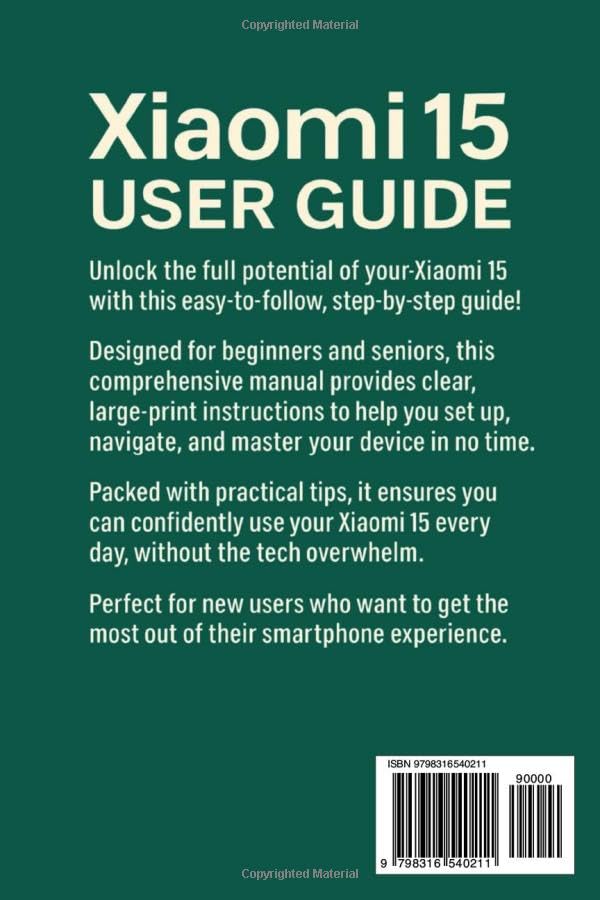
Image 1.2: Back cover of the "Xiaomi 15 User Guide" book. This image provides a summary of the book's content and includes the ISBN-13: 979-8316540211.
2. Configuración inicial
Follow these steps to set up your new Xiaomi 15 smartphone.
2.1. Acendido e configuración básica
- Cargar o dispositivo: Before first use, fully charge your Xiaomi 15 using the provided charger and cable.
- Encendido: Mantén premido o botón de acendido (normalmente no lado dereito) ata que apareza o logotipo de Xiaomi.
- Idioma e rexión: Select your preferred language and region from the on-screen prompts.
- Conectar a wifi: Choose your Wi-Fi network and enter the password. A stable internet connection is required for initial setup.
- Configuración da conta de Google: Inicia sesión coa túa conta de Google ou crea unha nova. Isto é esencial para acceder a Google Play Store e outros servizos de Google.
- Transferencia de datos (opcional): If you are upgrading from an old device, follow the on-screen instructions to transfer data.
- Configuración de seguranza: Set up a screen lock (PIN, pattern, password), fingerprint unlock, and/or face unlock for device security.
2.2. Personalización da interface
Personalize your Xiaomi 15 to suit your preferences:
- Fondos de pantalla e temas: Navega ata Settings > Wallpaper & Personalization to change your home screen and lock screen wallpapers, or apply new themes.
- Widgets: Long-press on an empty area of your home screen to add widgets for quick access to information and app functions.
- Configuración da pantalla: Adjust brightness, color scheme, font size, and refresh rate under Configuración > Pantalla.
3. Funcionamento do teu dispositivo
This section covers daily usage and key features of your Xiaomi 15.
3.1. Navegación e xestos
The Xiaomi 15 supports intuitive gesture navigation:
- Ir á casa: Pasa o dedo cara arriba desde a parte inferior da pantalla.
- Aplicacións recentes: Desliza o dedo cara arriba desde abaixo e mantén premido.
- Volver: Desliza o dedo cara a dentro desde o bordo esquerdo ou dereito da pantalla.
- Cambiar aplicacións: Swipe left or right along the bottom edge of the screen.
3.2. Camera and Smart Photography
Your Xiaomi 15 features advanced AI-powered camera capabilities:
- Launch Camera: Tap the Camera app icon or double-press the Power button (if configured).
- Características da IA: The camera automatically detects scenes and adjusts settings for optimal photos. Look for the AI icon in the camera interface.
- Modos: Explore various modes like Portrait, Night, Pro, Panorama, and Video.
3.3. Voice Recognition and AI Assistant
Utilize the built-in AI assistant for hands-free control:
- Activar: Say "Hey Google" or long-press the Power button (if configured) to activate the Google Assistant.
- Comandos: Ask questions, set alarms, make calls, send messages, and control smart home devices using voice commands.
3.4. Security Settings and Biometrics
Protect your data with robust security features:
- Desbloqueo de impresión dixital: Register your fingerprints under Settings > Password & Security > Fingerprint unlock.
- Desbloqueo facial: Set up face recognition for convenient unlocking under Settings > Password & Security > Face unlock.
- Bloqueo de aplicacións: Secure individual apps with a password or biometric authentication via Settings > Apps > App lock.
4. Maintenance and Battery Management
Proper maintenance ensures the longevity and performance of your Xiaomi 15.
4.1. Optimización da duración da batería
Maximize your battery life with these tips:
- Axustar o brillo da pantalla: Baixa o brillo da pantalla ou activa o brillo adaptativo.
- Desactivar as funcións non utilizadas: Desactiva o Wi-Fi, o Bluetooth, o GPS e os datos móbiles cando non esteas en uso.
- Actualización da aplicación en segundo plano: Limit apps running in the background via Settings > Apps > Manage apps > Battery saver.
- Modo de aforro de batería: Enable Battery Saver mode from the Quick Settings panel or Axustes> Batería.
4.2. Cargando o teu dispositivo
The Xiaomi 15 supports fast charging technologies:
- Carga por cable: Supports up to 90W wired fast charging. Use the original Xiaomi charger and cable for optimal speed.
- Carga sen fíos: Supports up to 50W wireless charging. Place the device on a compatible wireless charging pad.
- Evita temperaturas extremas: Do not charge your device in excessively hot or cold environments.
4.3. Actualizacións de software
Keep your device's software up to date for security and performance improvements:
- Buscar actualizacións: Ir a Configuración > Acerca do teléfono > Versión MIUI and tap "Check for updates."
- Instalar actualizacións: Follow the on-screen instructions to download and install available updates. Ensure your device is sufficiently charged before starting an update.
5. Solución de problemas comúns
Esta sección ofrece solucións para problemas frecuentes.
| Problema | Posible Solución |
|---|---|
| O dispositivo non se acende | Ensure the battery is charged. Connect to a charger for at least 15 minutes. If still unresponsive, perform a force restart by holding the Power button for 10-15 seconds. |
| Rendemento lento / Retardo | Close unused background apps. Clear cache from apps (Settings > Apps > Manage apps > [App Name] > Clear cache). Restart the device. Ensure sufficient storage space. |
| A batería drógase rapidamente | Review uso da batería en Axustes> Batería to identify power-hungry apps. Reduce screen brightness, disable unnecessary features (Wi-Fi, Bluetooth, GPS), and enable Battery Saver mode. |
| Sobrequecemento | Avoid using the device while charging, especially during intensive tasks. Close heavy applications. Remove the phone case if it's restricting heat dissipation. Reduce screen brightness. |
| Wi-Fi / Bluetooth Connectivity Issues | Toggle Wi-Fi/Bluetooth off and on. Restart your router (for Wi-Fi). Forget the network/device and reconnect. Reset network settings (Settings > Connection & sharing > Reset Wi-Fi, mobile networks, and Bluetooth). |
6. Specifications (Typical)
Please note that these are typical specifications for the Xiaomi 15. Actual specifications may vary by region or specific model variant. For precise details, refer to the official product packaging or Xiaomi's official websitio.
- Visualización: AMOLED, High Refresh Rate (e.g., 120Hz), High Resolution
- Procesador: High-performance Mobile Platform (e.g., Snapdragon 8 Gen 3 or equivalent)
- RAM: 8 GB / 12 GB / 16 GB
- Almacenamento: 128GB / 256GB / 512GB (UFS 4.0)
- Cámara traseira: Triple Camera System (e.g., Main, Ultra-wide, Telephoto) with OIS
- Cámara frontal: High-resolution Selfie Camera
- Batería: High-capacity Li-Po Battery (e.g., 4600mAh - 5000mAh)
- Cargando: 90W Wired Fast Charging, 50W Wireless Fast Charging
- Sistema operativo: Android with MIUI overlay
- Conectividade: 5G, Wi-Fi 7, Bluetooth 5.4, NFC, USB Type-C
- Sensores: In-display Fingerprint Sensor, Accelerometer, Gyroscope, Proximity, Compass, Color Spectrum
7. Garantía e soporte
Your Xiaomi 15 device comes with a limited manufacturer's warranty. Please refer to the warranty card included in your product packaging for specific terms and conditions, including warranty period and coverage details, which may vary by region.
7.1. Atención ao cliente
For technical assistance, service, or warranty claims, please contact Xiaomi Customer Support through one of the following channels:
- Oficial Websitio: Visit the official Xiaomi support websitio para preguntas frecuentes, guías de solución de problemas e información de contacto.
- Centros de servizo: Locate authorized Xiaomi service centers in your area for in-person assistance.
- Asistencia telefónica: Refer to your region's Xiaomi websitio web con números de teléfono de atención ao cliente locais.
Garda sempre o comprobante de compra para efectos de garantía.