
1. Introdución
Grazas pola compraasing the Geevon DCF 0397 Weather Station. This device provides accurate indoor and outdoor temperature and humidity readings, a 12-hour weather forecast, DCF radio-controlled time, moon phase display, and an alarm clock function. This manual will guide you through the setup, operation, and maintenance of your new weather station.
2. Información de seguridade
- Read all instructions carefully before use and keep this manual for future reference.
- Non expoña a unidade principal nin o sensor a temperaturas extremas, á luz solar directa nin á humidade.
- Use only the specified power adapter (if included) and batteries.
- Non intente desmontar nin reparar o dispositivo. Póñase en contacto co servizo de atención ao cliente se precisa servizo técnico.
- Manteña as baterías fóra do alcance dos nenos. Desfágase das baterías usadas de forma responsable.
3. Contido do paquete
Comprobe o contido do paquete para asegurarse de que estean presentes todos os elementos:
- Geevon DCF 0397 Main Weather Station Unit
- Wireless Outdoor Sensor (1 unit)
- Adaptador de alimentación
- AA Batteries (5 pieces)
- Manual de usuario (este documento)
4. Produto rematadoview
Main Unit and Outdoor Sensor Components
Familiarize yourself with the main components of your weather station:

Image 4.1: Main Unit and Outdoor Sensor Components. This image displays the front and back of the main weather station unit, along with the outdoor sensor. Key features labeled include the weather forecast display, frost warning, low battery indicator, max/min temperature/humidity records, comfort indicator, city display, sunrise/sunset times, automatic dimming, alarm, snooze, RCC (Radio Controlled Clock) indicator, hanging hole, DC jack, battery compartment, stand, channel slide switch, and rope eyelet.
Main Unit (Front Display)
- Temperatura e humidade interiores/exteriores: Displays current readings.
- Pronóstico do tempo: Icons indicating predicted weather conditions for the next 12 hours.
- Data e hora: DCF radio-controlled time, day of the week, and date.
- Fase da Lúa: Visualización da fase lunar actual.
- Indicador de confort: Shows indoor comfort level based on temperature and humidity.
- Alarm & Snooze: Indicators for active alarms and snooze function.
- Indicador de batería baixa: For both main unit and outdoor sensor.
Main Unit (Rear)
- Jack DC: Para conectar o adaptador de alimentación.
- Compartimento de batería: For backup batteries.
- Stand: Para colocación sobre mesa.
- Burato para colgar: Para montaxe en parede.
Sensor exterior
- Compartimento de batería: For AA batteries.
- Channel Slide Switch: To select the transmission channel (1, 2, or 3).
- Indicador LED: Parpadea durante a transmisión de datos.
5. Configuración
5.1 Instalación da batería
- Sensor exterior: Open the battery compartment on the back of the outdoor sensor. Insert 2 AA batteries, observing the correct polarity (+/-). Close the compartment.
- Unidade principal: Open the battery compartment on the back of the main unit. Insert 3 AA batteries, observing the correct polarity (+/-). Close the compartment. These batteries serve as a backup in case of power loss.
5.2 Conexión de alimentación
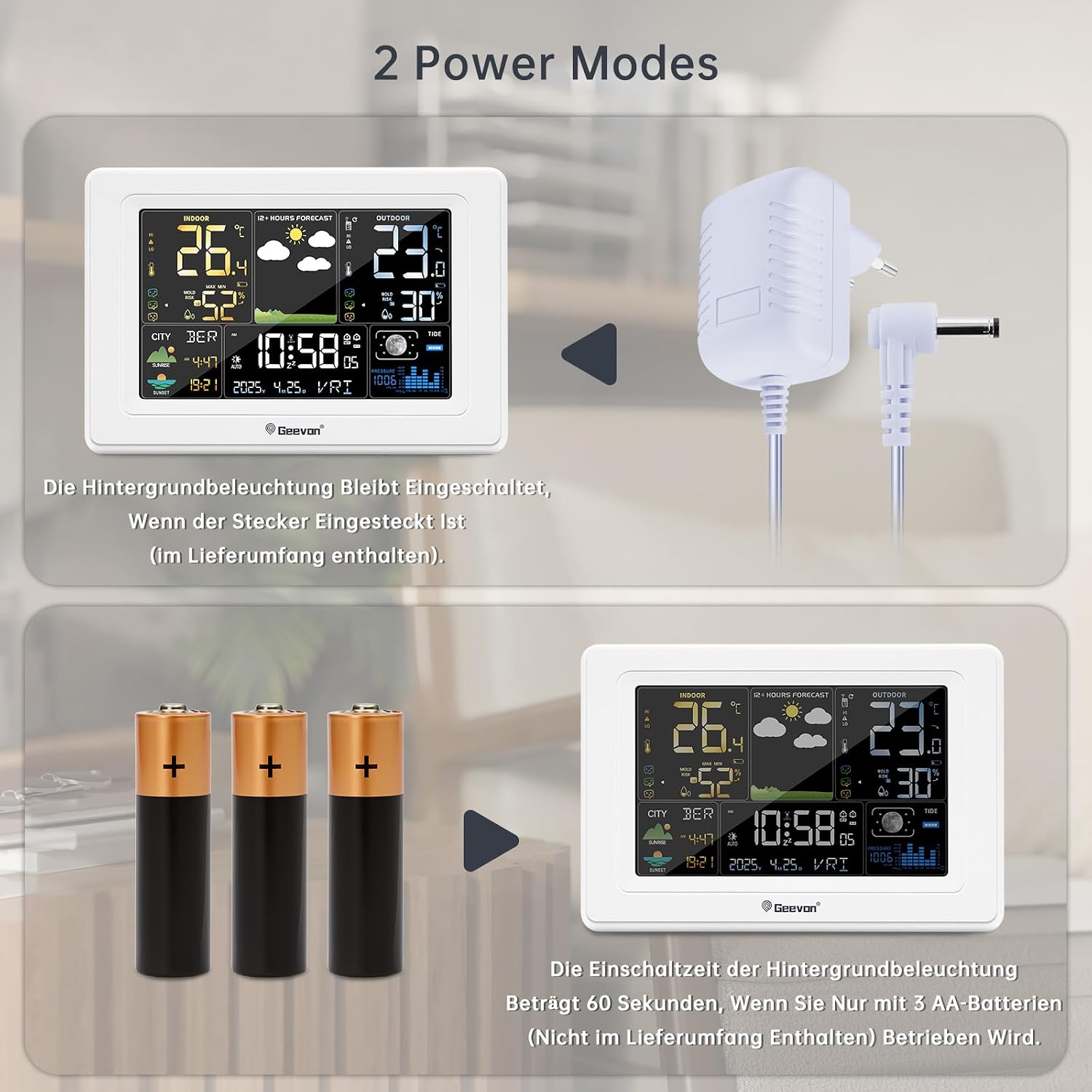
Image 5.1: Power Modes. The weather station can be powered by the included AC adapter for continuous backlight, or by 3 AA batteries (not included for primary power) for temporary use, where the backlight activates for 60 seconds when a button is pressed.
For continuous display backlight and optimal functionality, connect the included power adapter to the DC jack on the back of the main unit and plug it into a power outlet. The backlight will remain on when powered by the adapter.
5.3 Colocación do sensor exterior
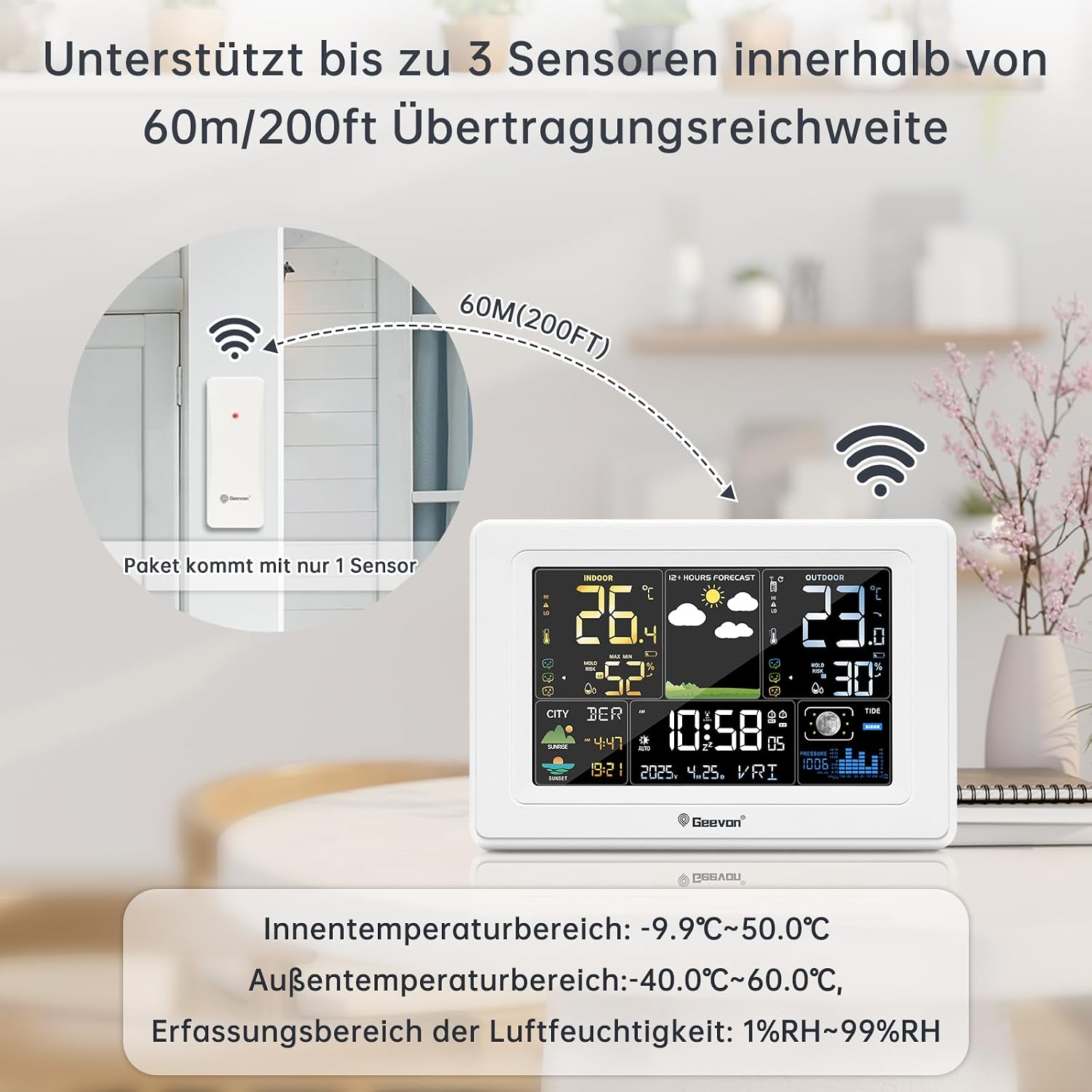
Image 5.2: Sensor Placement. This image illustrates the recommended placement of the outdoor sensor, emphasizing that it supports up to 3 sensors within a 60m/200ft transmission range. The package includes only one sensor.
- Place the outdoor sensor in a shaded, dry location, protected from direct sunlight and rain, to ensure accurate temperature and humidity readings.
- Ensure the sensor is within the maximum transmission range of 60 meters (200 feet) from the main unit. Walls and other obstacles can reduce this range.
- Select a channel (1, 2, or 3) on the outdoor sensor using the slide switch. The main unit will automatically detect the sensor.
5.4 Sincronización inicial
After powering on both units, the main unit will automatically search for the outdoor sensor signal and the DCF radio signal. This process may take a few minutes. Once synchronized, the outdoor temperature/humidity and the correct time will be displayed.
6. Instrucións de funcionamento
6.1 Funcións de visualización
The main unit's display provides a wealth of information at a glance. Refer to Image 4.1 for a visual guide to the display sections.
6.2 Time and Date Setting (DCF Atomic Clock)

Image 6.1: DCF Atomic Clock with DST. This image highlights the DCF atomic clock feature with Daylight Saving Time (DST) support, covering 150 cities in Europe, 24 time zones, 7 week languages (German, English, French, Italian, Spanish, Dutch, Danish), and 3 barometric pressure formats.
The weather station automatically synchronizes with the DCF atomic clock signal, ensuring accurate time and date, including automatic adjustment for Daylight Saving Time (DST). The display supports 7 languages for the day of the week: German, English, French, Italian, Spanish, Dutch, and Danish.
- Configuración manual da hora: If the DCF signal is weak or unavailable, you can manually set the time and date. Consult the full instruction manual for specific button sequences.
- Zona horaria: The device supports 24 time zones. Adjust as needed for your location.
6.3 Función de alarma

Image 6.2: Alarm and Snooze. This image demonstrates the alarm and snooze functions. Pressing the SNZ/LIGHT button activates a 5-minute snooze. Pressing any other button (besides SNZ/LIGHT) will turn off the alarm. Two separate alarm times can be set for weekdays and weekends, with snooze duration adjustable from 5 to 60 minutes.
- Configuración de alarmas: The weather station allows setting two separate alarm times, which can be configured for weekdays, weekends, or daily.
- Función de Snooze: Cando soe unha alarma, prema o botón SNZ / LIGHT button to activate the snooze function. The snooze duration is adjustable from 5 to 60 minutes.
- Turning Off Alarm: Para desactivar a alarma por completo, prema calquera botón que non sexa SNZ / LIGHT.
6.4 Weather Forecast, Moon Phase, and Brightness
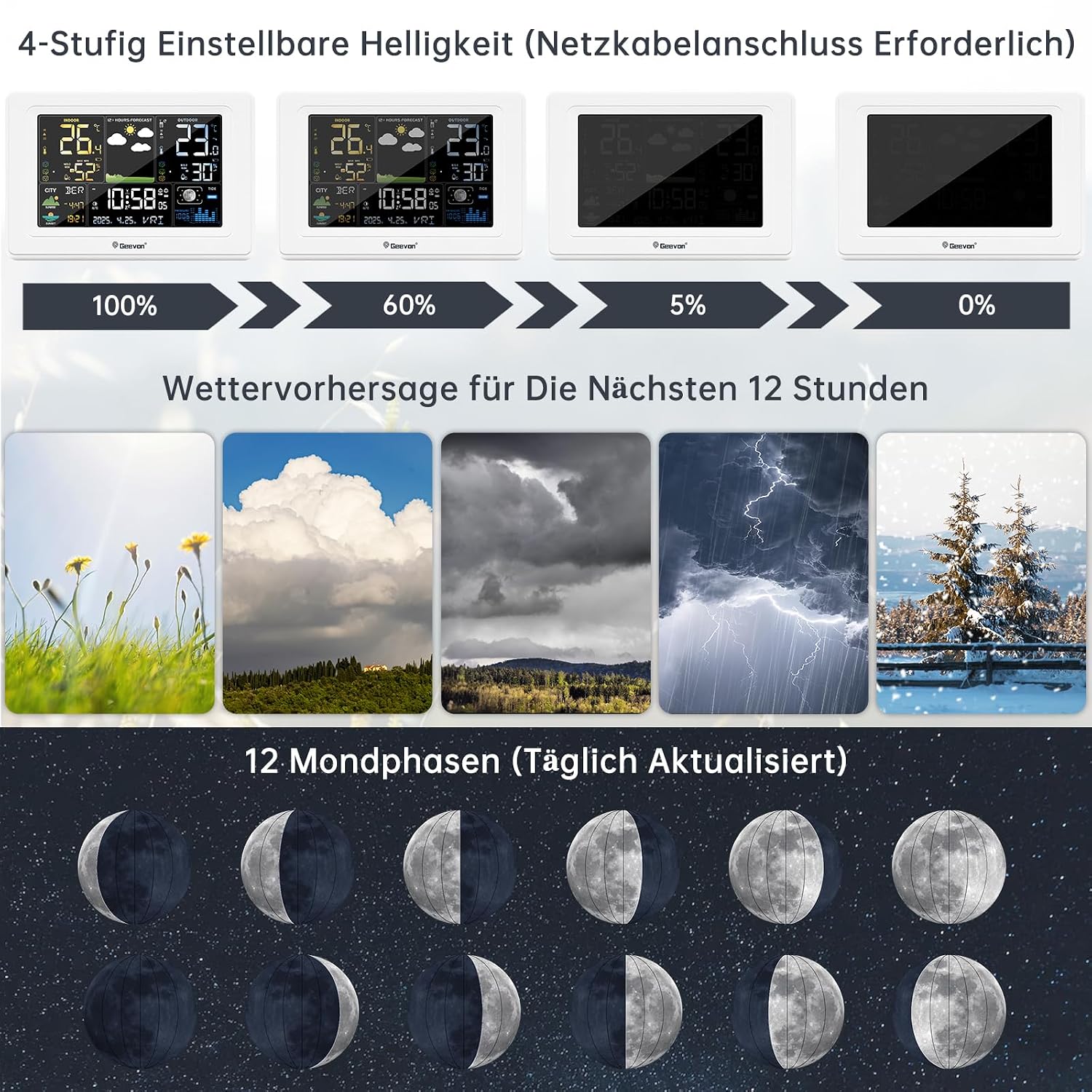
Image 6.3: Display Features. This image illustrates the 4-level adjustable brightness (requires power adapter), the 12-hour weather forecast icons (sunny, cloudy, overcast, stormy, snowy), and the 12 moon phases, which are updated daily.
- Pronóstico do tempo: The station provides a 12-hour weather forecast using intuitive icons (e.g., sunny, partly cloudy, cloudy, rainy, snowy). This forecast is based on barometric pressure changes.
- Fase da Lúa: The display shows 12 different moon phases, updated daily.
- Brillo axustable: When powered by the AC adapter, the display backlight has 4 adjustable brightness levels (100%, 60%, 5%, 0%). Use the appropriate button (refer to the full manual) to cycle through these levels.
6.5 Opcións de colocación

Image 6.4: Placement Options. This image demonstrates two ways to place the weather station: standing on a surface using its integrated stand, or hanging on a wall using the hanging hole. It also highlights the 350° clear viewángulo de orientación da pantalla.
The main unit can be placed on a tabletop using its integrated stand or mounted on a wall using the hanging hole on the back. The display is designed for a 350° clear viewángulo de ing.
7. Mantemento
- Limpeza: Limpe a unidade principal e o sensor cun pano suave eamp pano. Non use produtos de limpeza ou disolventes abrasivos.
- Substitución da batería: Replace batteries in both the main unit and outdoor sensor when the low battery indicator appears on the display. Ensure correct polarity.
- Coidados do sensor: Periodically check the outdoor sensor for debris or obstructions that might affect its performance.
8 Solución de problemas
| Problema | Causa posible | Solución |
|---|---|---|
| Sen lectura de temperatura/humidade exterior | Sensor out of range or interference; low sensor battery; incorrect channel. | Move sensor closer to main unit; replace sensor batteries; ensure sensor and main unit are on the same channel. Press the 'Sensor' button on the main unit to re-search. |
| Visualización da hora incorrecta | Weak DCF signal; manual time not set correctly. | Move main unit to a location with better signal reception (e.g., near a window); manually set the time and date. |
| A pantalla está escura ou apagada | Main unit not connected to power adapter; low main unit batteries. | Connect the power adapter for continuous backlight; replace main unit batteries if running on battery power. |
| A previsión meteorolóxica semella inexacta | Weather forecasts are predictions based on barometric pressure changes and may not always be 100% accurate for local conditions. | Use the forecast as a general guide. The device predicts for the next 12 hours. |
9. Especificacións
| Característica | Detalle |
|---|---|
| Número de modelo | 250397 |
| Número de peza do fabricante | 0397 |
| Dimensións (L x W x H) | 3 x 5 x 10 cm (Main Unit); 350 grams |
| Material | Acrilonitrilo Butadieno Estireno (ABS) |
| Fonte de enerxía | Battery Powered (Main Unit: 3x AA, Sensor: 2x AA) and AC Adapter |
| Pilas incluídas | Si (5 pilas AA) |
| Tipo de visualización | LCD |
| Rango de temperatura interior | -9.9 °C a 50.0 °C (14.2 °F a 122 °F) |
| Rango de temperatura exterior | -40.0 °C a 60.0 °C (-40 °F a 140 °F) |
| Rango de detección de humidade | 1% RH a 99% RH |
| Temperature Reading Accuracy | ± 0.5 °C |
| Tecnoloxía de sensores | Radio (Wireless) |
| distancia wireless | Ata 60 metros (200 pés) ao aire libre |
| Tecnoloxía de conectividade | Wi-Fi (Note: This likely refers to internal wireless communication, not internet Wi-Fi) |
| Característica especial | DCF Atomic Clock, Alarm, Snooze, Weather Forecast, Moon Phase |
| Idioma (Manual) | German (Original provided, translated to English here) |
10. Garantía e soporte
Geevon is committed to providing high-quality products and customer satisfaction. We offer a lifetime consulting service for our products.
If you have any questions or encounter problems with your Geevon DCF 0397 Weather Station, please do not hesitate to contact our customer support. Your feedback is important to us, and we are dedicated to resolving any issues you may experience.
For specific warranty details, please refer to the documentation provided with your purchase or contact your retailer.