
1. Introdución
This manual provides essential information for setting up, operating, maintaining, and troubleshooting your GIGABYTE AORUS Elite 16 BWH gaming laptop. The AORUS Elite 16 BWH is designed for high-performance gaming and demanding applications, featuring an Intel Core Ultra 9 processor, NVIDIA GeForce RTX 5070 laptop GPU, a 16-inch WQXGA 165Hz display, and Windows 11 Pro.
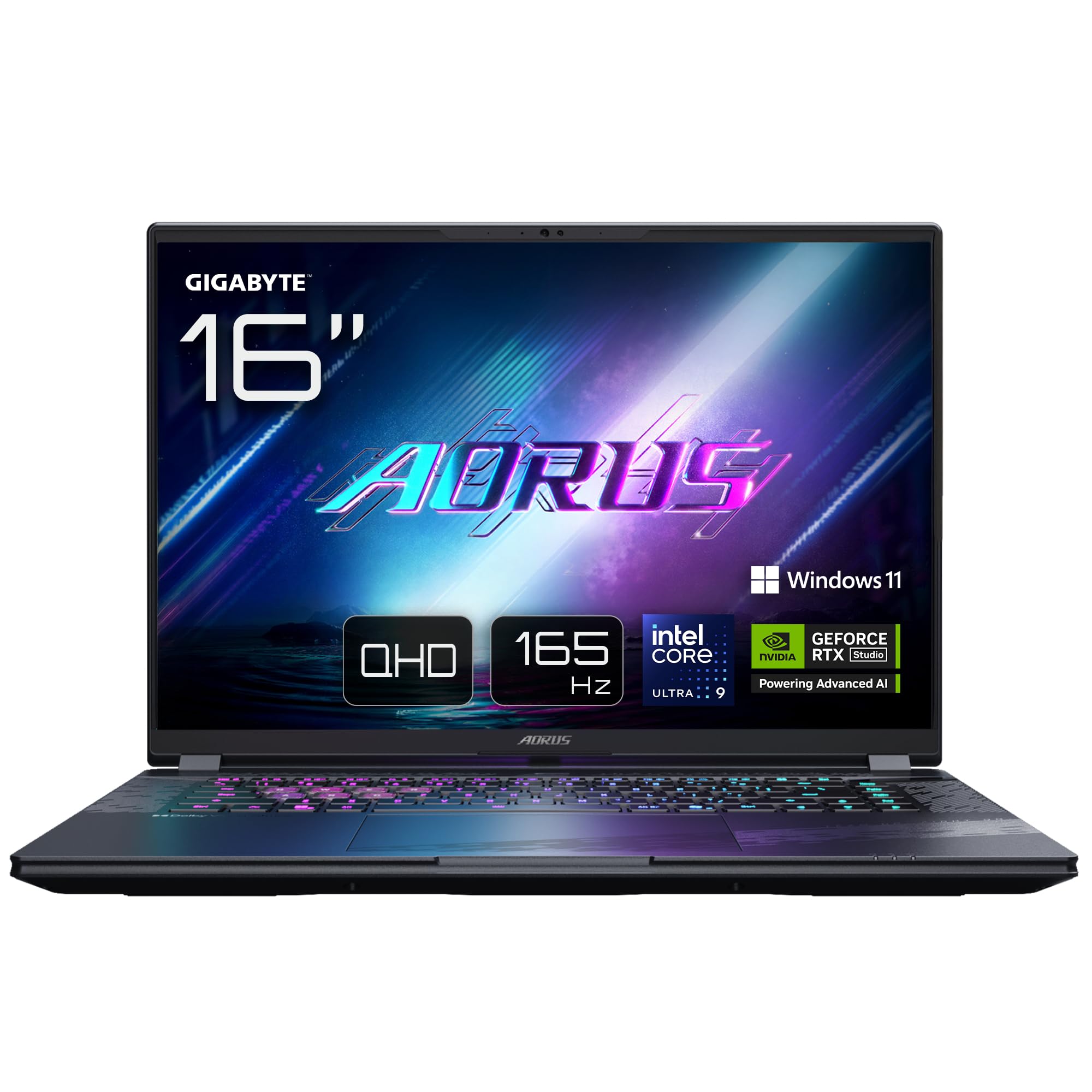
Image: The GIGABYTE AORUS Elite 16 BWH gaming laptop, showcasing its open display and keyboard.
2. Configuración
2.1 Desembalaxe e inspección inicial
Retire con coidado o portátil e todos os accesorios da embalaxe. Comprobe que todos os compoñentes listados na sección "Contido da caixa" estean presentes e non estean danados.
- GIGABYTE AORUS ELITE 16 BWHC3FRC65SP Laptop
- Adaptador de alimentación e cable
- Documentación (este manual, tarxeta de garantía)
2.2 Conexión de enerxía
Connect the power adapter to the laptop's power input port and then plug the power cable into an electrical outlet. It is recommended to fully charge the battery before initial use.
2.3 Primeiro acendido
Press the power button to turn on the laptop. Follow the on-screen instructions to complete the Windows 11 Pro setup process, including language selection, network connection, and user account creation.
2.4 Connecting Peripherals and Network
The laptop features various ports for connecting external devices and networks.
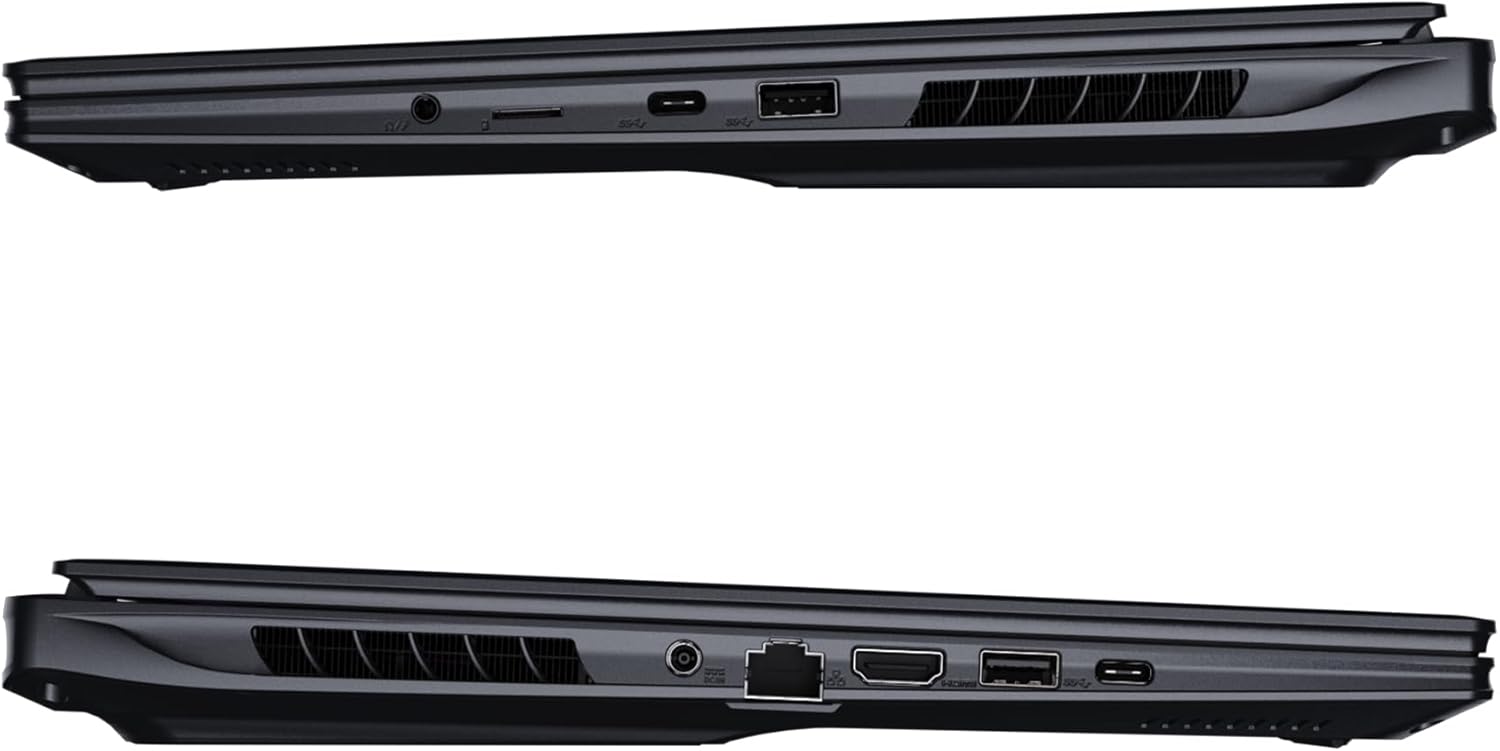
Imaxe: Lateral view of the laptop illustrating the available ports for connectivity.
- Portos USB: Conecta dispositivos USB como ratos, teclados ou almacenamento externo.
- Porto HDMI: Connect to an external display or TV.
- Porto Thunderbolt 4: Para a transferencia de datos de alta velocidade e a saída de visualización.
- Porto Ethernet: Para conexión de rede por cable.
- Jack para auriculares: Para a saída de son a auriculares ou altofalantes externos.
- Wi-Fi 7: Connect to wireless networks via the integrated Wi-Fi 7 module.
- Bluetooth 5.4: Emparellar con dispositivos compatibles con Bluetooth.
3. Manexo do portátil
3.1 Características de visualización
Your AORUS Elite 16 BWH features a 16-inch WQXGA (2560x1600) IPS display with a 165Hz refresh rate and 16:10 aspect ratio, offering a wide viewing experience. It supports Dolby Vision for enhanced visual quality and is Pantone validated for color accuracy.

Image: The laptop's 16:10 aspect ratio display, highlighting its IPS panel and Pantone validation.
3.2 Teclado e panel táctil
The laptop is equipped with a backlit keyboard for comfortable typing in various lighting conditions and a responsive touchpad for navigation.
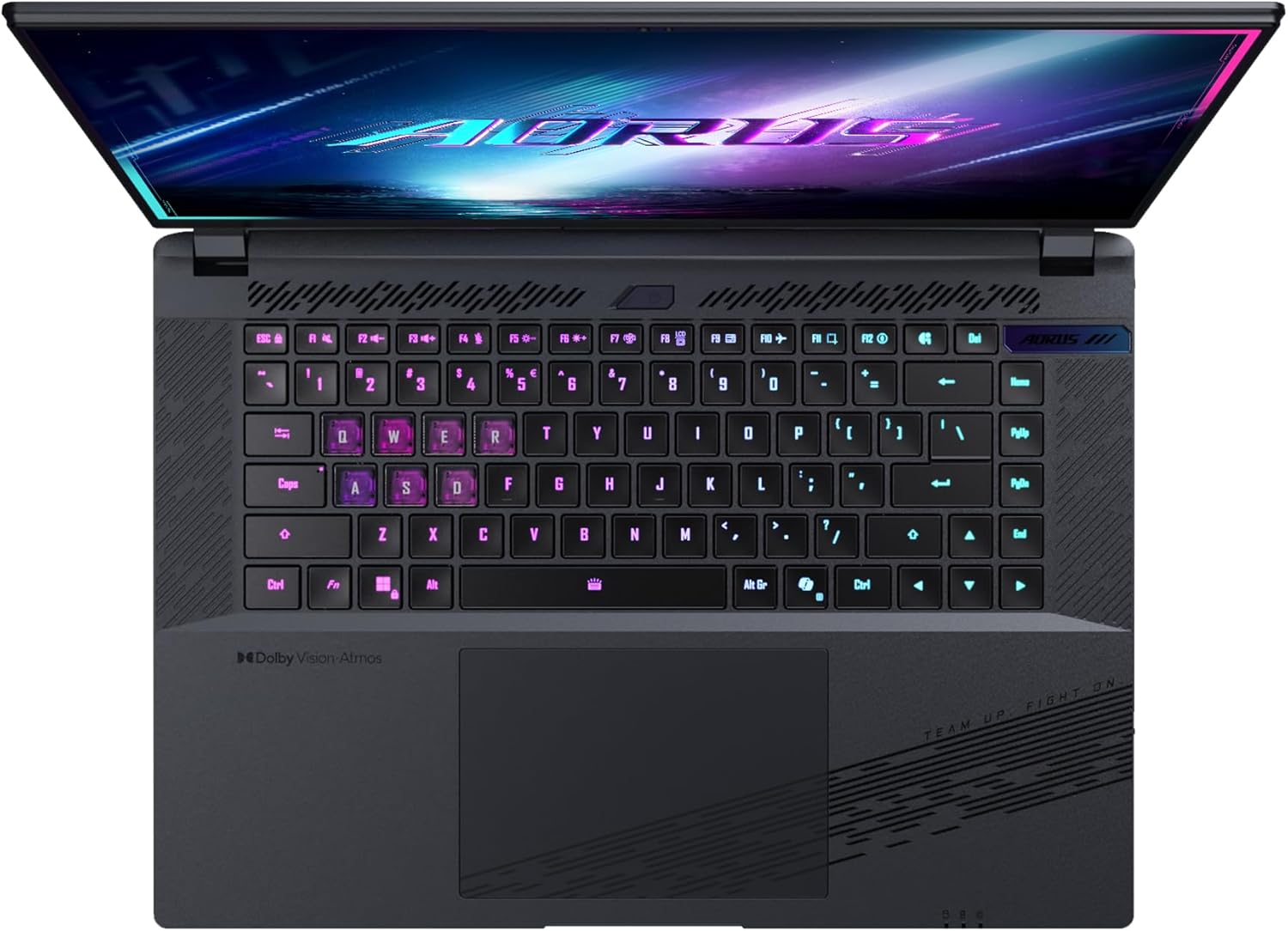
Imaxe: De arriba abaixo view of the laptop's keyboard, showcasing its backlit keys.
The keyboard also features a dedicated Copilot Key for quick access to AI functionalities in Windows 11.

Image: Close-up of the keyboard, highlighting the Copilot Key for AI features.
3.3 Sistema de audio
Experience immersive audio with Dolby Atmos support and integrated 2W speakers. The laptop also includes a built-in microphone for communication.

Image: Visual representation of Dolby Atmos and Dolby Vision audio and visual enhancements.
3.4 Características de rendemento
The AORUS Elite 16 BWH is powered by an Intel Core Ultra 9 processor with an integrated NPU for AI acceleration and an NVIDIA GeForce RTX 5070 laptop GPU, ensuring high performance for gaming and demanding tasks. It also features Advanced Optimus with DDS Technology for optimized graphics performance.

Imaxe: Unha detallada view of the Intel Core Ultra 9 processor chip.

Imaxe: Unha detallada view of the NVIDIA GeForce RTX 50 Series laptop GPU chip.
3.5 GiMATE AI Agent
Utilize GiMATE, your personal AI agent, to optimize performance, manage smart cooling, enhance privacy, control power settings, and improve audio and voice functionalities.

Image: GiMATE AI Agent interface showing various optimization features.
4. Mantemento
4.1 Sistema de refrixeración
The laptop features the WINDFORCE Infinity cooling system to maintain optimal temperatures during intensive use. Ensure the vents are clear of obstructions to allow proper airflow.

Image: Representation of the WINDFORCE Infinity cooling system.
4.2 Limpeza
Usa un pano suave e sen fiapos para limpar a pantalla e as superficies exteriores. Para marcas difíciles, dampen the cloth slightly with water or a screen-cleaning solution. Avoid harsh chemicals.
4.3 Coidado coa batería
To prolong battery life, avoid extreme temperatures and do not leave the laptop fully charged or fully discharged for extended periods.
4.4 Actualizacións de software
Regularly update your Windows operating system, drivers, and GIGABYTE software to ensure optimal performance and security.
5 Solución de problemas
5.1 Problemas de enerxía
- O portátil non se acende: Ensure the power adapter is securely connected and the outlet is functional. Check the battery charge level.
- A batería non se carga: Verify the power adapter and cable are not damaged. Try a different outlet.
5.2 Problemas de visualización
- Sen visualización: Connect an external monitor to check if the issue is with the laptop's screen. Ensure the laptop is powered on.
- Pantalla parpadeante ou distorsionada: Update graphics drivers. Check display cable connections if using an external monitor.
5.3 Problemas de conectividade
- Wi-Fi sen conexión: Comproba se o Wi-Fi está activado na configuración de Windows. Reinicia o enrutador e o portátil.
- Dispositivo Bluetooth sen emparellamento: Ensure the device is in pairing mode and within range. Update Bluetooth drivers.
5.4 Problemas xerais de rendemento
- Rendemento lento: Close unnecessary applications. Check for malware. Ensure sufficient free disk space.
- Sobrequecemento: Ensure cooling vents are clear. Use the laptop on a hard, flat surface.
Para cuestións máis complexas, consulte o soporte de GIGABYTE websitio ou póñase en contacto co servizo de atención ao cliente.
6. Especificacións
| Característica | Detalle |
|---|---|
| Marca | GIGABYTE |
| Nome do modelo | AORUS ELITE 16 BWHC3FRC65SP |
| Tamaño da pantalla | 16 polgadas |
| Cor | Gris |
| Tamaño do disco duro | 2000 GB (2x 1TB SSD Gen4) |
| Modelo CPU | Intel Core Ultra 9 275HX |
| Tamaño da RAM instalada | 32 GB DDR5 |
| Sistema Operativo | Windows 11 Pro |
| Característica especial | Backlit Keyboard, Memory Card Slot |
| Descrición da tarxeta gráfica | Dedicado |
| Coprocesador gráfico | NVIDIA GeForce RTX 5070 |
| Tecnoloxía de disco duro | SSD |
| Peso do elemento | 2300 gramos |
| Webcam Capability | Yes (Frontal) |
| Tamaño da RAM da tarxeta gráfica | 8 GB GDDR6 |
| RAM máxima compatible | 64 GB |
| contido de enerxía da batería | 99 Watt-hours (Lithium-polymer, 4 cells) |
| Conectividade | Bluetooth 5.4, Ethernet (10/1000 Mbit/s), HDMI (1 port), Thunderbolt 4 (1 port), USB 3.2 Gen 2 (2 ports), Wi-Fi 7 (802.11.be) |
| Velocidade do procesador | 2.7 GHz (Max 5.4 GHz) |
| Número de procesadores | 24 |
| Resolución de pantalla | 2560 x 1600 píxeles (WQXGA) |
| Tipo de visualización | LCD IPS |
| Funcións de audio | Dolby Atmos, 2x 2W Integrated Speakers, Integrated Microphone |
7. Información da garantía
Your GIGABYTE AORUS Elite 16 BWH laptop comes with a 2 ano de garantía limitada. This warranty covers manufacturing defects and hardware malfunctions under normal use. Please retain your proof of purchase for warranty claims. For detailed terms and conditions, refer to the warranty card included with your product or visit the official GIGABYTE websitio.
8. Apoio
For technical assistance, driver downloads, and further product information, please visit the official GIGABYTE support website. You can also find FAQs and community forums there.
- Oficial de GIGABYTE Websitio: www.gigabyte.com
- Atención ao cliente: Refer to your regional GIGABYTE websitio para información de contacto local.