
Produto rematadoview
The Yoidesu 100-Key Mechanical RGB Gaming Keyboard is designed for desktop PC and laptop use, offering a compact yet full-sized typing experience. It features durable white mechanical switches, customizable RGB backlighting, and a hot-swappable design for personalized switch replacement.
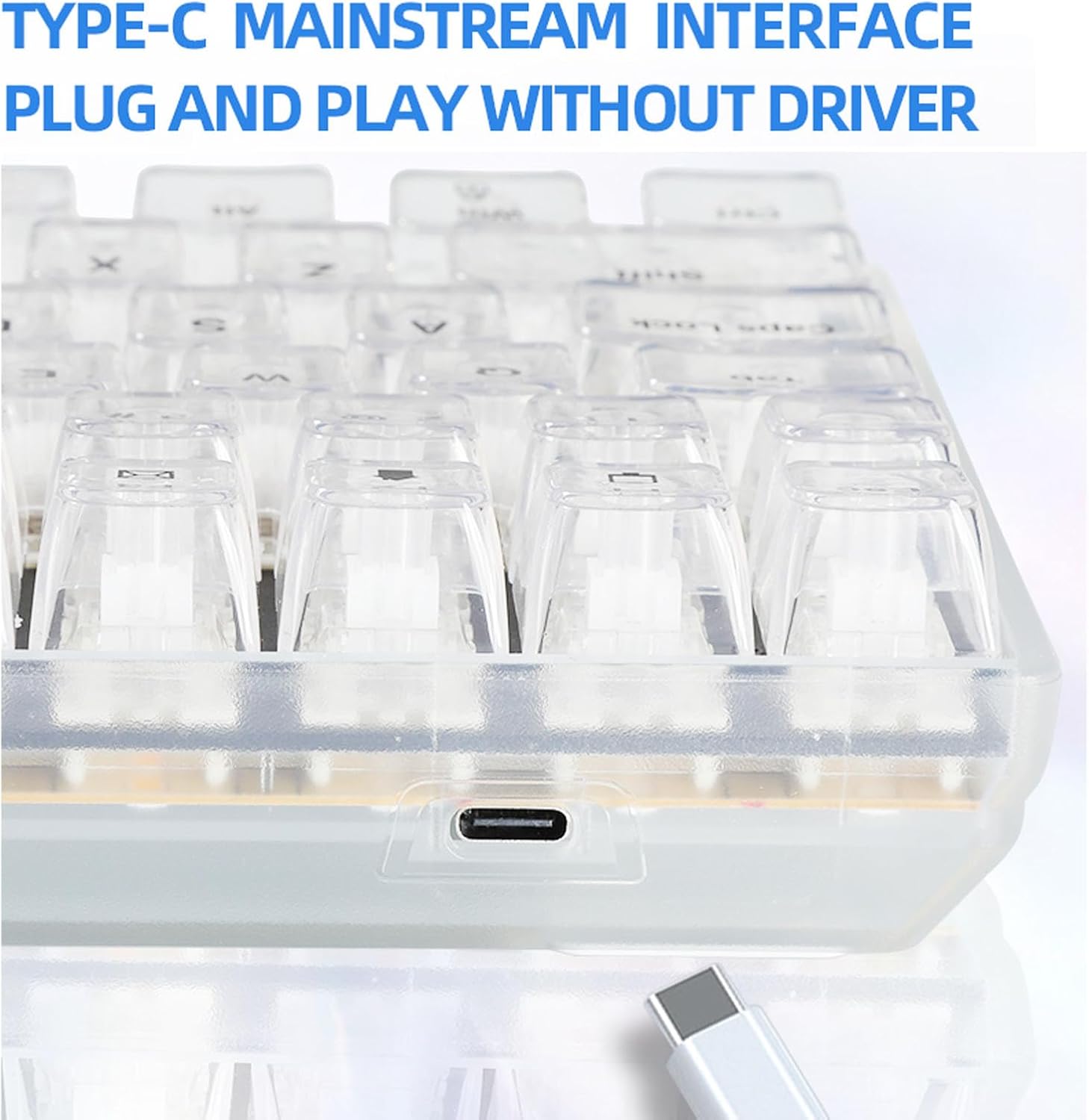
Image: The Yoidesu 100-Key Mechanical RGB Gaming Keyboard, showcasing o seu deseño completo e a súa vibrante retroiluminación RGB.
Contido do paquete
- 1 x Yoidesu Mechanical Gaming Keyboard
- 1 x cable USB
- 1 x Extractor de teclas
- 2 x Replacement White Switches
Instrucións de configuración
- Descomprimir o teclado: Retire con coidado o teclado e todos os accesorios da embalaxe.
- Conecte o cable USB: Locate the USB Type-C port on the keyboard. Insert one end of the provided USB cable into this port.
- Conectar ao ordenador: Insert the other end of the USB cable into an available USB port on your desktop PC or laptop.
- Plug and Play: The keyboard is designed for plug-and-play functionality. Your operating system should automatically detect and install the necessary drivers. No additional software installation is typically required.

Imaxe: Primeiro plano view of the USB Type-C port located on the Yoidesu keyboard, indicating the connection point for the USB cable.
Instrucións de funcionamento
Control de retroiluminación RGB
The keyboard features customizable RGB backlighting with multiple modes and colors.
- Modos de iluminación: The keyboard offers 18 distinct RGB backlit modes.
- Single Color Modes: Additionally, there are 8 single-color backlit modes available.
- Adjusting Brightness and Speed: Specific key combinations (refer to keyboard function keys, often Fn + arrow keys or dedicated lighting keys) allow adjustment of brightness levels and lighting effect speed.
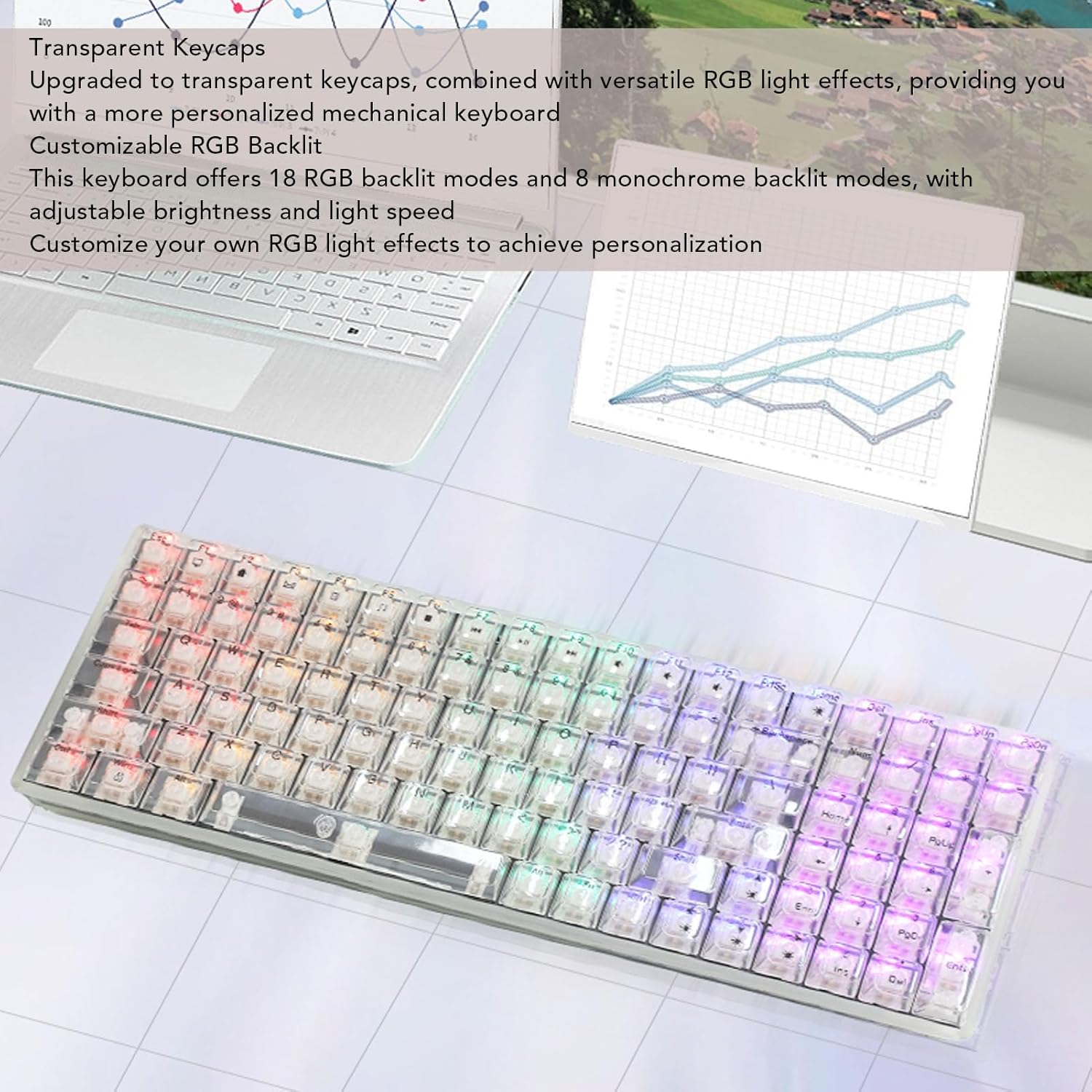
Image: The Yoidesu keyboard displaying various RGB lighting effects across its transparent keycaps.
Interruptores intercambiables en quente
The keyboard supports hot-swappable mechanical switches, allowing users to replace switches without soldering.
- Eliminar a tapa das teclas: Usa o extractor de teclas fornecido para retirar con coidado a tecla desexada.
- Eliminar interruptor: Use a switch puller (not included, but often integrated with keycap puller) to carefully extract the mechanical switch from its socket.
- Inserir novo interruptor: Align the pins of the new mechanical switch with the holes on the PCB and press down firmly until it clicks into place. Ensure pins are not bent.
- Substituír a tapa das teclas: Volva colocar a tapa da tecla no novo interruptor.

Image: An illustration demonstrating the process of removing a keycap and a mechanical switch from the keyboard for replacement.
Deseño Ergonómico
The keyboard features an ergonomic high and low key layout and adjustable tilt angle for comfortable use.
- Pés axustables: Two support feet are located on the bottom of the keyboard. Flip them out to increase the keyboard's tilt angle for a more comfortable typing position.
Mantemento
Regular cleaning helps maintain the performance and appearance of your keyboard.
- Limpeza xeral: Use a soft, dry cloth to wipe down the surface of the keyboard.
- Limpeza das tapas das teclas: For deeper cleaning, keycaps can be removed using the provided keycap puller and cleaned with a mild soap solution. Ensure keycaps are completely dry before reattaching.
- Eliminación de po: Usa aire comprimido para eliminar o po e os residuos que hai entre as teclas e os interruptores.
- Evitar líquidos: Do not immerse the keyboard in water or spray cleaning solutions directly onto it.
Resolución de problemas
O teclado non responde
- Comprobar a conexión USB: Ensure the USB cable is securely connected to both the keyboard and the computer. Try a different USB port on your computer.
- Reiniciar o ordenador: Ás veces, un simple reinicio do ordenador pode resolver os problemas de conectividade.
- Proba noutro dispositivo: If possible, test the keyboard on another computer to determine if the issue is with the keyboard or the original computer.
As luces RGB non funcionan
- Comprobar a configuración de brillo: Ensure the brightness level is not set to minimum. Use the keyboard's function keys to increase brightness.
- Modos de ciclo: Try cycling through the different RGB modes to see if any light up.
- Reconnect Keyboard: Desconecte e volva conectar o cable USB.
Especificacións
| Característica | Especificación |
|---|---|
| Marca | Yoidesu |
| Nome do modelo | Yoidesu1695r38yma |
| Tipo de elemento | Teclado mecánico para xogos |
| Material | ABS |
| Chaves | 100 keys (96% full size) |
| Conexión | Con cable (USB tipo C) |
| Tipo de cambio | White Mechanical Switches (Hot-Swappable) |
| Lonxitude do cable | Approx. 1.8m / 70.87in |
| Backlit Effect | RGB (18 modes, 8 single colors) |
| Entrada de enerxía | DC 5V / <200mA |
| Dimensións (aprox.) | 390mm (L) x 141mm (W) x 40mm (H) / 15.35in (L) x 5.55in (W) x 1.57in (H) |

Image: The Yoidesu keyboard with its approximate length, width, and height dimensions indicated.
Garantía e Soporte
For warranty information or technical support, please refer to the documentation included with your purchase or contact Yoidesu customer service through the retailer where the product was purchased. Please have your model number (Yoidesu1695r38yma) and purchase details ready when contacting support.