
1. Introdución
Thank you for choosing Ollny Smart Color Changing String Lights. This manual provides detailed instructions for the safe and efficient use of your new string lights. Please read this manual thoroughly before installation and operation, and retain it for future reference.

Image: Ollny Smart Programmable RGB String Lights in various colors.
2. Que hai na caixa
O teu paquete inclúe os seguintes elementos:
- 1 set of Ollny Smart RGB String Lights with plug (131FT, 400 LED)
- 1 Control remoto
- 1 Manual de usuario (este documento)
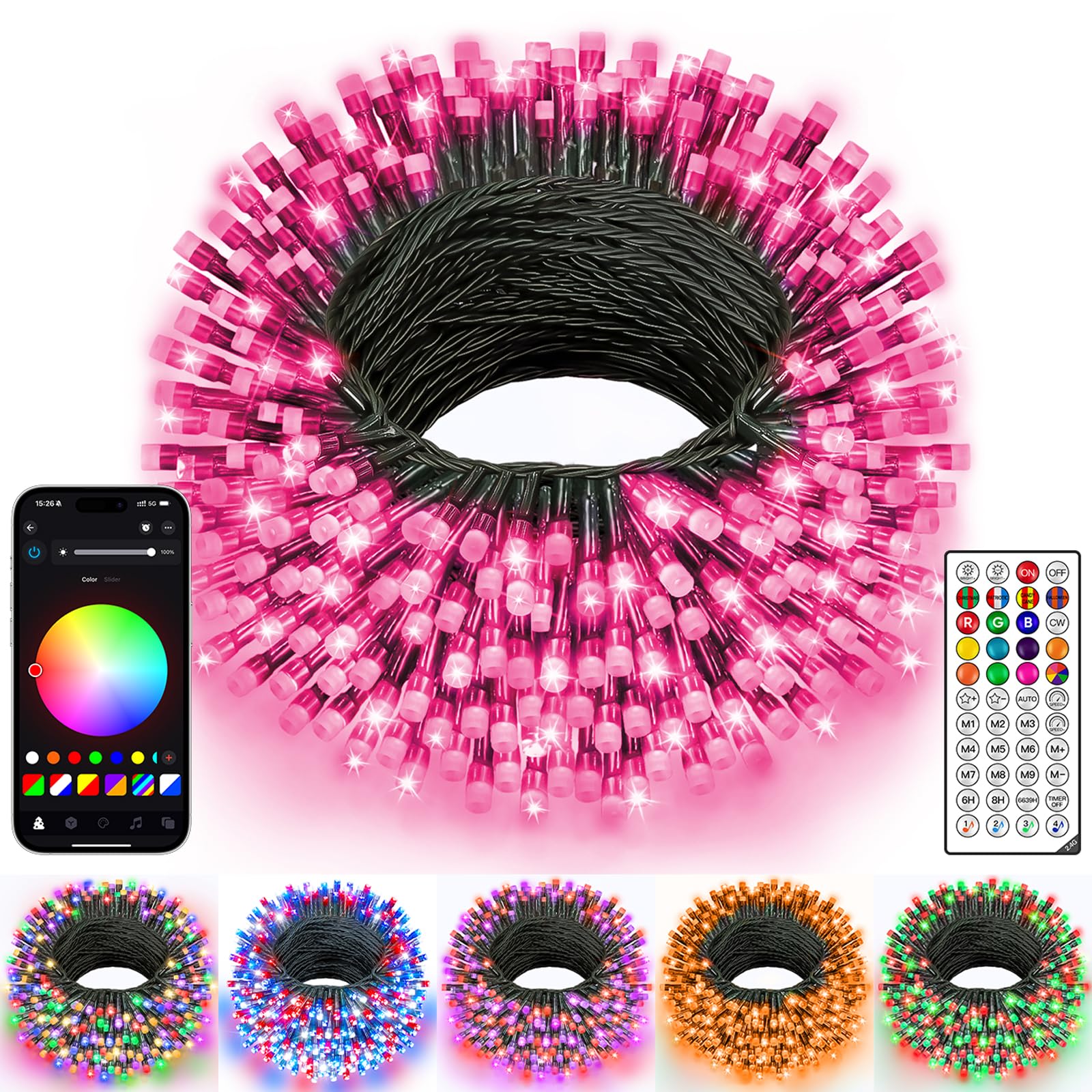
Image: The Ollny Smart Color Changing String Lights, Dark Wire 400LED, as packaged.
3. Configuración
3.1 Desembalaxe e inspección
- Retire coidadosamente todos os compoñentes da embalaxe.
- Inspect the string lights, plug, and remote control for any signs of damage. Do not use if damaged.
3.2 Colocación
These lights are suitable for both indoor and outdoor use, with an IP44 waterproof rating. Ensure the power adapter is protected from direct water exposure.

Image: Ollny Smart String Lights installed outdoors, highlighting their IP44 waterproof rating.
3.3 Conexión de alimentación
- Connect the string lights to the provided power adapter.
- Enchufe o adaptador de corrente a unha toma eléctrica estándar.
3.4 Descarga e conexión da aplicación
- Download the "Ollny" app from your smartphone's app store (iOS or Android).
- Open the app and follow the on-screen instructions to connect your string lights via Bluetooth.
Video: Demonstrates the process of connecting Ollny Smart Christmas String Lights via the mobile application.
4. Instrucións de funcionamento
4.1 Control APP
The Ollny app provides comprehensive control over your string lights:
- Selección de cor: Choose from 16 million solid colors or create DIY color combinations using the color wheel.
- Modos de iluminación: Select from various built-in effects (e.g., Christmas, Halloween, Valentine's Day) or create custom lighting patterns.
- Brightness & Speed: Adjust the brightness and flashing speed from 0% to 100%.
- Temporizador: Set custom timers for automatic on/off functionality.
- Modo de música: Synchronize lights with music played from your phone or via the device's microphone.
- Control de grupo: Control multiple sets of Ollny Smart String Lights simultaneously by grouping them in the app.
- Carousel Function: Choose your favorite modes and play them in a customized sequence.

Image: The Ollny mobile application interface showing the color wheel for selecting light colors.

Image: The Ollny mobile application displaying various settings for customizing holiday lights, including colors, modes, scenes, brightness, timer, and speed.
4.2 Control remoto
The included remote control offers quick access to essential functions:
- On/Off: Acende ou apaga as luces.
- Botóns de cores: Directly select common colors (Red, Green, Blue, White, Warm White, etc.).
- Mode Buttons (M1-M9): Cycle through various dynamic lighting effects.
- Axuste de brillo: Aumentar ou diminuír a intensidade da luz.
- Axuste de velocidade: Control the speed of dynamic effects.
- Temporizador: Set 6-hour or 8-hour timers.
4.3 Modo de música
Activate Music Mode via the app to make your lights dance to the rhythm of your favorite tunes. You can choose between using your phone's microphone or the device's built-in microphone for audio input.
Video: Demonstrates the Ollny Smart String Lights dancing to music rhythm, controlled via the mobile application.
4.4 Custom Timer & Adjustable Brightness/Speed
Set precise timers for automatic operation and fine-tune the brightness and speed of effects to match any ambiance.
Video: Instructions on how to adjust the timer, brightness, and speed settings for the Ollny Smart String Lights using the mobile application.
4.5 DIY Lighting Modes (Frame Smudge)
Unleash your creativity by designing unique lighting effects. The "Frame Smudge" feature in the app allows you to assign specific colors and effects to individual LED beads, creating custom animations.
Video: Demonstrates how to use the built-in and DIY lighting modes for the Ollny Smart String Lights.
Video: Tutorial on how to use the DIY Frame Smudge feature in the Ollny app to create custom lighting effects.
4.6 Control de grupo
Manage multiple sets of Ollny Smart String Lights simultaneously. Create groups within the app to apply synchronized effects, colors, and timers across all connected lights.

Image: The Ollny mobile application showing the group management feature, allowing control of multiple light sets.
4.7 Carousel Function
The Carousel Function allows you to create a playlist of your favorite lighting modes and effects, which will play in a continuous loop. This is ideal for dynamic and varied displays.
Video: Demonstrates the Carousel Function of the Ollny Smart String Lights, allowing users to choose and play favorite modes in order.
5. Mantemento
- Limpeza: Wipe the lights with a soft, dry cloth. Do not use harsh chemicals or abrasive cleaners.
- Almacenamento: Cando non esteas en uso, garda as luces nun lugar fresco e seco, lonxe da luz solar directa.
- Inspección: Periodically check the wiring and LED bulbs for any signs of wear or damage.
6 Solución de problemas
- As luces non se acenden: Ensure the power adapter is securely plugged in and the lights are connected correctly. Check the power outlet.
- O control remoto non funciona: Ensure the remote has a working battery. Point the remote directly at the control box.
- Problemas de conexión coa aplicación: Ensure Bluetooth is enabled on your device and the lights are within range. Restart the app and/or your phone.
- Lights not responding to music: Check the app settings to ensure the correct microphone input is selected and the sensitivity is adjusted appropriately.
7. Especificacións
| Característica | Detalle |
|---|---|
| Número de modelo | NYA0400P |
| Lonxitude | 131 pés |
| Número de LEDs | 400 |
| Cor | RGB (vermello, verde, azul) |
| Resistencia á auga | IP44 |
| Método de control | Aplicación, control remoto |
| Conectividade | Bluetooth |
| Fonte de enerxía | Eléctrico con cable |
| Voltage | 30 voltios |
| Wattage | 9 vatios |
| Material | Cobre, plástico |
8. Garantía e soporte
Ollny provides a manufacturer warranty for 365 days from the date of purchase. If you have any questions or require assistance, please contact our customer service team. We are always ready to help, ensuring a smooth and enjoyable experience with your product.