
1. Introdución
Thank you for choosing the Codnida Cell 2T 4G LTE Solar Security Camera. This device provides reliable outdoor surveillance with its 4G LTE connectivity, solar power capabilities, and advanced features like 2K color night vision and intelligent motion detection. This manual will guide you through the setup, operation, and maintenance of your camera to ensure optimal performance.

Imaxe 1.1: Acabadoview of the Codnida Cell 2T 4G LTE Solar Security Camera.
2. Que hai na caixa
Verifique que estean presentes todos os compoñentes antes de continuar coa instalación.
- 1 x Codnida Cell 2T Camera
- 1 x Panel solar
- 1 x SIM Card (with free trial data)
- 1 x Screw Kit for mounting
- 1 x Manual de usuario (este documento)
- 1 x cable de carga USB

Image 2.1: All included components in the Codnida Cell 2T package.
3. Características do produto
- Conectividade 4G LTE: Operates independently without Wi-Fi, ideal for remote locations. Includes a trial SIM card.
- Solar Powered & Long-Life Battery: Equipped with a high-efficiency solar panel and a built-in 10400mAh battery for continuous operation.
- 2K HD Resolution & Color Night Vision: Captures clear 2K video with three night vision modes (color, black & white, smart).
- 355° Pan/Tilt Rotation: Ofrece unha ampla cobertura con control remoto a través da aplicación.
- Intelligent PIR Motion Detection: Detects human movement and sends instant notifications. Customizable detection zones and sensitivity.
- Audio bidireccional: Micrófono e altofalante integrados para comunicación en tempo real.
- Alarma sonora e luminosa: Deters intruders with an audible alarm and flashing LED lights upon detection.
- Resistente ás inclemencias do tempo IP65: Designed for outdoor use, resistant to rain, humidity, and dust.
- Almacenamento flexible: Supports cloud storage and local Micro SD card storage up to 256GB.
4. Guía de configuración
4.1. Carga inicial
Before first use, fully charge the camera's internal battery using the provided USB cable and a 5V/2A power adapter (not included). The charging indicator light will turn solid blue when fully charged.
4.2. Instalación da tarxeta SIM e da tarxeta Micro SD
- Locate the SIM card and Micro SD card slot on the camera, usually protected by a rubber cover.
- Abra a tapa con coidado.
- Insert the provided 4G SIM card into the SIM card slot with the gold contacts facing down and the notched corner aligned correctly. Push until it clicks into place.
- If using a Micro SD card for local storage (up to 256GB, not included), insert it into the Micro SD card slot with the gold contacts facing down.
- Ensure both cards are securely seated. Close the rubber cover firmly to maintain IP65 weather resistance.

Image 4.2: Illustration of SIM card insertion into the camera.
4.3. Solar Panel Connection
Connect the solar panel cable to the designated charging port on the camera. Ensure the connection is secure and the rubber seal is properly seated to prevent water ingress. Position the solar panel in an area that receives maximum direct sunlight throughout the day for optimal charging.
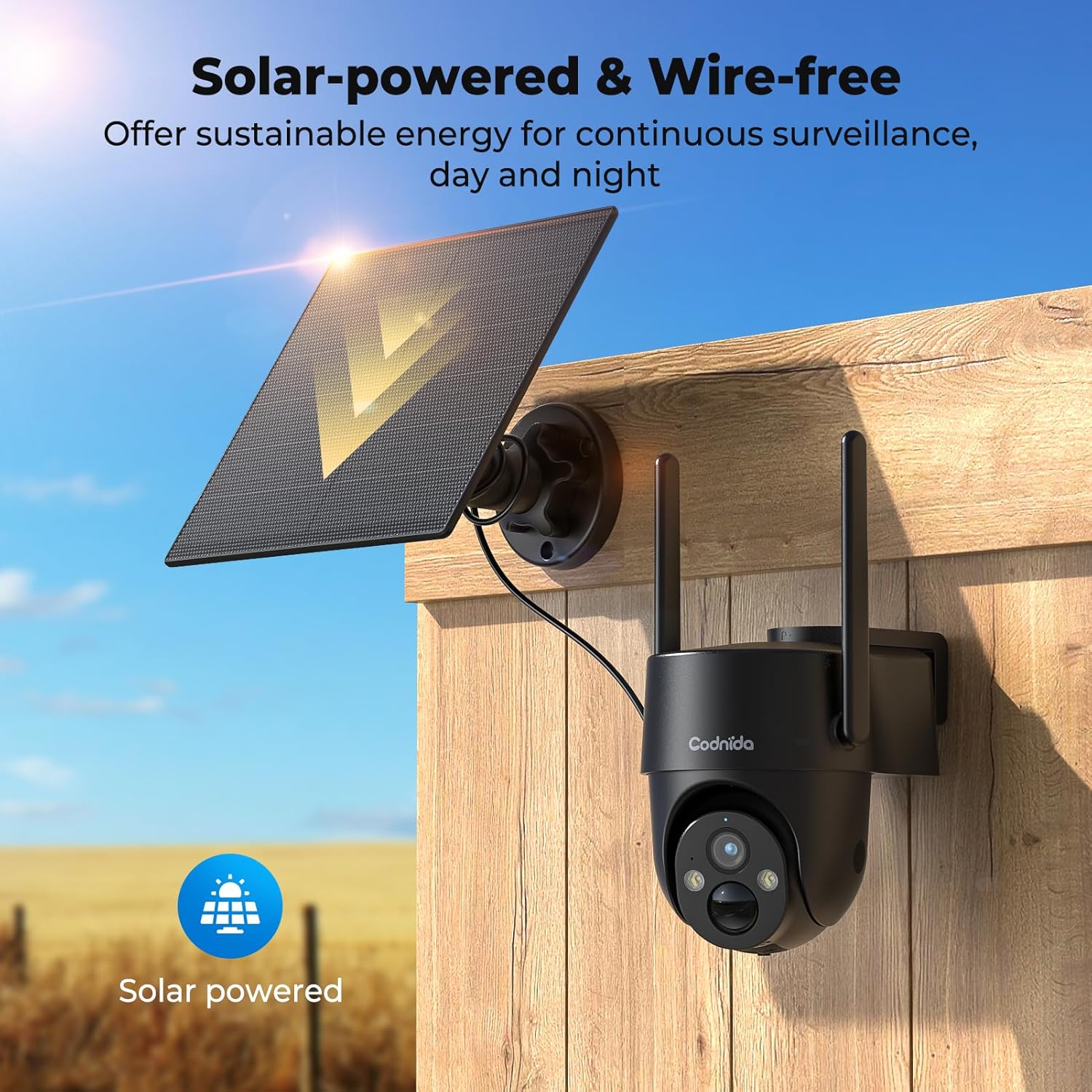
Image 4.3: The camera and solar panel installed, demonstrating wire-free operation.
4.4. Montaxe da cámara
- Choose a suitable outdoor location that provides the desired surveillance view and allows the solar panel to receive ampa luz solar.
- Use the provided screw kit to securely mount the camera bracket to a wall or pole.
- Attach the camera to the mounted bracket. Adjust the angle for optimal coverage.
- Ensure the camera is within a good 4G signal range.
4.5. Instalación e emparellamento da aplicación
- Descarga o CloudEdge aplicación desde a tenda de aplicacións do teu teléfono intelixente (iOS ou Android).
- Rexístrate para obter unha nova conta ou inicia sesión se xa tes unha.
- Turn on the camera by pressing the power button. The indicator light will flash.
- Na aplicación CloudEdge, toca a icona "+" para engadir un novo dispositivo.
- Select the appropriate camera model or scan the QR code on the camera if available.
- Follow the on-screen instructions to complete the pairing process. Ensure your phone's Bluetooth and location services are enabled during pairing.
5. Instrucións de funcionamento
5.1. En directo View
Open the CloudEdge app and select your camera from the device list to access the live video feed. You can view foo en tempo realtage from your camera anytime, anywhere with 4G connectivity.
5.2. Control de panorámica/inclinación
Do directo view interface in the CloudEdge app, use the directional controls to remotely pan (horizontal) and tilt (vertical) the camera lens. The camera supports 355° PTZ rotation for comprehensive coverage.

Image 5.2: The camera's 360° pan/tilt capability for wide area surveillance.
5.3. Configuración da detección de movemento
The camera features PIR human motion detection. In the app settings, you can:
- Enable/Disable motion detection.
- Adjust sensitivity levels (low, medium, high).
- Set detection zones to focus on specific areas and reduce false alarms.
- Schedule detection times.
When motion is detected, the camera will record a clip and send a notification to your smartphone.

Image 5.3: The camera's PIR human motion detection accurately identifies people.
5.4. Modos de visión nocturna
The camera offers three night vision modes, configurable in the app:
- Visión nocturna en cor: Utilizes built-in spotlights to provide full-color images in low light.
- Visión nocturna en branco e negro: Uses infrared (IR) LEDs for clear black and white images in complete darkness.
- Visión nocturna intelixente: Automatically switches between black & white and color night vision when motion is detected.

Image 5.4: Demonstrating the camera's 2K color night vision capability.
5.5. Audio bidireccional
Toca a icona do micrófono na transmisión en directo view to speak through the camera's speaker. This allows for communication with visitors or to deter unwanted individuals.
5.6. Sound and Light Alarm
When motion is detected at night, the camera can automatically activate a loud siren and flash its LED spotlights to warn off intruders. This feature can be configured in the app's alarm settings.

Image 5.6: The camera's sound and light alarm system deterring an intruder.
5.7. Xestión do almacenamento
Recorded videos can be stored in two ways:
- Almacenamento na nube: Subscribe to a CloudEdge cloud plan for secure online storage.
- Tarxeta Micro SD: If an SD card is installed, recordings will be saved locally. You can view and manage these recordings through the app.
6. Mantemento
- Limpeza: Limpe periodicamente a lente da cámara e o panel solar cun pano suave eamp cloth to ensure clear images and efficient solar charging. Do not use harsh chemicals.
- Coidado da batería: While solar-powered, ensure the camera receives adequate sunlight. If the battery level drops significantly, consider temporarily charging it via USB. Avoid prolonged exposure to extreme temperatures.
- Actualizacións de firmware: Check the CloudEdge app regularly for firmware updates. Keeping the firmware updated ensures optimal performance and access to new features.
- SIM Card Data: Monitor your SIM card data usage to ensure continuous connectivity, especially after the trial period.
7 Solución de problemas
| Problema | Solución |
|---|---|
| A cámara non se conecta á rede 4G. |
|
| A batería non se carga a través do panel solar. |
|
| A detección de movemento non funciona ou hai demasiadas falsas alarmas. |
|
| Cannot access live view. |
|
8. Especificacións
| Característica | Detalle |
|---|---|
| Modelo | Cell 2T |
| Conectividade | 4G LTE (Cellular) |
| Fonte de enerxía | Solar Powered, 10400mAh Rechargeable Battery |
| Resolución de vídeo | 2K (1440p) |
| Resolución efectiva de fotografías | 3 MP |
| Visión Nocturna | Color Night Vision, Black & White IR Night Vision, Smart Mode (up to 10 meters) |
| Ángulo de panorámica / inclinación | Panorama de 355°, inclinación de 90° |
| Detección de movemento | PIR Human Motion Detection |
| Audio | Audio bidireccional (micrófono e altofalante integrados) |
| Alarma | Alarma de son e luz |
| Resistencia á intemperie | IP65 |
| Almacenamento | Almacenamento na nube, tarxeta Micro SD (ata 256 GB) |
| Método de control | Aplicación CloudEdge |
| Dimensións (L x W x H) | 6 x 6 x 6 cm |
| Peso | 1.31 kg |
| Material | Plástico |
| Voltage | 5 voltios |
| Wattage | 4.5 vatios |
9. Garantía e soporte
Codnida products typically come with a standard manufacturer's warranty. Please refer to the warranty card included in your package or visit the official Codnida websitio web para obter información detallada sobre os termos e condicións da garantía.
For technical support, troubleshooting assistance, or any product-related inquiries, please contact Codnida customer service through the contact information provided on the official website or within the CloudEdge app. When contacting support, please have your product model (Cell 2T) and purchase details ready.