
Información importante de seguridade
This product may present risks if not used or maintained correctly. Please read all safety instructions carefully before use. Failure to follow these instructions may result in injury or damage to the product. Do not expose the desk to water or excessive liquids. Keep children and pets away from the desk during operation.
Produto rematadoview
The SANODESK Q1 Electric Standing Desk is designed to provide a versatile and ergonomic workspace. It features an electric height adjustment system, memory presets, and an anti-collision function for enhanced safety and convenience.
Características principais:
- Wide Height Range: Smooth electric height adjustment from 73.5 cm to 118 cm.
- Panel de control intelixente: LED display with 4 memory presets for customized sitting and standing heights.
- Sistema anticolisión: Automatically stops and reverses if an obstruction is detected during height adjustment.
- Funcionamento silencioso: Motor operates below 50 dB for a distraction-free environment.
- Soporte fiable: Robust construction with a maximum load capacity of 70 kg.
- Useful Accessories: Includes a cup holder, hook, storage shelf, and cable organizer for an optimized workspace.

The SANODESK Q1 Electric Standing Desk, featuring a clean white finish and ergonomic design.

Illustration of the desk's wide height range, allowing smooth adjustment between 73.5 cm and 118 cm.

The desk operates with smooth and quiet movement, maintaining a noise level below 50 dB.

The desk offers reliable support for up to 70 kg of equipment.
Instrucións de configuración
The SANODESK Q1 Electric Standing Desk is designed for straightforward assembly. Please follow the detailed instructions provided in the separate assembly manual included with your product packaging. It is recommended to have a clear workspace and, if possible, assistance during assembly.
Consellos para a Asemblea Xeral:
- Desembale todos os compoñentes e verifíqueos coa lista de pezas do manual de montaxe.
- Asegúrate de que todos os parafusos e elementos de fixación estean ben axustados, pero non os apertes demasiado.
- Connect all electrical cables as indicated in the manual, ensuring they are not pinched.
- Perform an initial test of the height adjustment function after assembly.
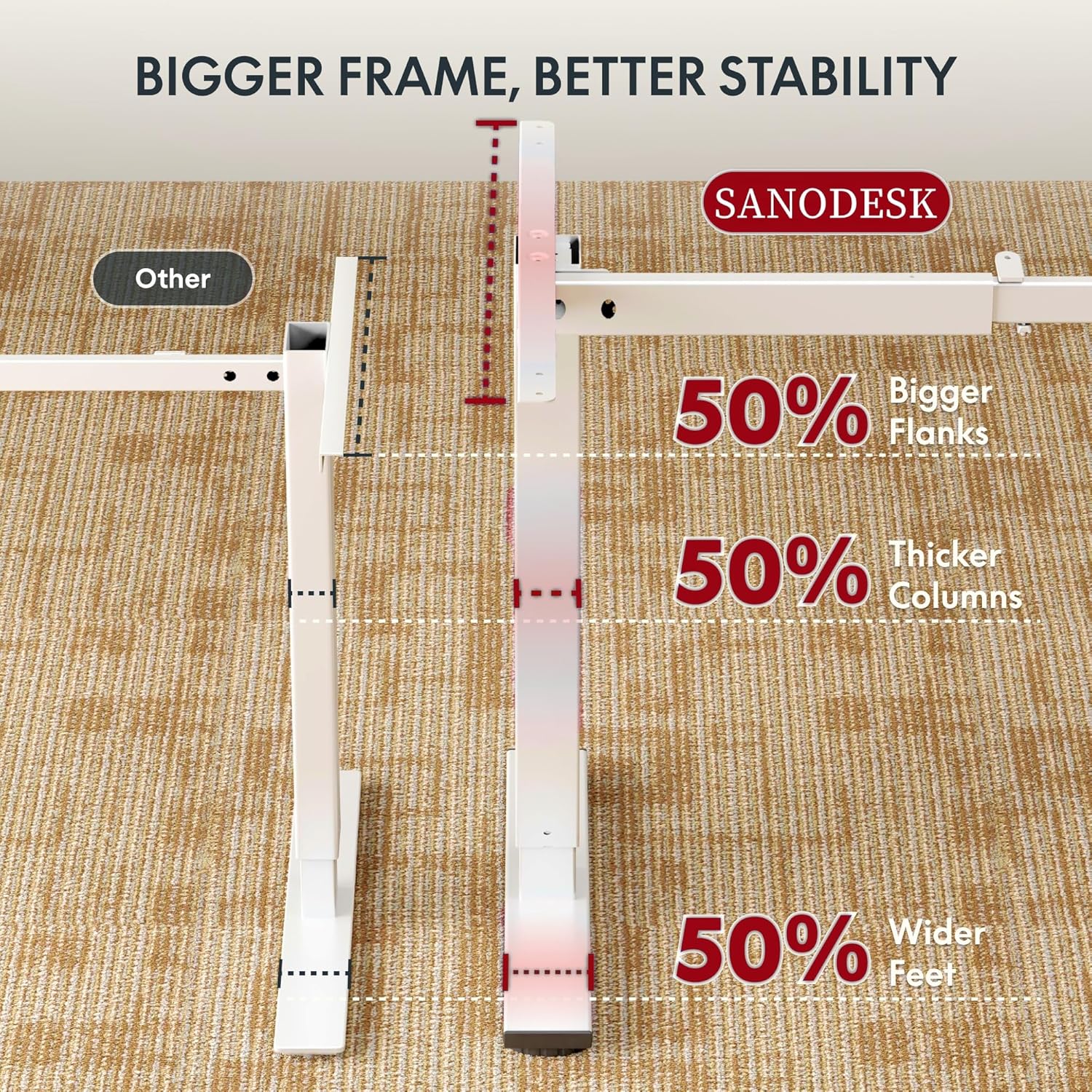
The desk features a robust frame design for enhanced stability during use.
Instrucións de funcionamento
The SANODESK Q1 features an intuitive control panel for easy height adjustment and memory functions.
Axuste de altura:
- Usa o Arriba (▲) e Abaixo (▼) buttons on the control panel to raise or lower the desk to your desired height. The current height will be displayed on the LED screen.
Presets de memoria:
The desk allows you to save up to four preferred heights for quick adjustments.
- Axuste o escritorio á altura desexada usando os botóns Arriba/Abaixo.
- Preme o Memory (M) button. The LED display will show 'S-'.
- Prema inmediatamente un dos botóns predefinidos numerados (1, 2, 3 ou 4) para gardar a altura actual nesa predefinición. A pantalla mostrará "S-1", "S-2", etc., para confirmar.
- Para recuperar unha altura gardada, simplemente prema o botón predefinido numerado correspondente (1, 2, 3 ou 4). O escritorio moverase automaticamente á posición gardada.
Sistema anticolisión:
The desk is equipped with an anti-collision system to prevent damage and ensure safety. If the desk encounters an obstruction while moving up or down, it will automatically stop and reverse slightly. Remove any obstructions before resuming operation.

The smart control panel with LED display and memory functions, including the anti-collision system.
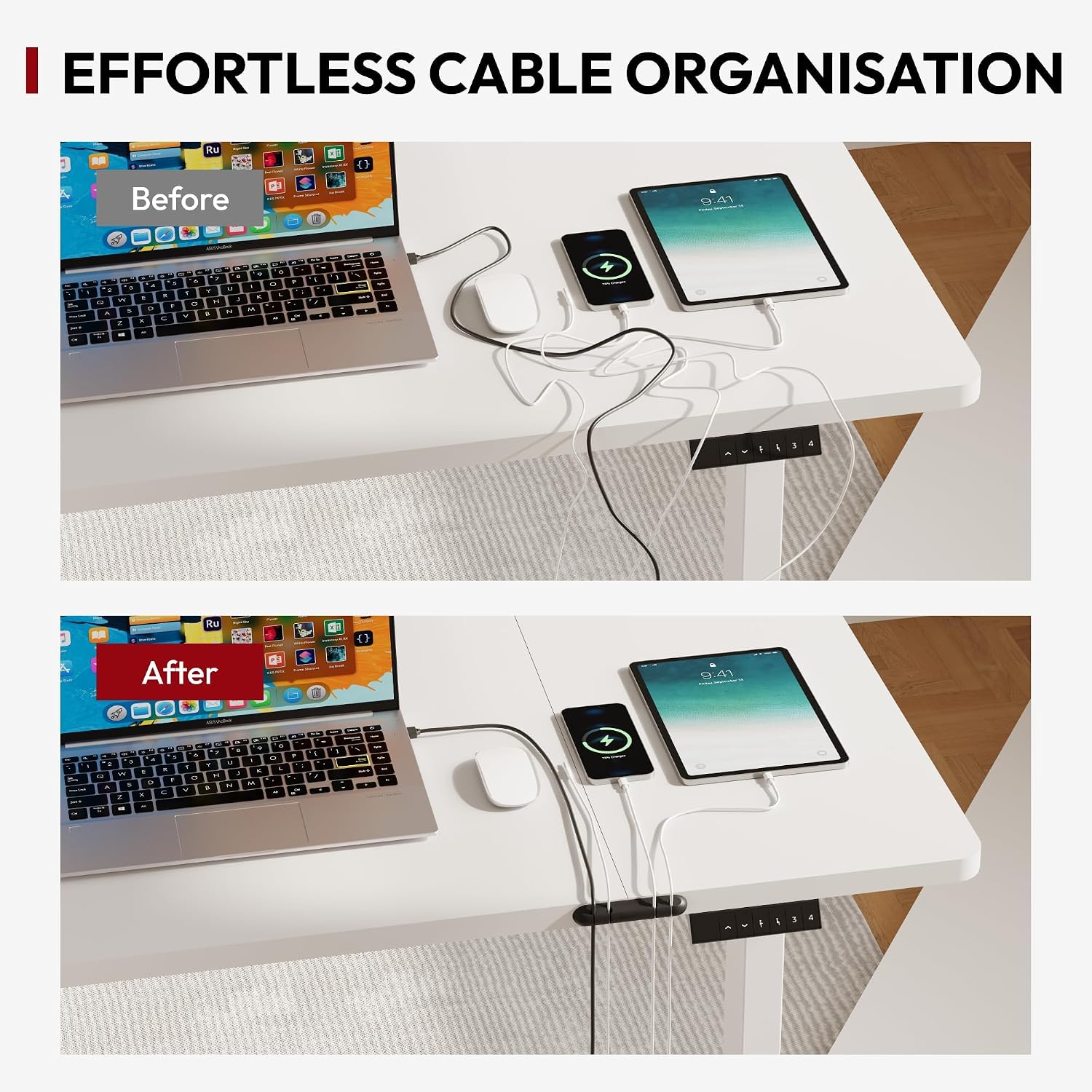
Before and after demonstration of effortless cable organization using the included accessories.

Metal hooks provide convenient storage for frequently used items like headphones.
Mantemento
Proper maintenance ensures the longevity and optimal performance of your SANODESK Q1 Electric Standing Desk.
Limpeza:
- Limpa a superficie e a estrutura do escritorio cun pano suave eamp pano.
- Avoid using harsh chemicals, abrasive cleaners, or excessive water, as these can damage the finish or electrical components.
- Ensure the desk is unplugged before cleaning any electrical parts.
Coidado xeral:
- Comprobe regularmente todos os parafusos e conexións para garantir que estean ben axustados.
- Do not overload the desk beyond its maximum weight capacity of 70 kg.
- Keep the area around the desk clear of obstructions to allow for smooth height adjustments.
Resolución de problemas
If you encounter issues with your SANODESK Q1 Electric Standing Desk, refer to the following common problems and solutions.
Desk Not Moving / No Power:
- Check if the power cable is securely plugged into both the desk and a working wall outlet.
- Ensure there are no tripped circuit breakers.
Uneven Movement / Desk Stops Abruptly:
- Check for any obstructions under or around the desk that might be triggering the anti-collision system.
- Ensure the desk is not overloaded beyond its maximum weight capacity.
Códigos de erro na pantalla:
- If an error code appears, refer to the specific troubleshooting section in your detailed assembly manual. Often, unplugging the desk for 10-15 minutes and then plugging it back in can resolve minor errors.
Procedemento de restablecemento:
If the desk is not functioning correctly, a reset may be necessary:
- Desenchufe o cable de alimentación da toma de corrente.
- Wait for at least 10-15 minutes.
- Enchufe o cable de alimentación de novo na toma de parede.
- Manteña premido o Abaixo (▼) button until the desk reaches its lowest position and then slightly rises, indicating a successful reset.
Especificacións
| Característica | Especificación |
|---|---|
| Dimensións do produto (L x W x H) | 110 x 54 x 118 cm |
| Altura mínima | 73.5 cm |
| Altura máxima | 118 cm |
| Espesor da mesa | 2 cm |
| Capacidade de carga máxima | 70 kg |
| Material (marco) | Metal |
| Material (tapa de mesa) | Metal (Top material type) |
| Cor | White Frame + White Tabletop |
| Características especiais | Ergonomic, Height Adjustable, Anti-Collision System, Memory Presets |
| Requírese montaxe | Si |
| Compoñentes incluídos | Cup holder, Hook, Storage shelf, Cable organizer |
| GTIN / UPC | 840460461634 |
Información da garantía
The SANODESK Q1 Electric Standing Desk comes with a Limited Warranty. For detailed information regarding the terms, conditions, and duration of your warranty, please refer to the warranty card included in your product packaging or visit the official SANODESK websitio. Garda o comprobante de compra para reclamacións de garantía.
Apoio
If you require further assistance, have questions not covered in this manual, or need to report an issue, please contact SANODESK customer service. Contact details can typically be found on the SANODESK official websitio web ou na embalaxe do produto.
When contacting support, please have your product model (Q1) and purchase information readily available.