
Introdución
This manual provides essential information for the safe and efficient use of your Samsung QLED 4K Vision AI Smart TV, model QE50Q8FAAUXZT. Please read these instructions thoroughly before operating the device and retain them for future reference.
Contido do paquete
Verifica que todos os compoñentes estean presentes na caixa:
- 1x Samsung Smart TV 50'' Serie Q8F, QLED 4K
- 1x cable de alimentación
- 1x Standard Remote Control
- 1x Solar-powered Remote Control
- 1x Manual de usuario (este documento)
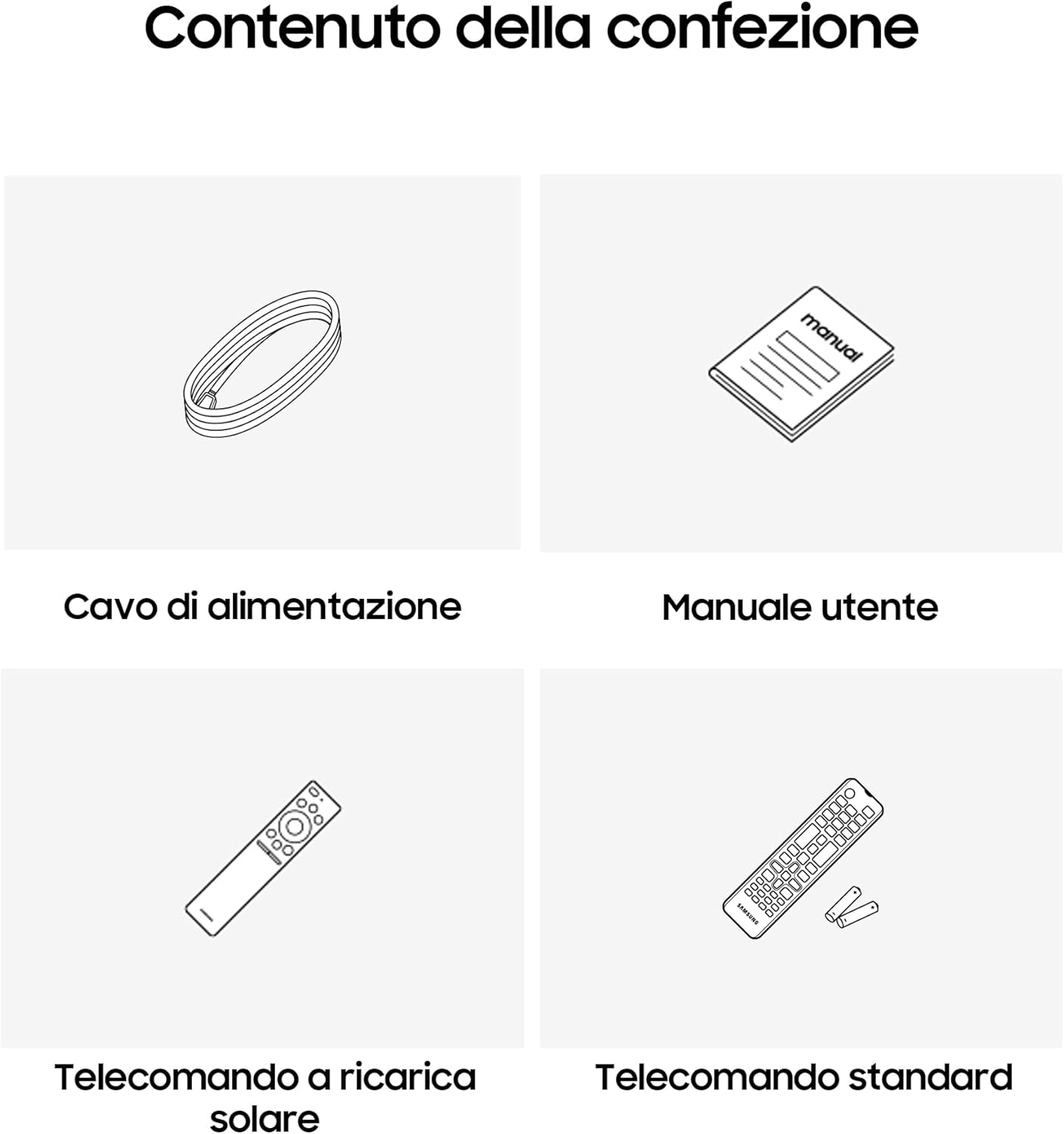
Image: Diagram showing the included items: power cable, user manual, solar-powered remote, and standard remote.
Configuración
Desembalaxe e colocación
Retire con coidado o televisor da súa embalaxe. Colóqueo sobre unha superficie estable e plana ou mónteo na parede cun soporte VESA compatible (véndese por separado). Asegúrese de que haxa unha ventilación axeitada arredor do televisor.
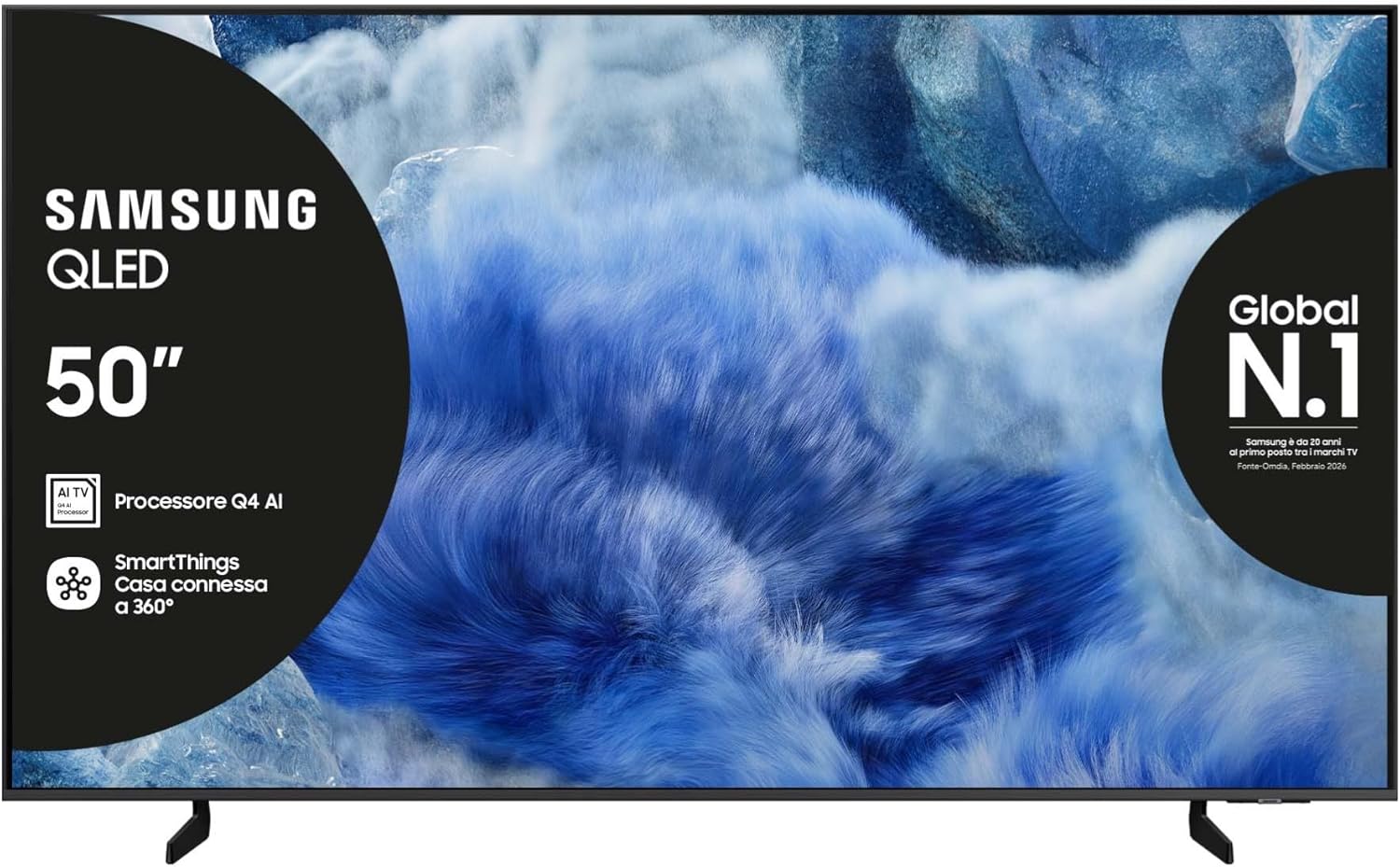
Imaxe: Fronte view of the Samsung QLED TV with its stand.

Imaxe: Lateral view of the Samsung QLED TV, showcasing its Air Slim Design.
Conexión de periféricos
Conecta os teus dispositivos externos (por exemplo, un descodificador de cable, un reprodutor de Blu-ray ou unha consola de xogos) aos portos correspondentes da parte traseira do televisor.

Image: Rear panel connections of the TV, showing HDMI, USB, LAN, and antenna ports.
- HDMI: For high-definition audio and video devices. The TV features multiple HDMI ports, including HDMI 3 with eARC support.
- USB: Para conectar dispositivos de almacenamento USB.
- LAN: Para conexión a internet por cable.
- FORMIGA EN: Para conectar unha antena ou un cable.
Conexión de alimentación
Conecta o cable de alimentación á entrada de alimentación do televisor e despois a unha toma de corrente.
Asistente de configuración inicial
Ao acender o televisor por primeira vez, este guiarache polo proceso de configuración inicial, incluíndo a selección do idioma, a conexión de rede e a busca de canles.
Funcionamento da TV
Funcións de control remoto
Your TV comes with two remote controls. The solar-powered remote offers convenience and reduces battery waste. Familiarize yourself with the buttons for power, volume, channel, navigation, and smart features.

Image: The Samsung Vision AI Companion interface displayed on the TV screen, alongside a remote control, illustrating voice command capabilities.
Smart Hub and AI Features
Access the Smart Hub for applications, streaming services, and connected devices. The Q4 AI Processor enhances picture and sound quality through 4K Upscaling and AI Mode. Utilize Vision AI for personalized entertainment and real-time suggestions.

Imaxe: Unha detallada view of the Samsung Q4 AI Processor chip, emphasizing its role in 4K upscaling and optimizing visual and audio experience.

Image: Icons representing Samsung Knox Security, SmartThings, Samsung Vision AI, and Endless Free Content, highlighting key features of the TV's ecosystem.
Configuración de imaxe e son
Adjust picture modes (e.g., Standard, Dynamic, Movie) and sound settings (e.g., Standard, Adaptive Sound, OTS Lite) to suit your preferences. OTS Lite provides 3D surround sound, and Q-Symphony synchronizes TV speakers with a compatible soundbar.

Image: A vibrant image on the QLED screen, illustrating the 100% Color Volume with Quantum Dot technology for optimal viewing.
Hub de xogos
Access the Gaming Hub to play games from various platforms directly on your TV, enhanced by Motion Xcelerator for smooth visuals.
Mantemento
Limpeza do televisor
Gently wipe the screen and frame with a soft, dry, lint-free cloth. Do not use abrasive cleaners or solvents. For stubborn marks, lightly dampen o pano con auga.
Actualizacións de software
Ensure your TV's software is up to date for optimal performance and security. Updates can be performed via the TV's settings menu or automatically when connected to the internet.
Resolución de problemas
Sen Poder
- Comprobe se o cable de alimentación está conectado correctamente tanto ao televisor como á toma de corrente.
- Verifica que a toma de corrente funcione conectando outro dispositivo.
Sen imaxe nin son
- Asegúrate de que estea seleccionada a fonte de entrada correcta.
- Comprobe se todas as conexións dos cables (HDMI, antena, etc.) están soltas.
- Reinicie o televisor e calquera dispositivo conectado.
O control remoto non funciona
- For the solar-powered remote, ensure it has sufficient light exposure to charge.
- For the standard remote, replace the batteries if necessary.
- Asegúrate de que non haxa obstáculos entre o mando a distancia e o televisor.
Problemas de conexión de rede
- Reinicia o teu enrutador e o módem.
- Check the Wi-Fi password if connecting wirelessly.
- Se usa unha conexión con cable, asegúrese de que o cable LAN estea conectado correctamente.
Especificacións
| Característica | Especificación |
|---|---|
| Tamaño da pantalla | 50 polgadas |
| Tecnoloxía de visualización | QLED |
| Resolución | 4K (3840 x 2160) |
| Taxa de actualización | 50 Hz |
| Procesador | Procesador de IA Q4 |
| Conectividade | Bluetooth, Ethernet, HDMI (múltiples, incluído eARC), USB, Wi-Fi |
| Características especiais | Built-in Speaker, Multi-voice Assistant, Browser, Parental Controls, Flat Panel |
| Relación de aspecto | 16:9 |
| Dimensións do produto (WxDxH) | 111.8 cm x 23.9 cm x 70.2 cm (con soporte) |

Image: Energy label for the Samsung QE50Q8FAAU, indicating an energy class of E and power consumption details. More details can be found at eprel.ec.europa.eu/qr/2204814.

Image: Detailed product information sheet, including supplier name, model identification, energy efficiency classes, power consumption, display technology, screen dimensions, and other technical data.
Garantía e Soporte
Your Samsung TV is covered by a manufacturer's warranty. Please refer to the warranty card included in your package for specific terms and conditions. For technical support, service, or warranty claims, please contact Samsung Customer Service.
Información de contacto:
- Provedor: Samsung
- Enderezo do provedor: Public Contact, Samsung PO Box 12987, Blackrock, Co Dublin Ireland
- Websitio: www.samsung.com (general websitio, a ligazón de asistencia específica pode variar segundo a rexión)
- Correo electrónico: eprel@samsung.com (for EPREL related inquiries)
The product information sheet indicates a minimum availability of spare parts for 7 years and minimum support for product software for 7 years.