
Introdución
This manual provides detailed instructions for the installation, operation, and maintenance of your Ctronics F20-5MP Outdoor Wi-Fi Surveillance Camera. This camera features 3K 5MP HD resolution, a 6W solar panel for continuous power, PIR and human detection, 10 LED lights for color night vision up to 30 meters, two-way audio, and flexible storage options including TF card, cloud, and FTP. It is compatible with both PC and smartphone devices, offering comprehensive security monitoring.
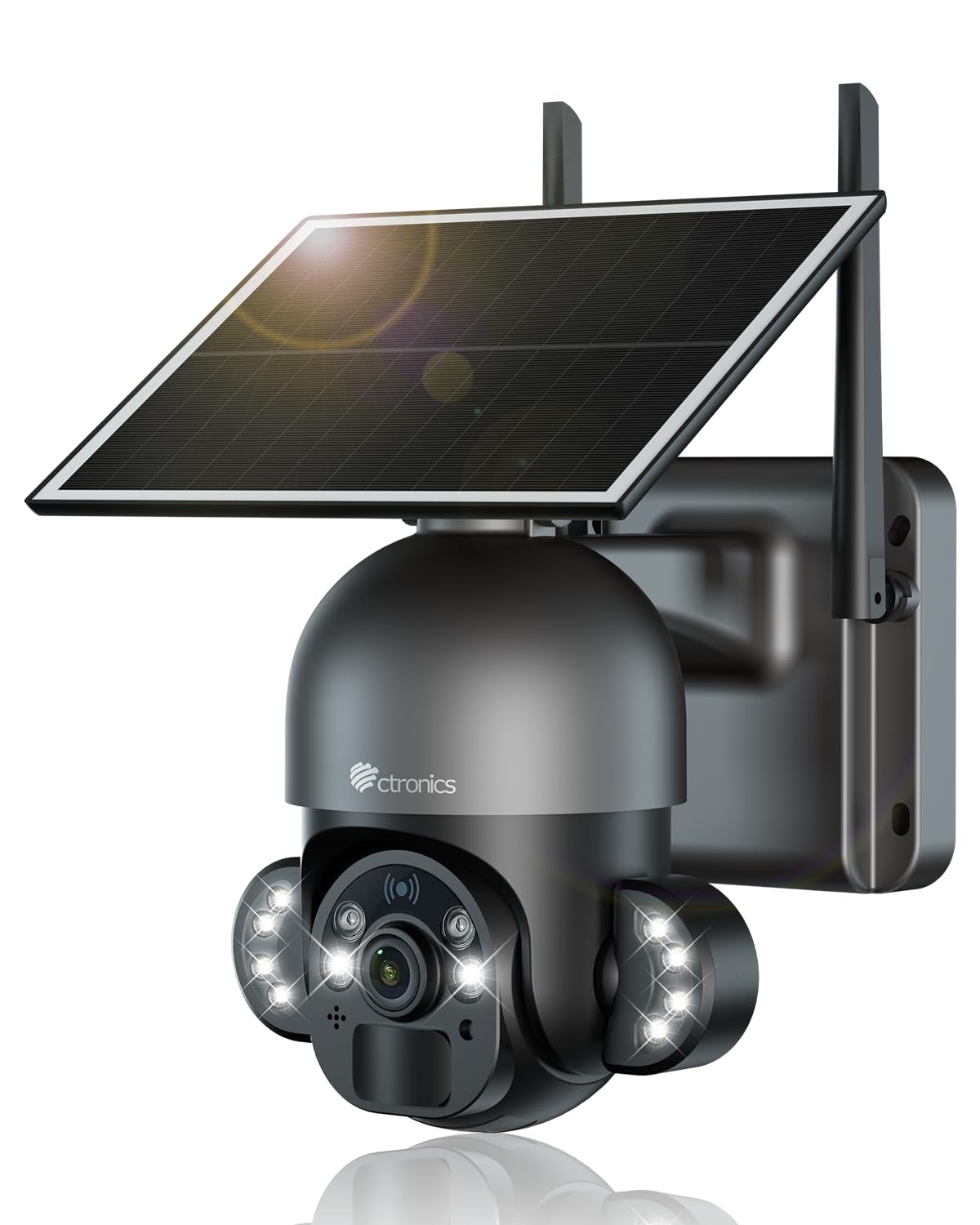
Image: The Ctronics F20-5MP camera with its solar panel, mounted on an exterior wall, illustrating its outdoor application and solar power feature.
Configuración
1. Contido do paquete
Antes da instalación, comprobe que estean presentes todos os compoñentes:
- Ctronics F20-5MP Camera
- Panel solar de 6 W
- Soporte de montaxe e parafusos
- Manual de usuario
2. Instalación física
Mount the camera and solar panel in a location that provides optimal sunlight exposure for the solar panel and a clear view for surveillance. Use the provided mounting bracket and screws to secure the camera and solar panel to a wall or suitable surface. Ensure the solar panel is positioned to receive direct sunlight for several hours daily to maintain battery charge.

Imaxe: Unha detallada view of the Ctronics F20-5MP camera and its solar panel, highlighting the integrated design for outdoor security.
3. Acendamento inicial e conexión á aplicación
Ensure the camera's battery is sufficiently charged. Download the Ctronics app from your smartphone's app store. Follow the in-app instructions to create an account and add your camera. The camera supports both Wi-Fi and Bluetooth for initial setup, allowing for a quick and stable connection process.

Image: A smartphone displaying the Ctronics app, showing Wi-Fi and Bluetooth connection options for easy camera setup and control.
Instrucións de funcionamento
1. En directo View e control da cámara
Access the live video feed through the Ctronics app on your smartphone or PC. The camera provides 3K 5MP HD resolution (2560x1920P) for clear images. You can manually adjust the camera's pan (355°) and tilt (90°) angles via the app to monitor different areas.
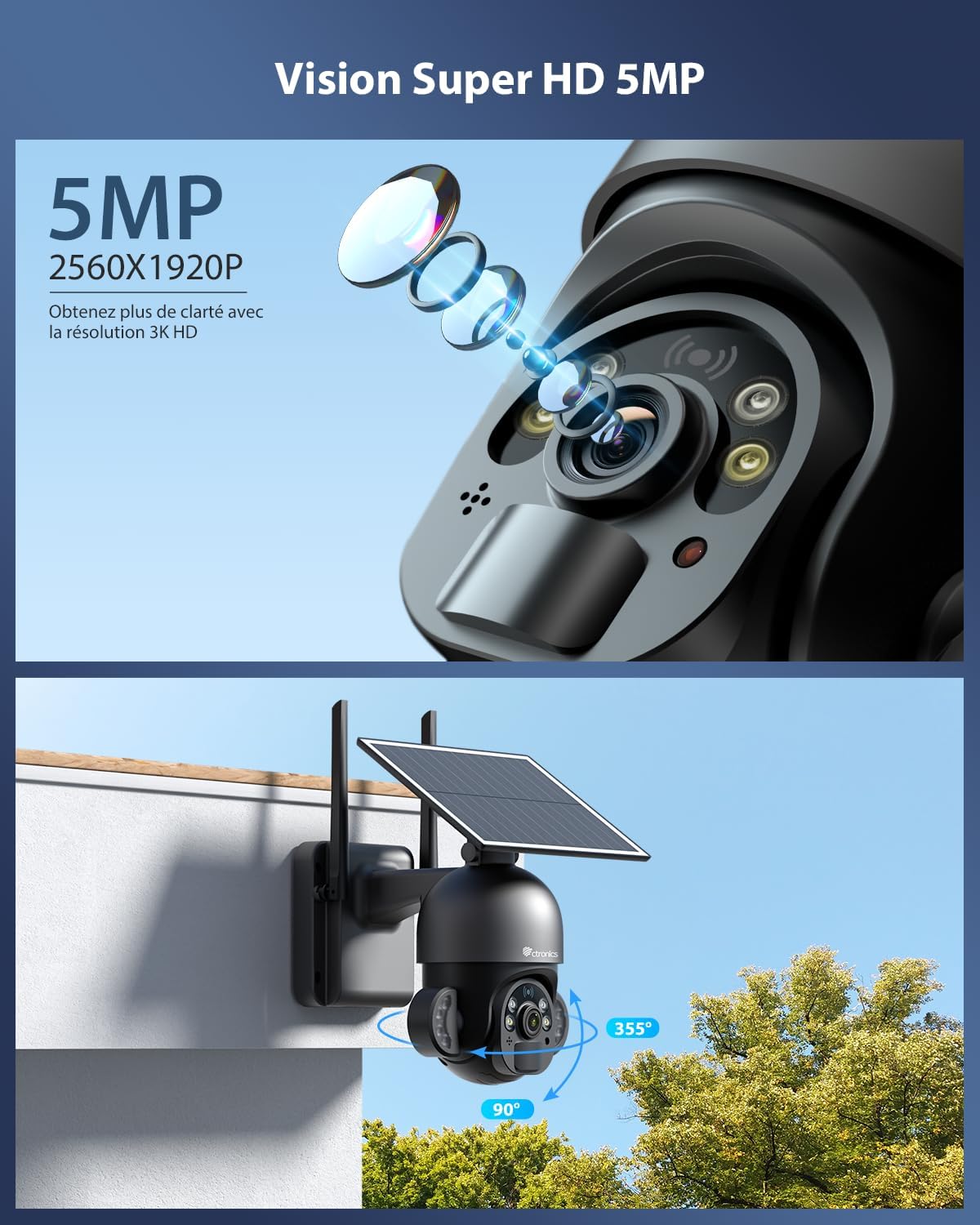
Image: The camera's 5MP Super HD lens and its range of motion (355° pan, 90° tilt) for comprehensive area coverage.
2. Visión nocturna
The camera is equipped with 10 integrated LED lights, enabling color night vision up to 30 meters. This feature ensures clear and detailed surveillance even in low-light conditions.

Image: The camera's LED lights activated for color night vision, illuminating an outdoor scene at night.
3. PIR and Human Detection
The integrated PIR sensor and human detection technology accurately identify human movement, reducing false alarms. You can adjust the alarm sensitivity (low, medium, high) within the app. Upon detection, instant notifications are sent to your smartphone.

Imaxe: Un example of human detection, where the camera identifies a person in its field of view, indicated by a white detection box.
4. Audio bidireccional
Utilize the built-in microphone and speaker for two-way communication. This allows you to speak to visitors or deter intruders directly through the camera via the app. The system also supports multi-user sharing, allowing family members to access the camera.

Image: Illustrations of two-way audio functionality, showing interaction with a delivery person and multiple users accessing the camera feed.
5. Opcións de almacenamento flexibles
The camera supports multiple storage methods for recorded footage:
- Tarxeta TF: Supports up to 128GB Micro SD cards (not included).
- Almacenamento na nube: Secure cloud-based storage for easy access and backup.
- FTP: Option to upload recordings to an FTP server.

Image: A hand inserting a TF card into the camera, alongside icons representing cloud and FTP storage options.
6. Compatibilidade multiplataforma
The Ctronics F20-5MP camera is compatible with various operating systems, allowing you to monitor your property from different devices:
- iOS (iPhone, iPad)
- Teléfonos intelixentes e tabletas Android
- Windows PCs (via Ctronics Pro or HiP2P Client software)
- Mac OS (via Ctronics Pro or HiP2P Client software)

Image: Multiple devices, including a desktop, laptop, tablet, and smartphone, showing the camera's live feed and interface, demonstrating broad compatibility.
Mantemento
1. Limpeza
Regularly clean the camera lens and the surface of the solar panel with a soft, damp cloth to ensure optimal performance. Avoid using harsh chemicals that could damage the surfaces.
2. Coidado da batería
Ensure the solar panel receives adequate sunlight to keep the internal 7800mAh battery charged. In prolonged periods of low sunlight, consider temporarily repositioning the panel or providing a supplementary charge if the camera supports it (check product specifications for details).
3. Actualizacións de firmware
Check the Ctronics app periodically for available firmware updates. Keeping your camera's firmware up-to-date ensures access to the latest features, security enhancements, and bug fixes.
Resolución de problemas
Problemas comúns e solucións:
- No Power/Camera Offline:
Check the solar panel connection and ensure it's receiving sufficient sunlight. Verify the battery level in the app. If the battery is critically low, ensure the solar panel is clean and unobstructed. - Problemas de conexión wifi:
Ensure the camera is within range of your 2.4 GHz Wi-Fi network. Restart your router and the camera. Re-attempt the connection process via the Ctronics app. - Mala calidade da imaxe:
Limpa a lente da cámara. Asegúrate de que non haxa obstrucións no campo de visión da cámara. view. Check your internet connection speed, as a slow connection can affect streaming quality. - False Alarms or Missed Detections:
Adjust the PIR and human detection sensitivity settings in the app. Ensure the camera's detection zone is correctly configured. Avoid placing the camera where moving foliage or direct sunlight could trigger false alerts. - Problemas de audio bidireccional:
Check the volume settings on your device and within the app. Ensure there are no obstructions blocking the camera's microphone or speaker. - Storage Issues (TF Card/Cloud/FTP):
For TF cards, ensure it is correctly inserted and formatted (if necessary) within the app. For cloud storage, verify your subscription status. For FTP, confirm server settings are correct.
If you encounter persistent issues, refer to the Ctronics app's help section or contact customer support.
Especificacións técnicas
| Característica | Especificación |
|---|---|
| Número de modelo | F20-5MP |
| Resolución | 3K 5MP (2560 x 1920P) |
| Tecnoloxía de sensores | CMOS |
| Visión Nocturna | Color Night Vision, 10 LED lights, up to 30 meters |
| Fonte de enerxía | 6W Solar Panel, 7800mAh Battery (2 x 12V included) |
| Conectividade | Wi-Fi (2.4 GHz), Bluetooth |
| Detección | PIR Sensor, Human Detection |
| Audio | Audio bidireccional |
| Opcións de almacenamento | TF Card (up to 128GB), Cloud Storage, FTP |
| Compatibilidade | iOS, Android, Windows, Mac OS |
| Resistencia á intemperie | IP66 (Hydrofuge) |
| Dimensións (L x W x H) | 18 x 15 x 24 cm |
| Peso | 1.49 kg |
| Método de control | Aplicación |
| Codificación de vídeo | H.265 |
| Formato de vídeo | MP4 |
| Viewángulo ing | 90 graos |
| Tipo de zoom | Zoom dixital (4x) |
| Tipo de montaxe | Soporte de parede |
Información da garantía
Ctronics products typically come with a limited manufacturer's warranty. For specific warranty terms, conditions, and duration, please refer to the official Ctronics website or the warranty card included with your product. Retain your proof of purchase for warranty claims.
Apoio
For technical assistance, troubleshooting, or further inquiries regarding your Ctronics F20-5MP camera, please utilize the following resources:
- Ctronics Mobile Application: Access the help section, FAQs, and direct support options within the app.
- Official Ctronics Websitio: Visit the Ctronics official website for comprehensive support, product documentation, and contact information.
Always ensure you have your product model number (F20-5MP) and purchase details ready when contacting support.


