
1. Produto rematadoview
The Merax Computer Desk is a versatile furniture piece designed for various uses, including writing, studying, working, gaming, or as a vanity. It features a unique 90-degree rotating desktop, ample storage options, and a robust construction suitable for home offices, bedrooms, or living rooms.
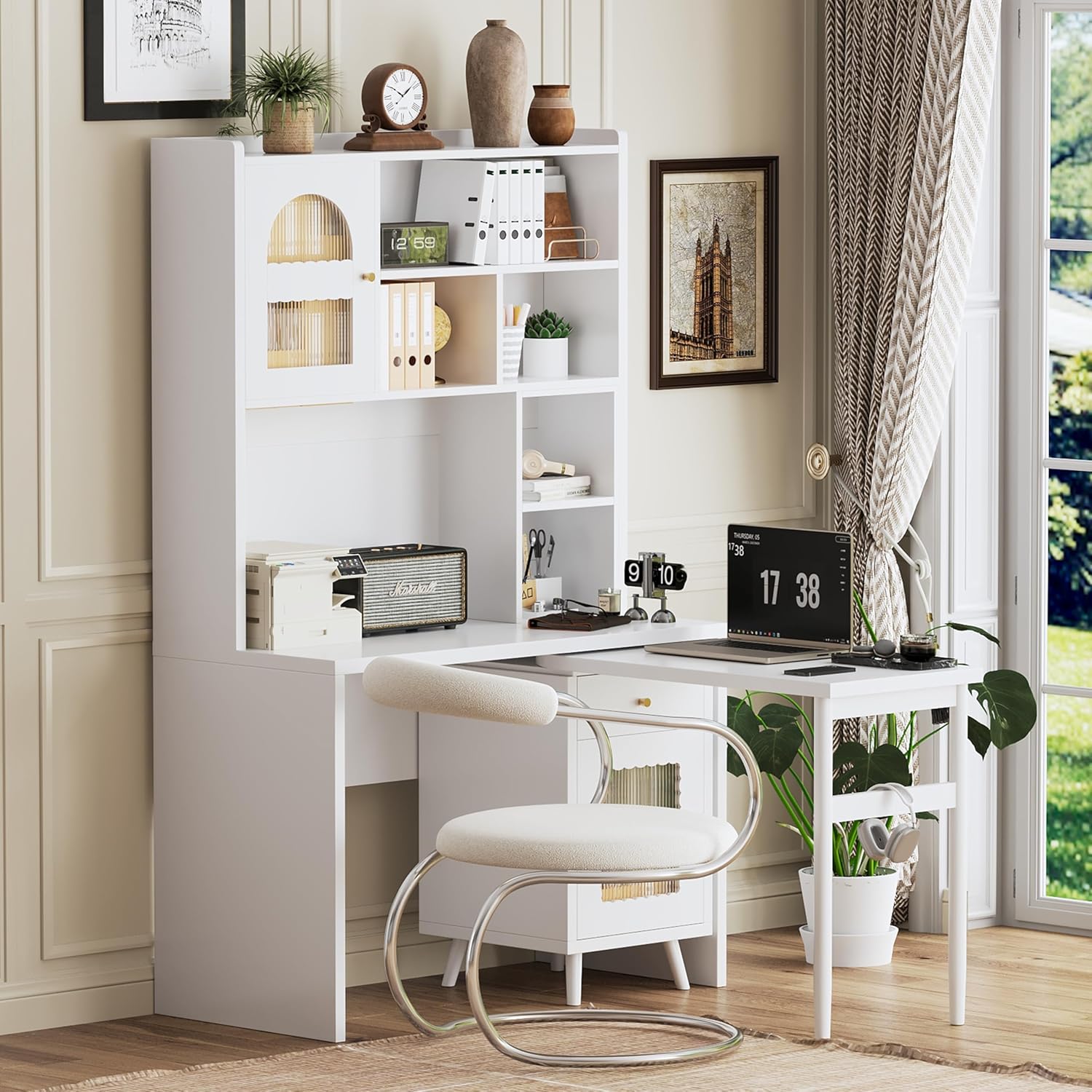
Image 1.1: Merax Computer Desk in an L-shaped setup, showcasing o seu deseño e funcionalidade.
2. Información de seguridade
Lea e comprenda todas as instrucións de seguridade antes da montaxe e o uso. O incumprimento destas instrucións pode provocar lesións ou danos no produto.
- Manteña todas as pezas pequenas e os materiais de embalaxe fóra do alcance dos nenos.
- Ensure all screws and fasteners are securely tightened during assembly. Periodically check and re-tighten as necessary.
- Non sobrecargues as baldas nin os caixóns. Distribue o peso uniformemente.
- Avoid placing hot items directly on the desktop surface without protection.
- Non te poñas de pé nin te sentes enriba do escritorio.
- Úseo sobre unha superficie nivelada para evitar que se volque.
3. Configuración e montaxe
This Merax Computer Desk is designed for straightforward assembly. All necessary tools and a detailed instruction manual are included in the package. Please follow the step-by-step instructions provided with your product for proper assembly.
3.1 Desembalaxe
- Retire coidadosamente todos os compoñentes da embalaxe.
- Verifique que estean presentes todas as pezas listadas na lista de pezas incluída.
- Lay out components on a soft, clean surface to prevent scratches.
3.2 Pasos de montaxe
Refer to the separate assembly manual provided in the product packaging for detailed, illustrated instructions. Ensure all connections are firm before use.

Image 3.1: Product dimensions for the Merax Computer Desk, including the main body and rotating desktop.
4. Instrucións de funcionamento
4.1 Rotating Desktop Functionality
The desk features a 90-degree rotating tabletop for flexible workspace adjustment. To extend the desktop, gently pull the side panel outwards. To save space, push the panel back into its compact position.
Video 4.1: Demonstration of the Merax Computer Desk's rotating desktop feature, showcasing its flexibility and space-saving design.

Image 4.1: The rotating desktop extended, providing additional workspace for a laptop and other items.
4.2 Características de almacenamento
- Caixón: Utilize the smooth-gliding drawer for storing smaller office supplies or personal items.
- Armarios: The two storage cabinets feature transparent glass doors, allowing visibility of contents while keeping them dust-free. These are ideal for books, files, ou elementos decorativos.
- Estantes abertos: Multiple open shelves provide flexible organization for books, files, and decor, ensuring items are visible and easily accessible.

Imaxe 4.2: Acabadoview of the desk's storage features, highlighting the rotating top, glass-door cabinets, and open shelves.
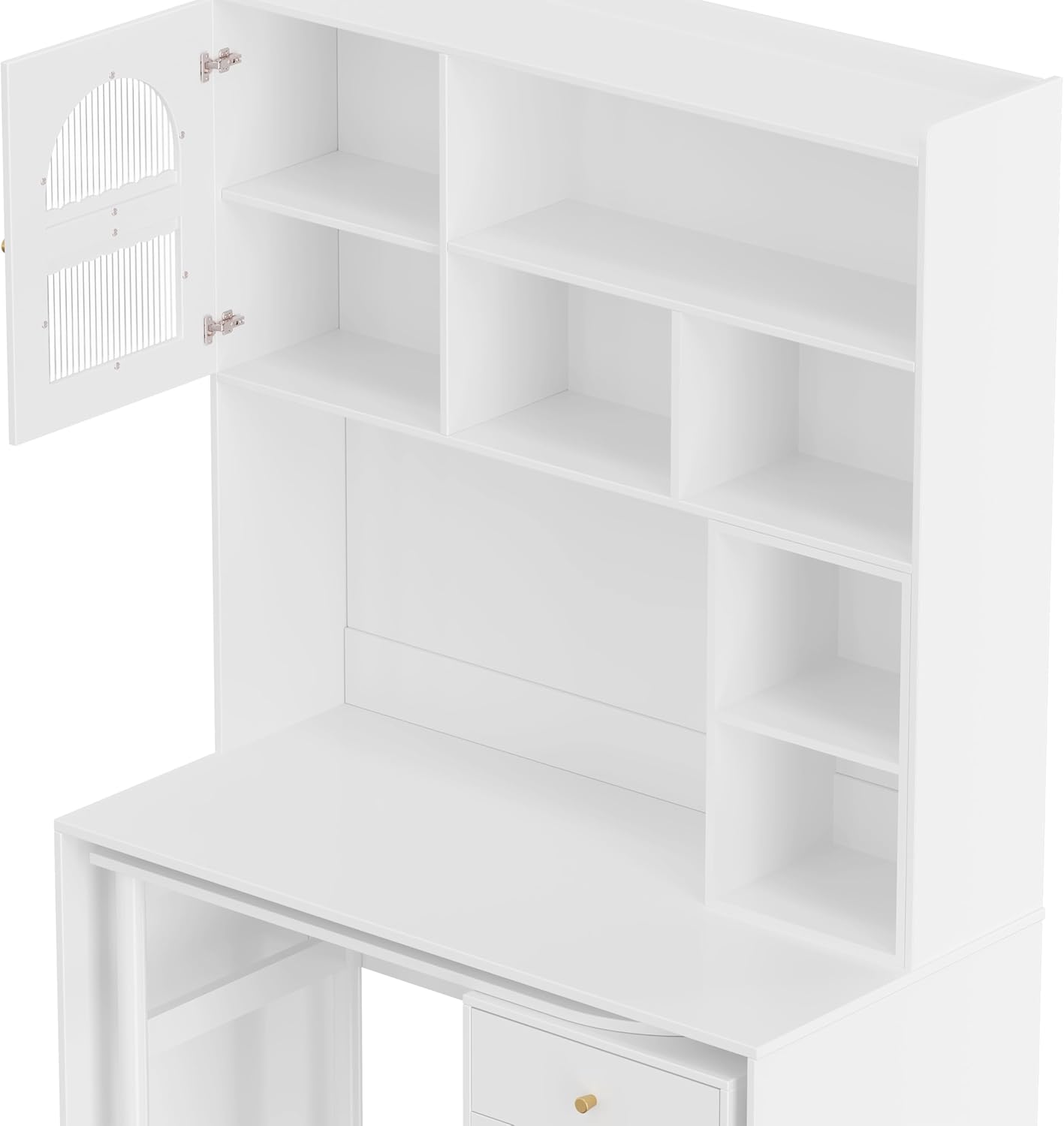
Image 4.3: A close-up of the open shelving and cabinet, demonstrating storage capacity.
4.3 Colocación versátil
The desk's design allows it to adapt to various room configurations and uses, such as a compact study, a dual-purpose living room table, a dressing table in a bedroom, or a linear design for work and makeup.
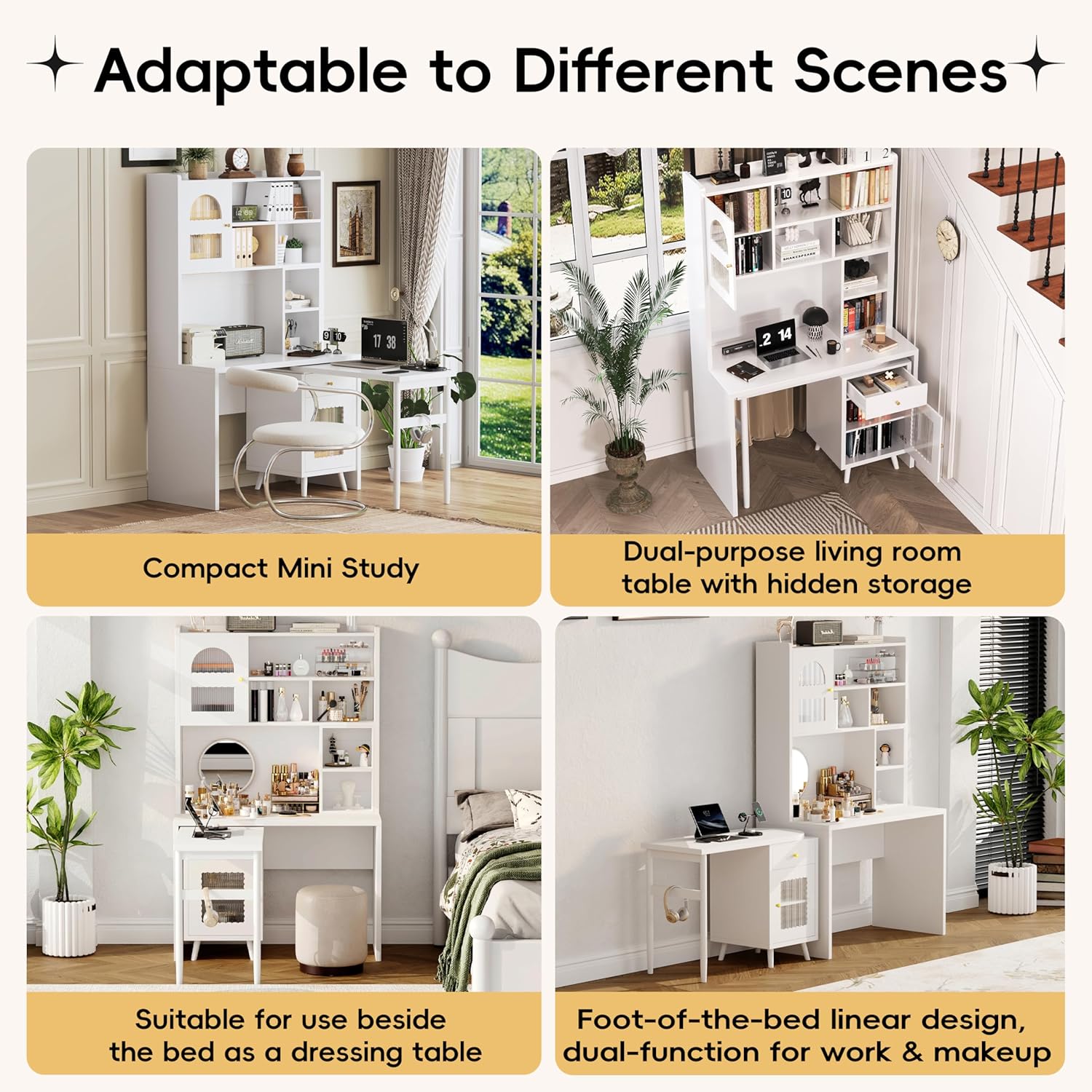
Imaxe 4.4: Ex.amples of the desk's adaptability in different environments and configurations.
5. Mantemento
- Limpeza: Limpe as superficies cun suave, damp pano. Evite produtos de limpeza abrasivos ou produtos químicos agresivos que poidan danar o acabado.
- Desempolvado: Limpa o po da mesa regularmente cun pano suave e seco.
- Verquidos: Limpe os derrames inmediatamente para evitar manchas ou danos na madeira sintética.
- Hardware: Comprobe periodicamente todos os parafusos e elementos de fixación para asegurarse de que permanecen axustados. Volva a apertalos se é necesario.
6 Solución de problemas
- Escritorio tambaleante: Ensure all assembly screws are tightened. Check that the desk is on a level surface. Adjust leg levelers if present.
- Pegado do caixón: Check for any obstructions in the drawer slides. Ensure the drawer is properly aligned on its tracks.
- Rotating Desktop Not Smooth: Inspect the rotating mechanism for any debris or loose components. Ensure the desk is not overloaded.
- Pezas que faltan: If any parts were missing upon delivery, refer to the contact information in the Warranty & Support section.
7. Especificacións
| Característica | Detalle |
|---|---|
| Marca | Merax |
| Nome do modelo | Computer Desk with 90 Degree Rotating Desktop, L Shaped Office Desk with Storage Drawer and Cabinets |
| Product Dimensions (Main Body) | 43.1" D x 21.6" W x 70.1" H |
| Rotating Desktop Dimensions | 39.4'' de longo x 17.7'' de ancho x 29.2'' de alto |
| Cor | Branco |
| Material | Madeira de enxeñería |
| Deseño de escritorio | Armoire Desk |
| Característica especial | Adjustable, Reversible |
| Opcións de almacenamento | 1 drawer, 2 cabinets (with glass doors), multiple shelves |
| Requírese montaxe | Yes (Tools and manual included) |
| Peso do elemento | 70 libras |
8. Garantía e soporte
For warranty information or customer support, please refer to the documentation included with your purchase or contact Merax customer service directly. Contact details can typically be found on the manufacturer's websitio web ou no seu recibo de compra.
For additional assistance, you may visit the official Merax store: Tenda Merax en Amazon.