
Introdución
Welcome to the world of aerial technology with the SAMVIX K-Fly Kosher Drone V2. This groundbreaking drone is designed for simplicity, performance, and convenience, offering an immersive flight experience without the need for smartphones or Wi-Fi connections. Equipped with dual HD cameras and a built-in screen on the remote controller, the K-Fly V2 ensures stunning photos and videos with real-time viewing. Its brushless motors and optical flow positioning provide enhanced stability and precision, suitable for both beginners and experienced pilots. The drone and controller feature Type-C rechargeable high-capacity batteries for extended flight times and long-range control.
O que hai na caixa
Your SAMVIX K-Fly Kosher Drone V2 package includes the following components:
- K-Fly Kosher Drone V2
- Remote Controller with Built-in Screen
- 2 x High-Capacity Rechargeable Batteries
- USB Type-C Charging Cables
- Hélices de substitución
- Desaparafusador
- Manual de usuario
Refer to the images below for a visual guide to your drone and its accessories.
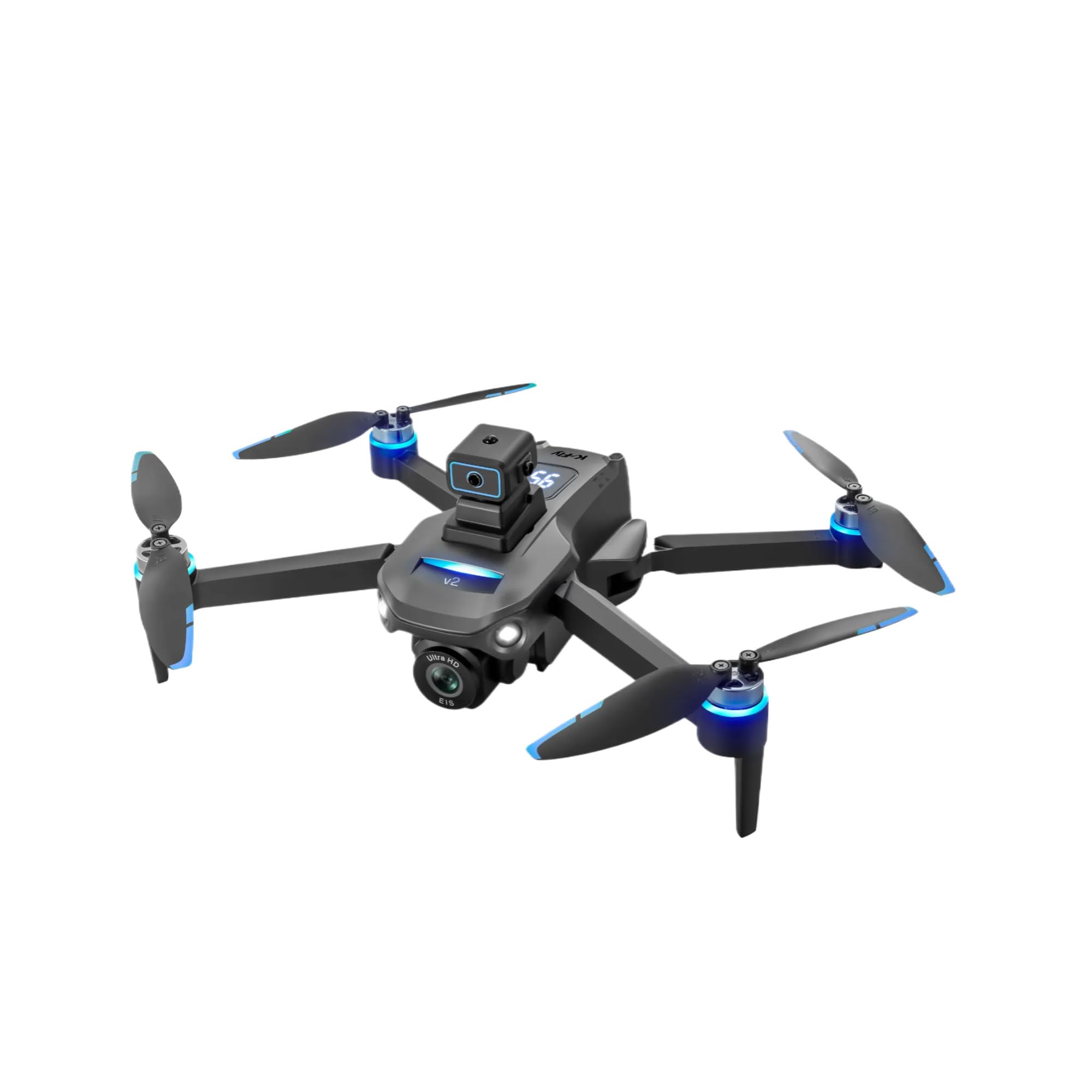
Image: The K-Fly Kosher Drone V2 shown alongside its remote controller, highlighting the built-in screen and dual cameras.

Image: The K-Fly Kosher Drone V2 with its arms unfolded, ready for flight.

Image: A different perspective of the K-Fly Kosher Drone V2 and its remote controller, emphasizing the compact design.
Configuración
1. Despregando o dron
Gently unfold the drone's arms until they lock into place. Ensure all propellers are free to rotate.
2. Instalación e carga da batería
Insert a charged battery into the drone's designated compartment. Charge both the drone batteries and the remote controller using the provided USB Type-C charging cables.
3. Remote Controller Preparation
Extend the antennas on the remote controller. If desired, attach your smartphone to the phone mount for an alternative viewing experience, though the built-in screen provides direct real-time video.
4. Calibración
Before the first flight or after any significant impact, calibrate the drone's compass and gyroscope for optimal flight stability and accuracy. Refer to the user manual for detailed calibration steps.
Video: This video demonstrates the calibration process for the ZY80 PRO Drone, which is similar to the K-Fly V2. Proper calibration ensures stable flight.
Operando o dron
1. Power On and Connect
Power on the drone first, then the remote controller. Wait for the devices to establish a connection, indicated by a steady light on both units.
2. Controis básicos de voo
- Despegue/aterraxe cunha soa tecla: Press the dedicated button on the remote for automatic takeoff or landing.
- Mantemento de altitude: The drone maintains a stable altitude, making it easier to control.
- Modo sen cabeza: Simplifies flight by eliminating the need to adjust the drone's orientation relative to the remote controller.
- Control de joystick: Use the joysticks to control ascent/descent, forward/backward movement, and left/right turns.
3. Características da cámara
The K-Fly V2 features dual HD cameras (front and bottom-facing). Switch between camera views directly from the remote controller. Capture stunning aerial photos and videos with ease.
4. Advanced Flight Modes
- GPS Follow Mode: The drone can automatically follow your movements, capturing dynamic footage.
- Sensor de fluxo óptico: Provides enhanced flight stability, especially useful for indoor hovering.
- One-Key Return to Home: If the drone loses signal or you press the button, it will automatically return to its takeoff point.
Vídeo: Este vídeo ofrece unha visión xeralview of a GPS drone with camera features, demonstrating flight capabilities and controls relevant to the K-Fly V2.
Mantemento
- Regularly inspect propellers for damage and replace if necessary using the provided screwdriver and spare parts.
- Keep the drone and remote controller clean and free from dust and debris.
- Store batteries in a cool, dry place and charge them fully before each use.
Resolución de problemas
- O dron non se acende: Asegúrese de que as baterías estean completamente cargadas e inseridas correctamente.
- Loss of control/signal: Ensure you are within the drone's operating range and there are no major interferences. Use the One-Key Return to Home feature if needed.
- Voo inestable: Perform a compass and gyroscope calibration as described in the Setup section.
Para obter unha resolución de problemas máis detallada, consulte o manual de usuario completo incluído no paquete.
Especificacións
- Dimensións do produto: 12.3 x 10.4 x 8.5 polgadas
- Peso do artigo: 1.5 libras
Garantía e Soporte
For warranty information, technical support, or any inquiries regarding your SAMVIX K-Fly Kosher Drone V2, please refer to the official SAMVIX website or contact their customer support directly. Details can be found in the user manual or on the product packaging.