
CITLLA K9300
CITLLA K9300 Wireless Bluetooth Keyboard User Manual
Modelo: K9300
Marca: CITLLA
1. Introdución
This manual provides detailed instructions for the setup, operation, and maintenance of your CITLLA K9300 Wireless Bluetooth Keyboard. The K9300 is designed for versatility, offering multiple connection options and broad compatibility with various operating systems and devices. Its full-size layout and silent scissor-switch keys aim to provide a comfortable and efficient typing experience.

Figura 1.1: Fronte view of the CITLLA K9300 Wireless Bluetooth Keyboard.
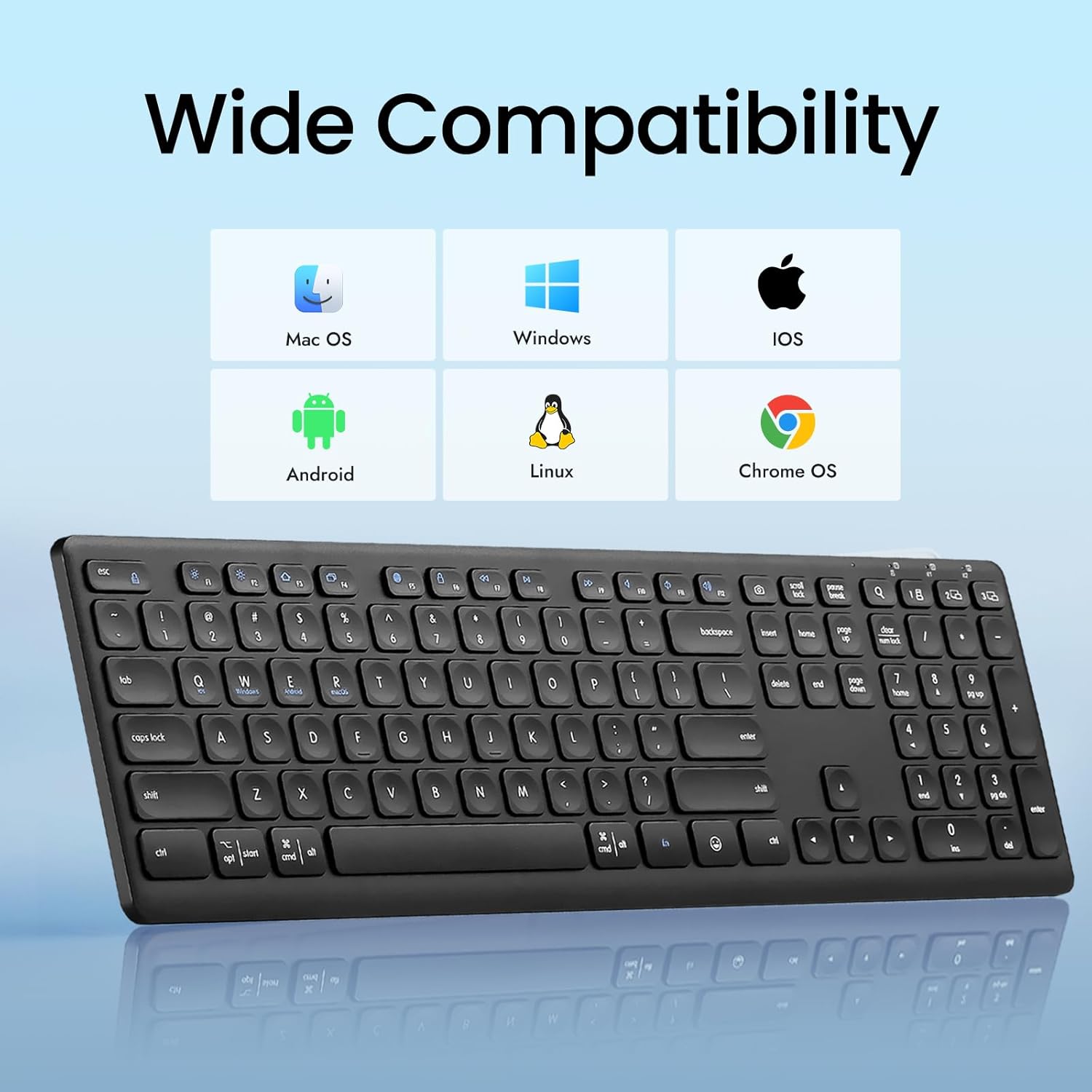
Figure 1.2: The K9300 keyboard is compatible with Mac OS, Windows, iOS, Android, Linux, and Chrome OS.
2. Contido do paquete
Comprobe que todos os elementos estean presentes no paquete:
- CITLLA K9300 Wireless Bluetooth Keyboard
- Manual de usuario
- 2 pilas AAA (preinstaladas ou incluídas por separado)
- USB-A 2.4GHz Receiver (typically stored in the battery compartment)
3. Produto rematadoview
The K9300 keyboard features a full-size layout with 108 keys, including a numeric keypad. It incorporates scissor-switch keys for a stable and durable typing experience, along with a silent design to minimize typing noise.
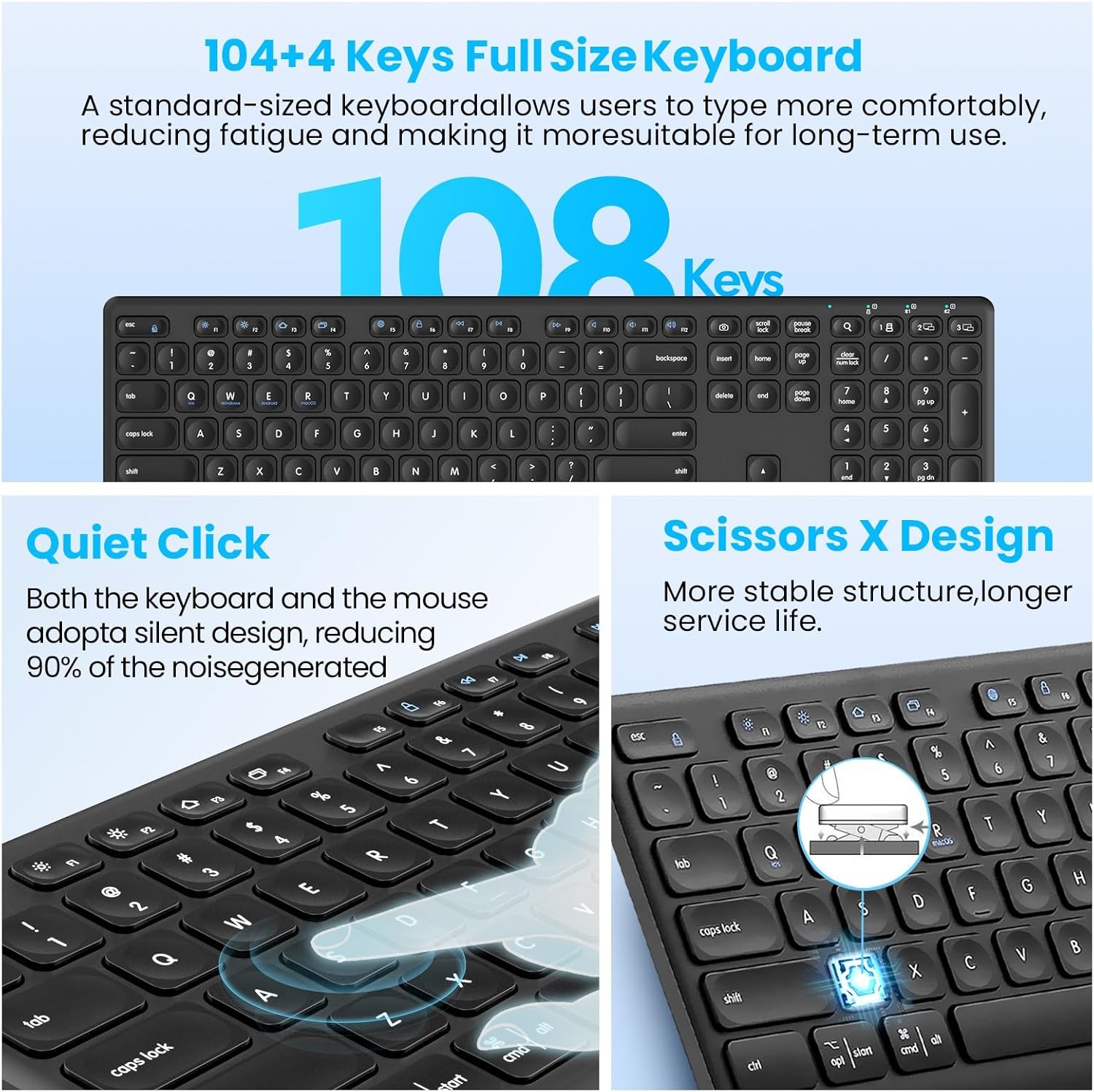
Figure 3.1: Key features of the K9300 keyboard, highlighting its full size, quiet operation, and scissor-switch mechanism.
4. Instrucións de configuración
4.1. Instalación da batería
The K9300 keyboard requires two AAA batteries for operation. These are typically included in the package or pre-installed. If installing new batteries:
- Localiza o compartimento da batería na parte inferior do teclado.
- Abra a tapa do compartimento da batería.
- Introduza dúas pilas AAA, asegurándose de manter a polaridade correcta (+/-).
- Pecha a tapa do compartimento da batería de forma segura.

Figure 4.1: Underside of the keyboard, indicating the battery compartment, power switch, anti-slip pads, and foldable stand.
4.2. Modos de conexión
The K9300 keyboard supports three connection channels: one 2.4GHz USB receiver connection and two Bluetooth connections (BT1 and BT2). You can switch between these channels using the dedicated toggle button on the keyboard.

Figure 4.2: The keyboard offers three distinct connection channels for multi-device use.
4.2.1. Conexión do receptor USB de 2.4 GHz
- Locate the USB-A receiver, typically stored in the keyboard's battery compartment.
- Conecta o receptor USB-A a un porto USB dispoñible do teu ordenador ou dispositivo.
- Acende o teclado usando o interruptor de acendido situado no lateral.
- Press the dedicated USB/Bluetooth toggle button on the keyboard until the indicator light for the 2.4G wireless mode is active. The keyboard should connect automatically.
4.2.2. Bluetooth Pairing (BT1 / BT2)
- Acende o teclado usando o interruptor de acendido.
- Press the dedicated USB/Bluetooth toggle button to select either Bluetooth 1 (BT1) or Bluetooth 2 (BT2) mode. The corresponding indicator light will flash.
- On your device (computer, laptop, tablet, smartphone), navigate to the Bluetooth settings.
- Busca available Bluetooth devices. The keyboard should appear as "CITLLA K9300" or similar.
- Select the keyboard to initiate pairing. Follow any on-screen prompts to complete the connection.
- Once paired, the indicator light will stop flashing and remain solid, indicating a successful connection.
5. Instrucións de funcionamento
5.1. Conmutación multidispositivo
The K9300 keyboard allows for quick switching between up to three connected devices (one via 2.4GHz USB receiver, two via Bluetooth). Simply press the dedicated USB/Bluetooth toggle button to cycle through the connected channels (2.4G, BT1, BT2). The active channel's indicator light will illuminate.
5.2. Altura axustable
The keyboard is equipped with a three-level adjustable height stand to customize your typing angle for optimal comfort.
- Locate the foldable stands on the underside of the keyboard.
- Gently pull out the stands to adjust the keyboard to your desired height: low (6°), middle (10°), or high (15°).
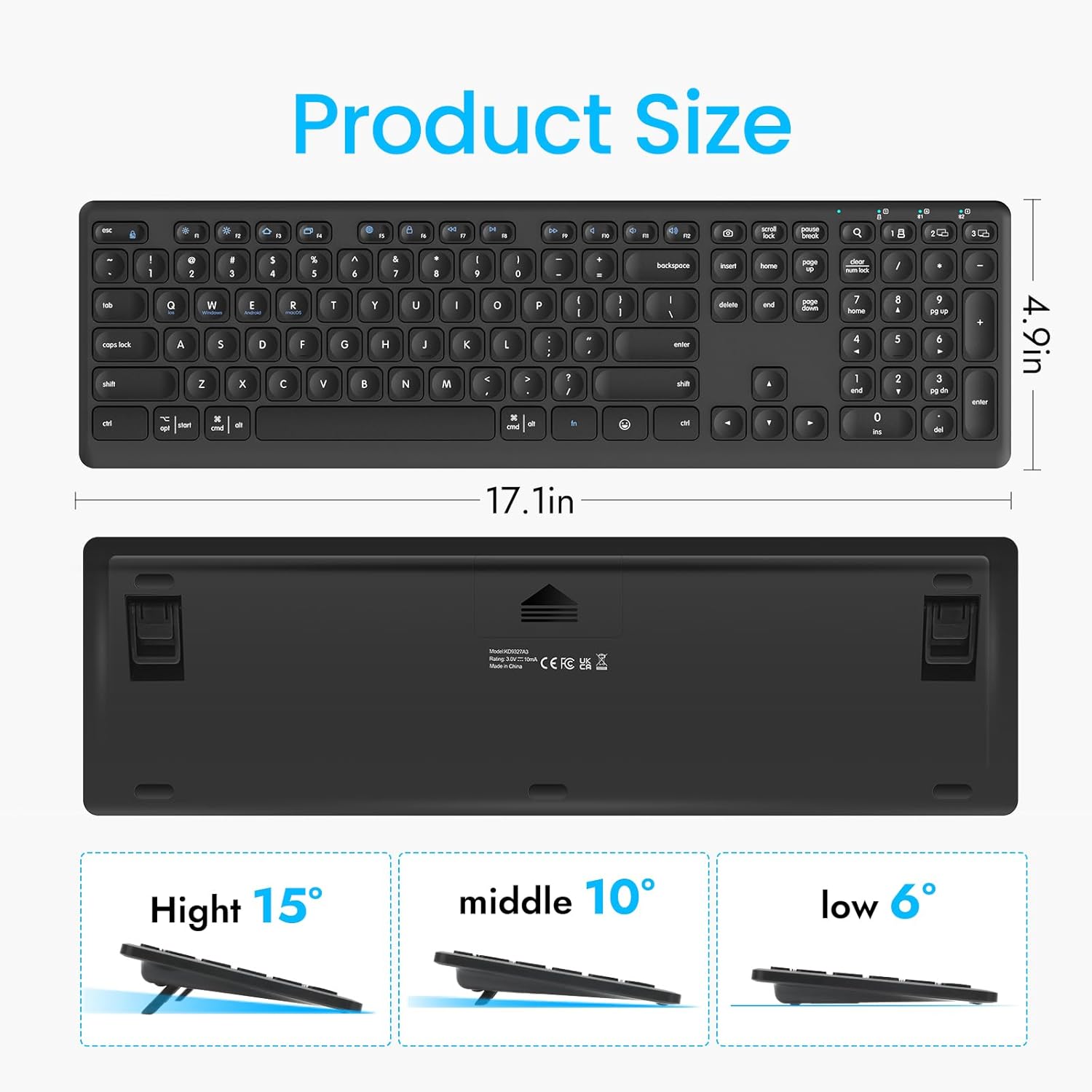
Figure 5.1: The keyboard's dimensions and three available height adjustments (6°, 10°, 15°).
5.3. Teclas de función
The top row of keys (F1-F12) on the K9300 keyboard can be used as standard function keys or as multimedia/shortcut keys when combined with the Fn key. Refer to the diagram below for specific functions.

Figure 5.2: Diagram illustrating the function key combinations (Fn + F1-F12) and their respective actions.
6. Mantemento
6.1. Limpeza
Para limpar o teclado, limpe suavemente a superficie cun pano suave eamp cloth. Avoid using harsh chemicals or abrasive materials, as these can damage the keyboard's finish. Ensure the keyboard is powered off before cleaning.
6.2. Coidado da batería
If the keyboard will not be used for an extended period, it is recommended to remove the AAA batteries to prevent potential leakage and damage. Replace batteries when the low battery indicator (if present) illuminates or when performance degrades.
7 Solución de problemas
- O teclado non se conecta:
- Asegúrate de que o teclado estea acendido.
- Comprobe os niveis da batería e substitúea se é necesario.
- Verify that the correct connection mode (2.4G, BT1, or BT2) is selected on the keyboard.
- For Bluetooth, ensure your device's Bluetooth is enabled and the keyboard is in pairing mode. Try re-pairing if issues persist.
- For 2.4GHz, ensure the USB receiver is securely plugged into a working USB port.
- Typing lag or dropped keystrokes:
- Ensure the keyboard is within the effective operating range (approximately 33 feet or 10 meters).
- Minimizar as interferencias doutros dispositivos sen fíos.
- Comproba os niveis da batería.
- As teclas non responden:
- Power cycle the keyboard (turn off, then on).
- Comproba os niveis da batería.
- Asegúrate de que non haxa residuos aloxados debaixo das teclas.
8. Especificacións
| Característica | Detalle |
|---|---|
| Número de modelo | K9300 |
| Tecnoloxía de conectividade | Bluetooth, 2.4GHz USB-A |
| Dispositivos compatibles | Portátil, PC, Smart TV, teléfono intelixente, tableta |
| Sistemas operativos | Windows, iOS, macOS, Linux, Android, Chrome OS |
| Descrición do teclado | Full Size, Multi-Functional |
| Tipo de chave | Interruptor de tesoira |
| Característica especial | Quiet, Multi-Device Switching, Adjustable Height |
| Dimensións do produto | 17.02 x 4.96 x 0.77 polgadas (43.23 x 12.60 x 1.96 cm) |
| Peso do elemento | 1.57 libras (0.71 kg) |
| Baterías | 2 pilas AAA (incluídas) |
| Material | Plástico |
9. Garantía e soporte
For warranty information and customer support, please refer to the documentation included with your purchase or contact CITLLA customer service through the retailer where the product was purchased. Keep your proof of purchase for warranty claims.
Ask a question about this manual
Ask about setup, troubleshooting, compatibility, parts, safety, or missing instructions. Manuals+ will review the question and use this page’s manual context to help answer it.