
1. Introdución
Grazas pola compraasing the Edifier T5s Subwoofer. This manual provides detailed instructions for the proper setup, operation, and maintenance of your new audio device. Please read this manual thoroughly before use to ensure optimal performance and safety.
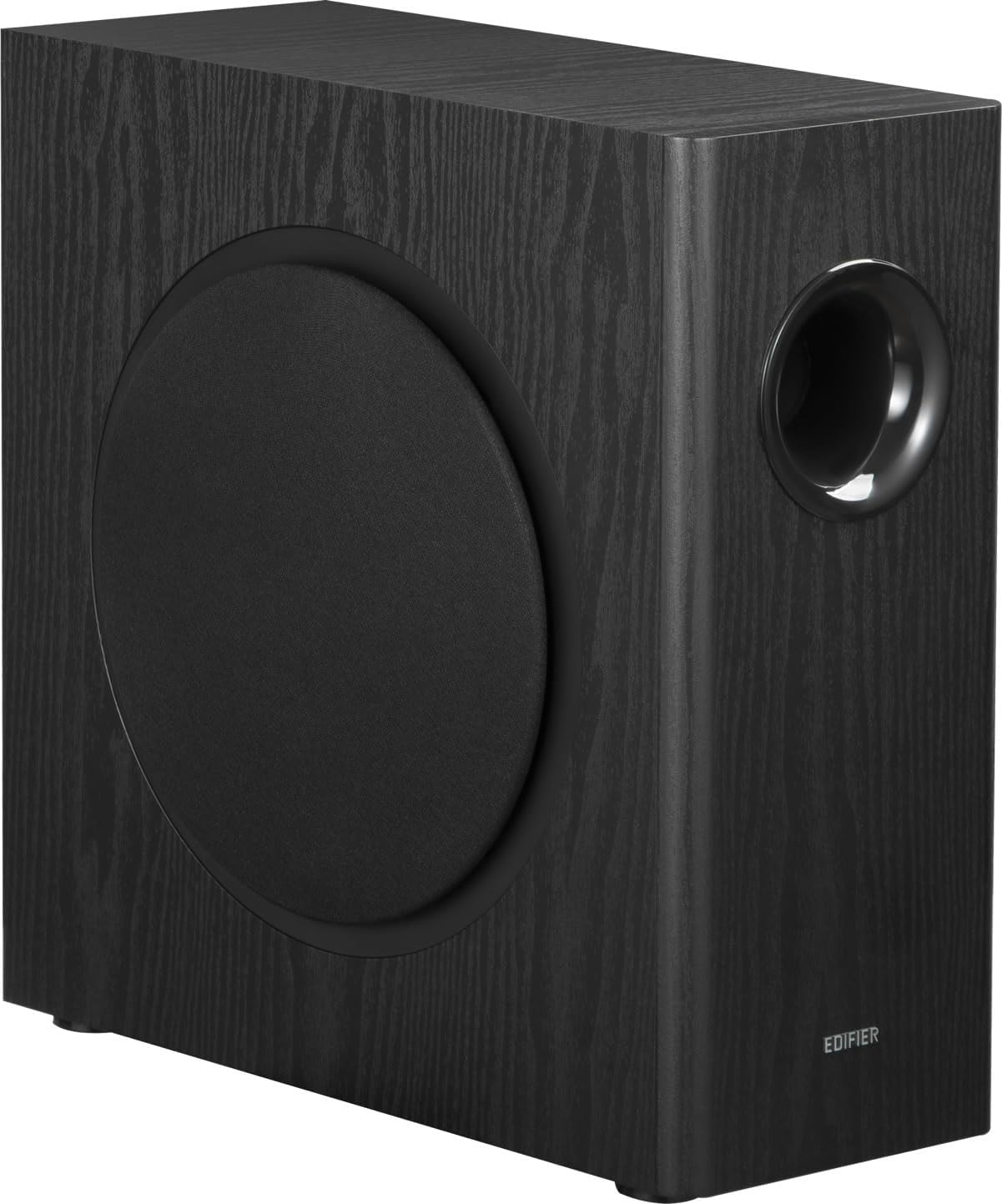
Figure 1: Edifier T5s Subwoofer, showcasing its sleek black finish and front-facing woofer.
2. Contido do paquete
Verifique que todos os elementos que se indican a continuación estean incluídos no seu paquete:
- Edifier T5s Subwoofer Speaker (with standard removable dust net) x 1
- 3.5mm AUX to RCA Audio Cable x 1
- RCA to RCA Audio Cable x 1
- Cable de alimentación x 1
- Guía de inicio rápido x 1

Figure 2: Visual representation of all items included in the Edifier T5s Subwoofer package, including the subwoofer unit, various audio cables, and documentation.
3. Configuración
Follow these steps to set up your Edifier T5s Subwoofer:
3.1 Colocación
The Edifier T5s features a compact, slim design with a side-firing port, reducing the space required for placement by approximately 50% compared to traditional models. Its dimensions are 39.9 cm (depth) x 17 cm (width) x 40 cm (height), allowing for flexible placement in various environments such as desks, living rooms, or near walls.

Figure 3: Diagram illustrating the compact dimensions of the Edifier T5s Subwoofer: 39.9cm depth, 17cm width, and 40cm height.
3.2 Conexións
The T5s Subwoofer supports 3.5mm AUX and RCA connections. Connect the subwoofer to your audio source (e.g., computer, TV, game console, music player) and main speakers using the appropriate cables provided.
Example Connection with Edifier G2000 Speakers:
- Connect the G2000 speakers (or any speakers with a Sub-out terminal) and your audio device (PC, player, etc.).
- Connect the G2000 speakers (or any speakers with a Sub-out terminal) to the T5s Subwoofer using the included AUX to RCA audio cable.

Figure 4: Connection diagram showing how to connect the Edifier T5s Subwoofer to Edifier G2000 speakers using the included AUX to RCA audio cable.
Example Connection with Edifier M60 Speakers:

Figure 5: Connection diagram illustrating the setup of the Edifier T5s Subwoofer with Edifier M60 speakers, utilizing RCA connections.
Example Connection with Edifier MR3 Speakers:

Figure 6: Connection diagram demonstrating how to connect the Edifier T5s Subwoofer to Edifier MR3 speakers using RCA cables.
Note: If you are unsure about the connection method or if there is no sound from the speakers, please contact the seller for assistance.
4. Instrucións de funcionamento
The Edifier T5s Subwoofer is designed for powerful and precise low-frequency reproduction.
4.1 Potencia e rendemento
The T5s delivers 70W RMS (140W peak output) and features an 8-inch long-throw woofer, achieving deep bass reproduction down to 35Hz. It incorporates a Texas Instruments high-performance analog front-end and closed-loop Class D audio amplifier, ensuring high-precision AD/DA conversion and noise-free amplification for professional-grade sound.

Figure 7: Image emphasizing the Edifier T5s Subwoofer's key performance metrics: 35Hz low-frequency response and 70W power output.

Imaxe 8: Primeiro plano view of the Texas Instruments DSP chip, central to the T5s Subwoofer's professional sound processing capabilities.
4.2 Controis e axustes
The T5s Subwoofer features precise adjustment functions on its rear panel:
- Filtro paso baixo (LPF): Adjust the playback frequency range from 30-160Hz. This allows you to fine-tune the crossover point between the subwoofer and your main speakers.
- Control de fase: Switch between 0° and 180° phase. This function helps eliminate low-frequency interference within your listening space and prevents muddy bass caused by standing waves, especially when the subwoofer is placed near a wall.

Figura 9: detallada view of the rear panel of the Edifier T5s Subwoofer, showing the Low-Pass Filter (LPF) and Phase control knobs for precise audio adjustments.
4.3 Aforro de enerxía
The T5s is designed with energy efficiency in mind. It automatically enters standby mode when there is no operation or audio playback for 15 minutes, reducing power consumption to less than 0.5W. It will automatically activate when an audio signal is detected.

Figure 10: The Edifier T5s Subwoofer positioned in a living space, illustrating its power-saving design and seamless integration into home environments.
5. Mantemento
The Edifier T5s Subwoofer features an 18mm thick high-density MDF enclosure, which minimizes resonance and ensures pure bass quality. No specific routine maintenance is required for the internal components.
- Limpeza: Use a soft, dry cloth to wipe the exterior of the subwoofer. Do not use liquid cleaners or aerosol sprays, as they may damage the finish or internal components.
- Dust Net: The subwoofer includes a standard removable dust net. Periodically remove and clean the dust net to maintain optimal sound quality and prevent dust buildup on the woofer.
- Almacenamento: If storing the subwoofer for an extended period, ensure it is powered off and disconnected from the power source. Store it in a cool, dry place away from direct sunlight and extreme temperatures.
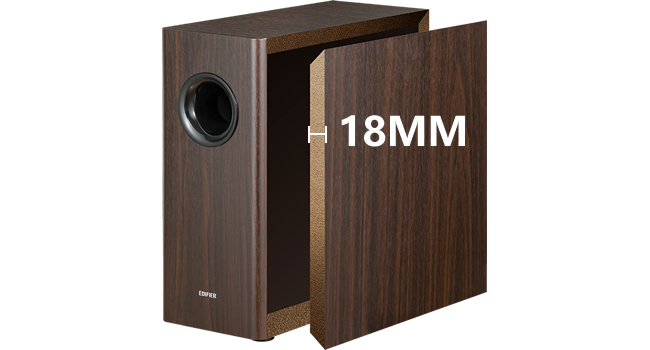
Figure 11: The Edifier T5s Subwoofer integrated into a modern living room setup, demonstrating its aesthetic appeal and compact footprint.
6 Solución de problemas
If you encounter issues with your Edifier T5s Subwoofer, please refer to the following common solutions:
- Sen enerxía: Ensure the power cable is securely connected to both the subwoofer and a working power outlet. Check if the power outlet is active.
- Sen son:
- Verify that the audio cables (3.5mm AUX or RCA) are correctly connected to both the subwoofer and your audio source/main speakers.
- Comprobe o nivel de volume da súa fonte de son e asegúrese de que non estea silenciado.
- Confirm that the subwoofer is not in standby mode. It should automatically wake up upon receiving an audio signal.
- Distorted or Unclear Bass:
- Adjust the Low-Pass Filter (LPF) knob on the rear panel to find the optimal crossover frequency for your main speakers.
- Experiment with the Phase control (0°/180°) to correct any phase cancellation issues, especially if the subwoofer is placed near a wall or in a corner.
- Ensure the subwoofer is placed on a stable surface to prevent vibrations.
- Ruído de zumbido ou zunido:
- Comprobe se todas as conexións dos cables están soltas.
- Try connecting the subwoofer to a different power outlet.
- Ensure audio cables are not running parallel to power cables to avoid interference.
If the issue persists after trying these steps, please contact Edifier customer support or your retailer for further assistance.
7. Especificacións
| Característica | Especificación |
|---|---|
| Nome do modelo | T5 |
| Tipo de altofalante | Subwoofer |
| Diámetro do subwoofer | 8 polgadas |
| Wattage (RMS) | 70 W |
| Potencia máxima de saída | 140 W |
| Resposta en frecuencia | 35 Hz (lower limit) |
| Tecnoloxía de conectividade | RCA |
| Modo de saída de audio | Estéreo |
| Material | Plastic, Wood, Metal (18mm MDF enclosure) |
| Dimensións do produto (P x A x A) | 39.9 cm x 17 cm x 40 cm |
| Peso do produto | 10.38 kg |
| Método de control | Pulsador |
| Fonte de enerxía | Cable de alimentación |
| Uso recomendado | Gaming, Computer, Surround Sound System, TV, Music Player |
| Dispositivos compatibles | Game Console, TV, Desktop, Laptop, Home Theater |
8. Garantía e soporte
The Edifier T5s Subwoofer comes with a Limited Warranty. For specific details regarding the warranty period and terms, please refer to the warranty card included in your package or visit the official Edifier websitio.
For technical support, troubleshooting assistance beyond this manual, or warranty claims, please contact your retailer or Edifier customer service directly. Keep your purchase receipt as proof of purchase for warranty purposes.
9. Vídeos oficiais de produtos
Neste momento non había vídeos oficiais de produtos do vendedor dispoñibles para a súa inserción.