
Introdución
Welcome to the iClever Auraa BTH24 Active Noise Cancelling Kids Headphones user manual. These headphones are designed to provide a safe, comfortable, and immersive audio experience for children. Featuring Active Noise Cancellation (ANC) up to 35dB, a safe volume limit of 80dBA, Bluetooth 6.0 connectivity, and long-lasting battery life, the Auraa BTH24 ensures clear sound while protecting young ears. This manual will guide you through the setup, operation, and maintenance of your new headphones.
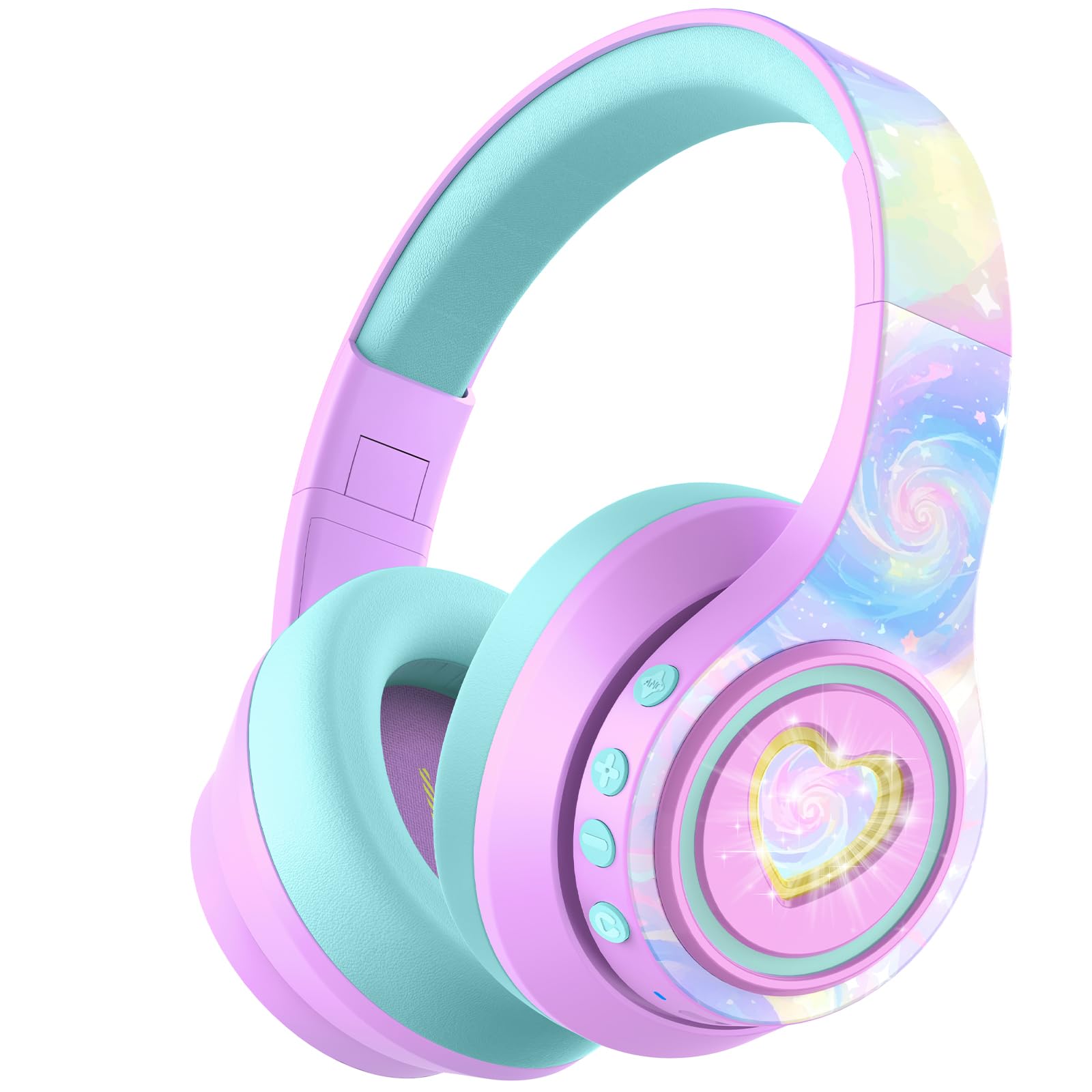
Image: iClever Auraa BTH24 Active Noise Cancelling Kids Headphones in Light Purple.
O que hai na caixa
Comprobe o contido do paquete para asegurarse de que estean presentes todos os elementos:
- iClever Auraa ANC Kids Headphones
- Cable de carga USB-C
- Cable de audio desmontable de 3.5 mm
- Spunlace Non-woven Storage Bag
- Manual de usuario (este documento)

Image: The iClever Auraa BTH24 headphones and included accessories.
Produto rematadoview
Familiarize yourself with the headphone components and controls:
- Botón de encendido: Activa/desactiva os auriculares.
- Botón para subir o volume/seguinte pista: Aumenta o volume cunha pulsación curta, salta á seguinte pista cunha pulsación longa.
- Botón para baixar o volume/pista anterior: Reduce o volume cunha pulsación curta e volve á pista anterior cunha pulsación longa.
- Botón ANC: Activa ou desactiva a cancelación activa de ruído.
- Botón de luz LED: Controls the LED light effects.
- Porto de carga USB-C: Para cargar os auriculares.
- Conector de audio de 3.5 mm: Para conexión por cable.
- Micrófono: Para chamadas mans libres.

Imaxe: Detallada view of the headphone controls and ports on the earcup.
Configuración
1. Carga dos auriculares
Before first use, fully charge the headphones. Use the provided USB-C charging cable to connect the headphones to a USB power source (e.g., computer, wall adapter). The LED indicator will show charging status. A 10-minute charge provides approximately 8 hours of playtime (with ANC off and lights off).
2. Emparellamento Bluetooth
- Asegúrese de que os auriculares estean apagados.
- Press and hold the Power Button until the LED indicator flashes blue and red, indicating pairing mode.
- No teu dispositivo (teléfono intelixente, tableta, ordenador), activa o Bluetooth e busca os dispositivos dispoñibles.
- Select "iClever Auraa BTH24" from the list.
- Unha vez conectado, o indicador LED volverá azul fijo.
3. Conexión por cable
For a wired connection, use the provided 3.5mm audio cable. Plug one end into the headphone's 3.5mm audio jack and the other end into your audio device's headphone port. In wired mode, Active Noise Cancellation can still be used independently.
Instrucións de funcionamento
Encendido/apagado
- Encendido: Manteña premido o botón de acendido durante 2-3 segundos.
- Apagado: Manteña premido o botón de acendido durante 3-4 segundos.
Control de volume
The headphones feature an 80dBA safe volume limit to protect children's hearing, adhering to WHO safety standards. Use the Volume Up and Volume Down buttons on the earcup to adjust the audio level within this safe range.
Cancelación activa de ruído (ANC)
The iClever Auraa BTH24 headphones offer up to 35dB of noise reduction. Press the dedicated ANC button to toggle the Active Noise Cancellation feature on or off. This feature works in both wireless and wired modes, providing a calmer listening environment.
Video: This video demonstrates how the iClever Auraa BTH24 headphones provide quiet moments with less background noise, highlighting the Active Noise Cancellation feature.
Luces LED
The headphones feature dreamy LED lights. Press the LED Light Button to cycle through different lighting modes or turn them off.

Image: A child enjoying music with the LED lights of the iClever Auraa BTH24 headphones activated.
Funcións de chamada
When connected via Bluetooth, you can use the built-in microphone for hands-free calls:
- Responder/Finalizar chamada: Prema brevemente o botón de acendido.
- Rexeitar a chamada: Mantén presionado o botón de acendido.
Reprodución de música
- Reproducir/Pausa: Prema brevemente o botón de acendido.
- Próxima pista: Mantén premido o botón para subir volume.
- Pista anterior: Mantén premido o botón para baixar o volume.
Mantemento
Limpeza
Wipe the headphones with a soft, dry cloth. Do not use harsh chemicals or abrasive materials. Ensure no liquid enters the ports.
Almacenamento
The headphones feature a foldable design for easy storage. Fold them compactly and store them in the provided spunlace non-woven storage bag to protect them from dust and damage when not in use.

Image: The iClever Auraa BTH24 headphones in their folded position, ready for storage or travel.
Resolución de problemas
- Sen enerxía: Asegúrate de que os auriculares estean completamente cargados.
- Sen son: Check volume levels on both the headphones and your connected device. Ensure the headphones are properly paired (Bluetooth) or the audio cable is securely connected (wired).
- Problemas de emparellamento: Turn off Bluetooth on your device and the headphones, then restart both and try pairing again. Ensure the headphones are in pairing mode (flashing blue/red LED).
- ANC non funciona: Prema o botón ANC para asegurarse de que estea activado.
Especificacións
| Marca | iClever |
| Número de modelo | BTH24 |
| Nome do modelo | Auraa |
| Cor | Roxo Claro |
| Tecnoloxía de conectividade | Con cable, sen fíos (Bluetooth) |
| Versión Bluetooth | 6.0 |
| Alcance Bluetooth | 10 metros |
| Control de ruído | Cancelación activa de ruído (ata 35 dB) |
| Safe Volume Limit | 80 dBA (WHO safety standards) |
| Duración media da batería | 47 Hours (ANC on, lights off) |
| Tempo de carga da batería | 10 minutes for 8 hours play (ANC, lights off) |
| Tamaño do controlador de audio | 40 milímetros |
| Rango de frecuencias | 20 Hz - 20,000 Hz |
| Conector para auriculares | Jack de 3.5 mm |
| Material | Acrylonitrile Butadiene Styrene (ABS), Leather |
| Descrición do intervalo de idade | Kid, Teen, Adults |
Garantía e soporte
The iClever Auraa BTH24 headphones come with a 12-month warranty. For any product inquiries, technical support, or warranty claims, please contact iClever customer service through their official websitio web ou o vendedor onde se comprou o produto. Garde o comprobante de compra para a validación da garantía.