
1. Introdución
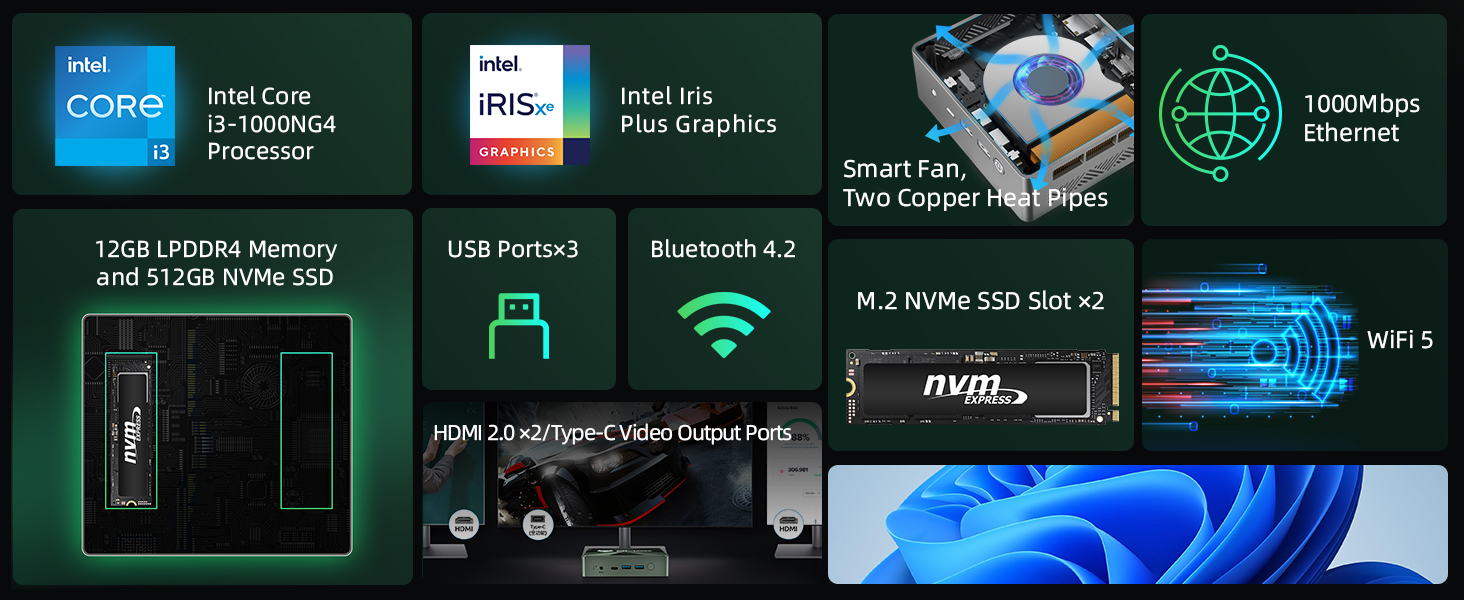
This manual provides essential information for setting up, operating, and maintaining your Bmax B6 Plus Mini PC. The Bmax B6 Plus is a compact desktop computer designed for various tasks, including office work, streaming, web browsing, and home entertainment. It features an Intel Core i3-1000NG4 processor, 12GB LPDDR4 RAM, and a 512GB NVMe SSD for efficient performance.
2. Que hai na caixa
Comprobe o contido do seu paquete para asegurarse de que estean presentes todos os elementos:
- 1 x B6 Plus MINI PC
- 1 x adaptador de alimentación
- 1 x Guía de usuario
- 1 x cable HDMI
- 1 x Metal Bracket
3. Produto rematadoview
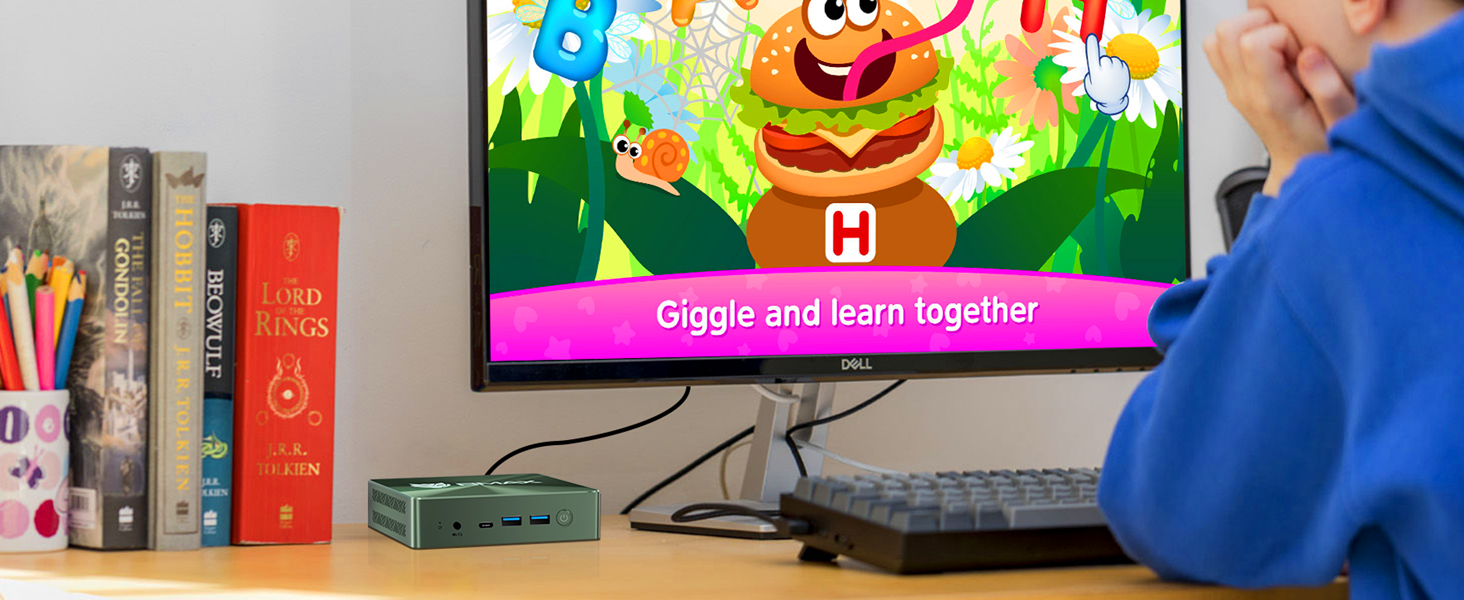
The Bmax B6 Plus Mini PC is designed with a variety of ports for connectivity and features an efficient internal layout.

Imaxe 3.1: Fronte e lateral view of the Bmax B6 Plus Mini PC, showcasing its compact design and primary ports.
3.1 External Ports and Connectors
Imaxe 3.2: Detallado view of the front and rear ports of the Bmax B6 Plus Mini PC, with labels for each connection point.
- Panel frontal: Clear CMOS button, Type-C port, 2x USB 3.0 ports, Power Button, 3.5mm Stereo Headset Jack.
- Panel traseiro: 2x HDMI 2.0 ports, 1x USB 3.0 port, Gigabit Ethernet port, DC Jack for power input.
3.2 Compoñentes internos

Imaxe 3.3: Exploded diagram illustrating the internal components of the Bmax B6 Plus, including the case, heat sink, Intel Core i3-1000NG4 processor, M.2 NVMe SSD, and bottom cover.
- Procesador: Intel Core i3-1000NG4
- Memoria: 12GB LPDDR4 RAM
- Almacenamento: 512GB NVMe SSD with an additional M.2 NVMe SSD expansion slot.
- Sistema de refrixeración: Smart fan and dual copper heat pipes for efficient heat dissipation.

Imaxe 3.4: Diagram showing the 12GB LPDDR4 memory and 512GB NVMe SSD, highlighting the available slot for an expanded NVMe SSD.
4. Configuración
Follow these steps to set up your Bmax B6 Plus Mini PC:
- Conectar enerxía: Plug the power adapter into the DC Jack on the rear panel of the Mini PC, then connect it to a power outlet.
- Conectar pantalla(s): Connect your monitor(s) to the Mini PC using the HDMI 2.0 ports or the Type-C port. The device supports up to three 4K displays simultaneously.
- Conectar periféricos: Connect your USB keyboard, mouse, and any other desired peripherals to the available USB 3.0 ports.
- Conectar á rede (opcional): For a wired internet connection, connect an Ethernet cable to the Gigabit Ethernet port. For wireless, ensure your WiFi network is available.
- Encendido: Press the power button located on the front panel to turn on the Mini PC.
5. Instrucións de funcionamento
5.1 Initial Boot and Operating System
Upon first power-on, the Mini PC will boot into its pre-installed operating system. Follow the on-screen instructions to complete the initial setup, including language, region, and user account creation.
5.2 Dual Mode Operation
The Bmax B6 Plus features an innovative dual mode for optimized performance and acoustics:
- Modo de rendemento: Achieves maximum performance with higher fan speeds for demanding tasks.
- Modo de equilibrio: Operates quieter with lower fan speeds, suitable for general use and environments where noise reduction is preferred.

Imaxe 5.1: Illustration of the smart fan and dual copper heat pipes, which contribute to the Mini PC's efficient cooling and dual-mode operation.
5.3 Triple Display Output
The Mini PC supports connecting up to three 4K displays simultaneously via its HDMI and Type-C ports. This allows for an extended desktop environment, enhancing productivity or entertainment experiences.

Imaxe 5.2: A visual representation of the Bmax B6 Plus Mini PC connected to three external displays, demonstrating its triple-display capability.
6. Mantemento
To ensure the longevity and optimal performance of your Bmax B6 Plus Mini PC, consider the following maintenance tips:
- Manteña limpas as ventilacións: Ensure that the ventilation openings on the Mini PC are not obstructed to allow for proper airflow and heat dissipation.
- Actualizacións de software: Regularly update your operating system and drivers to benefit from performance improvements and security patches.
- Limpar suavemente: Use a soft, dry cloth to clean the exterior of the Mini PC. Avoid using liquid cleaners directly on the device.
- Smart Recovery Environment: The Mini PC includes a Smart Recovery Environment for system restoration. This feature can help resolve OS issues or restore factory settings.
Imaxe 6.1: Screenshot of the Bmax Smart Recovery Environment, showing options for Factory Reset and Exit to Windows, designed for easy system recovery.
7 Solución de problemas
If you encounter issues with your Bmax B6 Plus Mini PC, refer to the following common problems and solutions:
- Sen enerxía:
• Ensure the power adapter is securely connected to both the Mini PC and a working power outlet.
• Verify the power outlet is functional. - Sen visualización:
• Check that the HDMI or Type-C cable is firmly connected to both the Mini PC and the monitor.
• Ensure the monitor is powered on and set to the correct input source.
• Try connecting to a different display or using a different cable. - Rendemento lento:
• Close unnecessary applications running in the background.
• Ensure the Mini PC is in Performance Mode if high performance is required.
• Check for available operating system updates.
• Clear temporary files and optimize disk usage. - Problemas co sistema operativo:
• Utilize the built-in Smart Recovery Environment to perform a factory reset or system repair if the OS becomes unstable or unresponsive. Refer to Section 6 for more details.
8. Especificacións
Detailed technical specifications for the Bmax B6 Plus Mini PC:

Imaxe 8.1: Diagram illustrating the compact dimensions (4.9 x 4.4 x 1.37 inches) and weight (300g) of the Bmax B6 Plus Mini PC.
| Característica | Detalle |
|---|---|
| Marca | Bmáx |
| Modelo | B6 Plus |
| Procesador | Intel Core i3-1000NG4 (up to 3.2 GHz) |
| RAM | 12 GB LPDDR4 |
| Almacenamento | 512GB NVMe SSD (expandable via M.2 slot) |
| Gráficos | Gráficos Intel Iris Xe (integrados) |
| Saída de vídeo | 2x HDMI 2.0, 1x Type-C (supports 4K@60Hz triple display) |
| Conectividade sen fíos | WiFi 5 (802.11a/b/g/n/ac), Bluetooth 4.2 |
| Conectividade por cable | Gigabit Ethernet |
| Portos USB | 3x USB 3.0 |
| Audio | Conector para auriculares estéreo de 3.5 mm |
| Dimensións (LxWxH) | 4.9 x 4.4 x 1.37 polgadas |
| Peso do elemento | 10.6 onzas |
| Sistema Operativo | OS (Pre-installed) |
9. Garantía e soporte
Bmax is committed to providing excellent customer service and support for your Mini PC.
- Garantía: The Bmax B6 Plus Mini PC comes with a 12-month warranty from the date of purchase.
- Devolucións: You are eligible for a return within 30 days of purchase.
- Atención ao cliente: Bmax provides 7x24 hours of one-to-one customer service for any inquiries or assistance you may need.
- Soporte técnico: Lifetime technical support is available to assist with any operational or technical issues.
For support, please refer to the contact information provided with your product packaging or visit the official Bmax websitio.