
1. Introdución
Thank you for choosing the Gtheos Captain 370 Wireless Gaming Headset. This manual provides essential information for setting up, operating, and maintaining your new headset. Designed for an immersive audio experience, the Captain 370 offers versatile connectivity and comfortable wear for extended gaming sessions and communication.
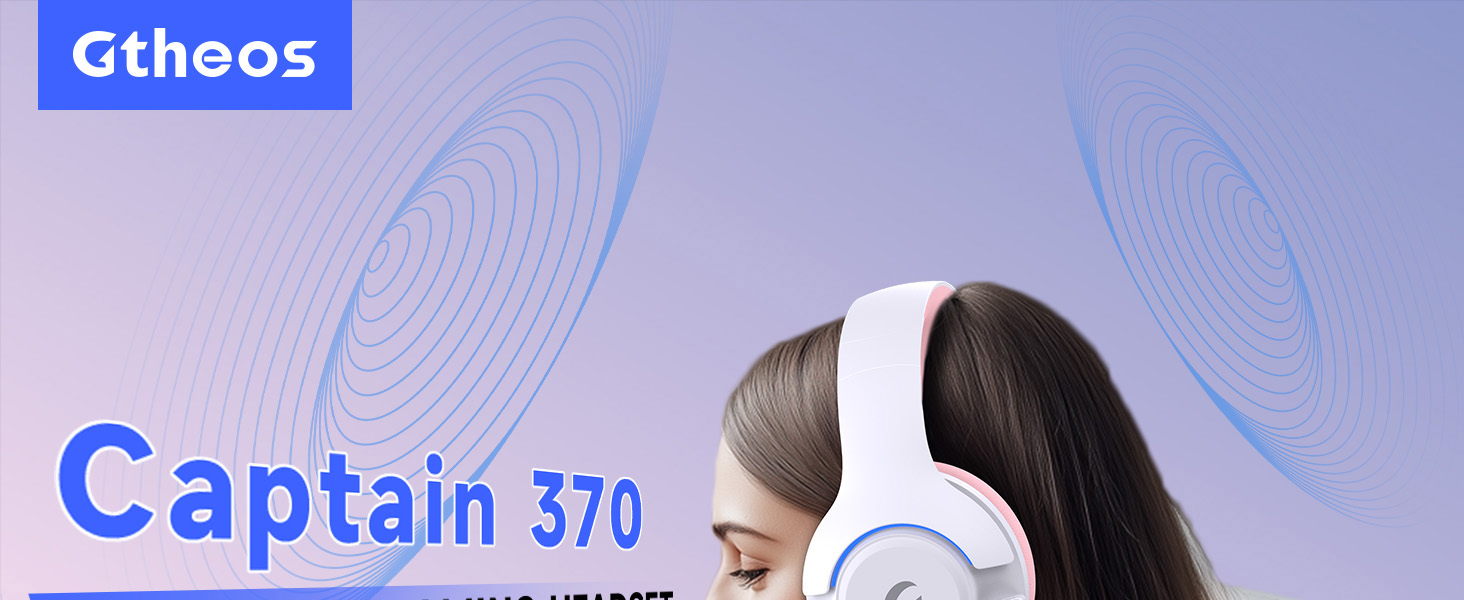
Image 1: The Gtheos Captain 370 Wireless Gaming Headset, showcasing its sleek design and comfortable earcups.
Características principais:
- Conectividade 4 en 1: Seamlessly switch between 2.4GHz wireless, Bluetooth 5.3, and 3.5mm wired modes for broad device compatibility.
- Controladores dinámicos de 50 mm: Experience realistic and immersive sound quality for gaming and multimedia.
- Micrófono con cancelación de ruído: Detachable microphone designed to reduce background noise for clear communication.
- Duración prolongada da batería: Goza de ata 45 horas de uso continuo cunha soa carga.
- Deseño cómodo: Ergonomically designed earcups and headband for prolonged comfort during use.
- Iluminación RGB: Customizable LED lighting effects on the earcups.
2. Configuración
2.1 Que hai na caixa
- 1 x Gtheos Captain 370 Gaming Headset
- 1 x Detachable Noise Cancelling Microphone
- 1 x cable de carga tipo C
- 1 x USB Transmitter (2.4GHz dongle)
- 1 cable de audio de 3.5 mm
- 1 x Manual de usuario
2.2 Carga dos auriculares
Before first use, fully charge the headset. Connect the Type-C charging cable to the headset's charging port and the other end to a USB power source (e.g., computer USB port, USB wall adapter). The LED indicator will show charging status and turn off when fully charged.

Image 2: Headset highlighting the 45-hour battery life and charging port.
2.3 Conexión do micrófono
The Captain 370 comes with a detachable noise-canceling microphone. Insert the microphone into the dedicated port on the left earcup until it clicks into place. Ensure it is securely connected for optimal voice pickup.

Image 3: Close-up of the headset showing the detachable noise-canceling microphone.
3. Instrucións de funcionamento
3.1 Encendido/apagado
To power on the headset, press and hold the Power button located on the earcup until the LED indicator lights up. To power off, press and hold the Power button again until the LED indicator turns off.
3.2 Modos de conectividade
The Gtheos Captain 370 supports four connectivity modes:
- Modo sen fíos de 2.4 GHz: For PS4, PS5, PC, Mac, Nintendo Switch (via Type-C), and Phones/Pads (via Type-C). Insert the USB transmitter into your device. The headset will automatically connect.
- Modo Bluetooth 5.3: For Phones, Pads, and Notebooks. Enable Bluetooth on your device, put the headset into pairing mode (refer to device-specific instructions if needed), and select "Gtheos Captain 370" from the available devices.
- Modo con cable de 3.5 mm: For PS4, PS5, Xbox, PC, Mac, and Laptops/Tablets with a 3.5mm jack. Connect the included 3.5mm audio cable to the headset and your device.
Image 4: Visual representation of the four connectivity modes and compatible devices.

Image 5: Detailed compatibility matrix for voice and microphone functions across 2.4G, Bluetooth, and 3.5mm wired modes.
3.3 Control de volume
Adjust the volume using the dedicated volume roller or buttons on the headset's earcup. For optimal sound, also check the volume settings on your connected device.
3.4 Silenciar o micrófono
Press the Microphone Mute button on the headset to toggle the microphone on or off. An indicator light (often red) will typically show when the microphone is muted.
3.5 Control da iluminación LED
The headset features customizable RGB lighting. Press the dedicated LED control button (often integrated with the mic mute button or a separate button) to cycle through different lighting effects or turn them off. A quick press may change colors, while a long press might toggle the lights on/off.
4. Mantemento
To ensure the longevity and performance of your Gtheos Captain 370 headset, follow these maintenance guidelines:
- Limpeza: Use a soft, dry cloth to clean the headset. Avoid using harsh chemicals or abrasive materials. For earcups, gently wipe with a damp pano e deixe secar completamente ao aire.
- Almacenamento: Garde os auriculares nun lugar fresco e seco, lonxe da luz solar directa e de temperaturas extremas.
- Manexo: Avoid dropping the headset or exposing it to excessive force. Do not pull on cables forcefully.
- Coidado da batería: Para unha duración óptima da batería, evita descargar completamente os auriculares con frecuencia. Cárgaos regularmente, mesmo se non os usas de forma constante.
5 Solución de problemas
5.1 Sen son ou volume baixo
- Asegúrate de que os auriculares estean acendidos e completamente cargados.
- Comprobe os niveis de volume tanto nos auriculares como no dispositivo conectado.
- Verifica que o dispositivo de saída de audio correcto estea seleccionado na configuración de son do teu dispositivo.
- If using 2.4GHz wireless, ensure the USB transmitter is securely plugged in and recognized by your device.
- Se usas Bluetooth, asegúrate de que os auriculares estean correctamente emparellados e conectados.
- If using 3.5mm wired, ensure the cable is fully inserted into both the headset and the device.
5.2 O micrófono non funciona
- Asegúrate de que o micrófono estea ben conectado aos auriculares.
- Check if the microphone is muted using the headset's mute button.
- Verifica que o dispositivo de entrada de micrófono correcto estea seleccionado na configuración de son do teu dispositivo.
- Proba o micrófono en diferentes aplicacións ou con outro dispositivo.
5.3 Problemas de conectividade
- 2.4 GHz: Try unplugging and re-plugging the USB transmitter. Ensure no other 2.4GHz devices are causing interference.
- Bluetooth: Unpair and re-pair the headset with your device. Ensure the headset is within the Bluetooth range (10 meters).
- Xeral: Restart both the headset and your connected device.
6. Especificacións
| Característica | Detalle |
|---|---|
| Nome do modelo | Capitán 370 |
| Marca | Gtheos |
| Tecnoloxía de conectividade | Sen fíos de 2.4 GHz, Bluetooth 5.3, cable de 3.5 mm |
| Tamaño do controlador de audio | 50 milímetros |
| Tipo de controlador de audio | Driver dinámico |
| Resposta en frecuencia | 20 kHz |
| Impedancia | 32 ohmios |
| Control de ruído | Sound Isolation, Noise Cancellation (Microphone) |
| Duración da batería | Ata 45 horas |
| Versión Bluetooth | 5.3 |
| Alcance Bluetooth | 10 metros |
| Latencia de audio | 20 milisegundos |
| Dispositivos compatibles | PS5, PS4, PC, Mac, Laptop, Tablets, Phones, Nintendo Switch, Xbox (wired) |
| Material | ABS, Leather, PC |
| Peso do elemento | 0.51 quilogramos (1.12 libras) |
| Cor | Rosa Escura |
7. Garantía e soporte
7.1 Información da garantía
The Gtheos Captain 370 Wireless Gaming Headset comes with a standard manufacturer's warranty. Please refer to the warranty card included in your product packaging for specific terms and conditions, including warranty period and coverage details.
7.2 Atención ao cliente
For technical assistance, troubleshooting, or any questions regarding your Gtheos Captain 370 headset, please contact Gtheos customer support. You can find contact information on the official Gtheos websitio web ou a través do vendedor onde adquiriu o produto.
Visita o Gtheos Store on Amazon para obter máis información e actualizacións do produto.