
Introdución
This manual provides detailed instructions for the installation, operation, and maintenance of your Mcezdy Ebike LCD Display, model M5C-2(BLE)-6-Pin. This display is designed to enhance your electric bike experience by providing essential riding data and smart connectivity features. Please read this manual thoroughly before use to ensure proper functionality and safety.
Nota importante sobre compatibilidade: This ebike display operates exclusively with the UART No. 2 protocol. Ensure your ebike controller also uses the UART No. 2 protocol for proper functionality. Incompatibility with other UART protocols will prevent the display from working correctly.
Configuración
1. Contido do paquete
Antes da instalación, comprobe que estean presentes todos os compoñentes:
- Mcezdy Ebike LCD Display (M5C-2(BLE)-6-Pin)
- Manual de usuario
- Descrición do código de avaría
2. Montaxe da pantalla
The display is designed for handlebar mounting. It features an adjustable mount compatible with handlebar diameters of 22.2mm, 25.4mm, 28.6mm, and 31.8mm, ensuring a secure fit for most bicycles.
- Loosen the screws on the display's mounting bracket.
- Position the display on your ebike's handlebar at a comfortable viewángulo de ing.
- Tighten the screws to secure the display firmly in place.
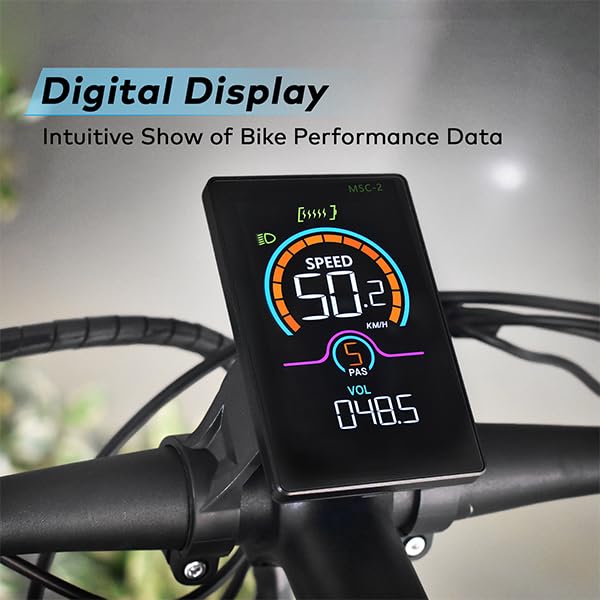
Image: The Mcezdy Ebike LCD Display mounted on a bicycle handlebar, showing its position and visibility.

Image: The Mcezdy Ebike LCD Display with an illustration highlighting its compatibility with various handlebar diameters (22.2mm, 25.4mm, 28.6mm, 31.8mm).
3. Conexión dos cables
The display comes with a 150mm waterproof cable. Ensure your ebike's connector type matches the display's connector (5-pin or 6-pin) before connecting.

Image: The Mcezdy Ebike LCD Display showing a warning about UART No. 2 protocol compatibility and illustrating the difference between 5-pin and 6-pin connectors. Please confirm your e-bike's connector type before purchase.

Imaxe: Unha detallada view of the Mcezdy Ebike LCD Display, highlighting the waterproof 5-pin and 6-pin connector types and the external keyboard for easy adjustment of display settings.
Carefully align the connectors and push them together until they click into place. Ensure the connection is secure and waterproof.
Instrucións de funcionamento
1. Acendido/apagado
Press and hold the power button on the display or the external control panel to turn the display on or off.
2. Funcións de visualización
The vibrant color screen provides real-time information about your ride:
- Velocidade: Current riding speed (KM/H).
- Nivel PAS: Pedal Assist System level.
- Voltage (VOL): Vol. de batería en tempo realtage.
- ODO: Total mileage.
- Viaxe: Single trip mileage.
- Tempo de execución: Duración da viaxe actual.
- WATTAGE: Potencia de saída.
- Nivel de batería: Graphical representation of remaining battery charge.
- Indicador de faro: Indicates if the ebike's headlight is on.
- Aviso de fallo: Displays fault codes if an issue is detected. Refer to the "Fault Code Description" document for details.

Image: The Mcezdy Ebike LCD Display illustrating its various functions, including Cruise, ODO, PAS, Trip, Speed, Fault Warning, Headlight, Battery Level, Voltage, Wattage, Running Time, and Walking Assist.
3. Special Modes and Features
- Modo de asistencia para camiñar: Provides assistance when pushing the ebike.
- Control de crucero: Mantén unha velocidade establecida sen necesidade de pisar continuamente o acelerador.
- Modificación de parámetros: Access settings to customize parameters such as wheel diameter and speed limits. Refer to the detailed user manual for navigation through these settings.
4. Smart Connectivity (Bluetooth APP)
The display supports Bluetooth connectivity, allowing you to sync with cycling applications. This enables recording of routes, statistics, and other ride data.
- Scan the QR code provided in the product packaging or on the display's screen to download the "LINGHUI" app from your device's app store.
- Follow the in-app instructions to connect your display via Bluetooth.
- Once connected, you can monitor and record your cycling data.

Image: The Mcezdy Ebike LCD Display demonstrating LINGHUI APP support. A smartphone screen shows the app interface, and a QR code is provided for downloading the "LINGHUI" app to record cycling data.
5. Porto de carga tipo C
The display includes a built-in Type-C charging port, allowing you to charge compatible devices, such as your smartphone, during your rides. This ensures you stay connected and can navigate safely without worrying about phone battery depletion.
Mantemento
- Limpeza: Limpe a pantalla e o corpo cun pano suave eamp pano. Evite usar produtos de limpeza abrasivos ou solventes que poidan danar a pantalla ou a carcasa.
- Resistencia á auga: The display has an IPX65 waterproof rating, providing protection against water splashes and rain. However, avoid submerging the device in water.
- Almacenamento: When not in use for extended periods, store the display in a dry, cool place away from direct sunlight.
- Inspección de cables: Periodically check all cables and connectors for any signs of wear, damage, or loose connections.
Resolución de problemas
If you encounter issues with your Mcezdy Ebike LCD Display, consider the following:
- A pantalla non se acende:
- Ensure the ebike battery is charged and properly connected.
- Check all cable connections between the display and the controller for looseness or damage.
- Incorrect Readings or No Data:
- Verify that the display's protocol (UART No. 2) matches your ebike controller's protocol.
- Comprobe as conexións de cable seguras.
- Ensure wheel diameter settings are correctly configured in the display's parameters.
- Fault Codes Displayed:
If a fault code appears on the screen, refer to the "Fault Code Description" document included with your product for an explanation of the code and recommended actions.
- Problemas de conectividade Bluetooth:
- Asegúrate de que o Bluetooth estea activado no teu smartphone.
- Restart both the display and your smartphone.
- Ensure the "LINGHUI" app is updated to the latest version.
If problems persist, contact Mcezdy customer support or your retailer for further assistance.
Especificacións
| Característica | Especificación |
|---|---|
| Marca | Mcezdy |
| Número de modelo | M5C-2(BLE)-6-Pin |
| Tipo de visualización | LCD (Color Screen) |
| Tecnoloxía de conectividade | Bluetooth |
| Protocolo | UART nº 2 |
| Traballo Voltage | CC 24 V, 36 V, 48 V, 60 V |
| Lonxitude do cable (exposta) | 150mm (Waterproof 5-pin/6-pin) |
| Clasificación impermeable | IPX65 |
| Material da vivenda | ABS + PC |
| Material da pantalla | Vidro Templado |
| Tipo de montaxe | Handlebar Mount (22.2mm, 25.4mm, 28.6mm, 31.8mm compatible) |
| Peso do elemento | 222 g |
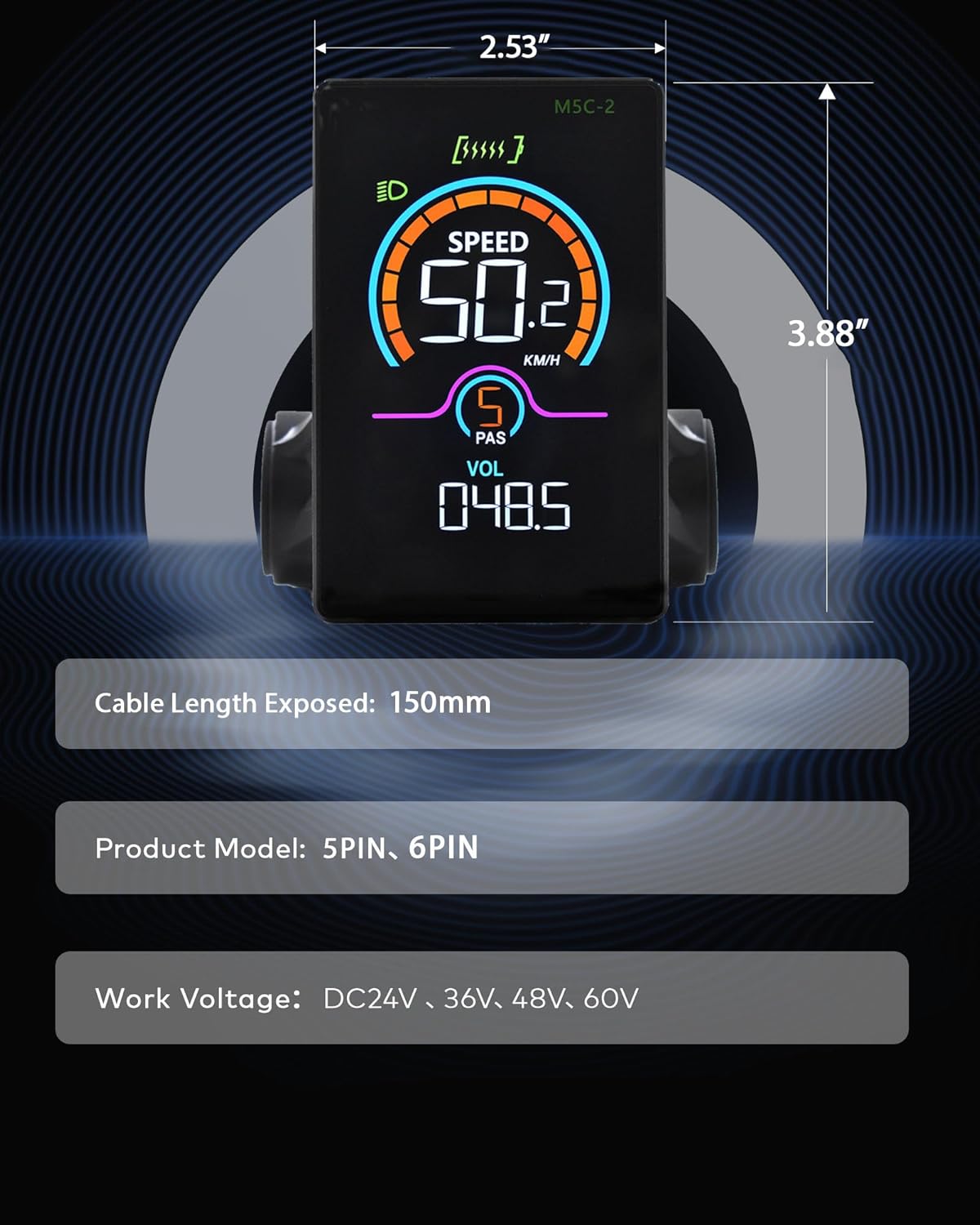
Image: The Mcezdy Ebike LCD Display showing its approximate dimensions (2.53" width, 3.88" height), exposed cable length (150mm), product model (5PIN, 6PIN), and work voltage compatibility (DC24V, 36V, 48V, 60V).
Garantía e Soporte
Información da garantía
Specific warranty details for the Mcezdy Ebike LCD Display are typically provided at the point of purchase or within the product packaging. Please retain your proof of purchase for warranty claims. For detailed warranty terms and conditions, refer to the documentation provided by your retailer or contact Mcezdy customer service.
Atención ao cliente
If you require further assistance, have questions not covered in this manual, or need technical support, please contact:
- O teu vendedor de produtos.
- Mcezdy customer service (contact information may be available on the official Mcezdy websitio ou embalaxe do produto).
Ensure you have your product model number (M5C-2(BLE)-6-Pin) and proof of purchase ready when contacting support.