
1. Introdución e finalview
The Electro-Voice EVOLVE 90 Portable PA System is designed to deliver high-quality audio performance for various applications, including bands, musicians, DJs, and AV rental companies. This system combines an 18-inch powered subwoofer with a column array speaker to provide a wide frequency response and high sound pressure level (SPL) output in a compact and portable design.
As características principais inclúen:
- 2000W of Class-D Amplification for powerful sound.
- Custom Waveguides for wide coverage, ensuring sound reaches the entire audience.
- Advanced 6-channel mixer with onboard DSP, offering presets, EQ, and effects for precise sound control.
- Bluetooth audio streaming and control capabilities for wireless convenience.
- Connectivity options to link two EVOLVE 50Ms via RJ45 cable for expanded setups.
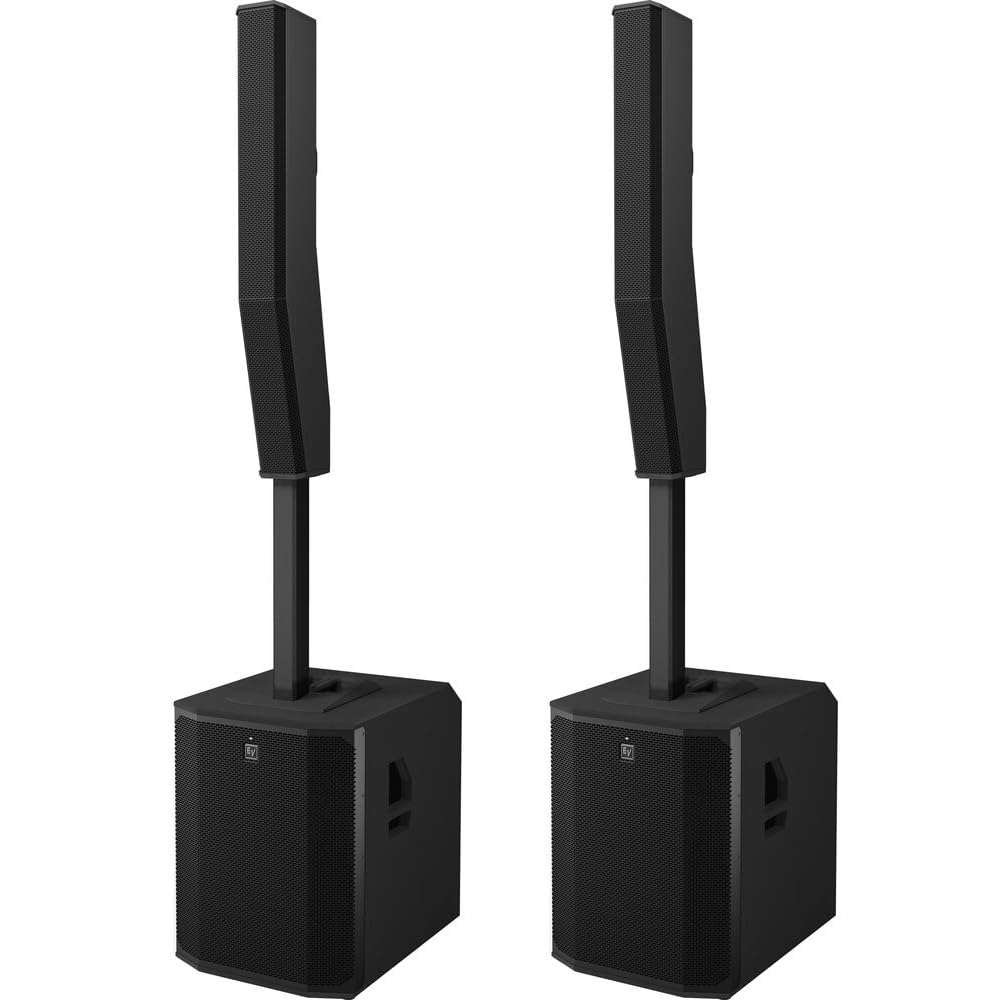
Figure 1: The Electro-Voice EVOLVE 90 Portable PA System, fully assembled.
2. Que hai na caixa
Upon unpacking your EVOLVE 90 system, ensure all components are present:
- EVOLVE 90 Active Subwoofer
- EVOLVE 90 Column Speaker Array
- Magnetically Locking Mounting Pole
- Cable de alimentación (x2)
- Carry Bag for Column Array and Pole
3. Instrucións de configuración
Setting up your EVOLVE 90 system is designed for simplicity and speed. Follow these steps for proper assembly:
- Coloque o subwoofer: Place the EVOLVE 90 subwoofer on a stable, flat surface in your desired location. Ensure adequate space around the unit for ventilation and cable connections.
- Insert the Mounting Pole: Locate the magnetically locking mounting pole. Insert the bottom end of the pole into the designated hole on the top surface of the subwoofer. The magnetic mechanism will secure the pole in place.
- Attach the Column Array: Carefully place the EVOLVE 90 column speaker array onto the top of the mounting pole. The audio connection between the subwoofer and the column array is established automatically via internal cabling within the pole, eliminating the need for external speaker cables.
- Conectar enerxía: Connect the provided power cord to the subwoofer's power inlet and then to a suitable AC power outlet.

Figure 2: Subwoofer top panel with pole mount.

Figure 3: EVOLVE 90 column array speaker.
4. Instrucións de funcionamento
Once the system is set up, you can begin operation:
- Encendido: Press the power button located on the subwoofer's rear panel to turn on the system. The system will perform a self-test, and indicators will illuminate.
- Conexións de entrada: Connect your audio sources (microphones, instruments, media players) to the appropriate input channels on the subwoofer's integrated mixer. The mixer supports XLR, 1/4" Instrument, RCA, and Bluetooth inputs.
- Axustar niveis: Use the gain controls for each channel to set appropriate input levels. Monitor the level indicators to avoid clipping.
- Volume principal: Adjust the master volume control to achieve the desired overall sound level.
5. Conectividade Bluetooth
The EVOLVE 90 system supports Bluetooth audio streaming and control via a compatible mobile device.
- Activar Bluetooth: Activa o Bluetooth no teu dispositivo móbil.
- Modo de emparejamento: On the EVOLVE 90 mixer, activate Bluetooth pairing mode. Refer to the display or indicator lights for confirmation.
- Conectar dispositivo: On your mobile device, select "EVOLVE 90" from the list of available Bluetooth devices. Once connected, you can stream audio wirelessly to the PA system.
- Control remoto: Download the official Electro-Voice control application for your mobile device to remotely manage mixer settings, DSP functions, and system parameters.
6. Advanced Mixer Features
The integrated 6-channel mixer provides comprehensive control over your audio. It includes onboard Digital Signal Processing (DSP) with various presets, EQ, and effects to optimize your sound for different environments and performances.

Figure 4: EVOLVE 90 subwoofer rear panel with mixer controls.
- Presets DSP: Utilize the factory or user-defined DSP presets to quickly adapt the system's sound characteristics to specific applications (e.g., Music, Speech, Live).
- Ecualización (EQ): Adjust the multi-band EQ for each channel and the master output to fine-tune the tonal balance.
- Efectos: Apply built-in effects such as reverb and delay to enhance vocals and instruments.
- Channel Routing: Configure input routing and output mixes as needed for complex setups.
7. Mantemento
To ensure the longevity and optimal performance of your EVOLVE 90 system, follow these maintenance guidelines:
- Limpeza: Regularly wipe down the exterior surfaces with a soft, dry cloth. For stubborn dirt, use a slightly damp un pano e xabón suave e, a seguir, seque ben. Evite produtos de limpeza abrasivos ou solventes.
- Ventilación: Ensure that the subwoofer's ventilation ports are clear of obstructions to prevent overheating.
- Almacenamento: When not in use, store the system in a dry, temperature-controlled environment. Use the provided carry bag for the column array and pole to protect them during transport and storage.
- Inspección de cables: Inspeccione periodicamente todos os cables para detectar signos de desgaste ou danos. Substitúa inmediatamente calquera cable danado.
8 Solución de problemas
If you encounter issues with your EVOLVE 90 system, consult the following common troubleshooting steps:
- Sen enerxía:
- Check if the power cord is securely connected to both the subwoofer and the AC outlet.
- Verify that the AC outlet is functional.
- Ensure the power switch on the subwoofer is in the 'ON' position.
- Sen son:
- Confirm that the column array is properly seated on the mounting pole.
- Check all input cable connections.
- Ensure input channel gains and master volume are turned up.
- Verify that the correct input source is selected on the mixer.
- Son distorsionado:
- Reduce os niveis de ganancia de entrada para evitar o recorte.
- Baixa o volume principal.
- Check for damaged cables or faulty audio sources.
- Problemas de conexión Bluetooth:
- Ensure Bluetooth is enabled on both the EVOLVE 90 and your mobile device.
- Move your mobile device closer to the EVOLVE 90 to improve signal strength.
- Tenta desvincular e volver vincular o dispositivo.
9. Especificacións
| Característica | Especificación |
|---|---|
| Marca | Electro-Voz |
| Número de modelo | EVOLVE90-SB-US |
| Controlador de subwoofer | 18 polgadas |
| Controladores de matriz de columnas | Eight 4.7 inch drivers |
| Amplificación | 2000 W clase D |
| Resposta en frecuencia | 28 Hz to 20 kHz (System) |
| SPL máximo | 134 dB |
| Tecnoloxía de conectividade | Bluetooth |
| Número de canles | 6 |
| Entrada de audio | XLR, 1/4" Instrument, RCA, Bluetooth, RJ45 |
| Dispositivos compatibles | Desktop, MP3 Player, Smartphone, Tablet, Television |
| Dimensións do artigo (L x W x H) | 17.9 x 13.8 x 24.4 inches (Subwoofer) |
| Peso do elemento | 70.75 Pounds (Subwoofer) |
| Material do recinto | Neodymium, rugged plywood, composite, aluminum |
10. Garantía e soporte
The Electro-Voice EVOLVE 90 Portable PA System comes with a Garantía limitada do fabricante de 3 anosConserva o comprobante de compra para reclamacións de garantía.
For technical support, service, or further inquiries, please visit the official Electro-Voice website or contact their customer service department. Detailed contact information can typically be found on the manufacturer's websitio ou na embalaxe do produto.