
1. Introdución
The Gens ace iMars D300 Plus is an advanced dual-channel smart charger, building upon the core features of the G-Tech system. This enhanced version integrates Bluetooth remote control, allowing RC enthusiasts to manage and monitor real-time data and historical records directly from the Gens Ace mobile application. This integration simplifies the charging experience, improves efficiency, and enhances safety during operation.
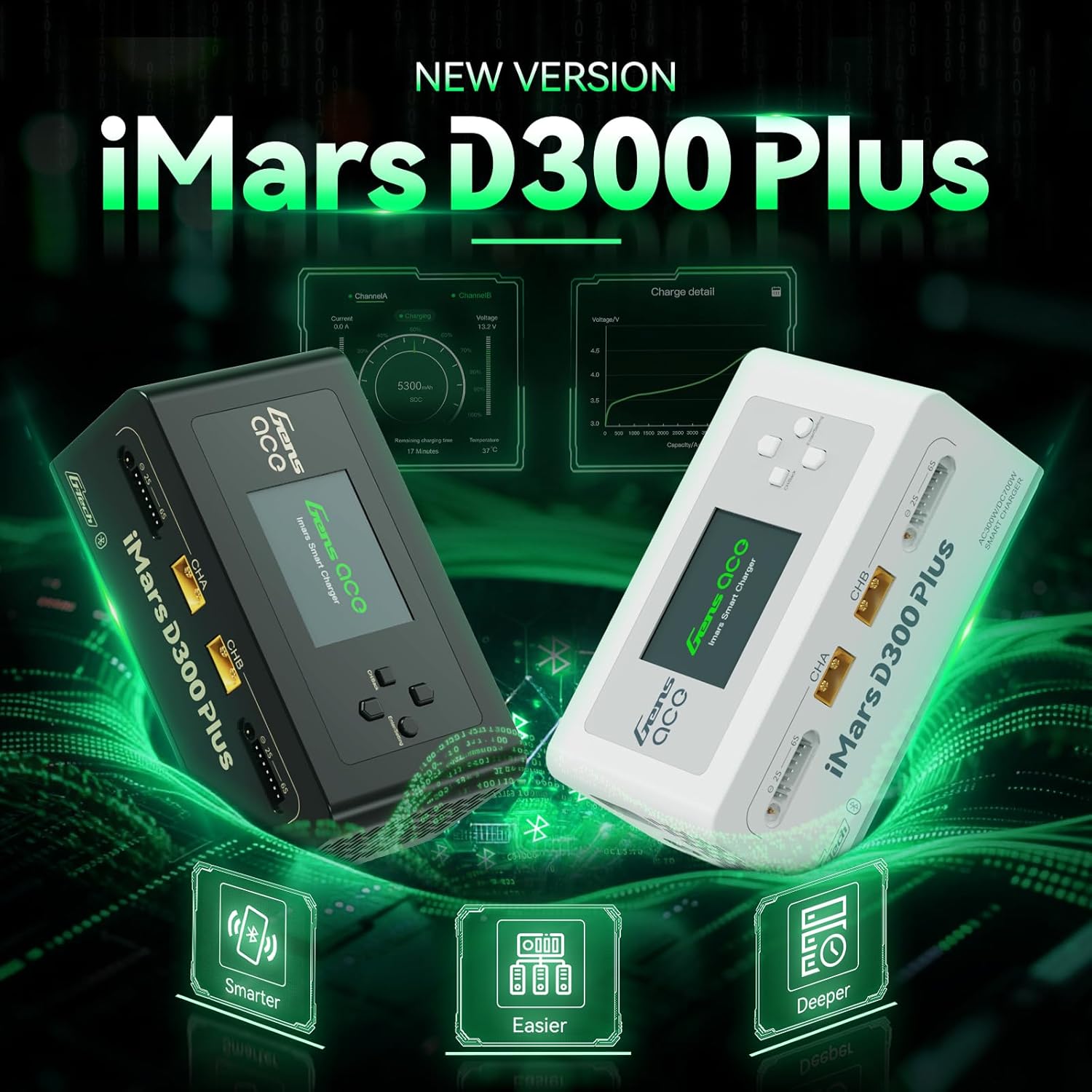
Figure 1.1: Gens ace iMars D300 Plus Lipo Charger, showcasing both black and white models.
2. Información de seguridade
Always prioritize safety when operating the Gens ace iMars D300 Plus charger. Improper use can lead to property damage or personal injury. Adhere to the following safety guidelines:
- Le o Manual: Thoroughly read and understand this entire instruction manual before using the charger.
- Ventilación: Opere o cargador nunha zona ben ventilada, lonxe de materiais inflamables.
- Fonte de enerxía: Usar só o volume de entrada especificadotage (AC100-240V or DC7-30V).
- Compatibilidade da batería: Ensure the battery type and cell count match the charger settings. Incorrect settings can cause severe damage.
- Supervisión: Nunca deixe o cargador desatendido mentres estea en funcionamento.
- Conexión: Always connect the balance lead and main power lead correctly. Incorrect polarity can cause damage.
- Danos: Do not use the charger if it or any connected components appear damaged.
2.1. 8-Level Protection System
The iMars D300 Plus is equipped with an 8-level protection system to ensure safe charging:
- Protección contra sobrecalentamento: Prevents damage from excessive temperatures.
- Protección de limitación de corrente: Regulates current to prevent overcurrent conditions.
- Máis de Voltage Protección: Salvagardas contra o volumetage subidas.
- Wire Break Protection: Detects and alerts for broken charging wires.
- Protección contra polaridade inversa: Prevents damage from incorrect battery connection.
- Protección contra curtocircuítos: Apágase automaticamente en caso de curtocircuíto.
- Cell Count Mismatch Alert: Warns if the detected cell count does not match the setting.
- Anormal Voltage Alerta: Notifies of unusual voltage lecturas.
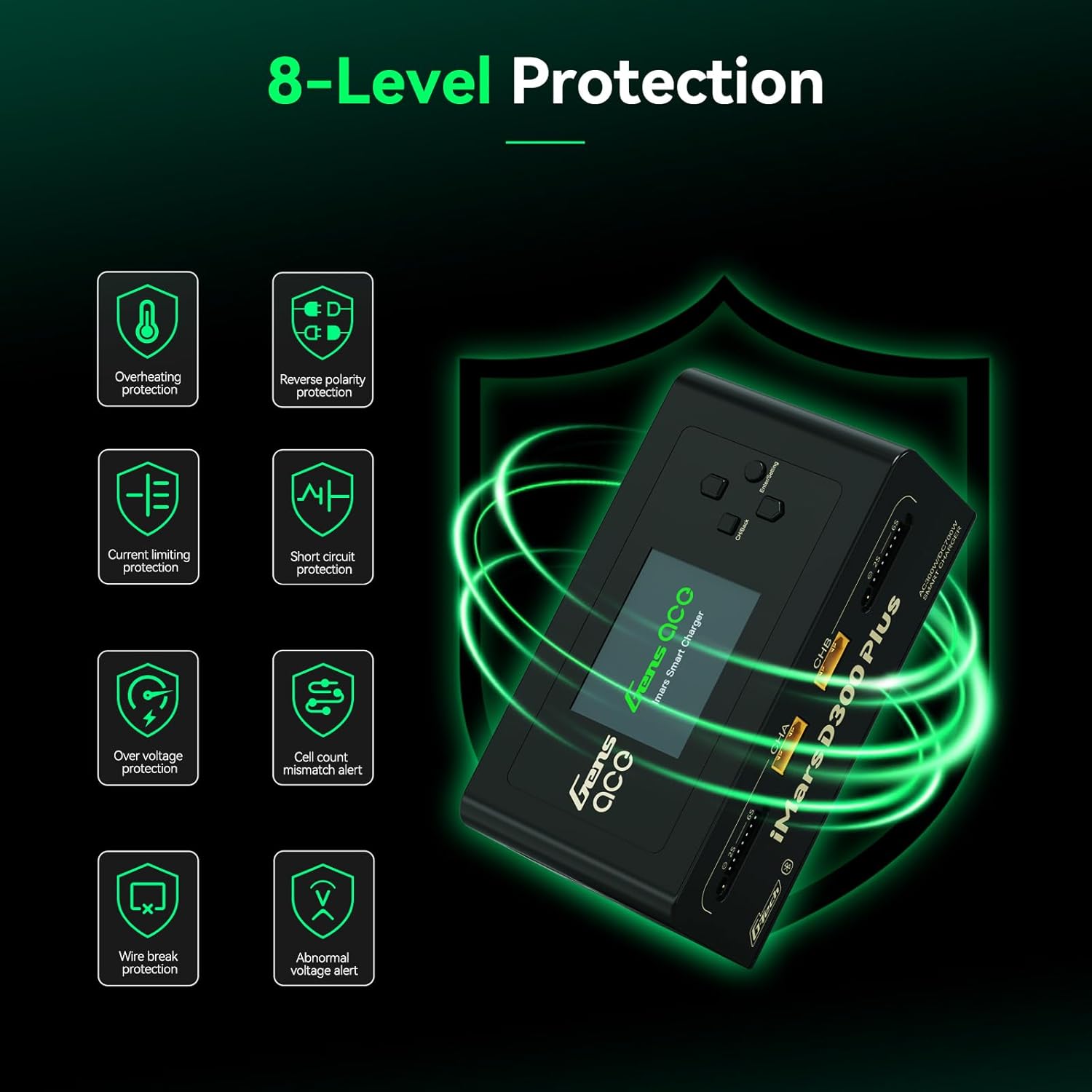
Figure 2.1: Visual representation of the 8-level protection system integrated into the iMars D300 Plus charger.
3. Contido do paquete
Verifique que todos os elementos que se indican a continuación estean incluídos no seu paquete:
- Gens ace iMars D300 Plus Lipo Charger
- Cable de entrada de CA
- XT60-T Adapter (x2)
- XT60-EC5 Adapter (x2)
- XT60-EC3 Adapter (x2)
- Manual de usuario

Figure 3.1: All components included in the Gens ace iMars D300 Plus product package.
3.1. Vídeo de desempaquetado
Video 3.1: An official unboxing video demonstrating the contents and initial presentation of the iMars D300 Plus charger.
4. Características do produto
The Gens ace iMars D300 Plus charger offers a range of features designed for convenience, efficiency, and safety:
- Dual-Channel Charging: Simultaneously charge two batteries independently.
- Conectividade Bluetooth: Remote control and monitoring via the Gens Ace mobile app.
- G-Tech System: Automatic parameter detection for G-Tech batteries, simplifying setup.
- Monitorización en tempo real: View charging status, cell data, and battery information in real-time.
- History Record: Access past charging and discharging data for analysis.
- Deseño compacto: Built-in power supply for portability and ease of travel.

Figure 4.1: The compact and lightweight design of the iMars D300 Plus, ideal for portability.
4.1. Product Introduction Video
Video 4.1: An official introduction video showcasing the key features and functionalities of the iMars D300 Plus charger.
5. Configuración
Follow these steps for initial setup of your Gens ace iMars D300 Plus charger:
- Conectar enerxía: Plug the AC input cable into the charger and then into a suitable power outlet (AC100-240V). Alternatively, connect a DC power source (DC7-30V) to the DC input port.
- Encendido: The charger will power on automatically.
- Conectar batería: Connect your battery's main power lead to the appropriate XT60 port (CHA or CHB) and the balance lead to the corresponding balance port (2S-6S). Use the provided adapters if necessary.
- Automatic Detection (G-Tech): For Gens Ace G-Tech batteries, the charger will automatically detect battery parameters.
- Manual Setup (Non-G-Tech): For non-G-Tech batteries, you will need to manually set the battery type, target voltage, cell count, and target current.

Figure 5.1: The 'Plug and Play' functionality of the iMars D300 Plus, showing battery connections.
6. Instrucións de funcionamento
The iMars D300 Plus offers intuitive operation through its onboard interface and the Gens Ace mobile app.
6.1. Onboard Operation
- Seleccione o canal: Use the navigation buttons to select Channel A (CHA) or Channel B (CHB).
- Task Setting: Press the 'Enter/Setting' button to access the task settings.
- Axustar os parámetros: Navigate through options like 'Select Task' (Charge, Discharge, Storage), 'Battery Type' (LiPo, Li-ion, LiHV, LiFe, NiMH/Cd), 'Target Voltage', 'Cell Count', and 'Target Current'. Adjust values using the up/down buttons.
- Iniciar tarefa: Once all parameters are set, select 'Start Task' and confirm to begin the operation.
- Monitor de progreso: The display will show real-time charging/discharging status, current, voltage, e capacidade.
6.2. Control da aplicación (Bluetooth)
The Gens Ace app provides enhanced control and monitoring capabilities:
- Descarga a aplicación: Download the official Gens Ace app from your device's app store.
- Conectar mediante Bluetooth: Enable Bluetooth on your mobile device and pair with the iMars D300 Plus charger.
- Control remoto: From the app, you can remotely start, stop, and adjust charging/discharging tasks for both channels.
- Datos en tempo real: View detailed real-time data, including individual cell voltages, temperature, charging percentage, and remaining time.
- Rexistros históricos: Access a comprehensive history log of all charging and discharging cycles, including detailed graphs and parameters.

Figure 6.1: The Gens Ace mobile application interface for controlling and monitoring the charger.
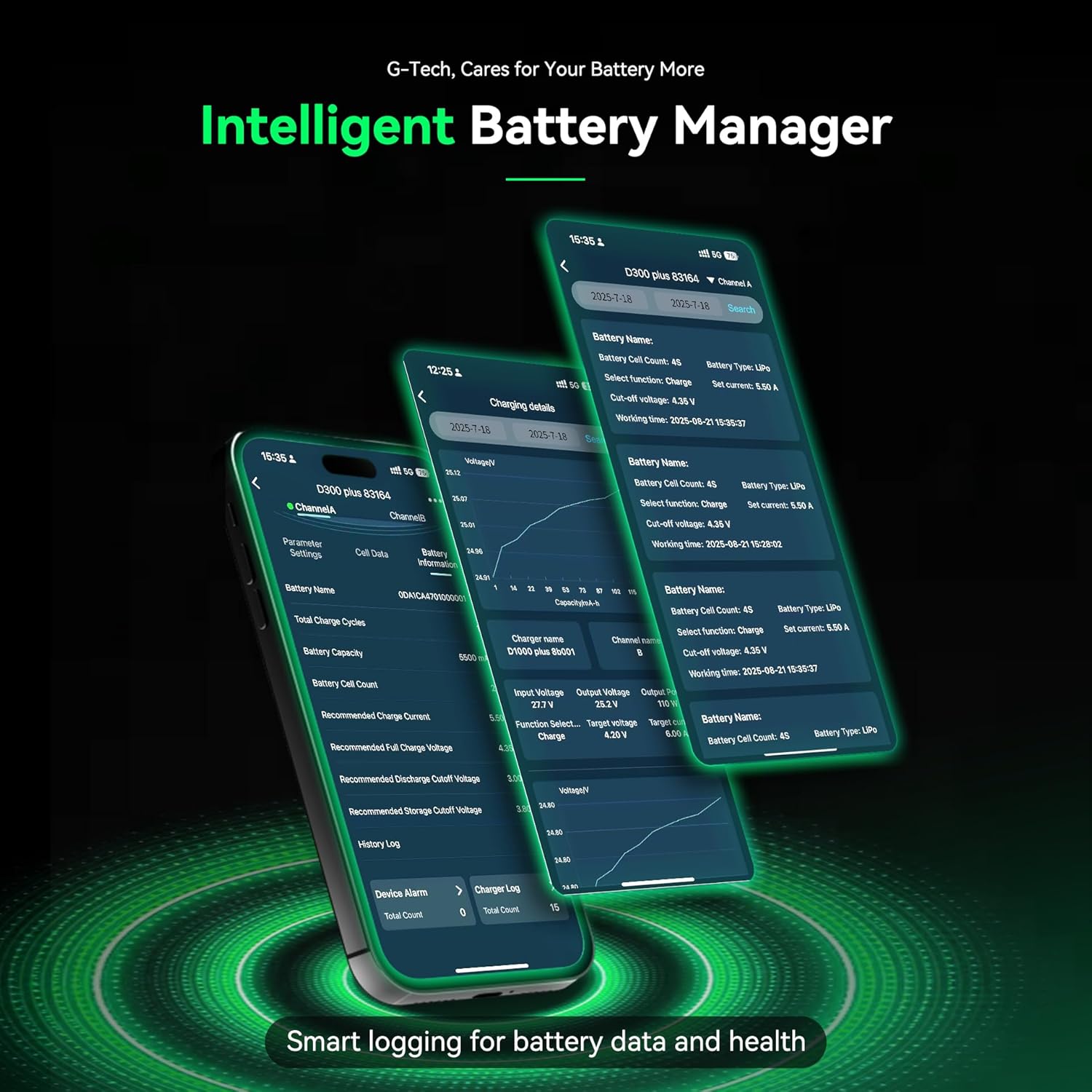
Figure 6.2: Detailed battery management and history logs available through the Gens Ace app.
7. Mantemento
Proper maintenance ensures the longevity and optimal performance of your iMars D300 Plus charger:
- Limpeza: Regularly clean the charger's exterior with a soft, dry cloth. Avoid using solvents or abrasive cleaners.
- Ventilación: Asegúrate de que as aberturas de ventilación estean libres de po e residuos para evitar o sobrequecemento.
- Almacenamento: Garde o cargador nun lugar fresco e seco, lonxe da luz solar directa e de temperaturas extremas cando non o estea a usar.
- Inspección de cables: Periodically inspect all cables and connectors for signs of wear or damage. Replace any damaged components immediately.
8 Solución de problemas
If you encounter issues with your iMars D300 Plus charger, refer to the following common troubleshooting steps:
- O cargador non se acende:
- Check if the AC input cable or DC power source is securely connected.
- Verifique que a toma de corrente funcione.
- A batería non se carga:
- Ensure the battery's main power lead and balance lead are correctly connected.
- Check if the battery type, cell count, and charging parameters are correctly set on the charger or app.
- Inspect battery and charger connectors for damage.
- Verify the battery is not over-discharged or severely damaged.
- Mensaxes de erro:
- Refer to the 8-level protection system in Section 2.1. The error message on the screen will often indicate the specific protection triggered (e.g., 'Over Voltage', 'Cell Count Mismatch').
- Address the underlying cause of the alert before resuming operation.
- Problemas de conectividade Bluetooth:
- Ensure Bluetooth is enabled on your mobile device and the charger.
- Make sure the device is within the effective Bluetooth range.
- Try restarting both the charger and your mobile device.
9. Especificacións
Detailed technical specifications for the Gens ace iMars D300 Plus Lipo Charger:
| Elemento | Especificación |
|---|---|
| Vol. De entradatage | AC 100-240V; DC 7-30V |
| Vol. De saídatage | DC 1-30V |
| Máx. Corrente de entrada | DC 34 A |
| Máx. Potencia de descarga | 15W x 2 |
| Potencia de carga máxima | AC 300W x 2; DC 350W x 2 |
| Corrente de carga | 0.1-16A x 2 |
| Corrente de descarga | 0.1-3A x 2 |
| Equilibrio celular | 1-6S |
| Saída USB | 5V/2.4A |
| Tipo de visualización | 2.4 inch IPS LCD Display |
| Químicas de batería compatibles | LiPo / Li-ion / LIHV / LiFe 1-6S; NiMH 1-16S |
| Dimensións (L x W x H) | 145 x 76 x 62 mm (5.7"W x 3"D x 2.4"H) |
| Peso neto do produto | 530 g |

Figure 9.1: Visual representation of the product specifications and dimensions.
10. Garantía
The Gens ace iMars D300 Plus Lipo Charger comes with a Garantía de 180 días from the date of purchase. This warranty covers manufacturing defects and malfunctions under normal use. Please retain your proof of purchase for warranty claims. The warranty does not cover damage caused by misuse, accident, modification, or unauthorized repair.
11. Apoio
For technical assistance, troubleshooting beyond this manual, or warranty inquiries, please contact Gens ace customer support through their official website or the contact information provided with your product packaging. Ensure you have your product model number and proof of purchase ready when contacting support.