
Introdución
Welcome to the user manual for your new DORO Leva E30 4G Flip Phone. This guide provides essential information on how to set up, operate, maintain, and troubleshoot your device. The DORO Leva E30 is designed for ease of use, featuring a large 2.8-inch main screen, an external display, high-contrast keys, clear sound, and a dedicated Doro Secure button for emergencies. Please read this manual carefully to ensure optimal performance and safety.

Image: The DORO Leva E30 4G Flip Phone highlighting its simple, user-friendly design, dual screen, Doro Secure button, clear sound, hearing aid compatibility, large keys with voice feedback, and three speed dial keys.
Información de seguridade
- Always follow local regulations for mobile phone use, especially in hospitals, aircraft, or near medical devices.
- Non use o teléfono mentres conduce.
- Manteña o teléfono lonxe de temperaturas extremas, luz solar directa e humidade.
- Empregue só baterías, cargadores e accesorios aprobados por Doro.
- Avoid exposing the phone to strong magnetic fields.
- Non intente desmontar nin reparar o teléfono vostede mesmo. Consulte persoal de servizo cualificado.
Contido do paquete
Your DORO Leva E30 package typically includes:
- DORO Leva E30 4G Flip Phone
- Batería
- Base de carga
- Guía de inicio rápido
- Note: A USB-C charging cable and power adapter may not be included and might need to be purchased separately.
Configuración
1. Inserción da tarxeta SIM e da batería
- Retire con coidado a tapa traseira do teléfono.
- Insert your Nano SIM card into the designated slot, ensuring the gold contacts face downwards and the cut corner is correctly aligned.
- Introduza a batería, aliñando os contactos cos do teléfono.
- Volva colocar a tapa traseira ata que encaixe firmemente no seu lugar.
2. Cargando o teléfono
- Connect the USB-C cable (if included or purchased separately) to the charging cradle and then to a power adapter.
- Place the phone in the charging cradle. Ensure it is seated correctly and the charging indicator appears on the screen.
- Allow the phone to charge fully before its first use.
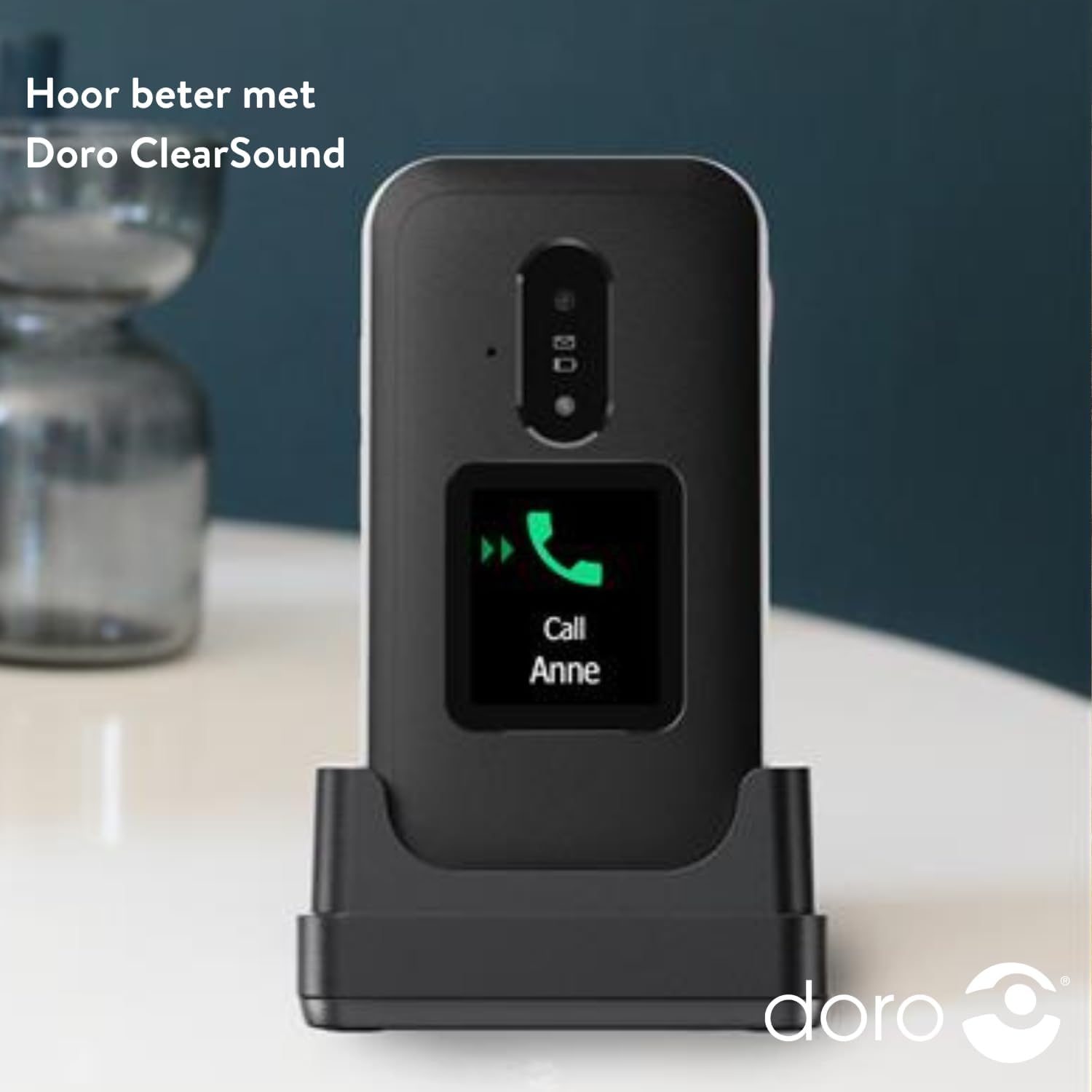
Image: The DORO Leva E30 phone resting in its charging cradle, demonstrating how to charge the device. The image also mentions "Hear better with Doro ClearSound".
3. Acendido/apagado
- To power on, press and hold the red End Call/Power button until the Doro logo appears.
- To power off, press and hold the red End Call/Power button, then select 'Power off' from the options.
Instrucións de funcionamento
Funcións básicas de chamada
- Facendo unha chamada: Introduza o número de teléfono co teclado numérico e prema o botón verde Chamar.
- Respondendo a unha chamada: When the phone rings, open the flip to answer, or press the green Call button. The external screen will display caller ID.
- Finalizando unha chamada: Pecha a tapa ou preme o botón vermello Finalizar chamada.
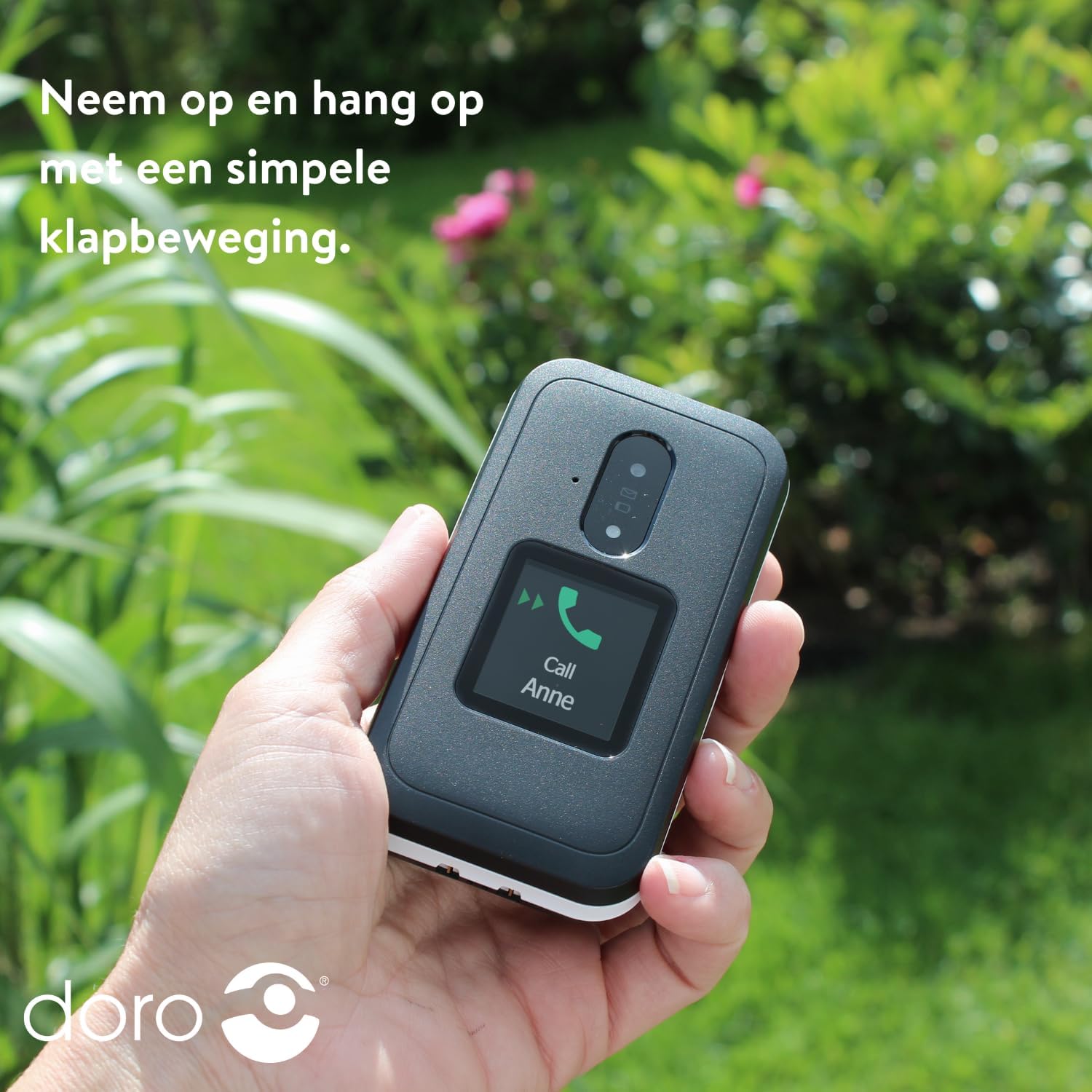
Image: A hand holding the DORO Leva E30, illustrating how to answer and end calls with a simple flip motion. The external screen shows an incoming call from "Anne".
Mensaxería
To send and receive text messages, navigate to the 'Messages' menu using the navigation keys and the 'OK' button. The large, high-contrast keys make typing easier.

Image: The DORO Leva E30 displaying its simple menu interface, with the 'Messages' icon prominently visible. Other icons for Doro Secure, Camera, Flashlight, and Splash-proof (IP54) are also shown.
Usando a Cámara
The phone includes a camera for taking photos. Access the camera from the main menu. Point the camera at your subject and press the designated button to capture an image.
Botón de seguridade de Doro
The Doro Secure button (often located on the back of the phone) is a key safety feature. When pressed and held, it can automatically call and send an SMS alert to pre-set emergency contacts. Ensure your emergency contacts are configured correctly in the phone settings.

Image: The DORO Leva E30, emphasizing its ergonomic design and the prominent Doro Secure button. The image also illustrates how the phone's well-spaced, high-contrast keys and large screen facilitate easy calling, texting, and photo-taking, and mentions the included charging station.
Pantalla externa
The external display shows important information such as time, date, battery status, and caller ID for incoming calls without needing to open the phone.
Control de volume
Adjust the call volume using the dedicated volume buttons located on the side of the phone. Be mindful that these buttons can sometimes be accidentally pressed, so ensure the volume is set to your preferred level before and during calls.
Compatibilidade con audífonos
The DORO Leva E30 is designed to be compatible with hearing aids, providing a clearer audio experience for users with hearing impairments.
Lanterna
Activate the built-in flashlight feature from the phone's menu for convenient illumination when needed.
Splash Resistance (IP54)
The phone has an IP54 rating, meaning it is protected against dust ingress and splashing water from any direction. This does not mean it is waterproof; avoid submerging the phone in water.
Mantemento
- Limpeza: Usa un pano suave e seco para limpar a superficie do teléfono. Evita o uso de produtos químicos agresivos ou materiais abrasivos.
- Coidado da batería: To prolong battery life, avoid fully discharging the battery frequently. Charge the phone regularly, preferably using the provided charging cradle.
- Almacenamento: Garda o teléfono nun lugar fresco e seco cando non o uses durante períodos prolongados.
Resolución de problemas
| Problema | Solución |
|---|---|
| O teléfono non se acende. | Asegúrate de que a batería estea inserida correctamente e completamente cargada. Tenta cargar o teléfono durante polo menos 30 minutos. |
| Non se poden facer nin recibir chamadas. | Comprobe se a tarxeta SIM está inserida correctamente. Asegúrese de ter cobertura de rede. Póñase en contacto co seu provedor de servizos se o problema persiste. |
| Mala calidade da chamada. | Move to an area with better network reception. Adjust the call volume. Ensure the speaker/microphone is not obstructed. |
| A batería esgotarase rapidamente. | Reduce screen brightness. Close unused applications. Limit background data usage. Ensure the phone is not in an area with poor signal, which can increase battery consumption. |
| O teléfono non responde. | Remove the battery, wait a few seconds, and reinsert it to perform a soft reset. |
Especificacións
| Característica | Detalle |
|---|---|
| Marca | Doro |
| Nome do modelo | Leva E30 |
| Sistema Operativo | Mocor OS |
| Tamaño da pantalla | 2.8 polgadas (pantalla principal) |
| Resolución | 320 x 240 píxeles |
| Conectividade | 4G |
| Capacidade de almacenamento da memoria | 17 GB (Internal, likely including OS) |
| Cor | Negro/Branco |
| Resistencia á auga | IP54 (a proba de salpicaduras) |
Garantía e Soporte
For detailed warranty information and customer support, please refer to the documentation included with your purchase or visit the official Doro websitio. Os termos e condicións da garantía poden variar segundo a rexión e o vendedor.
You can often find additional support, FAQs, and contact information on the manufacturer's websitio: www.doro.com


