
Micool BT-X LINE
Micool BT-X LINE Open-Ear Headphones User Manual
Model: BT-X LINE
1. Produto rematadoview
The Micool BT-X LINE Open-Ear Headphones are designed for comfort and high-quality audio, featuring a unique clip-on ear hook design. These wireless earbuds utilize Bluetooth 6.0 for stable connectivity and offer extended playtime, making them ideal for various activities including sports, gym, and daily commutes. The open-ear design allows for situational awareness while enjoying your audio.

Figure 1: Micool BT-X LINE Open-Ear Headphones and Charging Case.
This image shows the velvet purple Micool BT-X LINE open-ear headphones resting inside their matching charging case. The case is open, revealing both earbuds, which are designed with a sleek, metallic finish and the "BT-X LINE" branding visible on each. A small LED indicator light is visible on the front of the charging case.
2. Contido do paquete
Verifique que todos os elementos estean presentes no seu paquete:
- Micool BT-X LINE Open-Ear Headphones (Left and Right)
- Estuche de carga sen fíos
- Cable de carga USB-C
- Manual de usuario (este documento)
3. Guía de configuración
3.1. Carga dos auriculares e da funda
Before first use, it is recommended to fully charge both the headphones and the charging case.
- Carga do estuche: Connect the provided USB-C cable to the charging port on the case and the other end to a USB power adapter (not included). The LED indicator on the case will show charging status.
- Cargando os auriculares: Place the earbuds into their respective slots in the charging case. Ensure they are properly seated. The earbuds will begin charging automatically. The case's LED indicator will confirm charging.
A full charge provides up to 8 hours of music playtime for the earbuds, with the charging case extending total playtime to up to 36 hours.

Figure 2: Compact Charging Case for On-the-Go Power.
This image shows a hand placing the sleek, velvet purple Micool BT-X LINE charging case into a pocket, emphasizing its compact and portable design. The case is open, revealing the earbuds inside, ready for charging or use.
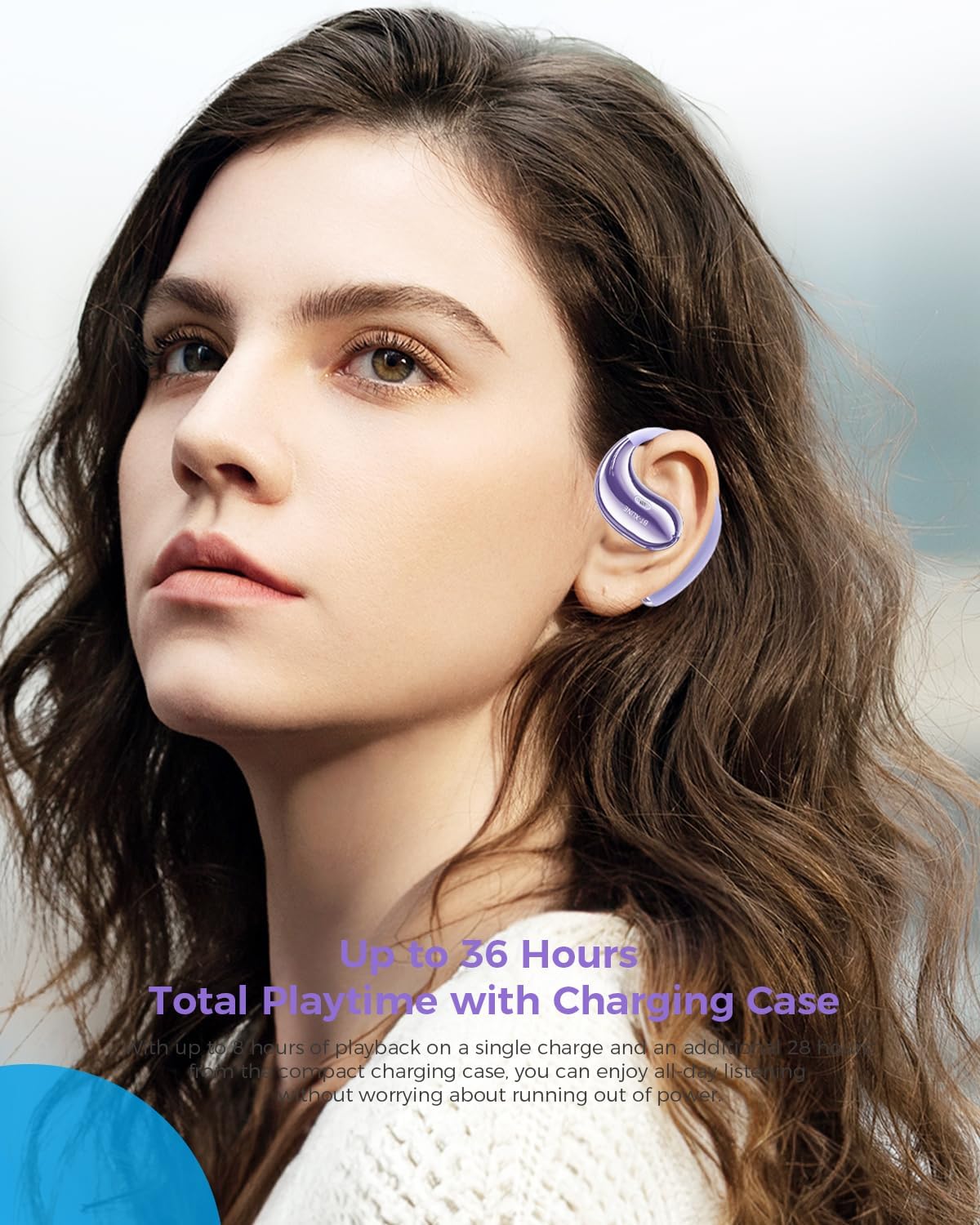
Figure 3: Extended Playtime and Comfortable Wear.
This image features a woman wearing the Micool BT-X LINE open-ear headphones, highlighting their comfortable and secure fit. The text overlay indicates "Up to 36 Hours Total Playtime with Charging Case," emphasizing the long battery life suitable for extended use.
3.2. Acendido/apagado
- Encendido: Os auriculares acéndense automaticamente ao retiralos da caixa de carga.
- Apagado: Volva colocar os auriculares na caixa de carga para que se apaguen automaticamente e comecen a cargar.
3.3. Emparellamento Bluetooth
The Micool BT-X LINE headphones feature one-step auto-pairing for seamless connection using Bluetooth 6.0 technology.
- Primeira parella:
- Abre a caixa de carga. Os auriculares acenderanse automaticamente e entrarán no modo de emparellamento.
- No teu dispositivo (teléfono intelixente, tableta, portátil), activa o Bluetooth e busca os dispositivos dispoñibles.
- Select "BT-X LINE" from the list of found devices.
- Unha vez conectado, escoitarás unha confirmación audible.
- Reconexión: After the initial pairing, the earbuds will automatically reconnect to the last paired device when removed from the charging case, provided Bluetooth is enabled on your device.

Figure 4: One-Step Pairing Feature.
This image displays the Micool BT-X LINE earbuds inside their open charging case, with text highlighting the "ONE-STEP PAIRING" feature. It visually reinforces the ease of connection by simply opening the case.

Figure 5: Next-Gen Bluetooth 6.0 and Extended Battery Life.
Esta imaxe ofrece unha vista de arriba abaixo view of the Micool BT-X LINE earbuds and their charging case, emphasizing the advanced Bluetooth 6.0 technology for stable connections and the impressive battery life of up to 36 hours.
4. Instrucións de funcionamento
4.1. Usar os auriculares
The BT-X LINE headphones feature an open-ear design with soft silicone memory ear hooks for a secure and comfortable fit. Gently place the earbud over your ear, ensuring the ear hook rests comfortably behind your ear. Adjust for optimal comfort and sound.

Figure 6: Ergonomic Design for All-Day Comfort.
Esta imaxe ofrece información detallada view of the Micool BT-X LINE earbud positioned on an ear model, illustrating its ergonomic design and how the clip-on ear hook ensures a secure and comfortable fit for extended wear.

Figure 7: Comfort Comparison.
This image compares the Micool BT-X LINE's open-ear design to traditional earbuds that can cause discomfort (heavy, painful, stuffy). It visually demonstrates how the BT-X LINE offers a lightweight, ergonomically designed fit that stays secure without blocking the ear canal.

Figure 8: Memory Wire Ear Hook with Soft Silicone.
This close-up image focuses on the Micool BT-X LINE earbud, specifically showcasing the flexible memory wire ear hook covered in soft silicone. This design ensures an adjustable, secure, and sweat-resistant fit for various ear sizes and activities.
4.2. Toca Controis
The earbuds feature intuitive touch controls for managing audio playback and calls. The touch sensitive area is located on the outer surface of each earbud.
| Acción | Función |
|---|---|
| Toque único (E/D) | Reproducir/Pausar música, Responder/Finalizar chamada |
| Dobre toque (dereita) | Próxima pista |
| Dobre toque (esquerda) | Pista anterior |
| Toca tres veces (dereita) | Subir volume |
| Toca tres veces (esquerda) | Baixar o volume |
| Presión longa (2 s) (E/D) | Rexeitar chamada, activar asistente de voz |

Figure 9: Touch Controls for Easy Operation.
This image shows a woman engaged in an activity (drinking water) while wearing the Micool BT-X LINE headphones, with the charging case visible. The accompanying text highlights the convenience of touch controls for managing music, calls, and volume without needing to access the phone.
5. Mantemento e coidados
- Limpeza: Limpe con coidado os auriculares e a funda de carga cun pano suave, seco e sen pelusa. Non empregue produtos químicos agresivos nin materiais abrasivos.
- Resistencia á auga: The headphones are water-resistant. Avoid submerging them in water or exposing them to excessive moisture for prolonged periods. Dry them thoroughly if they get wet.
- Almacenamento: Cando non os uses, garda os auriculares na súa funda de carga para protexelos do po e dos danos. Garda nun lugar fresco e seco.
- Coidado da batería: To prolong battery life, avoid fully discharging the battery frequently. Charge regularly, even if not used for a long time.
6 Solución de problemas
If you encounter any issues with your Micool BT-X LINE headphones, please refer to the following common solutions:
| Problema | Posible Solución |
|---|---|
| Os auriculares non se emparellan |
|
| Non hai son dun auricular |
|
| O estuche de carga non se está cargando |
|
| Mala calidade de son |
|
7. Especificacións
Detailed technical specifications for the Micool BT-X LINE Open-Ear Headphones:
| Característica | Detalle |
|---|---|
| Nome do modelo | BT-X LINE |
| Tecnoloxía de conectividade | Sen fíos |
| Tecnoloxía de comunicación sen fíos | Bluetooth 6.0 |
| Colocación do oído | Orella aberta |
| Factor de forma | Na Orella |
| Control de ruído | Active Noise Cancellation (for calls via dual-mic) |
| Tamaño do controlador | Controladores dinámicos de 14.2 mm |
| Tempo de reprodución (auriculares) | Ata 8 horas |
| Tempo de reprodución total (con estuche) | Ata 36 horas |
| Porto de carga | USB-C |
| Material | Acrilonitrilo Butadieno Estireno (ABS) |
| Nivel de resistencia á auga | Resistente á auga |
| Peso do elemento | 5.6 onzas (paquete total) |
| Cor | Velvet Purple |
| UPC | 783429666100 |
8. Garantía e soporte
Micool products are designed and manufactured to the highest quality standards. For information regarding warranty coverage, technical support, or service inquiries, please refer to the warranty card included in your package or visit the official Micool website. You may also contact Micool customer support directly for assistance.
Fabricante: MICOOL
Ask a question about this manual
Ask about setup, troubleshooting, compatibility, parts, safety, or missing instructions. Manuals+ will review the question and use this page’s manual context to help answer it.