
KOFIRE UG-09
Auriculares inalámbricos para xogos KOFIRE UG-09
Manual de usuario
Introdución
This manual provides detailed instructions for the setup, operation, maintenance, and troubleshooting of your KOFIRE UG-09 Wireless Gaming Headset. Please read this manual thoroughly before using the product to ensure optimal performance and longevity.

Image: The KOFIRE UG-09 Wireless Gaming Headset displayed with its charging cable, detachable microphone, and USB/Type-C 2-in-1 transmitter.
Contido do paquete
Verifica que todos os elementos estean presentes no teu paquete:
- 1 x KOFIRE Wireless Gaming Headset (Model: UG-09)
- 1 x USB & Type-C 2-in-1 Transmitter
- 1 x cable de carga tipo C
- 1 x micrófono desmontable
- 1 cable de audio de 3.5 mm
- 1 x Manual de usuario (este documento)
Produto rematadoview
Familiarízate cos compoñentes e controis dos teus auriculares.
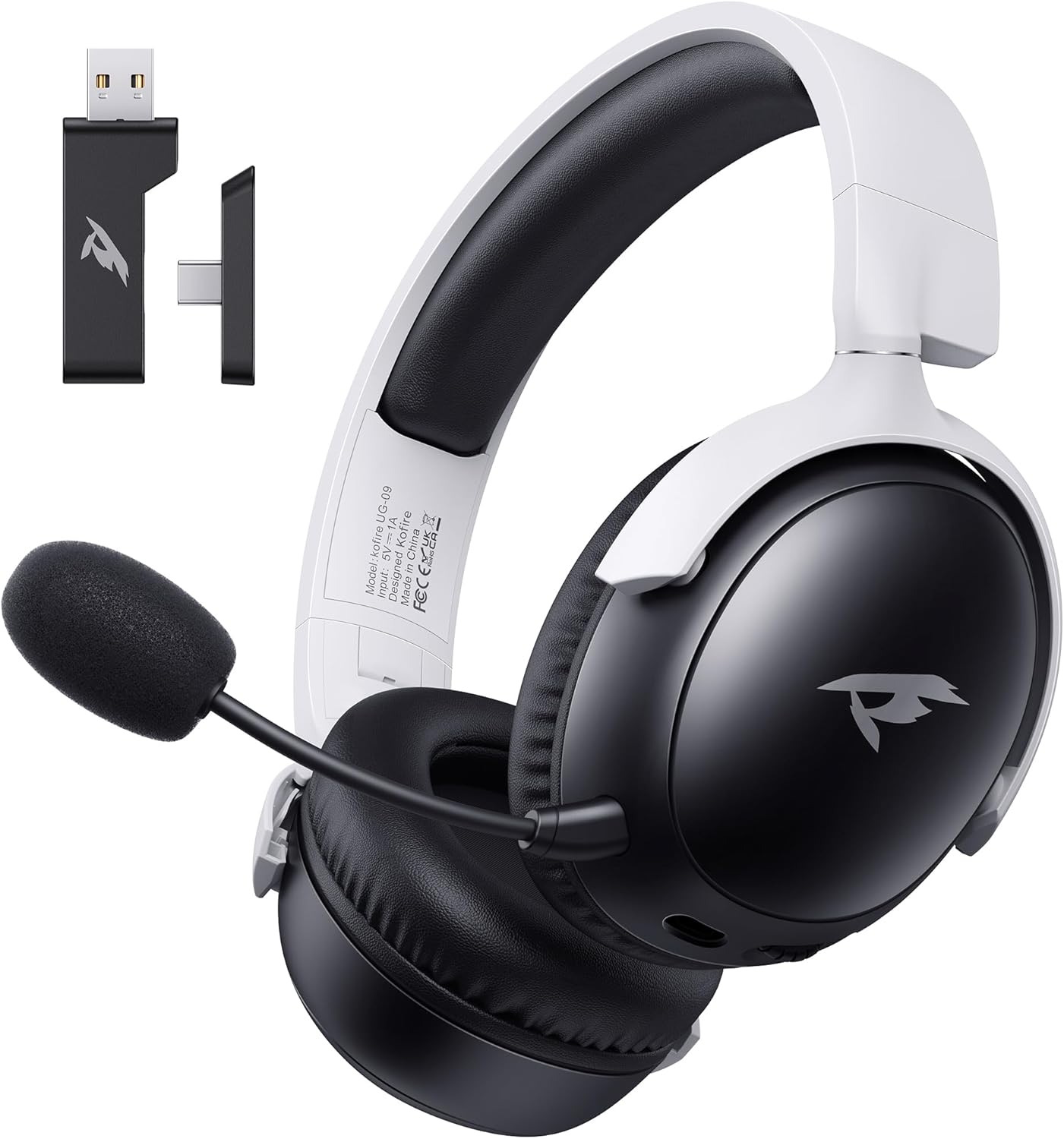
Imaxe: Fronte view of the KOFIRE UG-09 Wireless Gaming Headset in black and white, showing the detachable microphone and the USB/Type-C 2-in-1 transmitter.
Características principais:
- Multi-mode Connectivity: 2.4GHz Wireless, Bluetooth 5.4, and 3.5mm Wired options.
- Batería de longa duración: Ata 65 horas de xogo.
- Controladores dinámicos de 53 mm: For immersive 3D stereo sound.
- ENC Noise-Canceling Microphone: Detachable and omnidirectional for clear communication.
- Deseño ergonómico: Lightweight with rotatable ear cups, adjustable headband, and soft memory foam cushions for comfort.
Instrucións de configuración
1. Cargando os auriculares
Before first use, fully charge the headset. Connect the supplied Type-C charging cable to the headset's charging port and the other end to a USB power source (e.g., computer USB port, USB wall adapter). The LED indicator will show charging status. A full charge takes approximately 2-2.5 hours. The headset supports simultaneous charging and use.
2. Connecting via 2.4GHz Wireless (USB Dongle)
This mode offers ultra-low latency (≤20ms) for gaming on compatible devices like PC, Mac, PS4, PS5, and Nintendo Switch (audio only).
- Insert the USB & Type-C 2-in-1 transmitter into an available USB-A or USB-C port on your device.
- Alimentación dos auriculares.
- Press and hold the microphone button on the headset to switch to 2.4G mode. You will hear an audio prompt "dongle mode."
- On your connected device, navigate to sound settings and select "Kofire UG-09" as the audio output/input device to complete pairing.

Image: Illustration of the 2.4GHz wireless connection, showing the USB dongle plugged into a gaming handheld device, emphasizing stable and low-latency performance.
3. Conexión mediante Bluetooth 5.4
Use Bluetooth for mobile devices such as phones, tablets, and Nintendo Switch (audio only).
- Alimentación dos auriculares.
- Press and hold the microphone button for 3 seconds to switch to Bluetooth mode. You will hear an audio prompt "Bluetooth mode." The LED indicator will flash, indicating pairing mode.
- On your mobile device, go to Bluetooth settings and search for "Kofire UG-09." Select it to complete the pairing process.

Image: Depicts the versatility of the headset, showing one user connected via Bluetooth to a phone and another connected wirelessly to a PC, highlighting dual connectivity options.
4. Connecting via 3.5mm Wired
For universal compatibility or when the battery is depleted, use the 3.5mm audio cable.
- Conecta un extremo do cable de audio de 3.5 mm á toma de 3.5 mm dos auriculares.
- Connect the other end to the 3.5mm audio port on your gaming device or console.
- Os auriculares cambiarán automaticamente ao modo con fíos.
Nota: The microphone function is not supported on Nintendo Switch when using any wireless mode. For Xbox, only wired mode is supported.
Instrucións de funcionamento
Encendido/apagado
- Encendido: Manteña premido o botón de acendido ata que o indicador LED se acenda.
- Apagado: Manteña premido o botón de acendido/apagado ata que o indicador LED se apague.
Control de volume
- Aumentar o volume: Xira a roda do volume cara arriba.
- Diminuír o volume: Xira a roda do volume cara abaixo.
Uso do micrófono
The headset features a detachable ENC (Environmental Noise Canceling) omnidirectional microphone.
- Attach/Detach: Insert the microphone into the dedicated port on the left earcup or remove it when not needed.
- Silenciar/Activar o silencio: Press the dedicated microphone mute button for one-touch muting. The LED indicator on the microphone will show its status.

Imaxe: Detallada view of the ENC noise reduction microphone, highlighting its internal components and detachable design for clear voice transmission.
Cambio de modo
To switch between 2.4GHz wireless and Bluetooth modes, press and hold the microphone button for approximately 3 seconds until you hear the corresponding audio prompt ("dongle mode" or "Bluetooth mode").
Duración da batería e alertas
The headset provides up to 65 hours of playtime in Bluetooth mode (microphone off) and 50 hours in 2.4GHz dongle mode (microphone on). A low battery alert will notify you when recharging is needed.
Mantemento
Limpeza
- Limpe os auriculares cun pano suave e seco.
- Non use produtos químicos agresivos, disolventes de limpeza ou deterxentes fortes.
- Ensure no moisture enters the earcups or control buttons.
Almacenamento
- Garde os auriculares nun lugar fresco e seco, lonxe da luz solar directa e de temperaturas extremas.
- When storing for extended periods, ensure the headset is partially charged (around 50%) to preserve battery health.
- The rotatable and foldable ear cups allow for compact storage.

Image: Illustrates the ergonomic design elements of the headset, including rotatable earcups, soft sponge cushioning, adjustable angle, and a retractable headband for comfortable wear and storage.
Coidado da batería
- Evite descargar completamente a batería con frecuencia.
- Non expoña a batería a altas temperaturas.
- Emprega só o cable de carga incluído ou un equivalente certificado.
Resolución de problemas
| Problema | Causa posible | Solución |
|---|---|---|
| Non hai son dos auriculares. |
|
|
| O micrófono non funciona. |
|
|
| Non se pode conectar sen fíos. |
|
|
| Os auriculares non cargan. |
|
|

Image: Illustrates the universal compatibility of the headset with a range of gaming and mobile devices, including PlayStation consoles, PC, Mac, Nintendo Switch, and smartphones.
Especificacións
| Característica | Detalle |
|---|---|
| Nome do modelo | UG-09 |
| Tecnoloxía de conectividade | Sen fíos de 2.4 GHz, Bluetooth 5.4, cable de 3.5 mm |
| Tecnoloxía de comunicación sen fíos | 2.4GHz USB-A & Type-C 2-in-1 Dongle, Bluetooth 5.4 |
| Tipo de controlador de audio | Controlador dinámico de 53 mm |
| Resposta en frecuencia | 20 kHz (máx.) |
| Impedancia | 32 ohmios |
| Alcance Bluetooth | 10 metros |
| Audio Latency (2.4GHz) | ≤20 Milliseconds |
| Duración da batería | Up to 65 hours (Bluetooth, mic off); 50 hours (2.4GHz, mic on) |
| Tempo de carga | 2-2.5 horas |
| Micrófono | Detachable ENC Noise-Canceling Omnidirectional |
| Peso | 14.4 onzas (0.41 quilogramos) |
| Material | ABS, Faux Leather, PC, Soft Memory Sponge Cushions |
| Dispositivos compatibles | PC, Mac, Laptop, Desktop, Phone, Pad, Tablet, PlayStation 5/4/Pro/Slim, Gaming Consoles, Switch (audio only), Xbox (wired only) |
Garantía e Soporte
KOFIRE is committed to providing professional service and expert support for your wireless gaming headset. If you encounter any issues or have questions regarding your product, please do not hesitate to contact us.
- Atención ao cliente: Our team of experienced engineers and support staff are available to assist you.
- Tempo de resposta: We aim to respond to all inquiries within 0-24 hours.
- Información de contacto: Please refer to the contact details provided on the product packaging or the official KOFIRE websitio de asistencia.
Ask a question about this manual
Ask about setup, troubleshooting, compatibility, parts, safety, or missing instructions. Manuals+ will review the question and use this page’s manual context to help answer it.