
1. Produto rematadoview
The SEUNKWANG EWEADN GX710S is a full-size wired computer keyboard designed for efficiency and comfort. It features a durable aluminum alloy panel, warm backlighting with adjustable brightness, and quiet membrane keys with translucent pudding keycaps. This keyboard is plug-and-play, requiring no additional software for basic functionality.

Imaxe 1.1: Acabadoview of the SEUNKWANG EWEADN GX710S keyboard highlighting its wired connection, membrane keys, pudding keycaps, ergonomics, metal panel, ring light, 26-key anti-ghosting, and ultra-thin body.
2. Instrucións de configuración
2.1 Contido do paquete
- SEUNKWANG EWEADN GX710S Wired Backlit Keyboard
- Cable USB (integrado)
2.2 Conexión do teclado
- Locate an available USB-A port on your computer (PC, laptop, desktop).
- Insert the USB connector of the keyboard cable into the USB-A port.
- The keyboard is plug-and-play and does not require any additional software or driver installation. Your operating system should automatically recognize the device.
The keyboard is compatible with Windows, Linux, and Chrome OS. Basic typing functionality is supported on Mac OS, though specific shortcut keys may vary.

Image 2.1: Illustration of the keyboard connecting to a device via its USB-A cable, emphasizing the plug-and-play functionality.
3. Instrucións de funcionamento
3.1 Mecanografía básica
The GX710S features a standard full-size 104-key QWERTY layout, including a dedicated number pad for efficient data entry. The membrane switch type provides a quiet typing experience.
Control de retroiluminación 3.2
The keyboard is equipped with a warm backlight. You can adjust its brightness and toggle it on/off using the following key combinations:
- FN + UP Arrow Key: Aumentar o brillo da retroiluminación.
- FN + PD (Page Down) Key: Reducir o brillo da retroiluminación.
- FN + Menu Key: Toggle backlight ON/OFF.

Image 3.1: Visual guide demonstrating the key combinations (FN + UP, FN + PD, FN + Menu key) for controlling the keyboard's 5 levels of adjustable warm light.

Image 3.2: The keyboard displaying its adjustable warm backlight, designed for visibility in various lighting conditions.
3.3 Funcións avanzadas
- Anti-Ghosting: The keyboard supports 26-key anti-ghosting, ensuring that multiple simultaneous key presses are registered accurately.
- Teclas de pudín: The water-drop pudding keycaps are designed to maximize light transmittance, providing a soft, uniform glow and enhancing key visibility.
- Deseño Ergonómico: The sculpted keycaps and sturdy single-stage kickstand promote a comfortable hand posture for extended use.

Image 3.3: The keyboard showcasing its ergonomic design, including a foldable stand and anti-slip feet for comfortable typing angles.

Image 3.4: The keyboard layout highlighting various shortcut keys designed to enhance office productivity.
4. Mantemento
4.1 Limpeza do teclado
- Desconecte o teclado do ordenador antes de limpalo.
- Use un pano suave e seco para limpar a superficie do teclado.
- Para a sucidade persistente, un lixeiro damp Pódese usar un pano con xabón suave, garantindo que non entre líquido nos interruptores de chave nin nos compoñentes internos.
- The double-shot ABS keycaps are designed to be fade-resistant, maintaining character clarity over time.
4.2 Características de durabilidade
The GX710S is built with a premium aluminum alloy top panel, offering superior scratch resistance and a robust feel. It also features a water-resistant design to protect against minor spills.
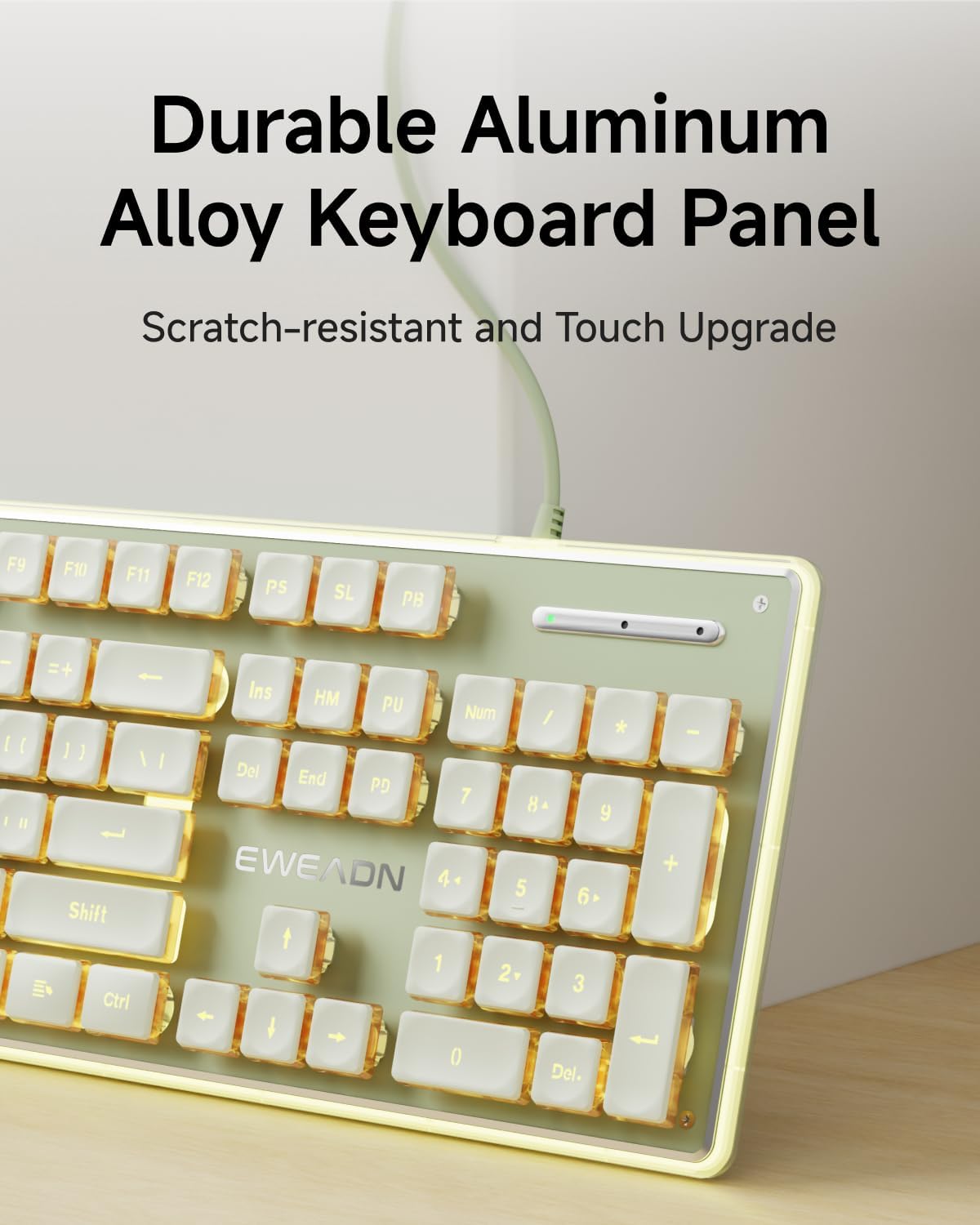
Image 4.1: Close-up of the keyboard's durable aluminum alloy panel, highlighting its scratch-resistant surface.

Image 4.2: Detail of the keyboard's pudding keycaps, engineered with double-shot ABS injection molding for fade resistance.
5 Solución de problemas
5.1 O teclado non responde
- Ensure the USB cable is securely connected to both the keyboard and the computer's USB-A port.
- Try connecting the keyboard to a different USB-A port on your computer.
- Proba o teclado noutro ordenador para determinar se o problema é do teclado ou do ordenador orixinal.
- Reinicia o teu ordenador.
5.2 Backlight Not Working or Dim
- Ensure the backlight is turned on using FN + Menu Key.
- Axusta o brillo usando FN + UP Arrow Key.
- Verify the keyboard is receiving sufficient power from the USB port. Try a different port if available.
5.3 As chaves non se rexistran correctamente
- Limpa arredor das teclas afectadas para eliminar calquera residuo que poida estar obstruíndo o mecanismo da tecla.
- Ensure the keyboard is connected directly to the computer and not through a USB hub, which can sometimes cause input issues.
6. Especificacións
| Característica | Descrición |
|---|---|
| Marca | SEUNKWANG |
| Número de modelo | GX710S |
| Tecnoloxía de conectividade | USB-A con cable |
| Disposición do teclado | Full-size 104-key QWERTY |
| Tipo de cambio | Membrana |
| Retroiluminación | Warm Backlit, Single Color, Adjustable Brightness |
| Chaves | Pudding Keycaps, Double-shot ABS, Fade-resistant |
| Material do panel | Aliaxe de aluminio |
| Características especiais | Low-Noise Typing, Floating Keys, 26-key Anti-ghosting, Water Resistant |
| Sistemas operativos compatibles | Windows, Linux, Chrome OS (Basic Mac OS support) |
| O que hai na caixa | Cable USB (integrado) |
7. Información da garantía
This SEUNKWANG EWEADN GX710S keyboard comes with a 2 ano de garantía desde a data de compra. Esta garantía cobre defectos de fabricación e avarías en condicións de uso normal. Non cobre danos causados por mal uso, accidentes, modificacións non autorizadas ou desgaste normal.
Conserve o comprobante de compra para reclamacións de garantía.
8. Apoio
For any questions, troubleshooting assistance, or support regarding your SEUNKWANG EWEADN GX710S keyboard, please contact our customer support team.
- Soporte por correo electrónico: eweadnkeyboard@outlook.com
Our support team can assist with pre-sales inquiries, troubleshooting, accessory reissues, and returns/exchanges.