
1. Introdución
This manual provides detailed instructions for the MCHOSE A5 Ultra V2 Wireless Gaming Mouse. Designed for high-performance gaming, this mouse combines a lightweight, symmetrical design with advanced connectivity and sensor technology. Please read this manual thoroughly to ensure proper setup and optimal use of your device.
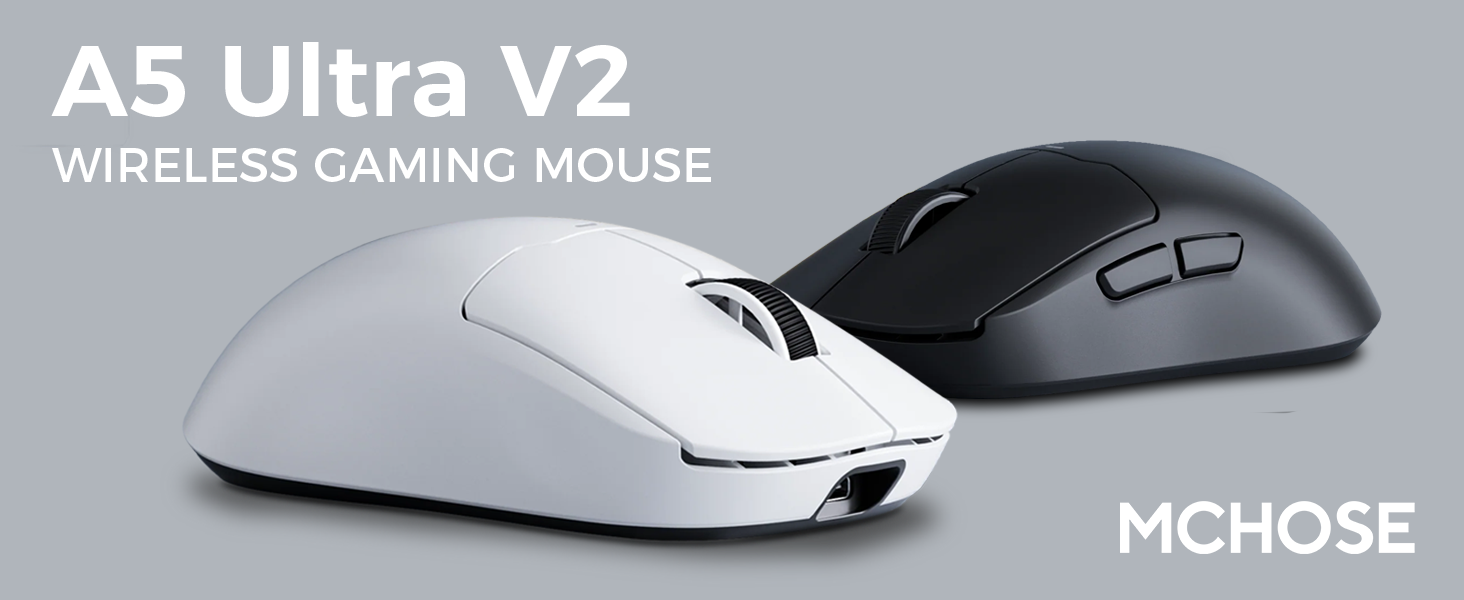
Figure 1: MCHOSE A5 Ultra V2 Wireless Gaming Mouse Overview
2. Características clave
- Deseño lixeiro: Weighing only 54g, the mouse offers optimal control and comfort for extended gaming sessions.

Figura 2: Deseño lixeiro para unha maior comodidade.
- High Precision PAW3395 Optical Sensor: Achieve maximum accuracy with up to 26,000 DPI for precise tracking.

Figure 3: PAW3395 optical sensor for high precision.
- Wired 8K/Wireless 4K Polling Rate: Experience ultra-low-latency and lightning-fast response times with up to 8000Hz wired and 4000Hz wireless polling rates.

Figure 4: Illustrating the 4K wireless polling rate capability.
- Conexión trimodo: Connect via ultra-low-latency 2.4GHz wireless, Bluetooth, or wired USB for versatile use across various devices.

Figure 5: Tri-mode connectivity options.
- Custom Software: Utilize the dedicated software to store custom settings for buttons, DPI adjustments, polling rates, and gaming modes directly on the mouse's onboard memory.

Figure 6: Custom software for personalized settings.
- Batería de longa duración: Enjoy up to 130 hours of battery life on a single charge, minimizing interruptions during gameplay.
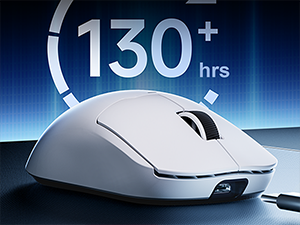
Figura 7: Duración prolongada da batería para un uso prolongado.
3. Instrucións de configuración
The MCHOSE A5 Ultra V2 offers three connection modes: 2.4GHz wireless, Bluetooth, and wired USB.
Conexión sen fíos de 3.1 GHz
- Locate the 2.4GHz USB receiver (dongle) inside the mouse's bottom compartment.
- Conecte o receptor USB a un porto USB dispoñible no seu ordenador.
- Turn on the mouse using the switch located on the bottom. Ensure it is set to the 2.4GHz wireless mode (usually indicated by a specific position or LED color).
- Your computer should automatically detect the mouse. If not, try restarting your computer or replugging the receiver.

Figure 8: USB receiver stored in the mouse compartment.
3.2. Conexión Bluetooth
- Turn on the mouse and set the switch on the bottom to Bluetooth mode.
- No teu ordenador ou dispositivo, vai á configuración de Bluetooth.
- Initiate the pairing process on your device. The mouse should appear as "MCHOSE A5 Ultra V2" or similar.
- Selecciona o rato que queres emparellar. Sigue as instrucións que aparecen na pantalla.
3.3. Conexión USB con cable
- Conecta o cable USB-C fornecido ao porto frontal do rato.
- Conecte o outro extremo do cable a un porto USB dispoñible no seu ordenador.
- O rato cambiará automaticamente ao modo con fío e comezará a cargar.
4. Instrucións de funcionamento
4.1. Funcións básicas
- Clic esquerdo: Acción primaria.
- Clic dereito: Menú contextual/de acción secundaria.
- Roda de desprazamento: Desprazarse cara arriba/abaixo, premer co botón central.
- Botóns laterais: Typically configured for forward/backward navigation in web browsers. Customizable via software.
4.2. Axuste de DPI
The mouse features a dedicated DPI button (often located on the bottom or top, near the scroll wheel) to cycle through preset DPI levels. For fine-tuning and custom DPI settings, use the MCHOSE custom software.
4.3. Custom Software Usage
Download the MCHOSE custom software from the official MCHOSE websitio. Este software permíteche:
- Remap buttons.
- Adjust DPI levels and create custom profiles.
- Modify polling rates.
- Configure macros.
- Manage gaming modes.
Settings are stored on the mouse's onboard memory, allowing you to use your custom configurations on any computer without the software installed.
5. Mantemento
- Limpeza: Usa un pano suave e seco para limpar a superficie do rato. Para a sucidade persistente, usa un pano lixeiramente seco.amp cloth can be used, ensuring no moisture enters the device. Avoid harsh chemicals or abrasive materials.
- Limpeza de sensores: Periodically clean the optical sensor on the bottom of the mouse with a cotton swab to ensure optimal tracking performance.
- Coidado da batería: To prolong battery life, avoid fully discharging the mouse frequently. Charge the mouse when the battery indicator is low.
- Almacenamento: Cando non o use durante períodos prolongados, garde o rato nun lugar fresco e seco.
6 Solución de problemas
| Problema | Causa posible | Solución |
|---|---|---|
| O rato non responde (sen fíos) | Low battery; USB receiver disconnected; Incorrect mode selected. | Charge the mouse; Re-plug the USB receiver; Ensure the mouse is in 2.4GHz or Bluetooth mode. |
| O rato non responde (Bluetooth) | Not paired; Bluetooth off on device; Low battery. | Re-pair the mouse; Enable Bluetooth on your device; Charge the mouse. |
| Seguimento impreciso | Dirty sensor; Unsuitable surface; Incorrect DPI setting. | Clean the optical sensor; Use a mouse pad or suitable surface; Adjust DPI settings. |
| Os botóns non funcionan | Software conflict; Physical damage. | Restart computer; Check custom software settings; Contact support if physical damage is suspected. |
| Batería de curta duración | Frequent high polling rate use; Battery degradation. | Reduce polling rate if not critical; Ensure full charges; Contact support if battery life significantly degrades. |
7. Especificacións do produto
| Característica | Detalle |
|---|---|
| Modelo | A5 Ultra V2 |
| Marca | MCHOSE |
| Tecnoloxía de conectividade | 2.4GHz Wireless, Bluetooth, USB Wired |
| Tecnoloxía de detección de movemento | Óptico (PAW3395) |
| DPI máximo | 26,000 DPI |
| Taxa de votación | Wired 8000Hz, Wireless 4000Hz |
| Peso do elemento | 54 gramos (2.12 onzas) |
| Duración da batería | Ata 130 horas |
| Baterías | 1 batería de iones de litio (incluída) |
| Cor | Negro (segundo a variante actual) |
| Dimensións do paquete | 7.36 x 4.53 x 3.31 polgadas |
| Compatibilidade do sistema operativo | Linux, Windows |
8. Garantía e soporte
This MCHOSE product is covered by a standard manufacturer's warranty. For specific warranty details, please refer to the warranty card included in your product packaging or visit the official MCHOSE websitio.
For technical support, troubleshooting assistance, or warranty claims, please contact MCHOSE customer service through their official websitio web ou a información de contacto proporcionada na documentación do produto.
Note: Protection plans may be available for purchase separately through retailers. These plans are not directly provided by MCHOSE.