
1. Introdución
This manual provides detailed instructions for the installation, operation, and maintenance of your Girafit GRF-T350SW 3K 5MP Indoor/Outdoor Pan/Tilt/Zoom Wi-Fi Security Camera. Please read this manual thoroughly before using the product to ensure proper functionality and safety. Keep this manual for future reference.
2. Produto rematadoview
Características clave
- 3K 5MP Resolution with 4X Digital Zoom: Ofrece un vídeo claro e detalladotage.
- 360° Pan and 180° Tilt: Offers comprehensive coverage of your monitoring area.
- AI Person/Pet/Vehicle Detection: Advanced artificial intelligence for accurate identification of subjects, reducing false alerts.
- Seguimento automático de movemento: Automatically follows detected subjects within the camera's field of view.
- Visión nocturna en cor Starlight: Enhanced low-light performance for vivid color images at night.
- Audio bidireccional: Micrófono e altofalante integrados para comunicación en tempo real.
- Auto Alert Siren: Disuasión de intrusos cunha alarma sonora.
- Clasificación de resistencia ás inclemencias meteorolóxicas IP65: Suitable for outdoor use in various weather conditions.
- Opcións de almacenamento flexibles: Supports encrypted US cloud storage and local Micro SD card storage (up to 256GB).
- 2.4GHz/5GHz Wi-Fi Connectivity: Dual-band Wi-Fi support for stable connection.
O que hai na caixa
- Girafit GRF-T350SW Camera Body
- Adaptador de alimentación
- Parafusos e ancoraxes de montaxe
- Plantilla de montaxe
- Manual de usuario

Figure 2.1: Girafit GRF-T350SW camera showing its pan and tilt capabilities.

Figure 2.2: The Girafit GRF-T350SW camera operating reliably in both rainy and sunny conditions, highlighting its IP65 weatherproof design.
3. Configuración
3.1 Instalación física
- Escolle unha localización: Select a suitable outdoor or indoor location that provides the desired viewing angle and is within range of your Wi-Fi network. Ensure the power outlet is accessible.
- Montar a cámara: Use the provided mounting template to mark drill holes. Secure the mounting bracket to the wall or ceiling using the screws and anchors. Attach the camera to the bracket.
- Conectar enerxía: Plug the power adapter into the camera and then into a power outlet. The camera will power on and initiate its startup sequence.
3.2 Instalación da aplicación e creación de contas
- Download the Girafit App: Busca 'Girafit' in your smartphone's app store (iOS or Android) and download the official application.
- Crear unha conta: Abre a aplicación e segue as instrucións en pantalla para rexistrar unha nova conta.
3.3 Conexión de rede
- Engadir dispositivo: In the Girafit app, tap the '+' icon to add a new device. Select your camera model.
- Siga as instrucións da aplicación: The app will guide you through connecting the camera to your 2.4GHz or 5GHz Wi-Fi network. This typically involves scanning a QR code displayed on your phone with the camera lens.
- Finalización: Unha vez conectada, o indicador de estado da cámara cambiará e verás a transmisión en directo na aplicación.
4. En funcionamento
4.1 Control de panorámica, inclinación e zoom
Do directo view in the Girafit app, use the on-screen controls to remotely adjust the camera's viewing angle. The camera supports 360° horizontal pan and 180° vertical tilt. You can also digitally zoom in up to 4X to view detalles.

Figure 4.1: Visual comparison demonstrating the clarity of 3K 5MP resolution with 4X zoom compared to standard 3MP resolution.
4.2 Detección de movemento e seguimento automático
The camera features advanced AI detection capabilities to identify humans, pets, and vehicles. When motion is detected, the camera can automatically track the subject, zoom in, record the event, and send push notifications to your smartphone.
- Activar a detección: Navigate to the camera settings in the app to enable AI Person/Pet/Vehicle Detection.
- Definir zonas de detección: Define áreas específicas dentro da cámara view onde queres que a detección de movemento estea activa.
- Activate Auto Tracking: Enable auto tracking in the settings to allow the camera to follow detected subjects.
- Auto Alert Siren: Configure the camera to trigger an audible siren upon detection to deter unwanted visitors.

Figure 4.2: Illustration of the camera's automatic tracking feature, showing a person being followed with a 4X zoom.

Figure 4.3: The camera's AI accurately detecting a human, a pet, and a vehicle in a home environment.

Figure 4.4: The camera detecting activity in a defined hexagonal area and issuing an auto voice alert.
4.3 Visión nocturna
The GRF-T350SW offers multiple night vision modes for clear surveillance in low-light conditions.
- Visión nocturna en cor Starlight: Utilizes a Starlight Sensor and f/1.6 aperture to capture more light, providing full-color video even in very dim environments.
- Modo infravermello: Standard black and white night vision using infrared LEDs.
- Modo Spotlight: Activates built-in spotlights to illuminate the area and capture color video when motion is detected at night.
You can switch between these modes or set them to automatic in the app settings.

Figure 4.5: Visual representation of the camera's Starlight Color Night Vision, Infrared Mode, and Spotlight Mode capabilities.
4.4 Audio bidireccional
The integrated microphone and speaker allow for two-way communication. You can speak through the camera to visitors or deter intruders directly from your smartphone via the Girafit app.
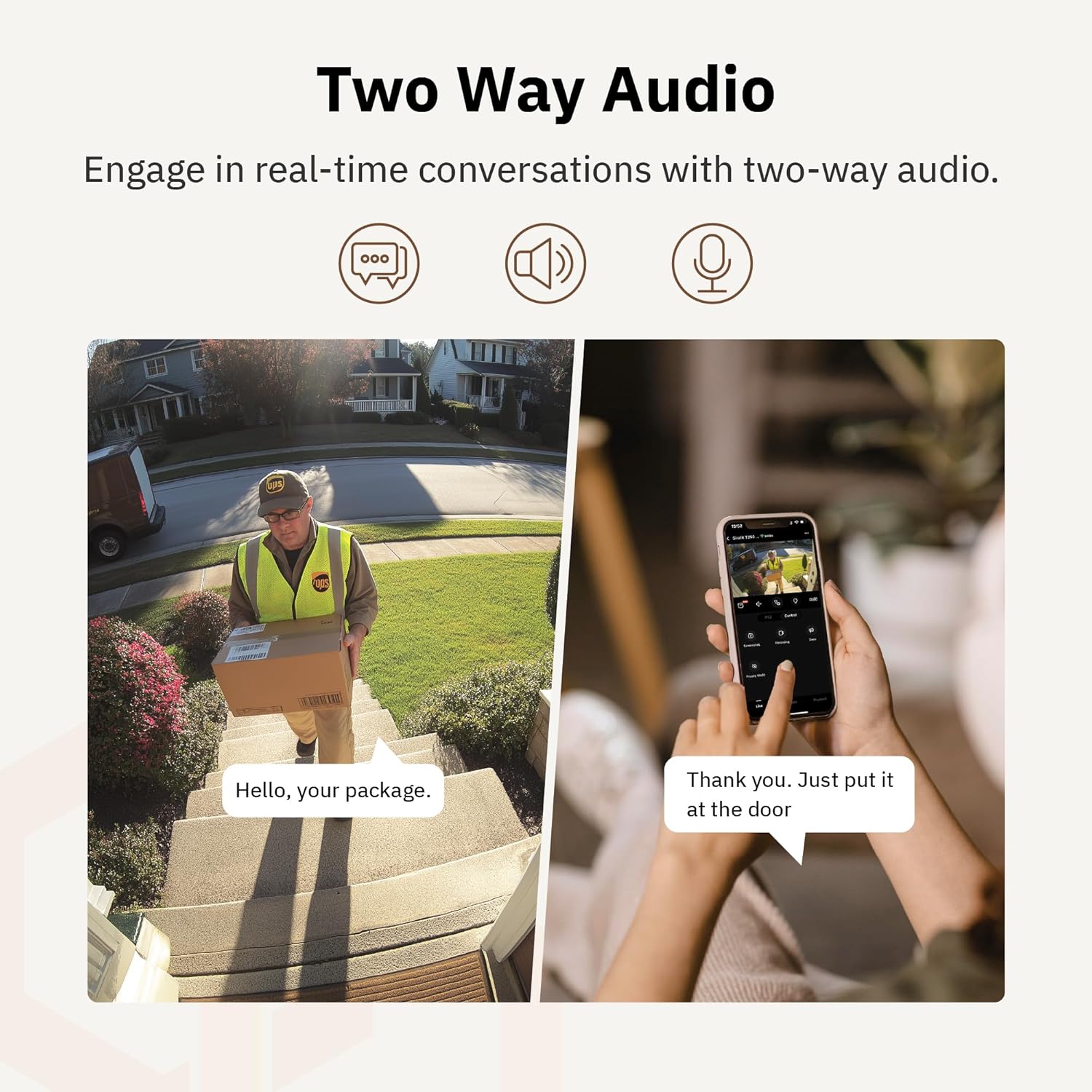
Figura 4.6: un example of using two-way audio to communicate with a delivery person at the door.
4.5 Modo de privacidade
For enhanced privacy, the camera features a privacy mode. When activated, the camera lens physically tilts down by 180°, ensuring no live feed is captured or transmitted. This provides 100% privacy protection when needed.

Figure 4.7: The camera in privacy mode, with the lens tilted downwards to ensure no recording or live view.
4.6 Almacenamento de vídeo
The camera supports two primary methods for video storage:
- Tarxeta Micro SD: Insert a Micro SD card (up to 256GB, not included) into the designated slot on the camera for local storage of recordings.
- Almacenamento na nube: Girafit offers encrypted cloud storage services in the US. Refer to the app for subscription options and details.
5. Mantemento
5.1 Limpeza
To maintain optimal performance, periodically clean the camera lens and housing. Use a soft, damp un pano para limpar o po e a sucidade. Evite o uso de produtos químicos agresivos ou materiais abrasivos que poidan danar a lente ou o acabado.
5.2 Actualizacións de firmware
Girafit regularly releases firmware updates to improve camera performance, add new features, and enhance security. Check the Girafit app periodically for available updates and follow the in-app instructions to install them. Ensure the camera has a stable power supply during updates.
6 Solución de problemas
- A cámara non se conecta á wifi:
- Ensure your Wi-Fi network is 2.4GHz or 5GHz and the password is correct.
- Achega a cámara ao teu enrutador Wi-Fi.
- Reinicia o teu enrutador e a cámara.
- Baixa calidade do vídeo:
- Comproba a velocidade da túa conexión a internet.
- Limpar a lente da cámara.
- Ensure the camera is receiving adequate power.
- A detección de movemento non funciona:
- Verifica que a detección de movemento estea activada na configuración da aplicación.
- Adjust detection sensitivity and detection zones.
- Asegúrate de que non haxa obstáculos que bloqueen a cámara view.
- Problemas de audio bidireccional:
- Check microphone and speaker permissions for the Girafit app on your phone.
- Asegúrate de que o micrófono e o altofalante da cámara non estean obstruídos.
For further assistance, please contact Girafit customer support.
7. Especificacións
| Característica | Descrición |
|---|---|
| Nome do modelo | GRF-T350SW |
| Resolución de captura de vídeo | 3K (5MP) |
| Uso interior/exterior | Ao aire libre |
| Tecnoloxía de conectividade | Wi-Fi (2.4GHz/5GHz), Wired |
| Fonte de enerxía | Eléctrico con cable |
| Tipo de montaxe | Soporte de parede |
| Característica especial | 2-Way Audio, AI Detection (Human/Pet/Vehicle), Auto Tracking, Color Night Vision, IP65 Weatherproof |
| Dispositivos compatibles | Desktop, Laptop, Smartphone (Android/iOS) |
| Dimensións do artigo (L x W x H) | 2.63 x 2.63 x 4.76 polgadas |
| Peso do elemento | 14.7 onzas |
| Opcións de almacenamento | Tarxeta Micro SD (ata 256 GB), almacenamento na nube |
| UPC | 764742517881 |
8. Garantía e soporte
Girafit products are designed for reliability and performance. For warranty information, please refer to the warranty card included with your product or visit the official Girafit website. For technical support, troubleshooting assistance, or any inquiries regarding your Girafit GRF-T350SW camera, please contact Girafit customer service through the contact information provided on the official website or within the Girafit app.