
Introdución
This manual provides essential information for the safe and efficient operation, maintenance, and troubleshooting of your Xiaomi Robot Vacuum 5 Pro. Please read this manual thoroughly before using the product and retain it for future reference.
Información importante de seguridade
To reduce the risk of injury or damage, read and follow all safety precautions. This device is for household use only.
- Do not use the robot vacuum on wet surfaces or in environments with standing water.
- Keep children and pets away from the robot vacuum during operation.
- Emprega só o adaptador de corrente e a base de carga orixinais subministrados polo fabricante.
- Ensure the power cord is not damaged or tangled.
- Remove any loose cables, small objects, or fragile items from the floor before cleaning to prevent entanglement or damage.
- Non fagas funcionar o robot aspirador preto de chamas abertas ou materiais inflamables.
- Do not sit on the robot vacuum or place heavy objects on it.
- Turn off the robot vacuum and unplug the charging dock before performing any maintenance or cleaning.
Contido do paquete
Verifica que todos os compoñentes estean presentes no paquete:
- Xiaomi Robot Vacuum 5 Pro
- Self-cleaning Base Station
- Adaptador de alimentación
- Cepillo lateral
- Cepillo principal (preinstalado)
- Cubo de lixo (preinstalado)
- Depósito de auga (preinstalado)
- Fregonas (x2)
- Manual de usuario
Produto rematadoview
Familiarize yourself with the components and features of your Xiaomi Robot Vacuum 5 Pro.
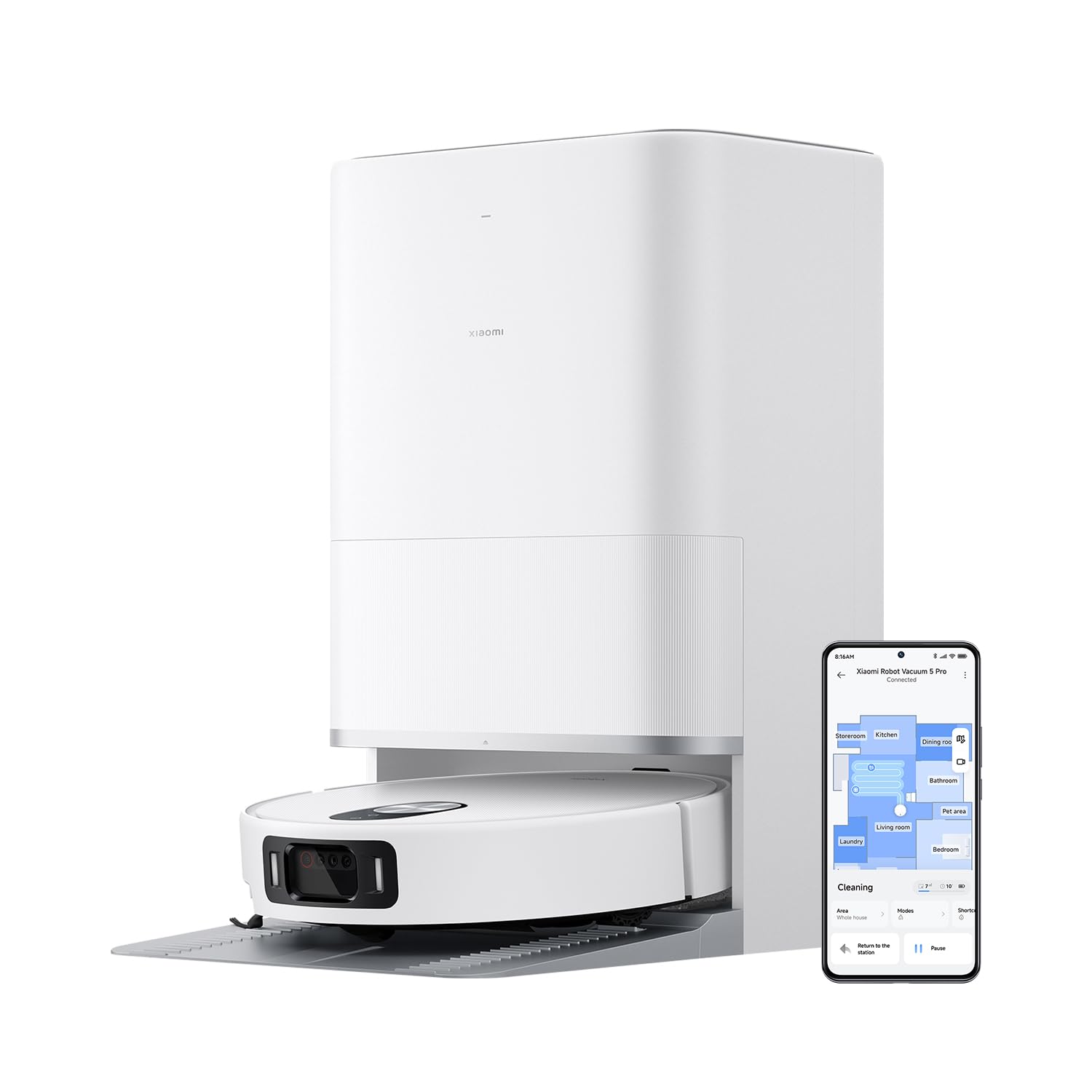
Figura 1: The Xiaomi Robot Vacuum 5 Pro docked in its self-cleaning base station, with a smartphone displaying the control app interface.
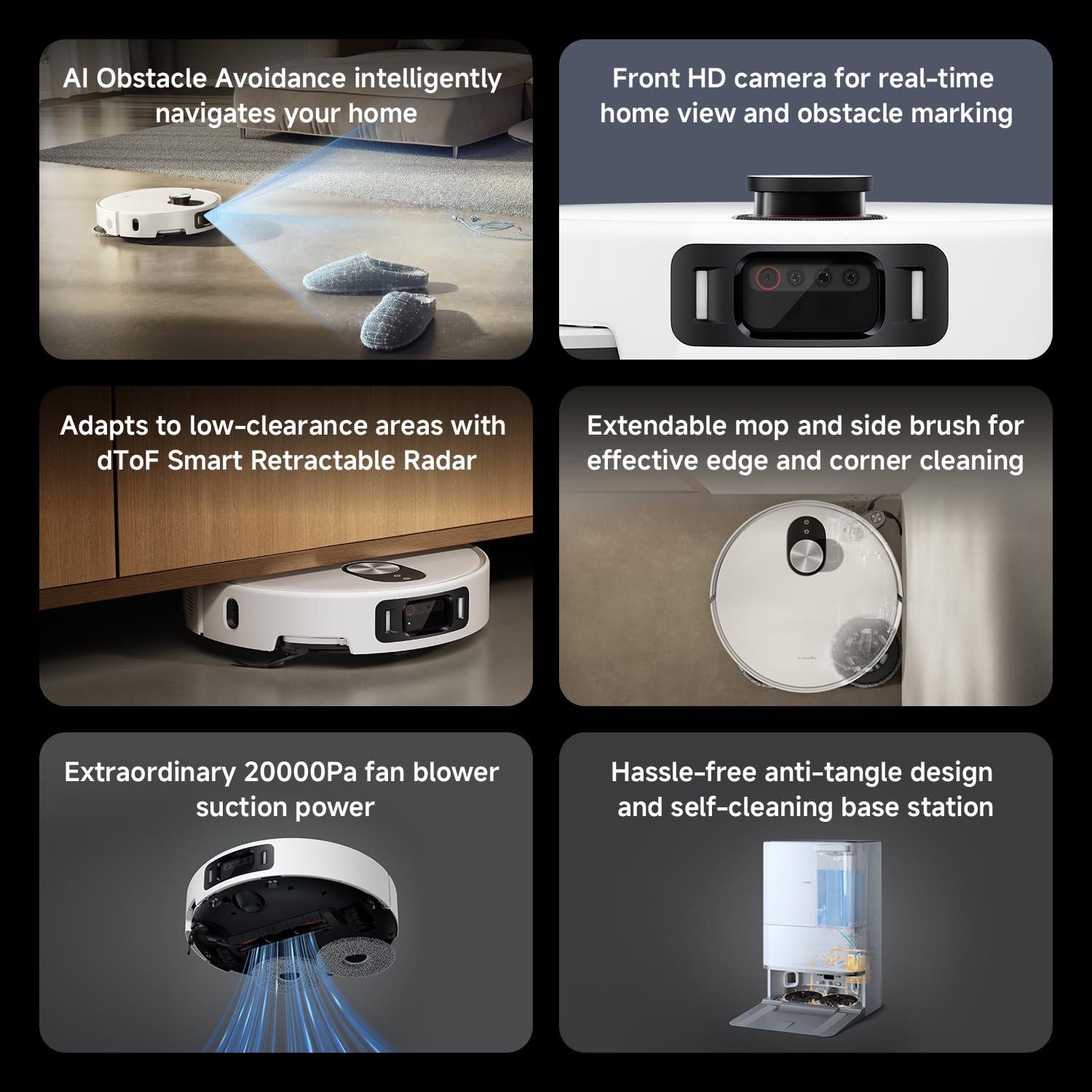
Figura 2: Acabadoview of key features including AI obstacle avoidance, front HD camera, dToF radar, extendable mop, powerful suction, and the self-cleaning base station.

Figura 3: The AI triple-camera smart detection system, comprising an RGB camera, two infrared cameras, and an infrared 3D dot projector for accurate environment sensing.
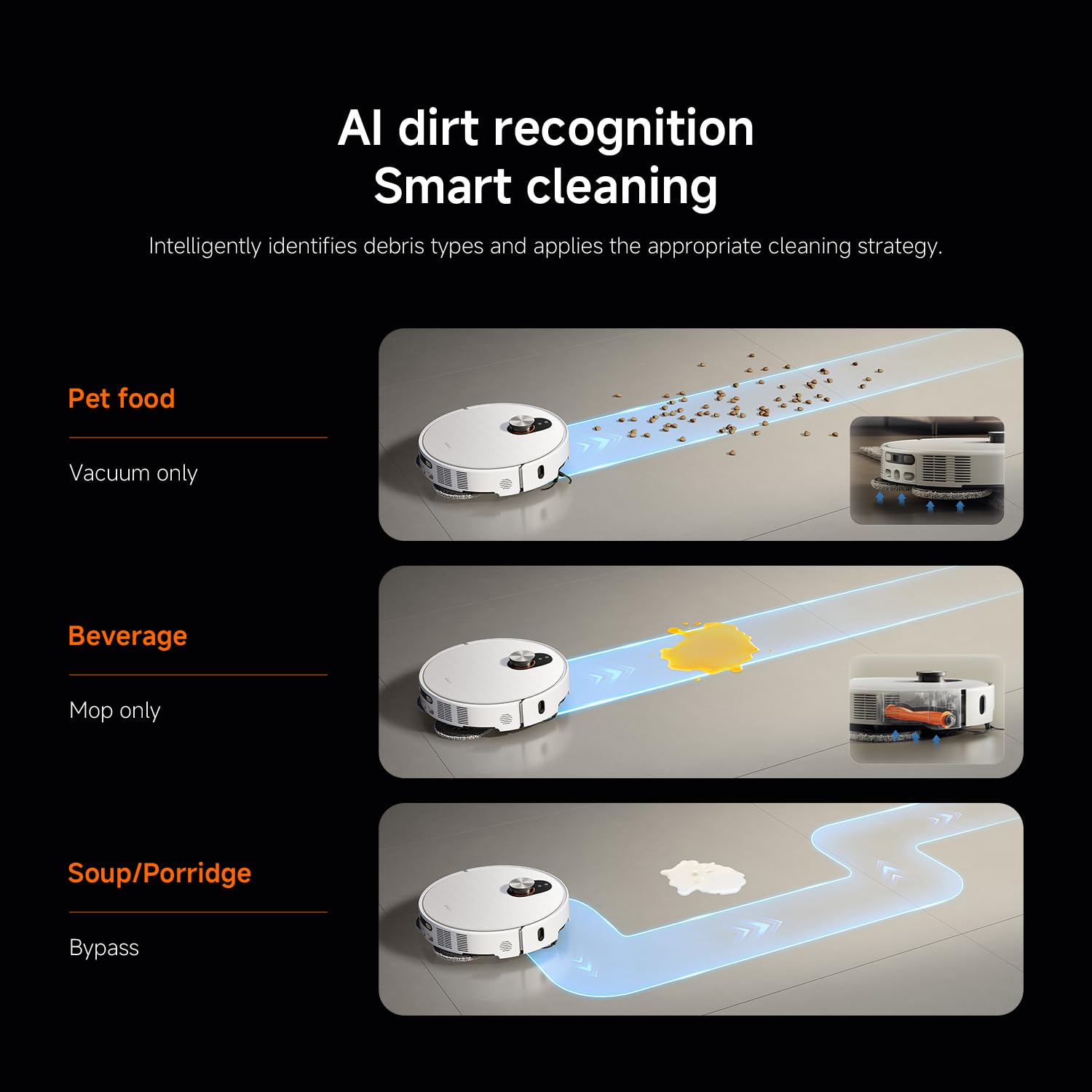
Figura 4: AI dirt recognition system intelligently identifying debris types and applying appropriate cleaning strategies (vacuum, mop, or bypass).
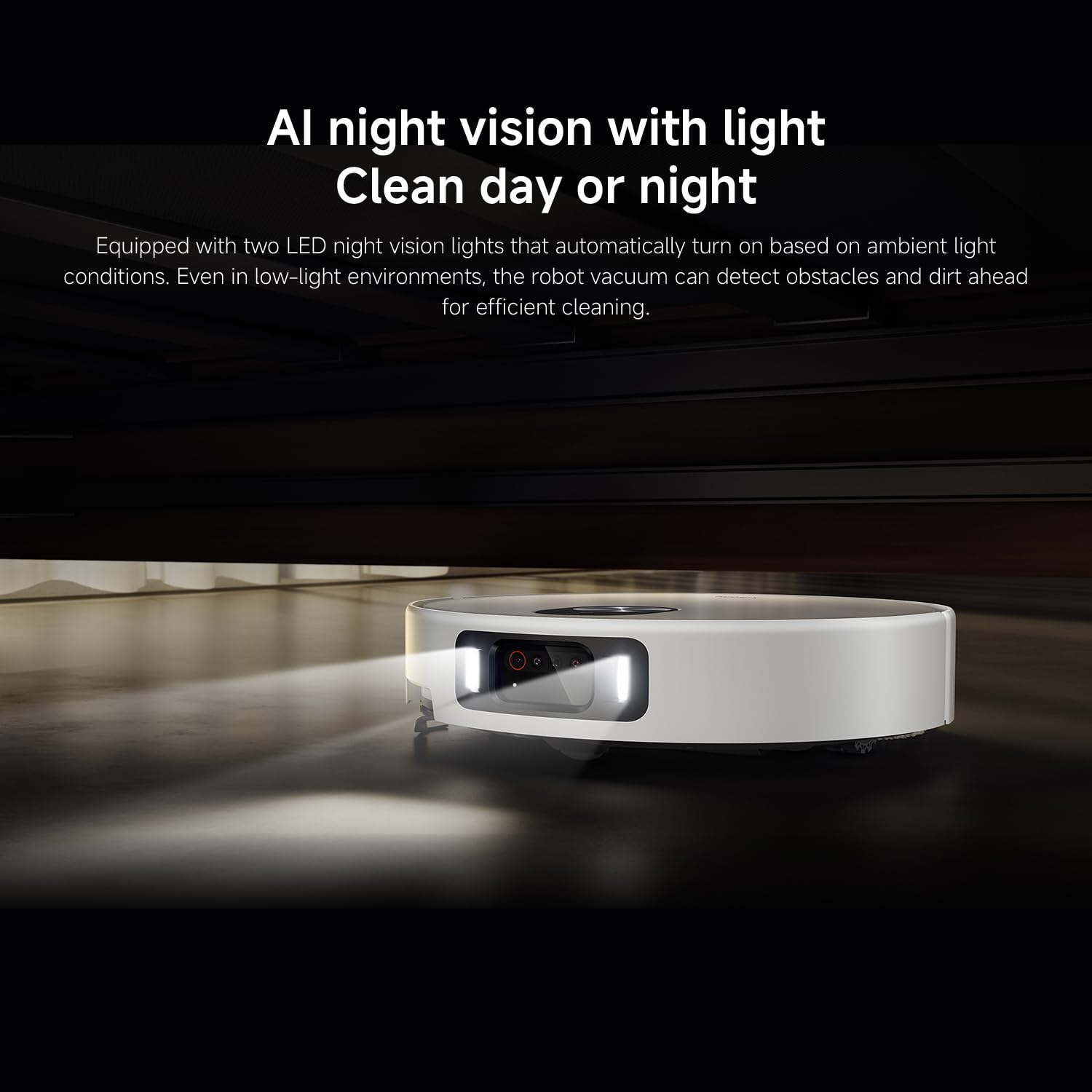
Figura 5: AI night vision with two LED lights, enabling the robot vacuum to detect obstacles and dirt efficiently in low-light conditions.
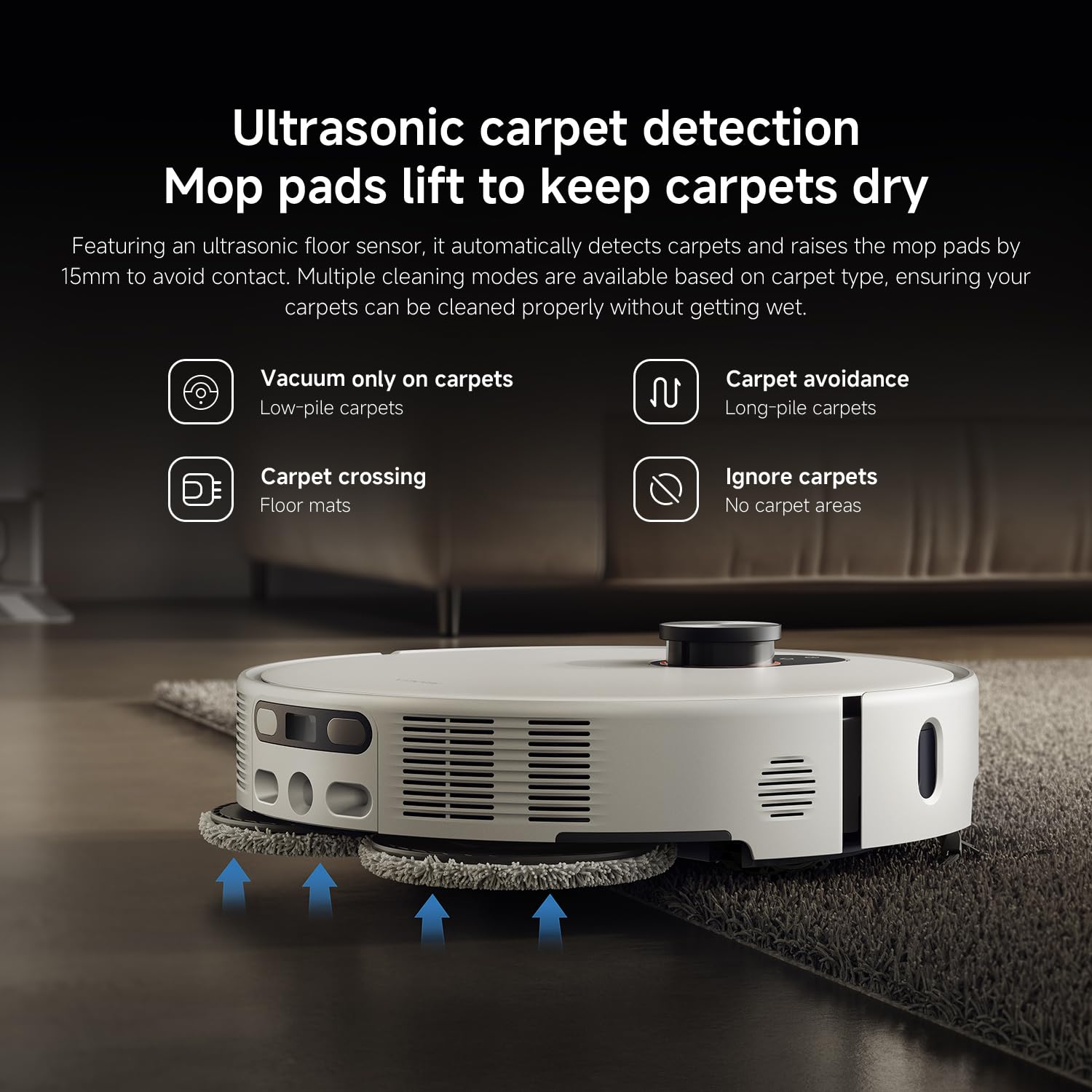
Figura 6: Ultrasonic carpet detection system, which automatically lifts mop pads by 15mm to avoid wetting carpets, offering multiple cleaning modes.
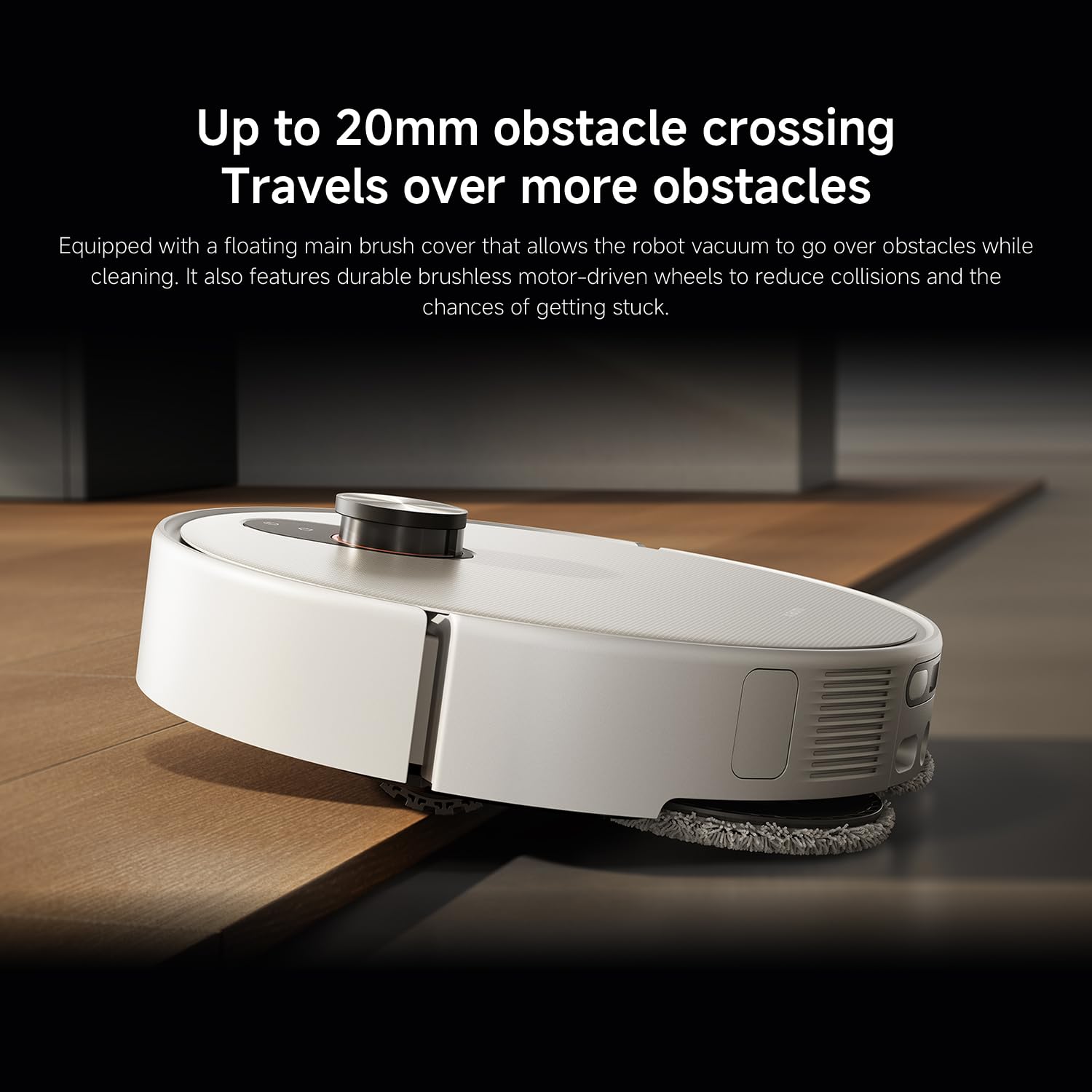
Figura 7: The robot vacuum's ability to cross obstacles up to 20mm high, facilitated by a floating main brush cover and durable wheels.
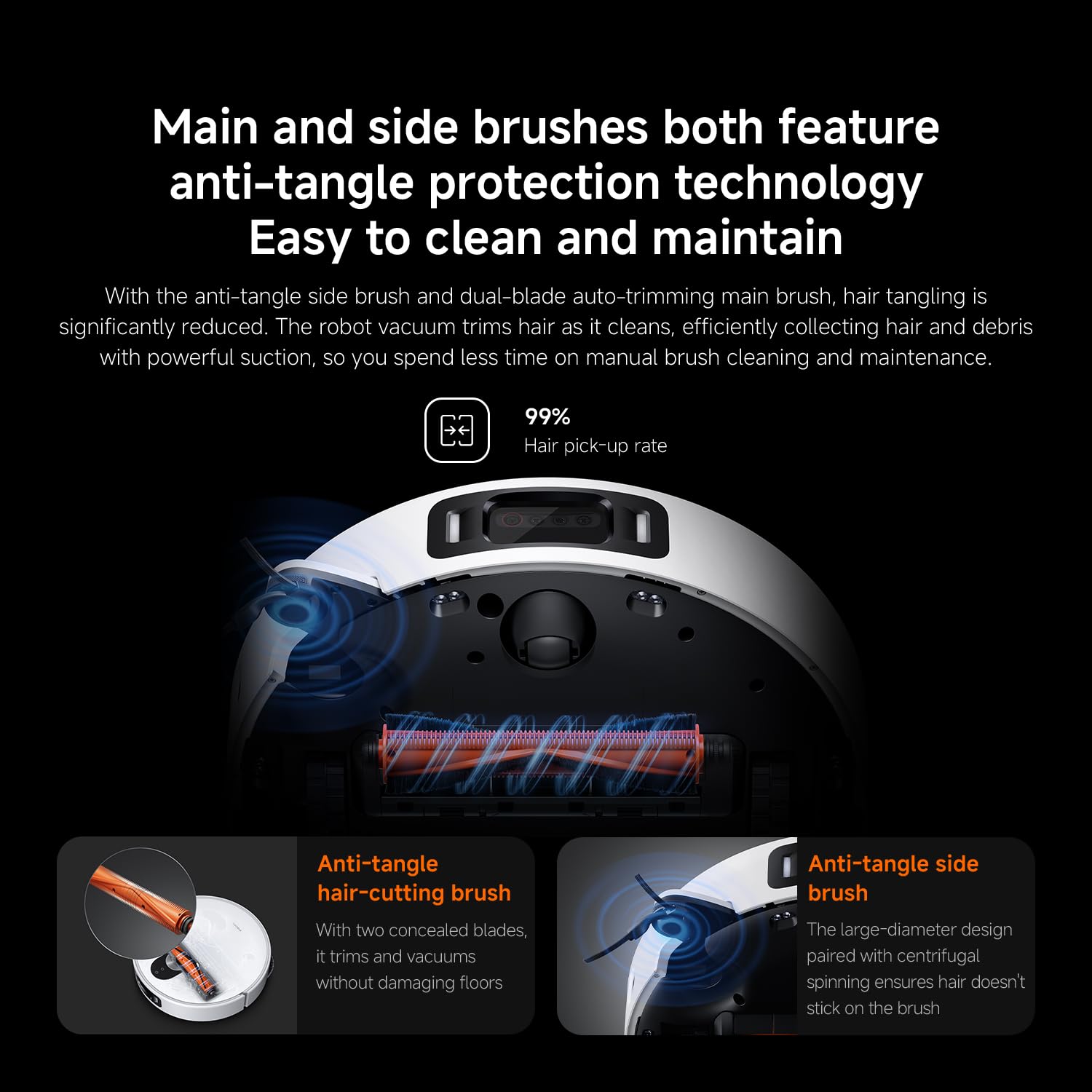
Figura 8: Main and side brushes featuring anti-tangle protection technology, including concealed blades for the main brush and a large-diameter design for the side brush.
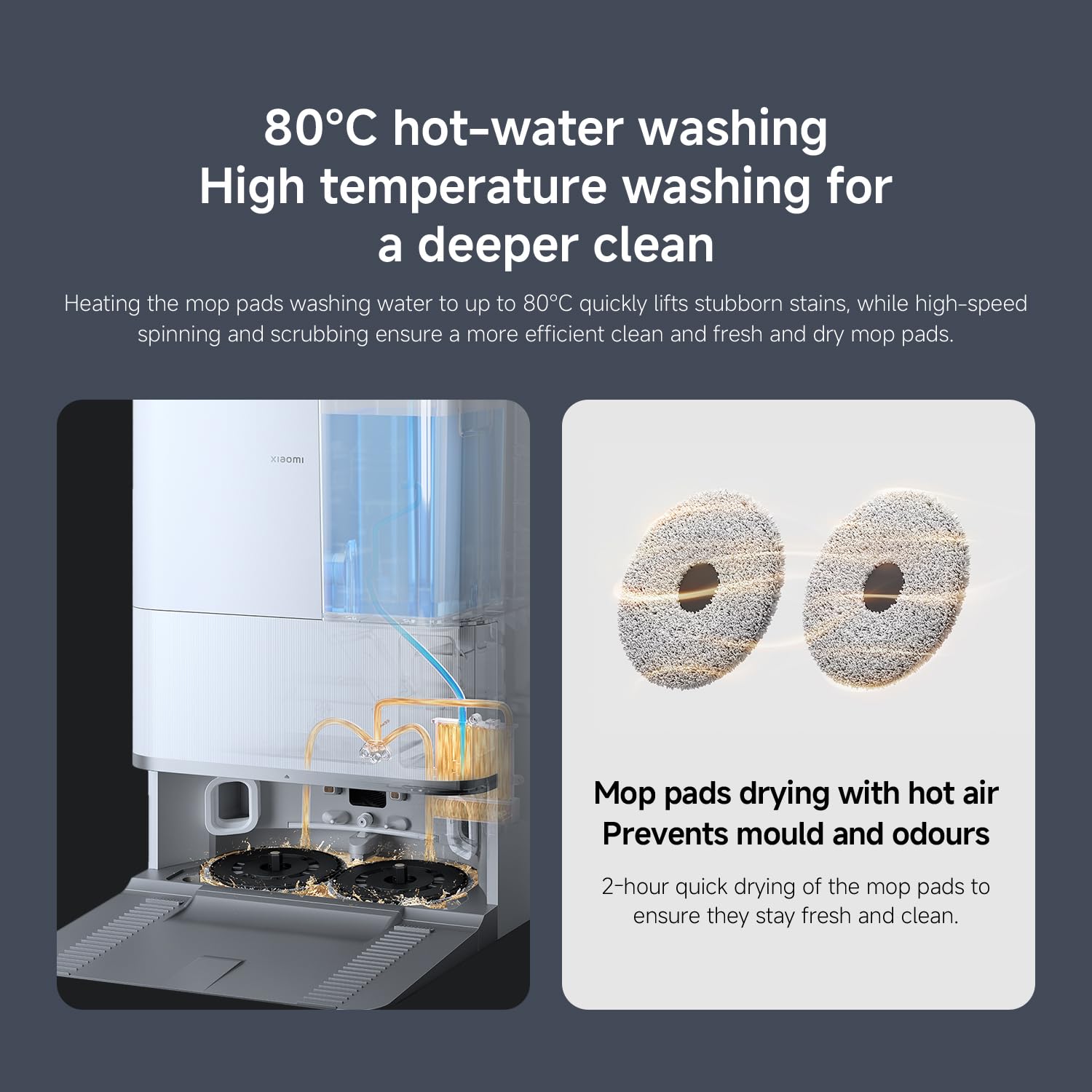
Figura 9: The self-cleaning base station performing 80°C hot-water washing for deep cleaning and 2-hour hot air drying of mop pads to prevent mold and odors.
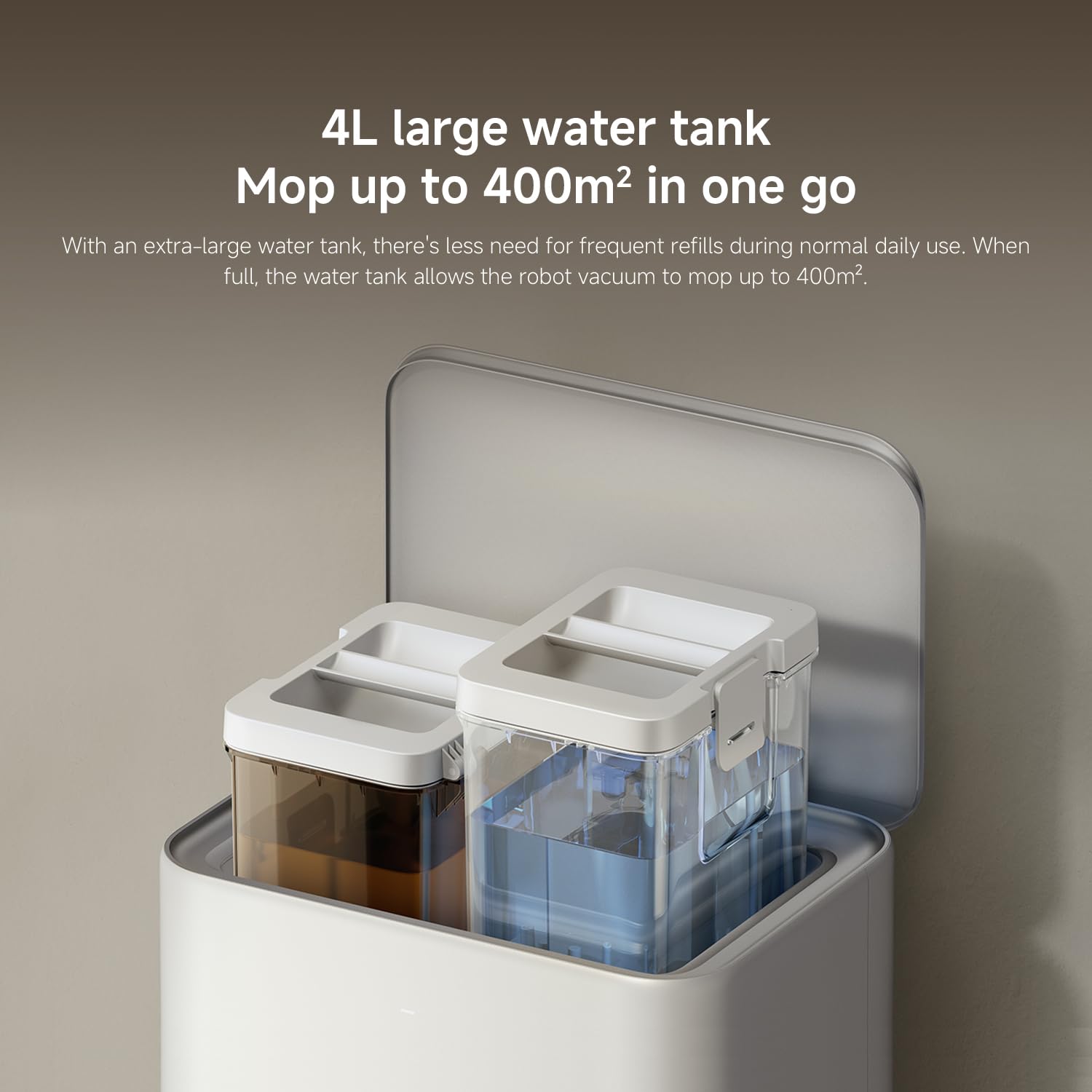
Figura 10: The 4L large water tank system within the self-cleaning base station, designed for extended mopping coverage without frequent refills.
Guía de configuración
1. Desembalaxe e colocación
- Retire coidadosamente todos os compoñentes da embalaxe.
- Choose a suitable location for the self-cleaning base station. Ensure there is at least 0.5 meters of clear space on both sides and 1.5 meters in front of the base station.
- Place the base station against a wall on a hard, level surface. Do not place it on carpets.
- Connect the power adapter to the base station and plug it into a power outlet. Ensure the cable is neatly tucked away to prevent entanglement.
2. Carga inicial
- Place the robot vacuum onto the charging contacts of the base station. Ensure the contacts align.
- The robot will automatically power on and begin charging. Allow it to fully charge before first use (approximately 6 hours). The indicator light on the robot will change when fully charged.
3. Descarga e conexión da aplicación
- Descarga o Xiaomi Home app from your smartphone's app store (App Store for iOS, Google Play Store for Android).
- Abre a aplicación e crea unha conta ou inicia sesión.
- Toca a icona "+" na esquina superior dereita para engadir un dispositivo.
- Select "Xiaomi Robot Vacuum 5 Pro" from the list of available devices or scan the QR code on the robot.
- Follow the in-app instructions to connect the robot to your home Wi-Fi network. Ensure your phone is connected to a 2.4GHz Wi-Fi network during setup.
- Unha vez conectado, podes controlar o robot, view maps, set schedules, and access advanced features through the app.
Instrucións de funcionamento
1. Iniciar e deter a limpeza
- Comeza a limpeza: Press the power button on the robot or tap "Clean" in the Xiaomi Home app. The robot will automatically map your home and begin cleaning.
- Pausar a limpeza: Press any button on the robot or tap "Pause" in the app.
- Reanudar a limpeza: Press the power button again or tap "Resume" in the app.
- Regreso á base: Press the home button on the robot or tap "Recharge" in the app. The robot will return to the self-cleaning base station.
2. Modos de limpeza
The Xiaomi Home app allows you to select various cleaning modes:
- Só aspiradora: For dry debris and general vacuuming.
- Só fregona: For wet cleaning with mop pads.
- Aspirar e fregar: Aspiración e fregado simultáneos.
- Limpeza da zona: Select specific rooms or zones on the map to clean.
- Limpeza de manchas: Direct the robot to clean a specific small area.
3. Advanced Features via Xiaomi Home App
- Xestión de mapas: View and edit your home's map. Set virtual walls and no-go zones to restrict the robot from certain areas.
- Limpeza programada: Define horas específicas para que o robot limpe automaticamente.
- Cleaning Preferences: Adjust suction power, water flow level, and carpet cleaning modes (e.g., vacuum only on carpets, carpet avoidance).
- Monitorización en tempo real: Monitor the robot's cleaning progress and location in real-time.
- AI Dirt Recognition: The robot automatically adjusts its cleaning strategy based on detected dirt types.
- AI Night Vision: Enables cleaning in low-light conditions.
Mantemento
Regular maintenance ensures optimal performance and extends the lifespan of your robot vacuum. Always turn off the robot and unplug the base station before performing maintenance.
1. Lixo e filtro
- Cubo de lixo baleiro: The self-cleaning base station will automatically empty the dustbin. However, manually check and empty the dustbin if the base station is not used or if the dustbin is full.
- Limpar o filtro: Tap the dustbin to remove loose dirt. Rinse the filter under running water. Ensure it is completely dry before re-installing (allow 24 hours). Replace the filter every 3-6 months, or as needed.
2. Water Tank and Mop Pads
- Encher o depósito de auga: The base station will manage water levels. Ensure the clean water tank in the base station is filled.
- Limpar as almofadas da mopa: The base station automatically washes and dries the mop pads. Periodically remove and hand wash the mop pads for a deeper clean. Replace mop pads every 1-3 months, depending on usage.
3. Cepillos
- Cepillo principal: Remove the main brush cover and lift out the main brush. Use the cleaning tool to remove hair and debris. Check the bearings for any entanglement. Reinstall the brush. Replace every 6-12 months.
- Cepillo lateral: Unscrew the side brush and remove any tangled hair or debris. Reattach the brush. Replace every 3-6 months.
4. Sensores e contactos de carga
- Wipe all sensors (cliff sensors, wall sensors, dToF radar) and charging contacts on both the robot and the base station with a clean, dry cloth.
Resolución de problemas
Se tes problemas co teu robot aspirador, consulta os seguintes problemas e solucións comúns:
| Problema | Causa posible | Solución |
|---|---|---|
| O robot non se acende nin carga. | Batería esgotada; contactos de carga sucios; adaptador de corrente non conectado. | Asegúrate de que o robot estea correctamente acoplado. Limpa os contactos de carga. Comproba a conexión do adaptador de corrente. |
| O robot quédase atascado con frecuencia. | Obstacles on floor; low-clearance furniture; cliff sensors dirty. | Clear floor of cables and small items. Use virtual walls in app. Clean cliff sensors. |
| Mal rendemento de limpeza. | Dustbin full; brushes tangled; filter clogged; low suction setting. | Empty dustbin. Clean main and side brushes. Clean/replace filter. Increase suction power in app. |
| O robot non pode volver á estación base. | Base station obstructed; robot too far from base; charging contacts dirty. | Ensure clear path to base. Move robot closer to base. Clean charging contacts. |
| As fregonas non limpan eficazmente ou deixan raias. | Mop pads dirty; water tank empty; low water flow setting. | Clean or replace mop pads. Refill clean water tank. Adjust water flow in app. |
| Problemas de conexión coa aplicación. | Contrasinal wifi incorrecto; rede wifi de 5 GHz; robot demasiado lonxe do router. | Ensure 2.4GHz Wi-Fi. Re-enter password. Move robot closer to router. Restart robot and router. |
Especificacións
| Característica | Detalle |
|---|---|
| Marca | XIAOMI |
| Número de modelo | 65238 |
| Número de peza | BHR07WEGB |
| Voltage | 240 voltios |
| Fonte de enerxía | Alimentado por batería |
| Pilas incluídas | Yes (1 x 12V battery) |
| Factor de forma | Redondo |
| Dimensións do produto | 44.3 x 43.1 x 68.6 cm |
| Peso do elemento | 15 quilogramos |
| Recomendación de superficie | Multisuperficie |
| Data de primeira dispoñibilidade | 23 de setembro de 2025 |
Garantía e Soporte
Para obter información sobre a garantía e a atención ao cliente, consulte a tarxeta de garantía incluída co produto ou visite o sitio web oficial de XIAOMI. website. You can also contact XIAOMI customer service for assistance with product inquiries, technical support, or service requests.
Oficial Websitio: www.mi.com