
Introdución
The NEWSKILL Aton V2 Gaming Headset offers versatile connectivity options including 2.4G wireless, Bluetooth 5.0, and a wired USB-C connection, ensuring compatibility across multiple platforms. Designed for an immersive audio experience, it features 50mm neodymium drivers, a flexible retractable microphone for clear communication, and customizable RGB lighting. This manual provides essential information for setting up, operating, and maintaining your headset.
1. Contido do paquete
- NEWSKILL Aton V2 Gaming Headset
- Cable de carga/datos de USB-C a USB-A
- Dongle inalámbrico USB 2.4G
- Manual de usuario
2. Produto rematadoview (Controis e portos)
Familiarize yourself with the various controls and ports on your NEWSKILL Aton V2 headset for optimal use.

This image displays the control layout on the left earcup, including the volume adjustment wheel, power button, microphone mute switch, and a button for managing RGB lighting effects.

The underside of the left earcup features the USB-C port for charging and wired connection, alongside the dedicated port for the retractable microphone.
- Botón de encendido: Located on the left earcup. Used to power the headset on/off and enter Bluetooth pairing mode.
- Rodillo de volume: A scroll wheel on the left earcup for adjusting audio output volume.
- Botón de silencio do micrófono: A dedicated button on the left earcup to quickly mute or unmute the microphone.
- RGB Control Button: Cycles through RGB lighting modes or turns the lighting off.
- Porto USB-C: For charging the headset and establishing a wired connection.
- Porto do micrófono: Where the retractable microphone extends from.
3. Configuración e conexión
3.1. 2.4G Wireless Connection (PC, PS5, Nintendo Switch Docked)
- Insert the 2.4G USB wireless dongle into an available USB port on your device (PC, PS5, or Nintendo Switch dock).
- Manteña premido o Botón de encendido on the headset for 3 seconds to turn it on.
- The headset will automatically attempt to connect to the dongle. A solid indicator light on the headset signifies a successful connection.
- Asegúrate de que os auriculares estean seleccionados como dispositivo de entrada e saída de audio na configuración do sistema.
3.2. Bluetooth 5.0 Connection (Mobile Devices, Nintendo Switch Handheld)
- Manteña premido o Botón de encendido on the headset for 3 seconds to turn it on.
- To enter Bluetooth pairing mode, press and hold the Botón de encendido for an additional 5 seconds until the indicator light flashes rapidly (usually blue/red).
- On your mobile device or Nintendo Switch (in handheld mode), navigate to the Bluetooth settings and search for available devices.
- Select "NEWSKILL Aton V2" from the list to pair. A solid blue indicator light confirms a successful connection.
3.3. Conexión con cable (USB-C)
- Connect one end of the provided USB-C cable to the USB-C port on the headset.
- Connect the other end of the USB-C cable to an available USB-C port on your device.
- The headset will function as a wired audio device. No battery power is required for wired operation.
4. Instrucións de funcionamento
4.1. Acendido/apagado
- Encendido: Manteña premido o Botón de encendido durante 3 segundos.
- Apagado: Manteña premido o Botón de encendido for 5 seconds until the indicator light turns off.
4.2. Axuste de volume
- Xire o Rolo de volume upwards to increase the volume.
- Xire o Rolo de volume downwards to decrease the volume.
4.3. Uso do micrófono
- Extend Microphone: Gently pull the microphone out from its port on the left earcup. Adjust its position for optimal voice pickup.
- Retract Microphone: Push the microphone back into its port until it is fully stored.
- Silenciar/Activar o silencio: Preme o Botón de silencio do micrófono once to toggle mute on or off. An indicator light (if present) may show the mute status.
This image shows the headset with its flexible, omnidirectional microphone extended from the left earcup, positioned for clear voice communication.

The headset is shown with the microphone retracted, demonstrating its discreet storage when not in use.
4.4. Control da iluminación RGB
- Preme o Botón de control RGB to cycle through various lighting effects or to turn the RGB lighting off.

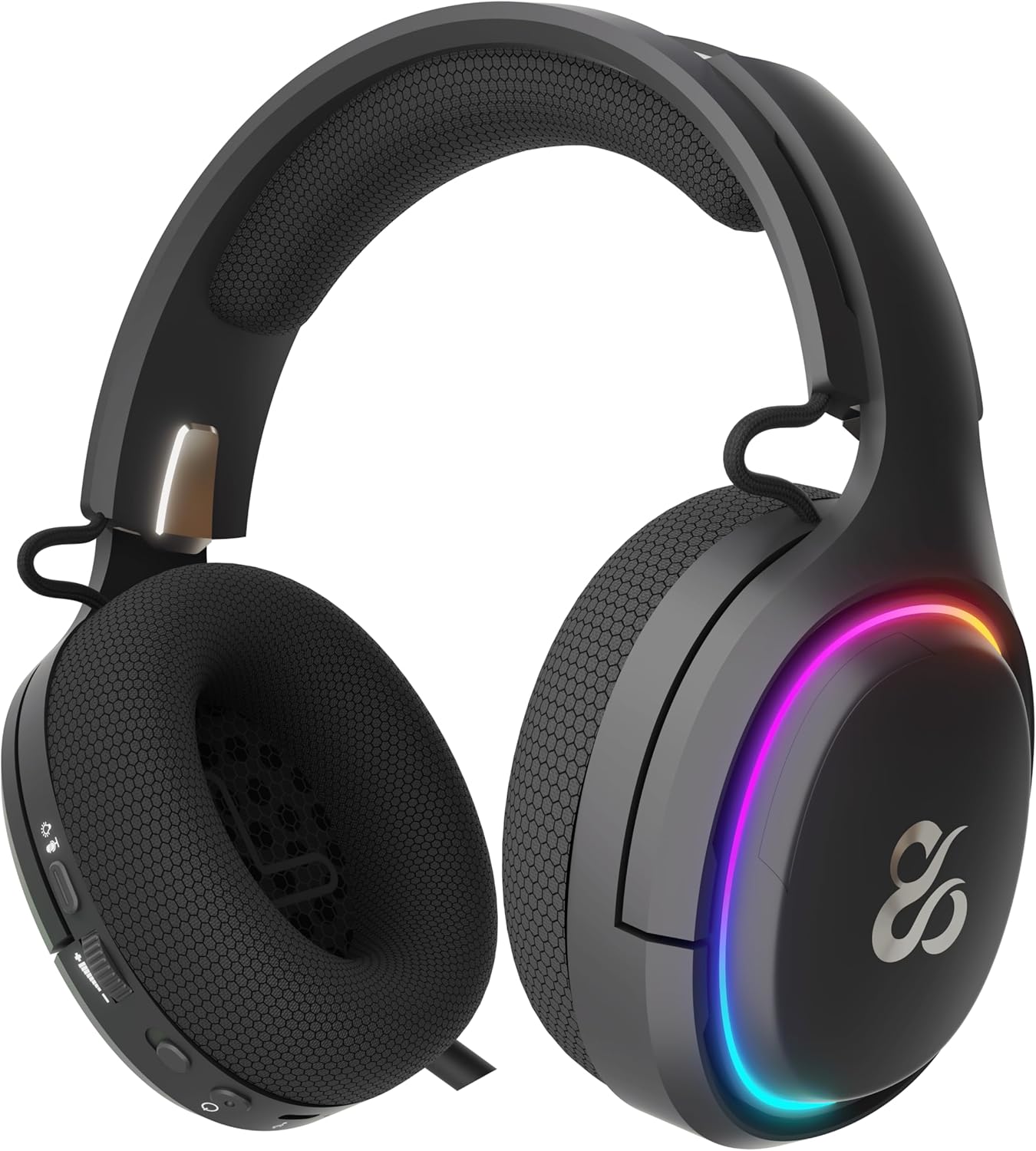
The earcup's outer ring illuminates with a colorful RGB light effect, customizable via the dedicated control button.
4.5. Cargando
- Connect the provided USB-C cable to the headset's USB-C port and to a power source (e.g., computer USB port, USB wall adapter).
- The indicator light will show the charging status (e.g., red for charging, off or green for fully charged).
- A full charge provides up to 60 hours of use without RGB lighting, or 38 hours with RGB lighting enabled.
5. Mantemento
5.1. Limpeza
- Use a soft, dry, lint-free cloth to clean the headset.
- Evite o uso de produtos químicos agresivos, disolventes de limpeza ou deterxentes fortes.
- Do not immerse the headset in water or expose it to excessive moisture.
5.2. Almacenamento
- Garde os auriculares nun lugar fresco e seco, lonxe da luz solar directa e de temperaturas extremas.
- Evite colocar obxectos pesados enriba dos auriculares para evitar danos.
6 Solución de problemas
- Sen son:
- Check the headset's volume roller and ensure it is not at the minimum setting.
- Verify the headset is properly connected (2.4G dongle inserted, Bluetooth paired, or USB-C cable secure).
- Confirm the correct audio output device is selected in your computer or console's sound settings.
- Asegúrese de que os auriculares estean cargados.
- O micrófono non funciona:
- Asegúrate de que o micrófono estea estendido e non silenciado (comproba o botón de silenciar).
- Verify the correct audio input device is selected in your computer or console's sound settings.
- Proba o micrófono con outra aplicación ou dispositivo.
- Problemas de conexión:
- For 2.4G wireless, try re-inserting the USB dongle and restarting the headset.
- For Bluetooth, unpair the headset from your device and then re-pair it. Ensure no other Bluetooth devices are interfering.
- For wired connection, ensure the USB-C cable is fully inserted at both ends.
- Problemas de carga:
- Asegúrate de que o cable USB-C non estea danado e que estea conectado correctamente.
- Proba cun porto USB ou un adaptador de alimentación diferente.
7. Especificacións
- Número de modelo:
- NS-HS-ATONV2
- Conectividade:
- Sen fíos 2.4G, Bluetooth 5.0, USB-C con cable
- Condutores:
- 50mm Neodymium Magnets
- Micrófono:
- Omnidirectional, Retractable
- Duración da batería:
- Up to 60 hours (without RGB), 38 hours (with RGB)
- Porto de carga:
- USB-C
- Dispositivos compatibles:
- PC, PlayStation 5 (PS5), Nintendo Switch, Mobile Phones
- Dimensións:
- 10 x 270 x 21 cm
- Peso:
- 860 g
8. Información de seguridade
- Evita escoitar música durante moito tempo a volumes altos para evitar danos auditivos.
- Do not expose the headset to water, moisture, or extreme temperatures.
- Non intentes desmontar nin modificar os auriculares. Isto podería anular a garantía e causar danos.
- Keep the headset and its accessories out of reach of children and pets.
- Desfágase da batería de forma responsable segundo a normativa local.
9. Garantía e soporte
This product is covered by a manufacturer's warranty. For detailed warranty information, technical support, or service inquiries, please refer to the official NEWSKILL websitio web ou póñase en contacto co seu departamento de atención ao cliente. Garde o comprobante de compra para reclamacións de garantía.