
Leadfan Model B
Leadfan Carplay Radio for Nissan Altima 2013-2018 (Model B) Instruction Manual
9-inch IPS Touch Screen Head Unit with Wireless Carplay & Android Auto, GPS, Bluetooth, WiFi, FM/RDS, SWC, and Backup Camera
1. Introdución
This manual provides detailed instructions for the installation, operation, and maintenance of your Leadfan Carplay Radio. This head unit is designed to enhance your driving experience with advanced features such as wireless Apple CarPlay, Android Auto, GPS navigation, Bluetooth 5.1, WiFi connectivity, FM/RDS radio, steering wheel control integration, and a backup camera input. Please read this manual thoroughly before installation and use to ensure proper functionality and safety.
2. Modelos de coche aplicables
This Android car stereo radio is specifically designed for Nissan Altima models from 2013, 2014, 2015, 2016, 2017, and 2018. This particular model (Model B) is suitable for vehicles without an AC vent integrated into the radio bezel. It features a 9-inch IPS touch screen.
Nota importante: This car stereo is not compatible with Nissan Altima vehicles equipped with a large factory navigation screen or a premium audio system. Please verify the model year and the shape of your vehicle's center console to ensure compatibility before installation.

Image: Comparison of the Nissan Altima dashboard before and after the Leadfan Carplay Radio installation. The top image shows the new 9-inch touchscreen unit, while the bottom images show the original radio and the new unit in place.
3. Contido do paquete
Revisa coidadosamente o paquete para asegurarte de que estean presentes todos os compoñentes:
- Leadfan Carplay Radio Head Unit (9-inch IPS Touch Screen)
- Cámara de respaldo
- Wiring Harnesses (Power Cable, RCA Cable, USB Cables x2)
- Antena GPS
- Antena WiFi
- Antena Bluetooth
- Soportes de montaxe
- Adaptador de radio
- Decodificador de bus CAN
- Micrófono (MIC)
- Manual de usuario
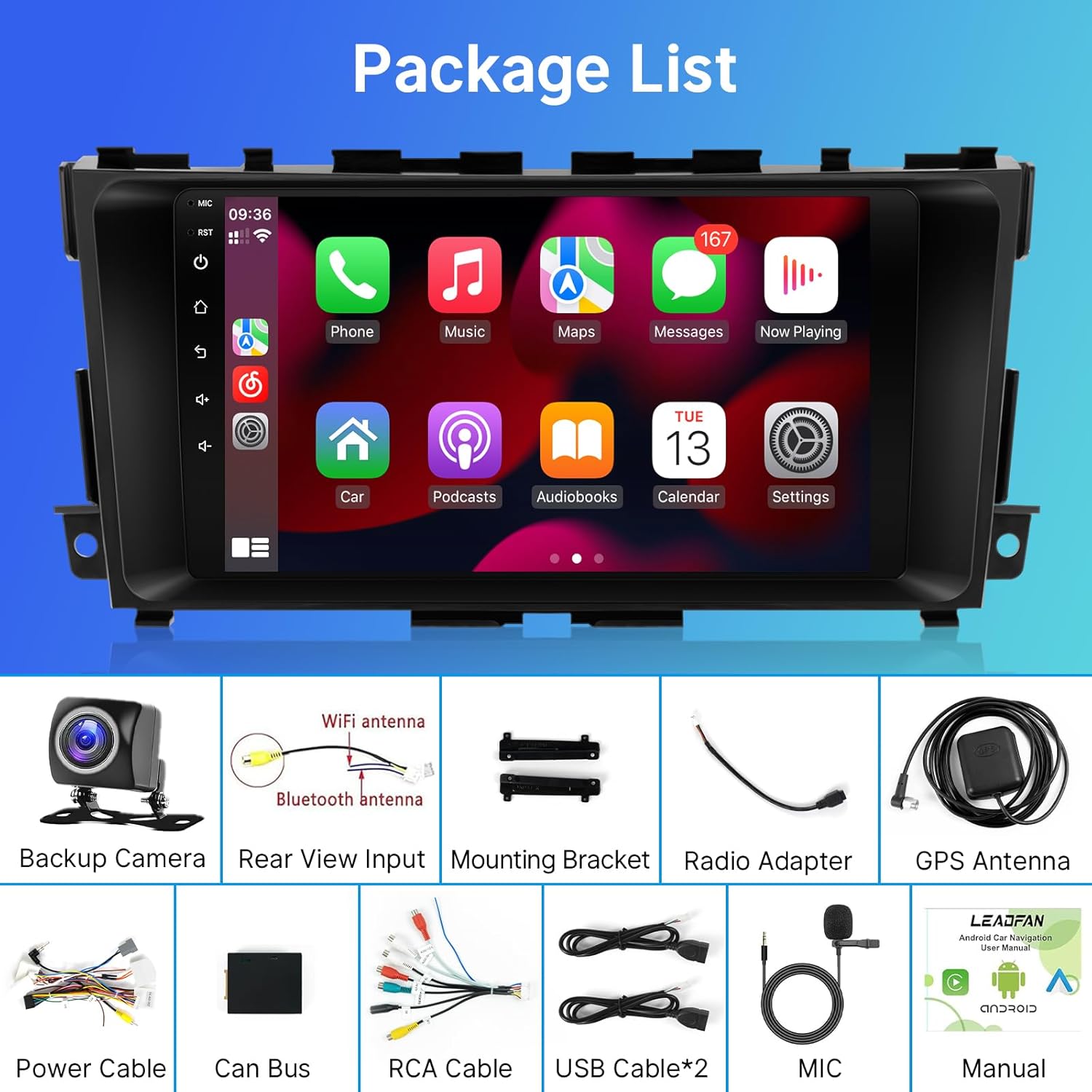
Image: Visual representation of the package contents, including the head unit, backup camera, various cables, antennas, and mounting accessories.
4. Configuración e instalación
The Leadfan Carplay Radio is designed for plug-and-play installation. All necessary wiring harnesses are included. Professional installation is recommended to ensure correct wiring and avoid damage to your vehicle's electrical system.
4.1 Pasos xerais de instalación
- Desconectar batería: Antes de arrincar, desconecte o terminal negativo da batería do seu vehículo para evitar curtocircuítos.
- Eliminar a radio antiga: Carefully remove the factory radio and trim panels. Refer to your vehicle's service manual for specific instructions.
- Conectar os arneses de cableado: Connect the provided wiring harnesses to the vehicle's factory wiring. Ensure all connections are secure.
- Conectar antenas: Attach the GPS, WiFi, and Bluetooth antennas to the corresponding ports on the new head unit. Position the GPS antenna in a location with a clear view do ceo.
- Install Backup Camera (Optional): Follow the instructions below for backup camera installation.
- Unidade principal de montaxe: Secure the new head unit into the dashboard using the provided mounting brackets.
- Volver conectar a batería: Volve conectar o terminal negativo da batería.
- Funcionalidade de proba: Turn on the vehicle and test all functions of the new radio.
4.2 Backup Camera Connection
The backup camera provides enhanced visibility when reversing. Ensure the white plug is securely connected to the radio; otherwise, Bluetooth and WiFi functionalities may be unavailable.

Image: Wiring diagram for the backup camera, showing connections to the head unit's reverse input, video extension line, and the car's reversing light positive and negative terminals. Two wiring choices (roof wiring, under seat wiring) are indicated.
Pasos de cableado:
- Connect the video extension line to the camera.
- Connect the video extension line to the radio's reverse input.
- Connect the camera's power cable to the car's reversing light positive terminal.
- Connect the camera's power cable to the car's reversing light negative terminal.
5. Instrucións de funcionamento
Apple CarPlay e Android Auto sen fíos 5.1
This head unit supports wireless integration for both Apple CarPlay and Android Auto. You can connect your iPhone or Android phone wirelessly via Bluetooth or using a USB cable to access features like navigation, music, calls, and messages directly on the car's display.

Image: The head unit display showcasing the user interfaces for Wireless Apple CarPlay and Android Auto, with various app icons visible.
5.2 WiFi & Offline Navigation
The unit features built-in WiFi, allowing you to connect to the internet via a hotspot or home WiFi network. This enables access to online content, streaming media, and real-time navigation updates. Preloaded maps for North America are included for offline navigation. You can also download additional maps and applications from the app store.
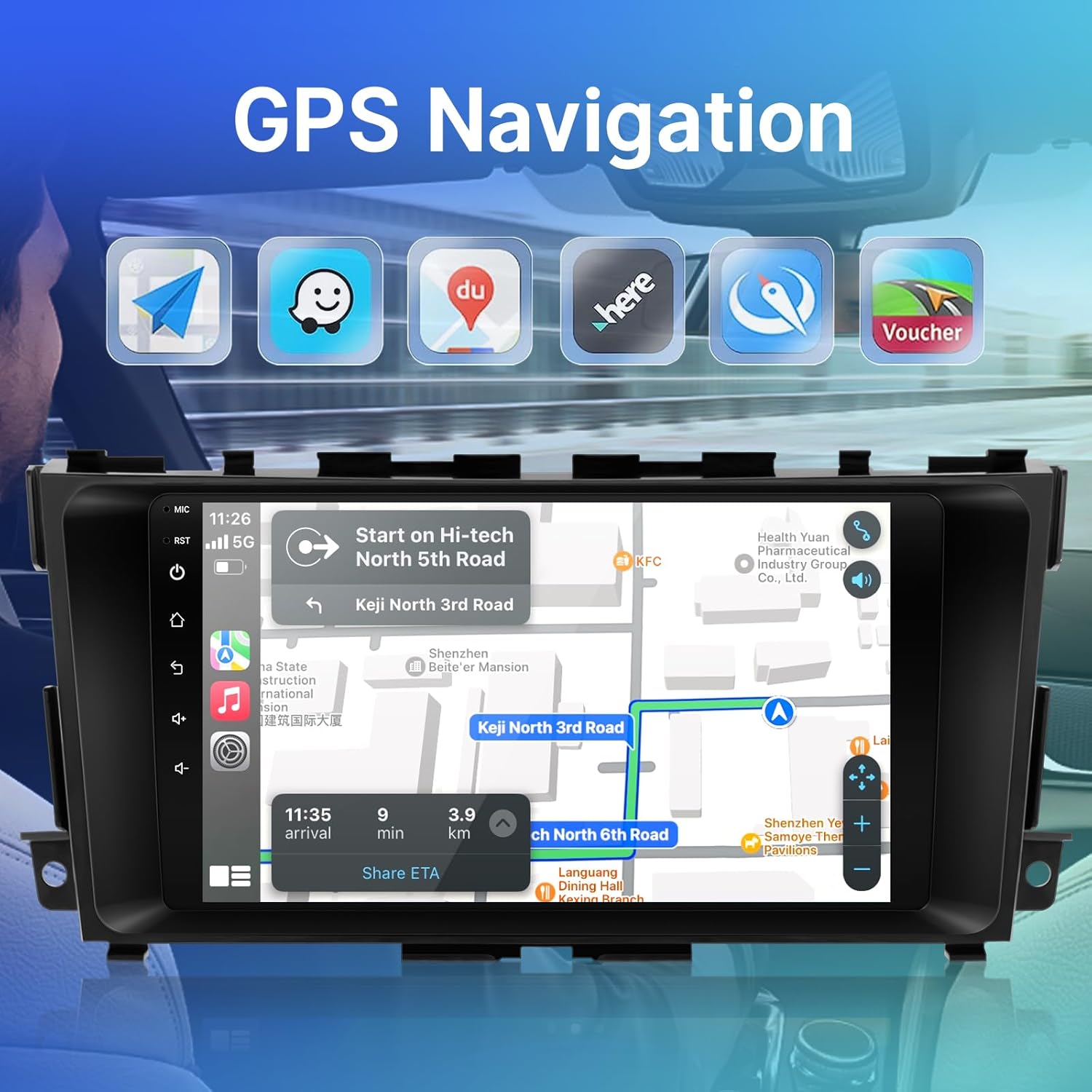
Image: The head unit display showing a GPS navigation map with route information and estimated time of arrival. Icons for various navigation apps are also visible.

Image: The head unit displaying a map interface and various online applications, illustrating the WiFi function for internet access and app downloads.
5.3 Bluetooth 5.1 & FM Function
Utilize Bluetooth 5.1 for stable hands-free calling and audio streaming from your smartphone. The integrated FM radio with RDS (Radio Data System) allows you to listen to your favorite stations, receive traffic information, and view song titles where available. MP3 playback and EQ adjustment features are also included for optimal audio quality.

Image: The head unit display showing the Bluetooth interface, including a dial pad, contacts, call records, and music playback controls with album art.

Image: The head unit display showing the FM radio interface with frequency selection and equalizer settings for sound customization.
5.4 AHD Traseiro View Cámara
The integrated AHD rear camera provides a clear view of the area behind your vehicle, enhancing safety during parking and reversing maneuvers. The display automatically switches to the camera view when the vehicle is put into reverse.

Image: The head unit display showing the reverse camera feed with dynamic parking guidelines, alongside an image of the physical reversing camera.
5.5 Control do volante (SWC)
The head unit supports integration with your vehicle's existing steering wheel controls. This allows you to manage essential operations such as volume adjustment, track skipping, and answering calls without taking your hands off the steering wheel. The system includes an interface for learning and mapping your steering wheel buttons.

Image: The head unit display showing the Steering Wheel Control setup menu, where users can program functions for their vehicle's steering wheel buttons.
6. Mantemento
To ensure the longevity and optimal performance of your Leadfan Carplay Radio, follow these maintenance guidelines:
- Limpeza: Usa un pano suave e seco para limpar a pantalla e as superficies exteriores. Para manchas difíciles, limpa lixeiramenteampLimpe o pano con auga ou cun limpador de pantallas. Evite materiais abrasivos ou produtos químicos agresivos.
- Actualizacións de software: Periodically check for available software updates to ensure you have the latest features and bug fixes. Updates can typically be found on the manufacturer's website or through the device's settings menu.
- Evita temperaturas extremas: Do not expose the unit to extreme temperatures, either hot or cold, for extended periods.
- Protexer da humidade: Keep the unit dry and protect it from water or other liquids.
7 Solución de problemas
If you encounter issues with your Leadfan Carplay Radio, refer to the following common troubleshooting steps:
- Sen enerxía:
- Comprobe todas as conexións de alimentación e os fusibles.
- Asegúrate de que a batería do vehículo estea conectada e cargada correctamente.
- Sen son:
- Verificar as conexións dos altofalantes.
- Comprobe os niveis de volume e a configuración de silenciamento.
- Asegúrate de que estea seleccionada a fonte de son correcta.
- CarPlay/Android Auto non conecta:
- Ensure Bluetooth is enabled on both the phone and the head unit.
- Para conexións con cable, proba cun cable USB diferente.
- Restart both the phone and the head unit.
- Comproba a configuración do teléfono para obter permisos de CarPlay/Android Auto.
- Problemas co sinal GPS:
- Asegúrate de que a antena GPS teña unha visión clara view do ceo.
- Check the antenna connection to the head unit.
- Non se mostra a cámara de marcha atrás:
- Verify all camera wiring connections, especially the reverse trigger wire.
- Ensure the white plug for Bluetooth/WiFi is securely connected.
- Unit Freezes or Responds Slowly:
- Perform a soft reset (refer to the device settings for a reset option).
- If issues persist, a factory reset may be necessary (note: this will erase all user data and settings).
Se estes pasos non resolven o problema, ponte en contacto co servizo de atención ao cliente.
8. Especificacións
| Característica | Especificación |
|---|---|
| Tamaño de visualización | 9 polgadas |
| Sistema Operativo | Android (specific version not provided, typically Android 11 or newer) |
| Tecnoloxía de conectividade | Bluetooth 5.1, USB, Wi-Fi |
| Características especiais | Wireless Apple CarPlay, Android Auto, Built-In Bluetooth, Touchscreen, GPS Navigation, FM/RDS Radio, Steering Wheel Control (SWC) Support, AHD Backup Camera Input |
| Modo de saída de audio | Estéreo, Envolvente |
| Método de control | Toque, Voz |
| Dispositivos compatibles | Teléfono intelixente |
| Peso do elemento | 2.86 libras (1.3 quilogramos) |
| Dimensións do paquete | 2 x 2 x 2 polgadas |
| Número de modelo | 3adb201d-2903-41dc-b0ae-ccde859261b9 |
9. Garantía e soporte
9.1 Información da garantía
Specific warranty details are typically provided with your purchase documentation or on the product's official websitio. Conserve o comprobante de compra para calquera reclamación de garantía. A garantía xeralmente cobre defectos de fabricación en condicións de uso normais.
9.2 Atención ao cliente
For technical assistance, troubleshooting beyond this manual, or warranty inquiries, please contact Leadfan customer support through the retailer where you purchased the product or visit the official Leadfan websitio para información de contacto.
Recursos en liña:
- Leadfan Store on Amazon: Visit Leadfan Store
Ask a question about this manual
Ask about setup, troubleshooting, compatibility, parts, safety, or missing instructions. Manuals+ will review the question and use this page’s manual context to help answer it.