
1. Rematadoview
The TOWODE 2K Light Bulb Security Camera offers advanced surveillance features for your home. Designed for easy installation into standard E27 light sockets, this camera provides high-definition video, motion detection, two-way audio, and comprehensive area coverage. It is compatible with 2.4GHz Wi-Fi networks for wireless connectivity.
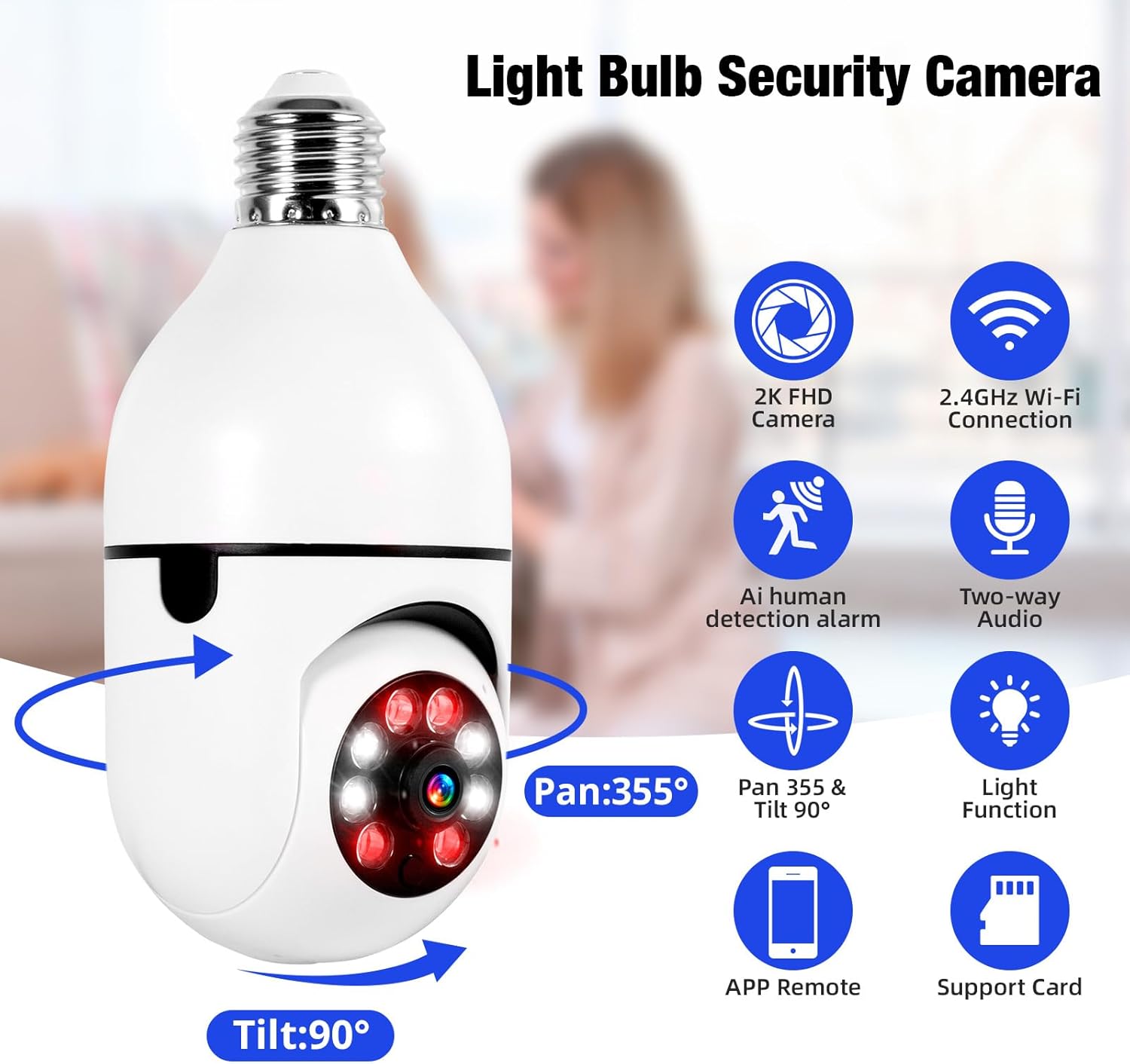
Image 1.1: The TOWODE 2K Light Bulb Security Camera, highlighting its 2K FHD camera, 2.4GHz Wi-Fi connection, AI human detection alarm, two-way audio, Pan 355° & Tilt 90° rotation, light function, APP remote control, and support for SD card storage.
2. Contido do paquete
Verifica que todos os elementos estean presentes no teu paquete:
- TOWODE 2K Light Bulb Security Camera (2 units)
- E27 Light Sockets (2 units)
- Manual de instrucións
3. Características do produto
- High-Definition Image Quality: Features ultra-clear 2K resolution, four built-in infrared lights, and four white lights. Infrared automatically switches to full-color mode at night, capturing clear details in dark environments.
- Fácil instalación: Fits standard E27 light sockets (compatible with 110V-240V). Plug-and-play screw-in installation requires no drilling or wiring. An adapter is included for direct power source connection.
- AI Human Detection & Real-Time Alarm: Supports two-way voice chat for communication. Effectively filters out environmental disturbances like rustling leaves. Customizable voice alarms and real-time alerts are sent to your phone upon anomaly detection.
- Panorámica a 360 ° View: Supports remote control with 355° horizontal rotation and 90° vertical pan. Provides nearly 360° panoramic monitoring without blind spots, handling wide-angle detection and precise tracking.
- Múltiples opcións de almacenamento: Supports cloud storage, local Micro SD cards (up to 128GB), and cell phone memory for continuous 24/7 recording.
4. Configuración e instalación
The camera is designed for simple installation, similar to replacing a light bulb.
- Escolla localización: Select a location with a standard E27 light socket (110V-240V compatible) or a power source where the included adapter can be used. Ensure the location provides adequate Wi-Fi signal strength.
- Cámara de rosca: Carefully screw the camera into the E27 light socket. If using the adapter, plug the adapter into a power source and then screw the camera into the adapter.
- Encendido: Ensure the light socket or power source is switched on. The camera will power up and initiate its startup sequence.

Image 4.1: A person demonstrating the easy installation of the light bulb camera by screwing it into a standard E27 socket.
5. Conexión á aplicación
To operate your camera, download the companion mobile application and connect it to your Wi-Fi network.
- Descarga a aplicación: Busca the 'AJCloud' app in your smartphone's app store (iOS or Android) and install it.
- Rexistrarse/Iniciar sesión: Abre a aplicación e segue as instrucións que aparecen na pantalla para crear unha nova conta ou iniciar sesión se xa tes unha.
- Engadir dispositivo: Tap the '+' icon or 'Add Device' option within the app. Select 'Light Bulb Camera' or a similar option.
- Conectar a wifi: Follow the app's prompts to connect the camera to your 2.4GHz Wi-Fi network. You may need to scan a QR code on the camera or enter your Wi-Fi password.
- Configuración completa: Once connected, name your camera and complete any remaining setup steps. The camera feed should now be visible in the app.
Video 5.1: An official product video demonstrating the features and setup of the Light Bulb Camera, including app integration and functionality.
6. Instrucións de funcionamento
6.1. Detección e seguimento de movemento
The camera features advanced AI human detection and motion tracking capabilities.
- Alertas en tempo real: When motion or a human figure is detected, the camera sends instant alerts to your connected smartphone.
- Seguimento de movemento: A cámara pode rastrexar automaticamente obxectos en movemento dentro do seu campo view, ensuring continuous surveillance.
- Alarmas personalizables: Set up personalized voice alarms through the app to deter intruders.
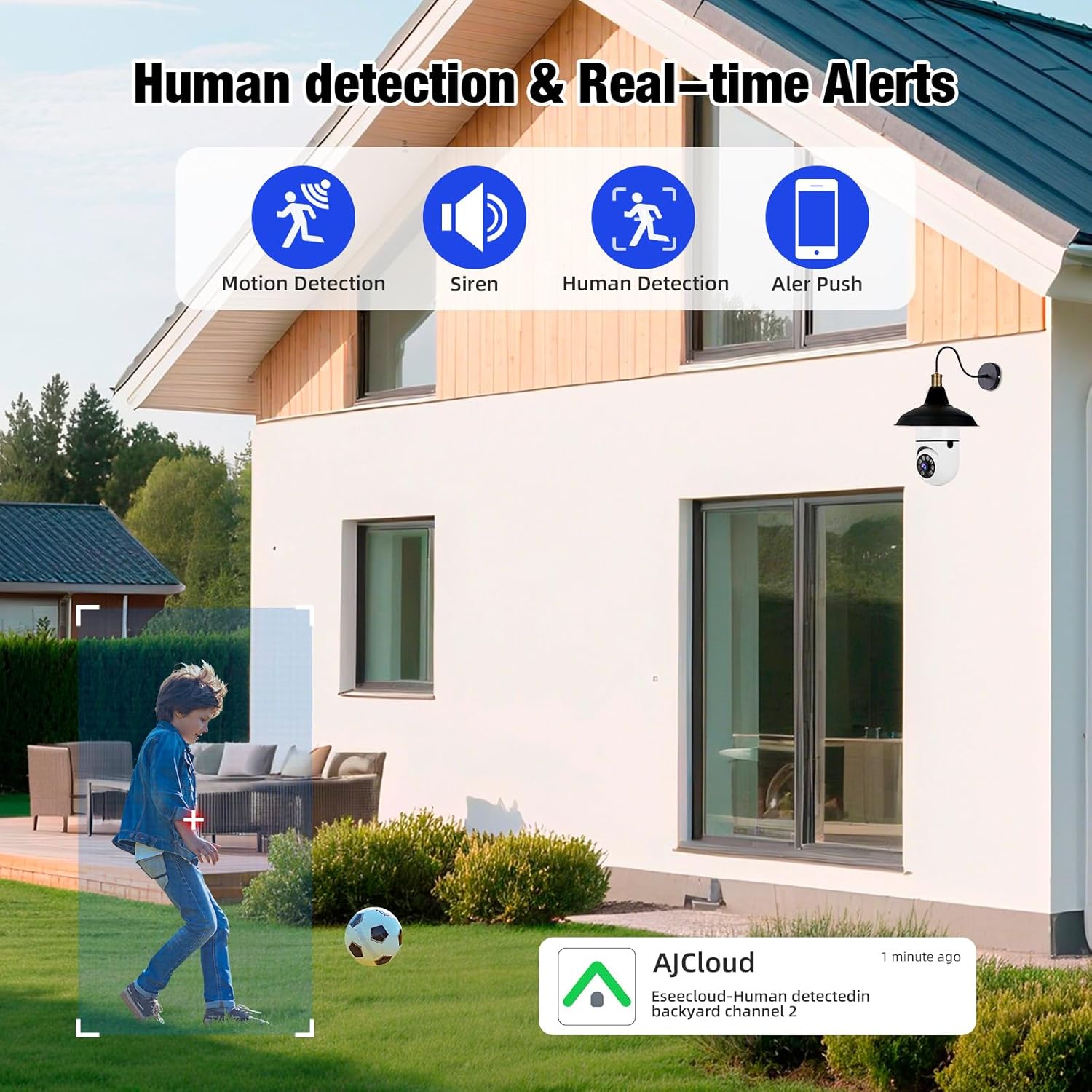
Image 6.1: The camera's human detection feature in action, showing an alert notification on a smartphone as a child is detected in the backyard.

Image 6.2: An illustration of the camera's real-time alarm and human detection at night, with a warning light activated and a notification on a smartphone.
6.2. Visión nocturna
The camera provides clear visibility even in low-light conditions.
- Visión nocturna en cor: Utilizing its white lights, the camera can switch to full-color mode at night, providing detailed and vibrant images.
- Visión nocturna por infravermellos: For discreet monitoring, the infrared lights provide clear black and white video in complete darkness.
6.3. Audio bidireccional
Communicate directly through the camera using the two-way audio feature.
- Speak and Listen: Use the app to speak to visitors or deter unwanted guests, and listen to audio from the camera's location.

Image 6.3: The two-way audio function, illustrating communication between a user via smartphone and a delivery person at the door through the camera.

Image 6.4: A visual representation of the two-way audio feature, showing a person interacting with a delivery driver at their doorstep via the camera.
6.4. Video Playback & Storage
Acceso gravado footage and manage storage options.
- Almacenamento local: Insert a Micro SD card (up to 128GB, not included) into the camera's slot for continuous local recording.
- Almacenamento na nube: Subscribe to cloud storage services through the app for secure, remote video backup.
- Mobile Storage: Save important video clips directly to your smartphone's memory.
- Reprodución: View gravado footage directly from the app, with options to download or share.

Image 6.5: The camera highlighting its support for both Micro SD card (up to 128GB) and cloud storage solutions for video recording.
7. Mantemento
Un mantemento regular garante un rendemento óptimo e unha maior duración da súa cámara de seguridade.
- Limpeza: Gently wipe the camera lens and body with a soft, dry cloth to remove dust and debris. Avoid abrasive cleaners.
- Actualizacións de firmware: Periodically check the app for available firmware updates to ensure your camera has the latest features and security enhancements.
- Conexión Wi-Fi: Ensure a stable 2.4GHz Wi-Fi connection for uninterrupted operation.
- Xestión de almacenamento: Regularmente review e xestiona o teu foo gravadotage, especially if using local SD card storage, to prevent it from becoming full.
8 Solución de problemas
If you encounter issues with your TOWODE 2K Light Bulb Security Camera, refer to the following common solutions:
| Problema | Solución |
|---|---|
| A cámara non se conecta á wifi | Ensure your Wi-Fi is 2.4GHz. Check Wi-Fi signal strength at the camera's location. Restart your router and the camera. Re-attempt the connection process in the app. |
| Mala calidade de imaxe | Verify the camera lens is clean. Ensure adequate lighting for optimal performance. Check your internet speed; a slow connection can affect streaming quality. |
| Non hai alertas de movemento | Check app notification settings and ensure they are enabled. Verify motion detection sensitivity settings in the app. Ensure the camera has a clear view da zona a vixiar. |
| O audio bidireccional non funciona | Check microphone and speaker settings in the app. Ensure your phone's volume is up. Verify the camera's microphone and speaker are not obstructed. |
| A tarxeta SD non grava | Ensure the SD card is inserted correctly. Format the SD card through the app. Check if the SD card is full or corrupted. Replace the SD card if necessary. |
9. Especificacións
| Característica | Detalle |
|---|---|
| Nome do modelo | DPDZ02 |
| Resolución de captura de vídeo | 2K (implied from product title, specifications list states 1080p, but product title is 2K, so 2K is used as primary) |
| Tecnoloxía de conectividade | Sen fíos (Wi-Fi 2.4 GHz) |
| Uso interior/exterior | Outdoor (as per product title, specifications list states Indoor, but product title is Outdoor, so Outdoor is used as primary) |
| Fonte de enerxía | Eléctrico con cable |
| Rango de panorámica/inclinación | 355° horizontal, 90° vertical |
| Visión Nocturna | Visión nocturna en cor, visión nocturna por infravermellos |
| Opcións de almacenamento | Cloud Storage, Micro SD Card (up to 128GB), Cell Phone Memory |
| Característica especial | HD Resolution, AI Human Detection, Two-Way Audio |
| Dimensións (L x W x H) | 1.18 x 1.18 x 2.76 polgadas |
| Peso do elemento | 15.8 onzas |
10. Garantía e soporte
For warranty information or technical support, please refer to the contact details provided on the product packaging or visit the official TOWODE websitio. Conserve o recibo de compra para reclamacións de garantía.