
SENBONO KT71
SENBONO KT71 Smartwatch User Manual
Modelo: KT71
Marca: SENBONO
Introdución
This manual provides detailed instructions for the SENBONO KT71 Men's Outdoor Smartwatch. The KT71 is designed for active lifestyles, featuring a 1.96" HD display, call answering capabilities, extensive sport modes, long battery life, and 3ATM water resistance. It seamlessly connects with both Android and iOS devices to keep you connected and informed. Please read this manual thoroughly to ensure proper use and optimal performance of your smartwatch.

Image: The SENBONO KT71 Smartwatch showcasing its large display with various watch faces, including a health tracking interface showing heart rate and steps, and a time/weather display.
Contido do paquete
Verifique que todos os elementos estean presentes no paquete antes de continuar coa configuración.
- 1 x SENBONO KT71 Smartwatch
- 1 x cable de carga
- 1 x Manual de usuario (este documento)
Guía de configuración
1. Carga do reloxo intelixente
Antes do primeiro uso, carga completamente o teu reloxo intelixente.
- Conecta o cable de carga magnético aos contactos de carga da parte traseira do reloxo intelixente.
- Conecta o extremo USB do cable a un adaptador de corrente USB estándar (recoméndase 5 V/1 A) ou ao porto USB dun ordenador.
- The watch display will show a charging indicator. A full charge typically takes approximately 2 hours.
2. Acendido/apagado
- Encendido: Press and hold the side button for 3-5 seconds until the screen lights up.
- Apagado: Press and hold the side button, then select "Power Off" on the screen, or navigate to "Settings" > "Power Off".
3. Instalación e emparellamento da aplicación
The KT71 smartwatch is compatible with both Android and iOS devices. To unlock its full potential, download the companion app.
- Scan the QR code in the user manual (or on the watch itself) or search for the official app name (e.g., "FitCloudPro" or similar, as this is common for such watches) in your smartphone's app store (Google Play Store for Android, Apple App Store for iOS).
- Instala a aplicación e crea unha conta se se che solicita.
- Asegúrate de que o Bluetooth estea activado no teu smartphone.
- Open the app, go to "Device" or "My Device" section, and tap "Add Device" or "Bind Device".
- Select "KT71" from the list of discovered devices.
- Confirma a solicitude de emparellamento tanto no teu teléfono como no reloxo intelixente.
- Unha vez emparellado, o reloxo sincronizará a hora e os datos co teu teléfono.
Importante: For stable connection and full functionality, grant all necessary permissions to the app (e.g., location, notifications, contacts) when prompted by your smartphone.
Instrucións de funcionamento
1. Navegación básica
- Pantalla táctil: Swipe left/right to navigate between main functions (e.g., activity, heart rate, weather). Swipe up/down to access quick settings or notifications. Tap to select.
- Botón lateral: Press once to return to the previous screen or wake the display. Press and hold to access power options or a shortcut menu.
Imaxe: A pantalla do reloxo intelixenteasing various watch faces and the main interface with time, date, step count, and current weather information.
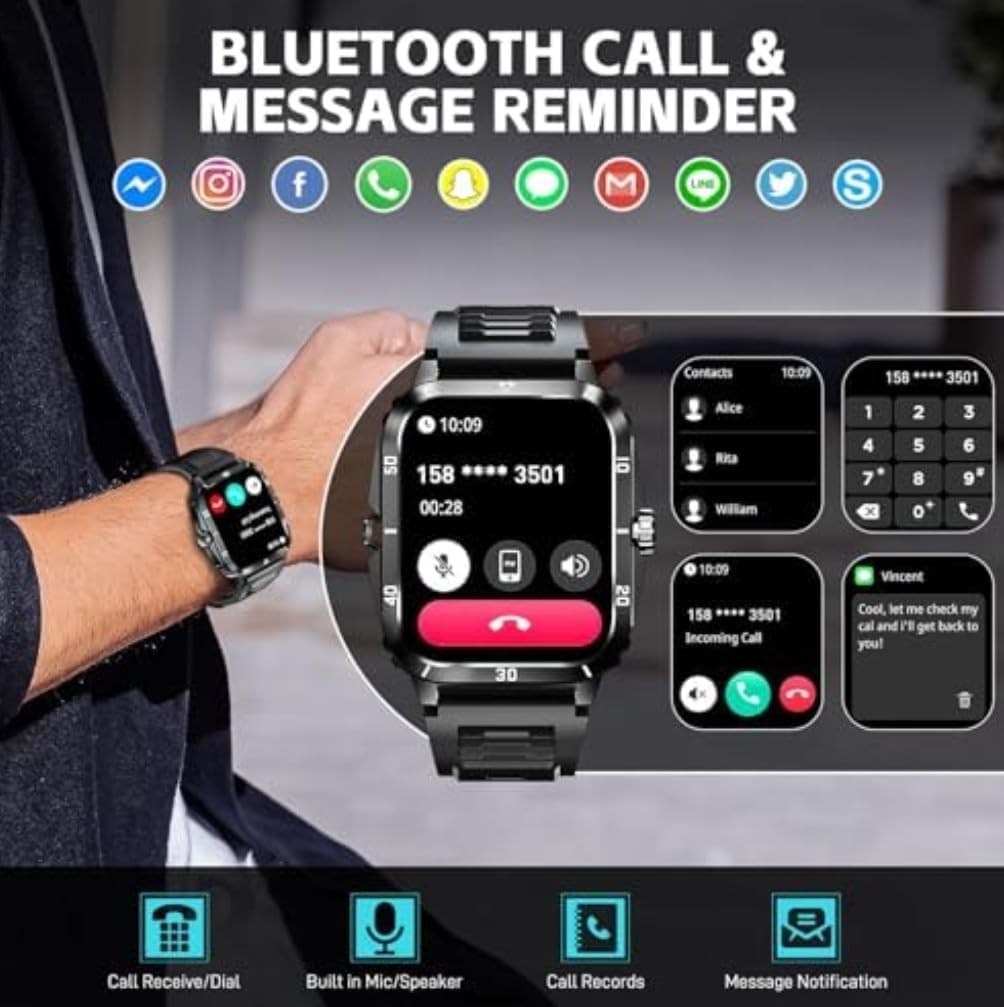
2. Xestión de chamadas
With Bluetooth calling enabled, you can manage calls directly from your wrist.
- Responder chamadas: When an incoming call is displayed, tap the green phone icon to answer.
- Rexeitando chamadas: Toca a icona do teléfono vermello para rexeitar unha chamada entrante.
- Marcación: Access the dial pad or contact list on the watch to make outgoing calls.
- Built-in Mic/Speaker: The watch features a built-in microphone and speaker for hands-free communication.
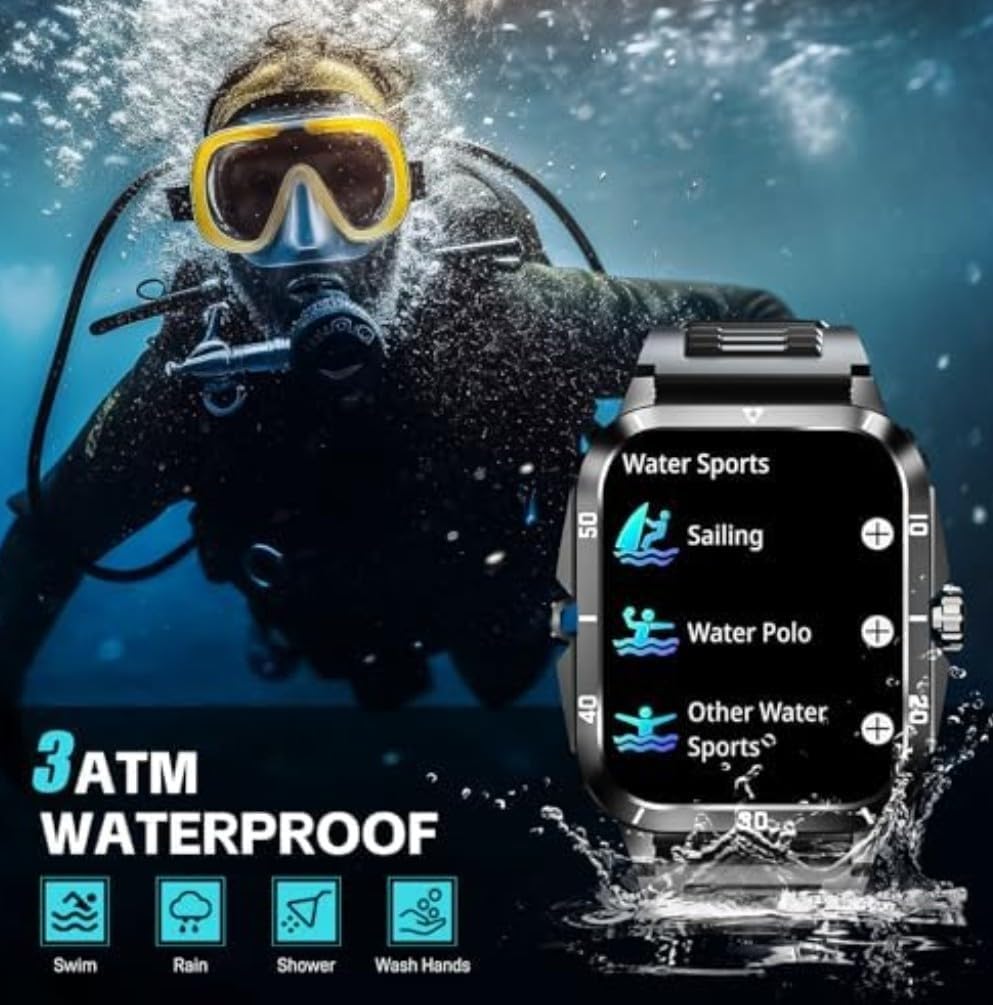
Image: The smartwatch showing its Bluetooth call and message reminder features, including an incoming call screen, a dial pad, and a message notification display.
3. Notificacións
Recibe notificacións do teu teléfono intelixente directamente no teu reloxo intelixente.
- Ensure notification permissions are enabled in the companion app and your phone's settings.
- Desliza o dedo cara abaixo desde a esfera do reloxo ata view notificacións recentes.
4. Modos deportivos
The KT71 offers over 100 sport modes to track your physical activities.
- Navigate to the "Sport" or "Workout" menu on your watch.
- Select your desired activity (e.g., running, cycling, swimming).
- The watch will begin tracking relevant data such as duration, steps, distance, and calorie consumption.
- End the workout by following the on-screen prompts. Data will sync to the app.

Image: The smartwatch showing a summary of a sport activity, including duration, total steps, and total calories burned, with an illustration of a person cycling in the background.
5. Monitorización da saúde
Monitor your health metrics directly from your wrist.
- Frecuencia cardíaca: Navigate to the heart rate interface and ensure the watch is snug on your wrist. The watch will automatically measure your heart rate.
- Osíxeno no sangue: Similar to heart rate, access the SpO2 function for measurement.
- Monitorización do sono: Wear the watch to bed, and it will automatically track your sleep patterns (awake, light sleep, restful sleep). View informes detallados na aplicación.

Image: The smartwatch displaying its sleep monitoring interface showing total sleep duration, and a health monitor interface showing heart rate measurement with current BPM, max, and min values.
6. Outras características
- Tempo: View real-time weather forecasts after syncing with the app.
- Control de música: Controla a reprodución de música no teu teléfono intelixente (reproducir, pausar, saltar pistas) directamente desde o reloxo.
- Control da cámara: Use the watch as a remote shutter for your smartphone's camera.
- Ver caras: Customize your watch face from a variety of options available on the watch or through the companion app.
Mantemento
1. Resistencia á auga (3 ATM)
The KT71 smartwatch is 3ATM water-resistant, meaning it can withstand splashes, rain, and brief immersion in shallow water.
- Suitable for daily use, hand washing, rain, and showering.
- Not suitable for hot water, diving, or prolonged submersion.
- Evitar o contacto con auga quente, vapor ou líquidos corrosivos.
- After contact with water, especially saltwater, wipe the watch dry with a soft cloth.
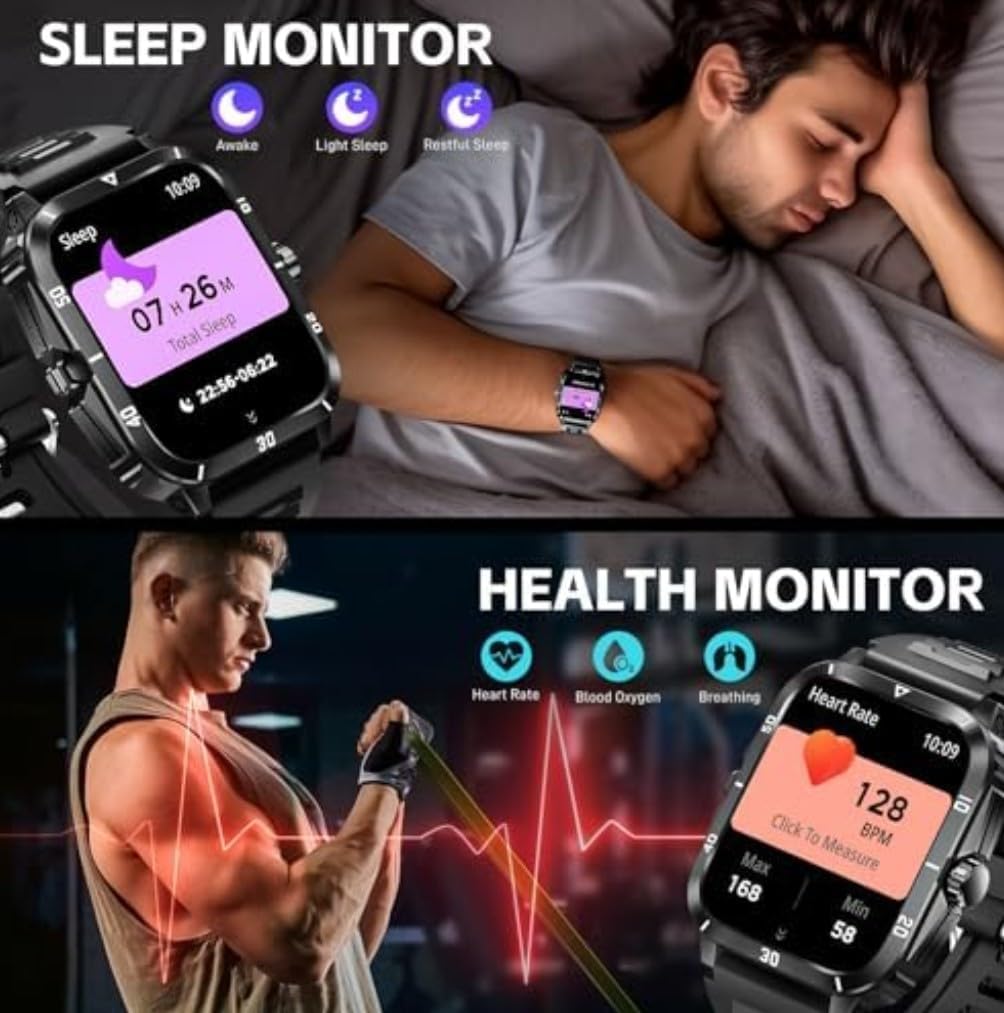
Image: The smartwatch highlighting its military-grade durability features including anti-impact, anti-fluid corrosion, temperature resistance, dust-proof, and 3ATM waterproof capabilities, shown with scenarios like working in a dusty environment, diving, and extreme cold.
2. Limpeza
- Limpa regularmente o reloxo e a correa cun pano suave eamp pano.
- Evite o uso de produtos químicos agresivos ou materiais abrasivos.
- Asegúrate de que os contactos de carga estean limpos e secos antes de cargar.
3. Coidado da batería
- Avoid extreme temperatures (hot or cold) as they can affect battery life.
- Non deixes o reloxo completamente descargado durante períodos prolongados.
- Use só o cable de carga proporcionado.
Resolución de problemas
If you encounter issues with your smartwatch, try the following solutions:
- O reloxo non se acende: Asegúrate de que o reloxo estea completamente cargado. Conéctao ao cargador durante polo menos 10 minutos.
- Non se pode emparellar co teléfono:
- Asegúrate de que o Bluetooth estea activado no teléfono e no reloxo.
- Asegúrate de que o reloxo estea dentro do alcance do teu teléfono.
- Reinicia tanto o reloxo como o teléfono.
- Borra a caché de Bluetooth no teu teléfono (Android) ou esquece o dispositivo e volve emparellalo (iOS/Android).
- Ensure the companion app has all necessary permissions.
- Notificacións non recibidas:
- Check app notification settings on your phone and in the companion app.
- Asegúrate de que o reloxo estea conectado por Bluetooth.
- Disable any power-saving modes on your phone that might restrict app background activity.
- Datos sanitarios inexactos:
- Ensure the watch is worn snugly on your wrist, about one finger's width from the wrist bone.
- Manteña limpo o sensor.
- Note that health data is for reference only and not for medical diagnosis.
- A pantalla non responde: Try restarting the watch by pressing and holding the side button. If unresponsive, allow the battery to drain completely and then recharge.
Especificacións
| Característica | Detalle |
|---|---|
| Número de modelo | KT71 |
| Tamaño de visualización | 1.96 polgadas |
| Sistema Operativo | Android, iOS Compatible |
| Tecnoloxía de conectividade | Bluetooth, móbil |
| Estándar de comunicación sen fíos | Bluetooth |
| Resistencia á auga | 3ATM (Swim, Rain, Shower, Wash Hands) |
| Capacidade da batería | 430 Amp Horario |
| Tipo de batería | Polímero de litio (batería non estándar) |
| Capacidade de almacenamento da memoria | 32 GB |
| Tamaño da memoria RAM instalada | 8 GB |
| Peso do elemento | 2.5 onzas |
| Dimensións do paquete | 4 x 2.5 x 1.5 polgadas |
| Características especiais | Bluetooth calling, Touchscreen, Water resistant |
| GPS | Sen GPS |
| Forma | Rectangular |
Garantía e Soporte
For warranty information and customer support, please refer to the warranty card included in your product packaging or visit the official SENBONO website. You may also contact the seller directly through the platform where you purchased the product.
Fabricante: SENBONO
Data de primeira dispoñibilidade: 25 de xuño de 2025