
1. Introdución
The BEITONG KP20 is a multiplatform intelligent wireless controller designed for an enhanced gaming experience across various devices. It features advanced TMR joysticks, 3-mode Hall effect triggers, and a 1000Hz report rate for precision and responsiveness. This manual provides detailed instructions for setting up, operating, and maintaining your controller.

Image 1: BEITONG KP20 Competitive Gaming Controller.
2. Produto rematadoview e Características
The BEITONG KP20 controller is engineered with several key features to optimize your gameplay:
- Ultra-Precise TMR Joysticks: Offers exceptional durability, smoothness, sensitivity, and precision with a 0.0031% drift rate and >5400 resolution.
- Pro-Grade ABXY Buttons: Engineered with mechanical switches for fast inputs, featuring a 70gf actuation force and 0.3mm travel distance.
- 3-Mode Hall Effect Triggers: Adjustable linear triggers provide smooth and responsive control for various game genres.
- Xiroscopio de 6 eixes: Enables motion-controlled gameplay for compatible titles.
- Memory Back Buttons: Two customizable buttons for additional functions and macros.
- Enhanced Mechanical Buttons & Hybrid D-Pad: Durable buttons and an 8-way D-pad for precise directional control.
- Compatibilidade multiplataforma: Seamlessly switch between PC, Switch, Steam, iOS, and Android.
- Múltiples opcións de conectividade: Supports wired, Bluetooth, and 2.4GHz wireless connections.
- Personalización de software: Personalize settings via the Beitong Game Controller Assistant.
- Smart Wake-Up Charging Dock: Convenient charging and instant reconnection upon pickup.

Image 2: The BEITONG KP20 Wireless Controller with its included charging tower.
3. Contido do paquete
Verifica que todos os elementos estean presentes no teu paquete:
- BEITONG KP20 Wireless Controller
- Torre de carga
- Cable USB-C (para carga e conexión con cable)
- 2.4G Wireless Dongle (may be stored in the controller or charging dock)
- Manual de usuario (este documento)
4. Configuración
4.1. Carga do controlador
Before first use, fully charge the controller. Place the controller onto the charging tower. The RGB indicator on the charging dock will show the charging status. The controller automatically recharges when docked and can be picked up to instantly resume gaming.

Image 3: The Smart Charging Dock with RGB indicator for the BEITONG KP20 controller.
4.2. Conectando o controlador
The BEITONG KP20 supports three connection modes: Wired, Bluetooth, and 2.4GHz Wireless. Use the mode switch on the back of the controller to select your desired connection type.
- Conexión por cable: Connect the controller directly to your PC or compatible device using the provided USB-C cable.
- Conexión sen fíos de 2.4 GHz: Insert the 2.4G wireless dongle into a USB port on your PC or Android TV. The controller will automatically connect.
- Conexión Bluetooth: Activate Bluetooth on your device (Windows, Steam Deck, Nintendo Switch, iOS, Android). Put the controller into Bluetooth pairing mode (refer to the controller's specific button combination for pairing, usually holding a specific button like 'Home' or 'Pair'). Select 'BEITONG KP20' from your device's Bluetooth list.
To switch between platforms, use the dedicated platform button on the rear of the controller. Pressing the Home button will typically auto-reconnect the controller to the last paired device.

Imaxe 4: Acabadoview of the three available connection modes for the BEITONG KP20 controller.
5. Instrucións de funcionamento
5.1. Joysticks TMR
The controller features TMR (Tunnel Magnetoresistance) joysticks, offering superior accuracy and longevity compared to traditional potentiometers. These joysticks provide a smooth, drift-free experience with high resolution, ideal for precise movements in games.

Image 5: Detailed diagram illustrating the components and benefits of the BEITONG TMR Electromagnetic Joystick.
5.2. Botóns ABXY
The ABXY face buttons utilize mechanical microswitches, ensuring a tactile click and rapid response time. This design minimizes input lag and provides satisfying feedback for competitive gaming.

Image 6: Illustration highlighting the ABXY mechanical microswitches for fast response.
5.3. Hall Effect Triggers
The Hall effect linear triggers offer three adjustable modes, allowing you to customize their travel distance and sensitivity. This is beneficial for different game types, providing precise control for racing games or quick actuation for shooters.

Image 7: Diagram detailing the Hall Effect Linear Trigger, including its locking function and precision.
5.4. D-Pad
The 8-way hybrid D-pad provides accurate directional input, suitable for fighting games and platformers where precise movement is critical.
5.5. Botóns de retroceso programables
The controller includes two cloud-memory back buttons (M1 and M2) that can be customized to perform various functions or complex macros. This allows for quick execution of commands without repositioning your thumbs from the main controls.

Image 8: The three programmable keys, including M1, M2, and the Turbo button, located on the back of the controller.
5.6. 6-Axis Gyroscope
A built-in 6-axis gyroscope enables motion-controlled gameplay, enhancing immersion and control in compatible games, particularly on platforms like Nintendo Switch.
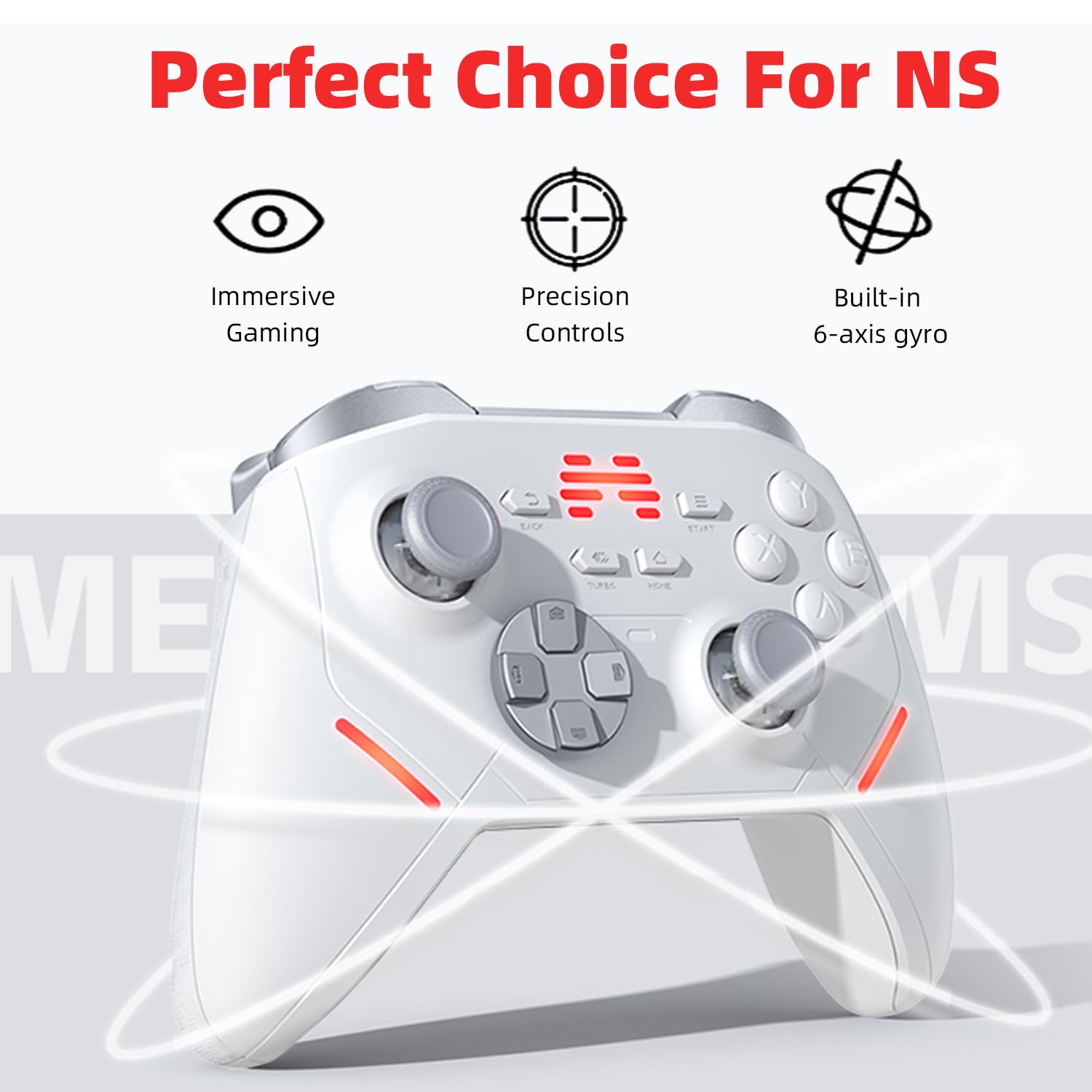
Image 9: The BEITONG KP20 controller, emphasizing its 6-axis gyro capability for Nintendo Switch compatibility.
5.7. Función Turbo
The Turbo function allows for continuous firing or repeated button presses with a single hold, reducing fatigue and providing an advantage in certain game scenarios. This function can be mapped to various buttons.

Image 10: Illustration of the Turbo and Mapping function, alongside the 5-speed adjustable shock feature.
5.8. Retroalimentación de vibración
The controller incorporates smart rumble motors that provide varying vibration feedback based on in-game scenarios, enhancing immersion. The intensity of this feedback can be adjusted.

Image 11: Visual representation of the Smart Rumble Motors delivering varied vibration feedback.
5.9. Personalización do software
Utilize the Beitong Game Controller Assistant software to personalize various settings, including dead zones, turbo speed, vibration intensity, and RGB lighting effects. This software allows for fine-tuning the controller to your preferences.
6. Mantemento
Proper maintenance ensures the longevity and optimal performance of your BEITONG KP20 controller.
- Limpeza: Use un pano suave e seco para limpar o controlador. Para a sucidade persistente, dóreo lixeiramenteampEnxágüe o pano con auga ou unha solución de limpeza suave. Evite produtos químicos agresivos ou materiais abrasivos.
- Almacenamento: Store the controller in a cool, dry place away from direct sunlight and extreme temperatures. When not in use, docking it on the charging tower is recommended.
- Coidado da batería: Avoid completely draining the battery frequently. Charge the controller regularly, even if not in constant use, to maintain battery health.
- Evitar o impacto físico: Protect the controller from drops or impacts, which can damage internal components.
7 Solución de problemas
If you encounter issues with your BEITONG KP20 controller, refer to the following common problems and solutions:
| Problema | Posible causa/solución |
|---|---|
| O controlador non se acende. | Battery may be depleted. Place the controller on the charging dock or connect via USB-C cable to charge. |
| Unable to connect wirelessly (Bluetooth/2.4GHz). |
|
| D-Pad inputs are inaccurate or sticky. | This may indicate a manufacturing defect. Ensure the D-pad is clean and free of debris. If the issue persists, contact customer support. |
| Software (Beitong Game Controller Assistant) issues. |
|
| Buttons feel mushy or unresponsive. | Ensure the buttons are clean. If the issue is persistent and affects multiple buttons, it may indicate a hardware issue. |
| O controlador desconéctase con frecuencia. |
|
8. Especificacións
| Característica | Detalle |
|---|---|
| Modelo | KP20 |
| Conectividade | Wired (USB-C), Bluetooth 5.3, 2.4GHz Wireless |
| Joysticks | TMR (magnetorresistencia de túnel) |
| Disparadores | 3-Mode Hall Effect Linear Triggers |
| Taxa de informe | Up to 1000Hz (wireless) |
| Xiroscopio | 6 eixes integrados |
| Botóns programables | 2 Back Buttons (M1, M2) |
| Vibración | Smart Rumble Motors (adjustable) |
| Compatibilidade | PC, Nintendo Switch, Steam, iOS, Android |
| Dimensións | 11.69 x 5.98 x 3.78 polgadas (embalaxe) |
| Peso do elemento | 1.68 libras |
| Baterías | 1 pilas AA necesarias (incluídas) |
| Fabricante | BEITONG |
| Data de lanzamento | 27 de xuño de 2025 |
9. Garantía e soporte
For warranty information, technical support, or further assistance, please visit the official BEITONG store or contact BEITONG customer service. Keep your purchase receipt for warranty claims.
BEITONG Store: https://www.amazon.com/stores/BEITONG/page/5A1CFBDD-644A-4FEC-8458-932FAA41849B